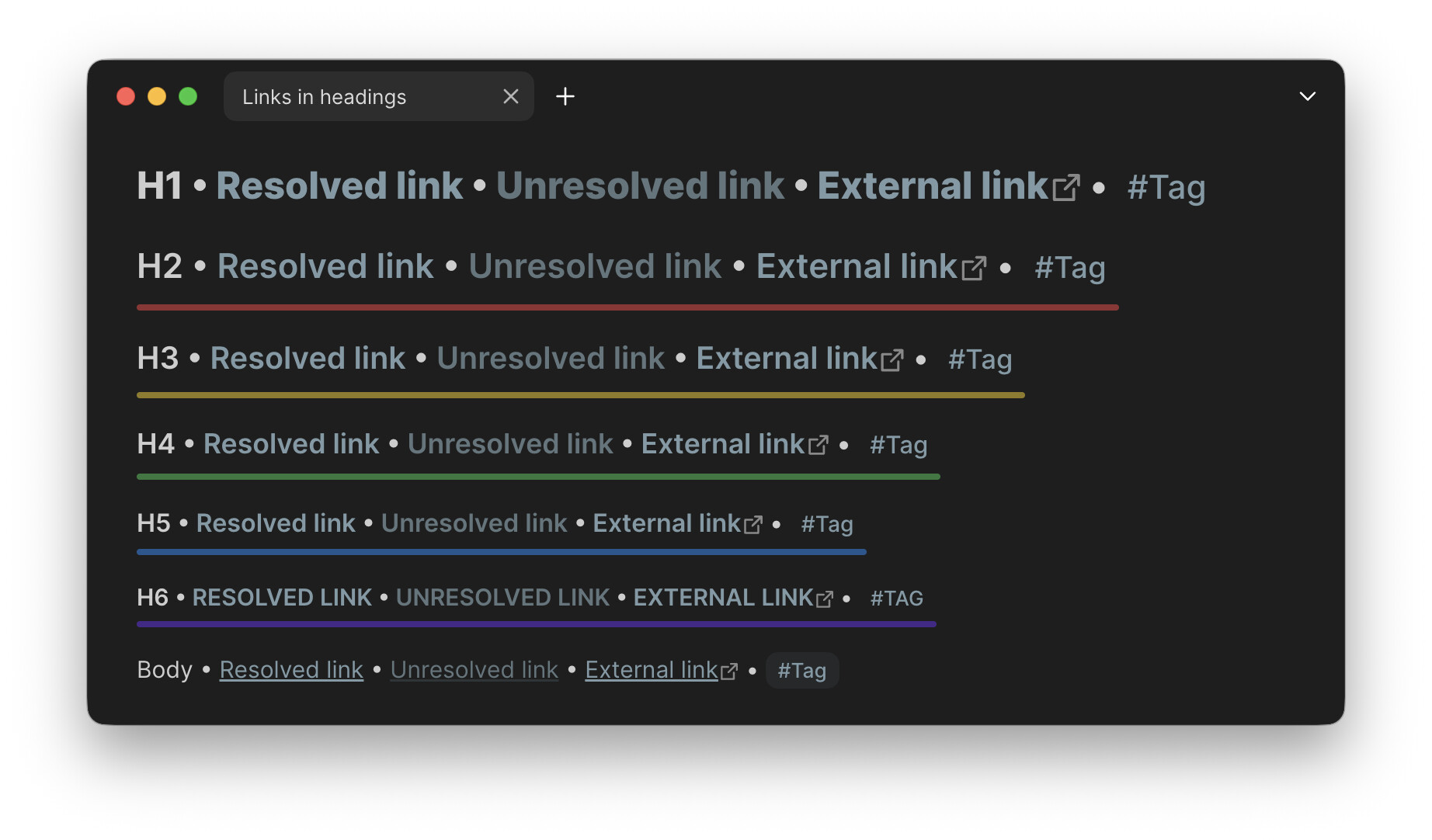
I like to use color to discern between different heading levels. But I find coloring heading text to be too drastic (and it doesn’t account for emoji-only headings), while small indicators to the left of headings aren’t prominent enough to quickly gauge the level. So I came up with a CSS snippet that adds colorful underlines beneath headings:
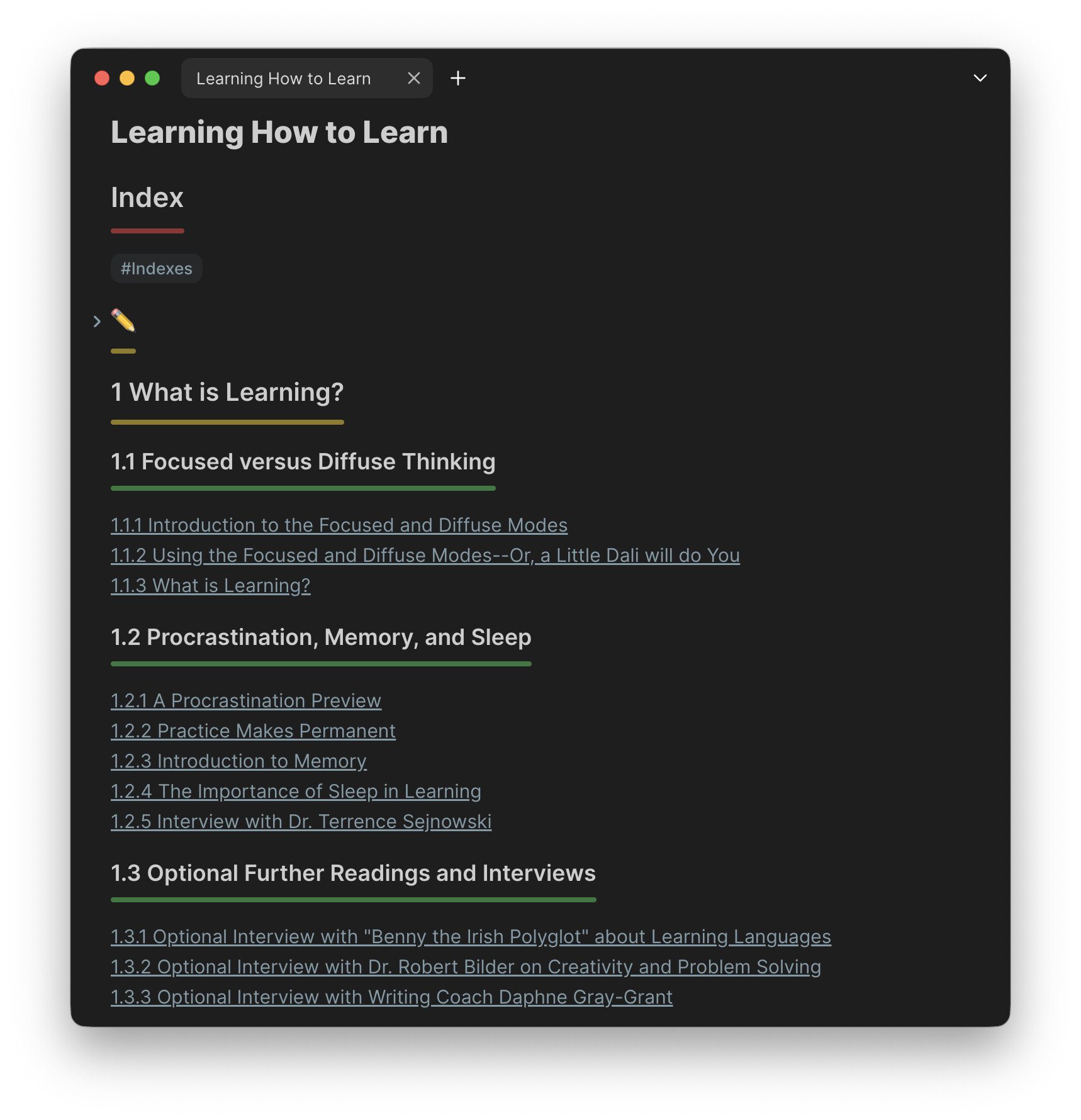
- Works with any theme and uses theme colors.
- Underlines start at H2 (a lack of an underline below H1 is an indicator in its own right).
- The color orange is not used (too similar to yellow).
- Adjustable settings at top of file.
CSS snippet
Colorful_heading_underline.css (3.4 KB)
/* Source: https://forum.obsidian.md/t/colorful-heading-underlines/107381 */

/* ========== SETTINGS ========== */

body {
    --underline-height: 4px;           /* Height of underline */
    --underline-border-radius: 8px;    /* Roundness of underline corners */
    --underline-position-read: 0em;    /* Underline position in reading view */
    --underline-position-edit: -0.4em;    /* Underline position in editing view */
    --highlight-padding: 0.5em;        /* Bottom padding to prevent clipping */
    --highlight-opacity: 50%;          /* Color opacity (0-100%) */
}

/* ========== HEADING COLORS ========== */

body {
    --h2-accent-color: var(--color-red);
    --h3-accent-color: var(--color-yellow);
    --h4-accent-color: var(--color-green);
    --h5-accent-color: var(--color-blue);
    --h6-accent-color: var(--color-purple);
}

/* ========== HIGHLIGHT STYLES ========== */

/* Reading view */
.markdown-preview-view h2,
.markdown-preview-view h3,
.markdown-preview-view h4,
.markdown-preview-view h5,
.markdown-preview-view h6 {
    padding-bottom: var(--highlight-padding);
    width: fit-content;
    position: relative;
}
.markdown-preview-view h2::before,
.markdown-preview-view h3::before,
.markdown-preview-view h4::before,
.markdown-preview-view h5::before,
.markdown-preview-view h6::before {
    content: '';
    position: absolute;
    bottom: var(--underline-position-read);
    left: 0;
    right: 0;
    height: var(--underline-height);
    border-radius: var(--underline-border-radius);
    z-index: 0;
}

/* Editing view */
.cm-line.HyperMD-header-2,
.cm-line.HyperMD-header-3,
.cm-line.HyperMD-header-4,
.cm-line.HyperMD-header-5,
.cm-line.HyperMD-header-6 {
    position: relative;
    padding-bottom: var(--highlight-padding);
    margin-bottom: 1em !important;
    width: fit-content;
}
.cm-line.HyperMD-header-2::before,
.cm-line.HyperMD-header-3::before,
.cm-line.HyperMD-header-4::before,
.cm-line.HyperMD-header-5::before,
.cm-line.HyperMD-header-6::before {
    content: '';
    position: absolute;
    bottom: var(--underline-position-edit);
    left: 0;
    right: 0;
    height: var(--underline-height);
    border-radius: var(--underline-border-radius);
    z-index: 0;
}

/* Add space to line following a heading */
.cm-line.HyperMD-header-2 + .cm-line,
.cm-line.HyperMD-header-3 + .cm-line,
.cm-line.HyperMD-header-4 + .cm-line,
.cm-line.HyperMD-header-5 + .cm-line,
.cm-line.HyperMD-header-6 + .cm-line {
    margin-top: 0.8em !important;
}

/* ========== HEADING-SPECIFIC COLORS ========== */

/* H2 */
.markdown-preview-view h2::before,
.cm-line.HyperMD-header-2::before {
    background-color: color-mix(in srgb, var(--h2-accent-color) var(--highlight-opacity), transparent);
}

/* H3 */
.markdown-preview-view h3::before,
.cm-line.HyperMD-header-3::before {
    background-color: color-mix(in srgb, var(--h3-accent-color) var(--highlight-opacity), transparent);
}

/* H4 */
.markdown-preview-view h4::before,
.cm-line.HyperMD-header-4::before {
    background-color: color-mix(in srgb, var(--h4-accent-color) var(--highlight-opacity), transparent);
}

/* H5 */
.markdown-preview-view h5::before,
.cm-line.HyperMD-header-5::before {
    background-color: color-mix(in srgb, var(--h5-accent-color) var(--highlight-opacity), transparent);
}

/* H6 */
.markdown-preview-view h6::before,
.cm-line.HyperMD-header-6::before {
    background-color: color-mix(in srgb, var(--h6-accent-color) var(--highlight-opacity), transparent);
}
Looks best with link underlines in headings hidden, and with tags made plain:
CSS snippet
Hide_heading_link_decoration.css (1.4 KB)
/* Source: https://forum.obsidian.md/t/colorful-heading-underlines/107381 */

/* Hide link underlines in headings - Reading view */
.el-h1 a.internal-link,
.el-h2 a.internal-link,
.el-h3 a.internal-link,
.el-h4 a.internal-link,
.el-h5 a.internal-link,
.el-h6 a.internal-link,
.el-h1 a.external-link,
.el-h2 a.external-link,
.el-h3 a.external-link,
.el-h4 a.external-link,
.el-h5 a.external-link,
.el-h6 a.external-link {
    text-decoration-line: none !important;
}

/* Show underline on hover - Reading view */
.el-h1 a.internal-link:hover,
.el-h2 a.internal-link:hover,
.el-h3 a.internal-link:hover,
.el-h4 a.internal-link:hover,
.el-h5 a.internal-link:hover,
.el-h6 a.internal-link:hover,
.el-h1 a.external-link:hover,
.el-h2 a.external-link:hover,
.el-h3 a.external-link:hover,
.el-h4 a.external-link:hover,
.el-h5 a.external-link:hover,
.el-h6 a.external-link:hover {
    text-decoration-line: underline !important;
}

/* Hide link underlines in headings - Editing view */
.HyperMD-header a.cm-underline {
    text-decoration-line: none !important;
}

/* Show underline on hover - Editing view */
.HyperMD-header a.cm-underline:hover {
    text-decoration-line: underline !important;
}

/* Remove tag background in headings */
.el-h1 a.tag,
.el-h2 a.tag,
.el-h3 a.tag,
.el-h4 a.tag,
.el-h5 a.tag,
.el-h6 a.tag,
.HyperMD-header a.tag {
    background-color: transparent !important;
}