First, search the help docs and this forum. Maybe your question has been answered! The debugging steps can help, too. Still stuck? Delete this line and proceed.
What I’m trying to do
Things I have tried
i want to know how to prevent circled characters like ① from getting bigger by itself in obsidian.
please help me 
What’s your OS, custom font(s) if you’re set any, and your language input method?
On iOS, in a new vault and using the default / system font with this: ① ② ③ ④ ⑤ (entered using Japanese - Kana input), I see:
Live Preview:
Reading view:
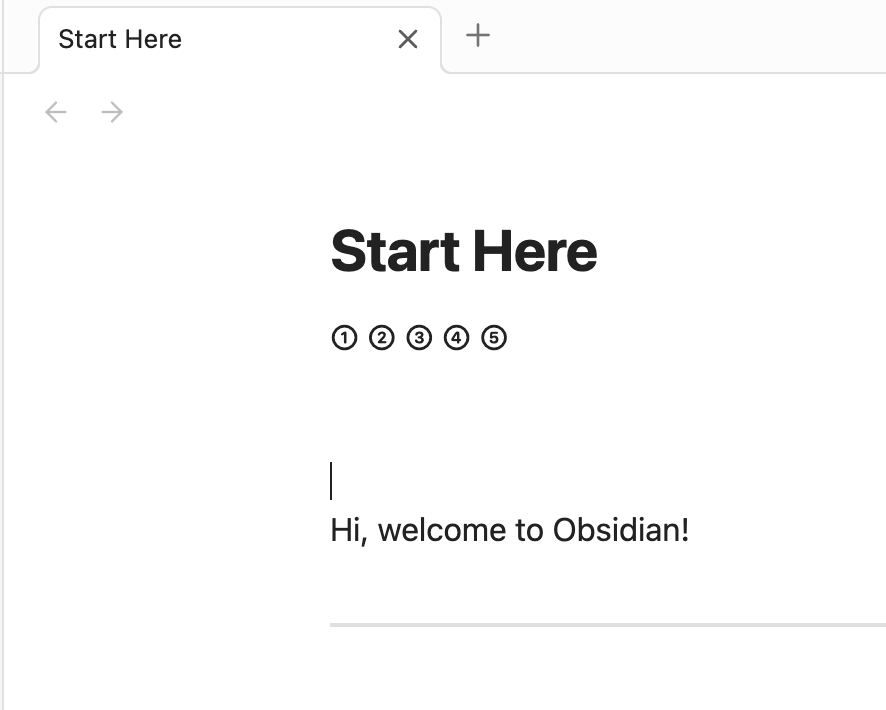
Desktop Sandbox (both Live Preview and Reading modes) with the macOS system font (San Francisco, I believe):
But using any, for example, of the fonts here will give me the larger characters:
You could try playing around with different fonts or different unicode characters to get the look you’d like.