Canvas Roots transforms your Obsidian vault into a powerful genealogy workspace. Import GEDCOM files, manage relationships through native Canvas visualizations, and export back to standard formats—all while keeping your research notes linked and accessible.
Core Features
Native Canvas integration - Trees built from file nodes, every person links to research notes
GEDCOM import/export - Full round-trip support with UUID preservation
Automated layout - Four algorithms (Standard, Compact, Timeline, Hourglass) for different visualization needs
Interactive preview - Pan, zoom, and verify layouts before generating canvases
Bidirectional sync - Relationship changes automatically update both sides
Obsidian Bases compatible - Bulk data management with pre-configured views
Multiple spouse support - Track complex marital histories with marriage metadata
Who’s This For?
Genealogists: GEDCOM workflow, relationship tracking, research organization
Historians: Document family networks and dynasties
World-builders: Fantasy lineages, political marriages, succession tracking
Get Started
Install via BRAT: https://github.com/banisterious/obsidian-canvas-roots
Split Canvas Wizard - Break large trees into manageable canvases with 6 split methods (generation, branch, lineage, collection, ancestor-descendant, surname)
Surname extraction - Extract people by surname even without established family connections
v0.4.0 - Import Cleanup & Merge Tools
Staging workflow - Safe import processing with isolated staging folder
Merge wizard - Field-level conflict resolution when combining duplicate records
Data quality tools - Quality scoring, issue detection, and batch normalization
v0.3.0 - Interactive Family Chart
Family chart view - Pan, zoom, and edit relationships in real-time with bidirectional sync
PDF/PNG/SVG export - High-quality exports with customizable filenames
v0.2.x - Core Features
GEDCOM & CSV import/export - Full round-trip support with selective branch export
Layout algorithms - Standard, Compact, Timeline, and Hourglass layouts
Relationship calculator - Find connections between any two people
Reference numbering - Ahnentafel, d’Aboville, Henry, and generation systems
Smart duplicate detection - Fuzzy matching to find potential duplicates
Collections & groups - Organize people and filter tree generation
Per-canvas styling - Customize individual canvases with style overrides
Bidirectional relationship sync - Automatic reciprocal link maintenance
Six major releases have shipped since v0.7.0, adding statistics/reports, event timelines, Calendarium integration, import improvements, and data quality tools:
Statistics & Reports
Statistics Dashboard with entity counts, data completeness metrics, gender distribution, and date range overview
Data quality analysis with severity-coded alerts for date issues, missing data, orphaned people, and unsourced events - all with drill-down to affected records
Extended statistics including longevity analysis, family size patterns, marriage patterns, migration flows, and timeline density with gap detection
Genealogical reports - Family Group Sheet, Individual Summary, Ahnentafel, Gaps Report, Register Report, Pedigree Chart, Descendant Chart
Events & Timelines
Event notes with 22+ event types, date precision, confidence levels, and before/after relationships
Timeline export to Canvas, Excalidraw, or Markdown with layout styles, color-coding, and group/faction filtering
Person timeline view and Family timeline view showing events for individuals or family units
Place timeline view showing events at specific locations with family presence analysis
Compute sort order for automatic topological ordering of events from before/after relationships
Source event extraction from census, vital records, and other source notes
Import & Export
GEDCOM Import v2 with event notes, source notes, hierarchical place notes, progress indicator, and pre-import data quality preview
Gramps XML import with source/citation extraction, repository metadata, and automatic gzip decompression
Export v2 with full entity support (events, sources, places) and round-trip fidelity for GEDCOM, GEDCOM X, Gramps, and CSV
Source Image Import Wizard for bulk-importing source images with filename parsing and metadata extraction
Source Media Linker for attaching images to existing source notes with smart suggestions
Data Quality & Place Management
Batch data quality operations - remove duplicates, normalize names, fix bidirectional relationships, validate dates, remove placeholder values, standardize place names
Place management tools - merge duplicates, enrich hierarchy via geocoding, normalize state abbreviations, standardize place types
Family Chart
Interactive Family Chart with pan/zoom, click navigation, edit mode for adding relationships, and SVG/PNG/PDF export
Family Chart “Open note” button on person cards for quick access to notes
Source indicators on trees showing research documentation quality with color-coded badges
Citation generator supporting Chicago, Evidence Explained, MLA, and Turabian formats
Worldbuilding & Customization
Custom relationships for godparent, guardian, mentor, apprentice, and other non-family links with canvas edge styling
Fictional date systems for worldbuilding with custom calendars and eras
Organization notes for noble houses, guilds, corporations, military units, and other hierarchies
Calendarium integration for importing calendar definitions from the Calendarium plugin
Configuration & UX
Type customization for events, sources, organizations, relationships, and places with category management
Property aliases to use custom frontmatter property names without editing notes
Value aliases to map custom property values to canonical values
Sex/gender identity fields with separate gender_identity property distinct from biological sex
Unified property configuration UI with collapsible sections and search/filter
Settings UX overhaul with search, collapsible sections, sliders, and folder autocomplete
Style Settings integration for customizing Family Chart and evidence visualization colors
Note Templates
Dynamic content blocks (canvas-roots-timeline and canvas-roots-relationships) that render live computed content in person notes with freeze-to-markdown option
Obsidian Bases templates for People, Events, Places, Sources, and Organizations with pre-configured views
Import/Export — Gramps notes on persons, events, and places now import with style conversion and privacy flags. Timeline exports consolidated into Reports wizard. Research Level round-trips through GEDCOM/Gramps.
Relationships — Family Creation Wizard for building families. Inclusive parent relationships with gender-neutral support. Edit Modal supports inline person creation and children management. Picker modals include “Create new” buttons throughout.
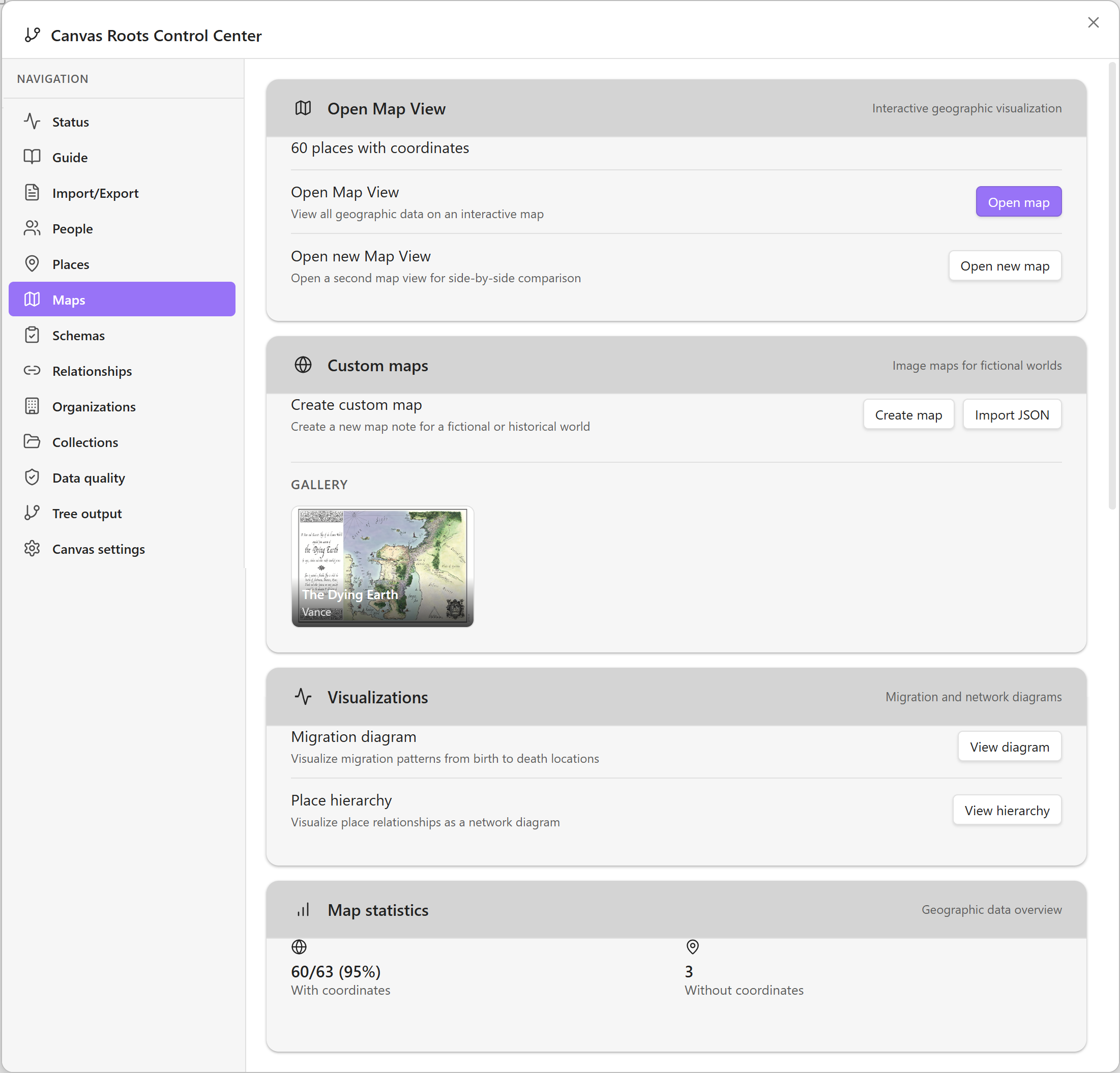
Maps — Custom Map Authoring wizard with right-click place creation and draggable markers. “All places” layer in Map View. Pixel coordinates for fictional maps. Auto-refresh on changes.
Data Quality — Cleanup Wizard adds batch progress, keyboard nav, and accessibility. Property normalization migrates child → children. Flat properties replace nested sourced_facts and events.
Media — Direct upload with 6-tile Media Manager and entity picker. Bulk Media Linker supports configured folders with pagination.
UI — Reorganized context menus. Form state persistence for 24 hours.
Person Notes — Nickname property. Research Level (0-6) with Gaps Report integration.
Happy New Year
I am most grateful for this plugin you have developed. For many novelists, it undoubtedly serves as a small yet powerful AI-driven tool. There exists a significant latent demand for such tools within the Chinese-speaking community, though the likelihood of widespread adoption remains low at present. Nevertheless, I remain full of anticipation. Wishing you every success in the New Year.
Hi again! I’m curious to learn more about your use case. It sounds like you might be a novelist. If that’s the case, how do you currently use Obsidian in your writing workflow? For example:
Do you track characters and their relationships manually, or use another system?
How do you visualize family connections or character networks in your stories?
Are you working with multi-generational sagas or complex family dynamics?
This plugin is largely focused on genealogists, but I’m also striving to better serve world-builders and fiction writers - especially for tracking fictional family trees, lineages, and character relationships across a story or series.
I’d love to hear what features you think would be most valuable for novelists. What drew you to try the plugin, and what would make it more useful for your creative work?
Hello, regarding the question you raised, I shall attempt to respond. I may have misunderstood somewhat, but should I be able to offer creative inspiration, I shall consider it a privilege.
How are you currently utilising Obsidian within your writing workflow? For instance:
• Do you manually track characters and their relationships, or employ other systems?
• I’m quite new to Obsidian, having used it for less than two months.
• After discovering the dual-link feature—a fundamental internet functionality—I’ve been experimenting with using canvases and dual-links to map connections among family members.
•
• How do you visualise familial connections or character networks within your narrative?
• As I’m writing a historical novel about family history using a polyphonic structure, characters are treated as equals with divergent arcs. This differs from traditional linear genealogical storytelling. Each character possesses their own distinct set of relational links—such as father-son dynamics, intergenerational bonds, and parent-child connections—which interconnect while developing independently.
• Are you dealing with multigenerational households or complex family dynamics?
• Two generations: father and son. A story spanning war and peace.
This add-on primarily targets genealogists, but I’ve also strived to better serve worldbuilders and fiction writers—particularly those tracking fictional family trees, lineages, and character relationships across stories or series.
I’d be keen to hear which features you find most valuable for fiction writers. What drew you to try this plugin? And what makes it particularly helpful for your creative process?
It feels both fortunate and delightful that I happened to be writing a polyphonic novel tracing a father-son family history when I encountered your plugin. Combined with Obsidian, it spares me the chaos and forgetfulness of traditional writing methods.
I find the outline tree particularly valuable. Paired with dual chains and integrated with your family tree feature, it creates remarkably flexible writing templates. This represents an effective tool for the AI era.
Naturally, future integration with AI would provide writers with an automated engine, significantly boosting productivity.
Thank you so much for sharing your use case - this is exactly the kind of feedback that helps me understand how writers are using the plugin!
Your workflow sounds like a great fit:
A polyphonic historical novel with father-son dynamics across two generations
Characters as equals with divergent arcs (not traditional linear genealogy)
Using canvases and dual-links to map family connections
I’m glad the outline tree and family tree features are working well for you. The combination of Obsidian’s linking with Canvas Roots’ relationship tracking does create flexible templates for complex narratives.
A few questions to help me understand your needs better:
Character relationships: Beyond parent-child, are there other relationship types you need to track? (e.g., rivals, mentors, allies - The plugin has a “Feudal/World-building” category with these)
Timeline: Does your story have a specific historical timeline? The plugin can track birth/death dates and life events - would this help you maintain historical consistency?
Multiple perspectives: With your polyphonic structure, do you need to visualize the story from different characters’ points of view? (e.g., “Show all characters connected to Character A”)
Pain points: What’s currently difficult or tedious in your workflow that you wish was easier?
Your feedback about the Chinese-speaking community is interesting. If you ever have time to share how you discovered the plugin or what barriers might exist for non-English users, I’d be curious to hear.
One clarification: Canvas Roots doesn’t actually use AI (and I have no plans to add such features) - it’s a structured data tool that automatically manages relationships, links, and visualizations. But I can see how the automatic linking and relationship tracking feels like a smarter way to work compared to doing it all manually!
Thank you again for the kind words, and best of luck with your novel!
Character Relationships: Beyond parent-child bonds, are other relationship types to be tracked? (e.g., rivals, mentors, allies—the add-on features a “Feudal/World-Building” category)
Answer: Yes. Vertical relationships are father-son; horizontal relationships among the elder generation include comrades-in-arms, fellow townsfolk, and childhood friends. This stems from their shared wartime experiences.
The son’s generation has lateral relationships: lovers, classmates, friends, rivals.
Hence the adoption of a polyphonic narrative structure.
Timeline: Does your story have a specific historical timeline? This plugin can track birth/death dates and life events—would this aid historical consistency?
Answer: Yes. 1933–1990.
Multiple Perspectives: Given your polyphonic structure, is it necessary to visualise the story from different characters’ viewpoints? (e.g., “Display all characters related to Character A”)
Answer: Yes. Father and son. The father dominates the polyphonic narrative. The son experiences this conflict to varying degrees due to the father’s influence.
**Pain Points: What difficulties or cumbersome aspects in your current workflow could be simplified?
All materials are disorganised and require a combination of parallel and serial organisation, akin to a family tree. This would significantly enhance writing efficiency.
Your feedback on the Chinese-speaking community is fascinating. If you have time to share how you discovered this plugin, or potential obstacles non-English speakers might encounter, I’d be very interested to hear.
Answer: As an Obsidian user, the Chinese-speaking community proved overwhelmingly complex with slow response times. As a novice requiring immediate results, I turned to English-speaking communities. This led me to discover your family tree feature, which greatly aids writing. However, I couldn’t locate it in the plugin marketplace. Regarding Git, being non-technical and new to Obsidian, installation proved challenging. Another factor is that I now write on an iPad, away from the Windows work environment. It seems fraught with obstacles.
One clarification: Canvas Roots doesn’t actually use AI (nor do I plan to add such features) — it’s a structured data tool that automatically manages associations, links, and visualisations. But I understand that automatic linking and relationship tracking feels like a smarter way of working than doing it manually!
As for integrating AI, that’s something I’d like to see in similar writing plugins. I also recognise that overly complex designs often end up being counterproductive.
Wishing you all the best in your work.
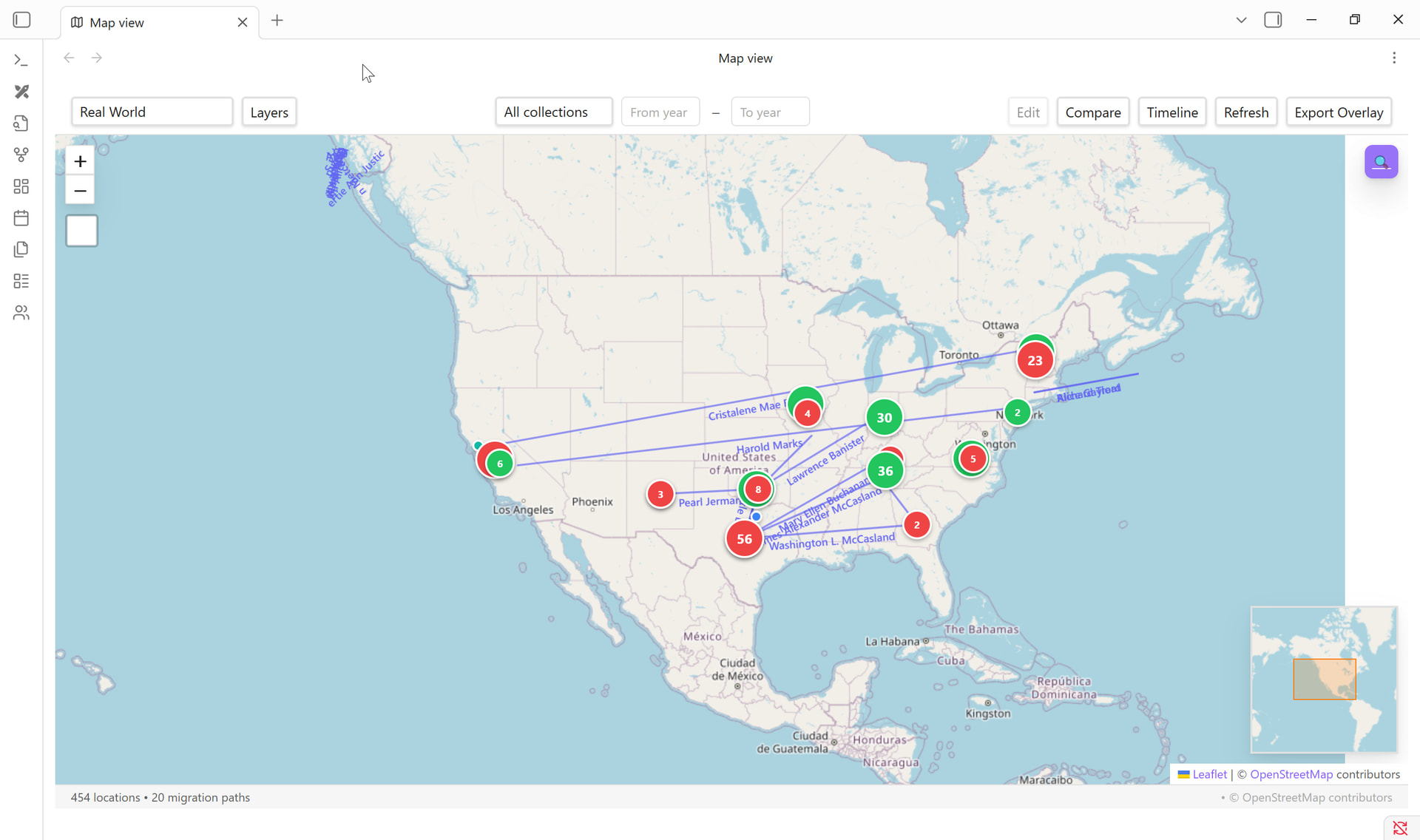
Canvas Roots is now Charted Roots. The original name led to confusion — users assumed they needed Obsidian Canvas. In reality, most visualization happens in dedicated views: Interactive Family Chart, Map View, Statistics Dashboard, and PDF exports. “Charted Roots” better captures this range while keeping the cr- prefix.
Features since v0.18.13:
Gramps Notes Phase 4: Separate note files (opt-in)
Family Chart: Four card styles with state persistence and export
Export Privacy: Canvas privacy, field redaction, private fields, deadname protection
Staging Management: UI for staged imports with stats, duplicate detection, promotion
Thanks for your interest! Charted Roots is specifically focused on genealogy and family history research rather than general productivity systems. That said, the plugin does include research workflow management features inspired by the Genealogical Proof Standard (GPS). These include:
Research Projects - Track complex, multi-phase research cases with status tracking (open, in-progress, on-hold, completed)
Research Reports - Living documents analyzing specific research questions with findings and evidence
Individual Research Notes (IRNs) - Synthesis documents combining analysis across multiple sources for a specific person
Research Journals and Log Entries - Session-level research logs for tracking activity, repositories visited, and search results (positive/negative/inconclusive)
Research Level tracking - A 0-6 GPS scale per person (from “Unidentified” to “Biography Complete”)
Research Gaps Report - Identifies ancestors needing research, sorted by research level
These features are designed for genealogical research specifically - tracking sources, evidence analysis, and progress toward proving family relationships - rather than general GTD or P.A.R.A. workflows. But if you’re managing genealogical research, they may provide some of what you’re looking for within that domain.
Regarding character creation for novelists and writers: I hold licenses for both Scrivener and Aeon Timeline, and I’ve noticed that many authors in those communities rely on genealogy or specialist character-management software to keep track of their casts.
While yWriter, Scrivener, and various open-source tools offer basic character management, a simple note can become quite limiting when you need to track a character across several years or through complex timelines filled with events. This is especially true when you also need to map out intricate webs of family members and friends.
Because of this, many writers have been calling for more robust character management features. I recently shared a link to your plugin in a thread on the Aeon Timeline Community Forum, as I believe many there will find your tool incredibly useful.
Currently, I am tied up with a large OCR project in Python, but once that is wrapped up, I plan to integrate Charted Roots into my own historical and genealogical research workflow. It looks very promising!
I might have some suggestions for minor “tweaking” or added flexibility in certain areas later on, but I’ll know more once I have had the chance to test it more extensively. Great work so far!
Hello!
I’ve been looking for a tool like this for a while just to work on creating my own real-life family tree. Working with it for a couple of hours now, I’ve noticed two features that might be helpful.
1.) There’s a section for step-parents but not for step-children, it would be nice if you could instantiate that relationship in either direction and have it autopopulate on the other end.
2.) For marriage info, if i set someone as a spouse and then put the status to “divorced” on the spouses page that doesn’t autopopulate and remains saying “unspecified”, in any eventuality I have thought through I think this is a singular piece of information, (i don’t think it can be a one sided divorce), so it would be nice if that autopoppulated as well.
Also it used to prompt me for a maiden name when creating a new person, but this is no longer happening, can I edit what boxes will appear whenever I create people?