- Open Native Menus.
- Create a Canvas.
- Add a Card to the canvas.
- Drag an arrow from the card node to create a connection.
- Click Add card.

Did you follow the troubleshooting guide? [Y]
Yes. The issue is reproducible in a sandbox vault with restricted mode enabled, no snippets, and the default theme.
Expected result
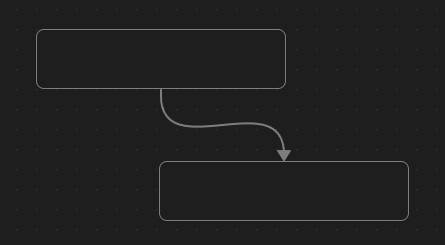
After clicking Add card, two cards should be connected by an arrow.
Actual result
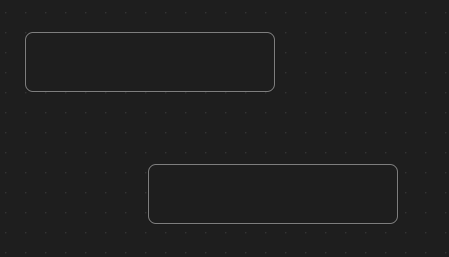
After clicking Add card, the arrow connected to the original card disappears.
Environment
- Obsidian version: v1.11.5
- Installer version: v1.11.5
- Operating system: Windows 11 Pro 10.0.26100
- Login status: not logged in
- Language: en
- Insider build toggle: off
- Live preview: on
- Base theme: adapt to system
- Community theme: none
- Snippets enabled: 0
- Restricted mode: on
Additional information
No additional information at the moment. The issue occurs consistently following the steps above.