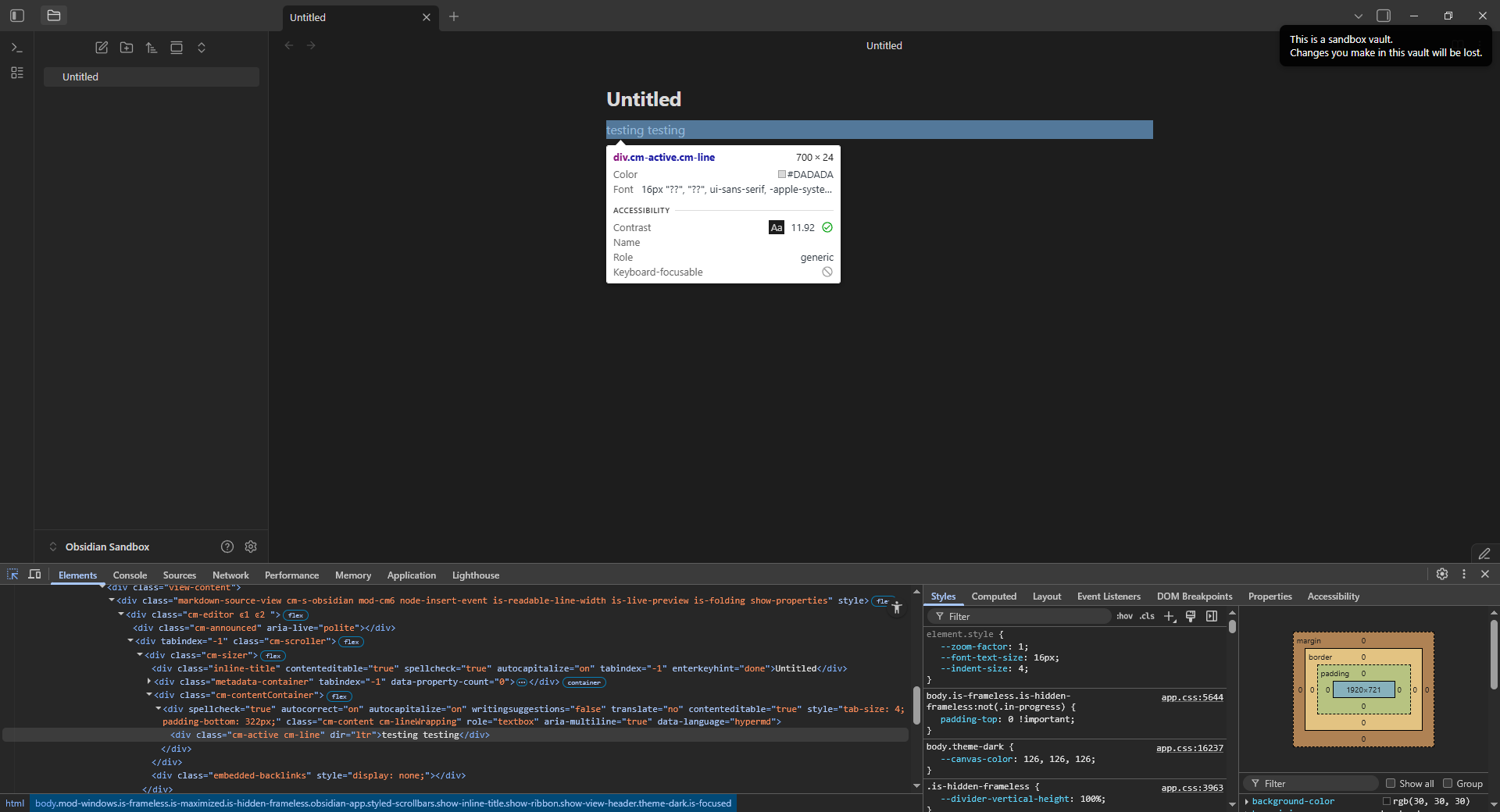
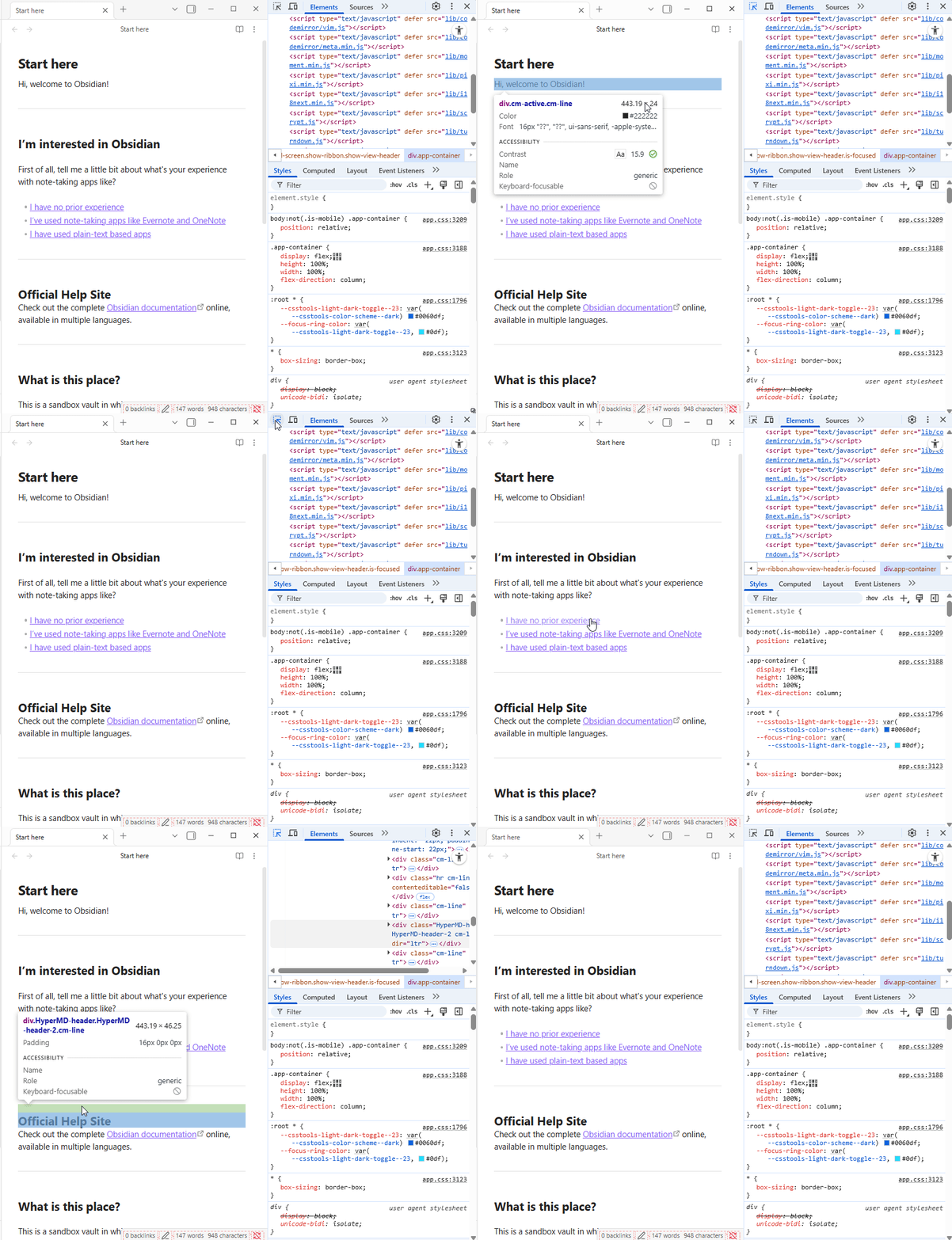
Click on the inspect button, then click on an element inside a note.
Did you follow the troubleshooting guide? [Y/N]
Reproduced in sandbox.
Expected result
For the inspect function to select the element and show it in its expanded HTML code context, as usual.
Actual result
While hovering the element, it is correctly shown in its code context, but once the user clicks, the whole note is highlighted with blue, and the HTML code view jumps back to the top level, collapsed state.
I can’t always reproduce it, might have something to do with switching between multiple notes before the bug occurs. In my actual vault the code shown after clicking are sometimes parts of a note open in the background, not the active one.
Environment
SYSTEM INFO:
Obsidian version: v1.11.4
Installer version: v1.11.4
Operating system: Windows 10 Enterprise 10.0.19045
Login status: not logged in
Language: en-GB
Insider build toggle: off
Live preview: on
Base theme: adapt to system
Community theme: none
Snippets enabled: 0
Restricted mode: off
Plugins installed: 0
Plugins enabled: 0
If I roll back to a previous installer version would that solve it, or do all Obsidian 1.11 versions, regardless of installer version, have this issue?
In Obsidian 1.11, the inspect tool highlights the whole note instead of the element when multiple notes are open. Open only one note at a time or restart Obsidian before inspecting. Report this with steps to help the devs fix it.
As mentioned earlier, it’s inconsistent. I played around on macOS a bit more yesterday and the picker started working for a while and then randomly stopped again (showing the blue overlay and the Elements tab not jumping to the section).
That said, it seems to be alright in Windows with ~5 minutes of clicking around.
update: It’s still happening on Windows as well.
SYSTEM INFO:
	Obsidian version: 1.12.1
	Installer version: 1.11.7
	Operating system: Windows 11 Pro 10.0.26200
FWIW: I’m still running into it on Mac (in the sandbox vault) but it’s quite inconsistent
(I really have no idea what triggers it and what seems to “fix” it, even temporarily)
SYSTEM INFO:
	Obsidian version: 1.12.7
	Installer version: 1.12.7
	Operating system: Darwin Kernel Version 24.6.0: Mon Jan 19 21:56:28 PST 2026; root:xnu-11417.140.69.708.3~1/RELEASE_ARM64_T6020 24.6.0
I have the same issue with version 1.12.7, using macOS Tahoe 26.4.1.
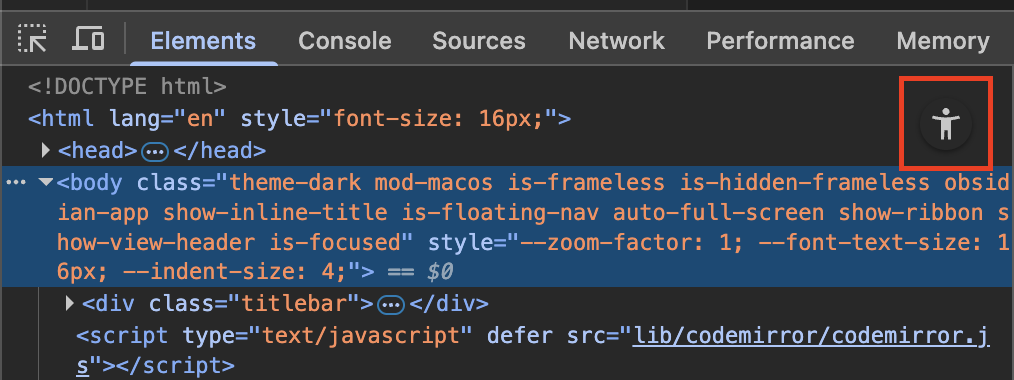
As a workaround, I found that the accessibility mode keeps the element selected with the inspector. To enable it, there is a button at the top right of the DOM tree view called “Switch to Accessibility Tree View.” When I inspect an element in this mode, the element keeps selected.
Fingers crossed the next installer/Electron update sorts it out.
It feels like when I’m just noodling around it works fine, but when I actually want to do a quick check of something to help out or work on something for myself, it flakes out. lol