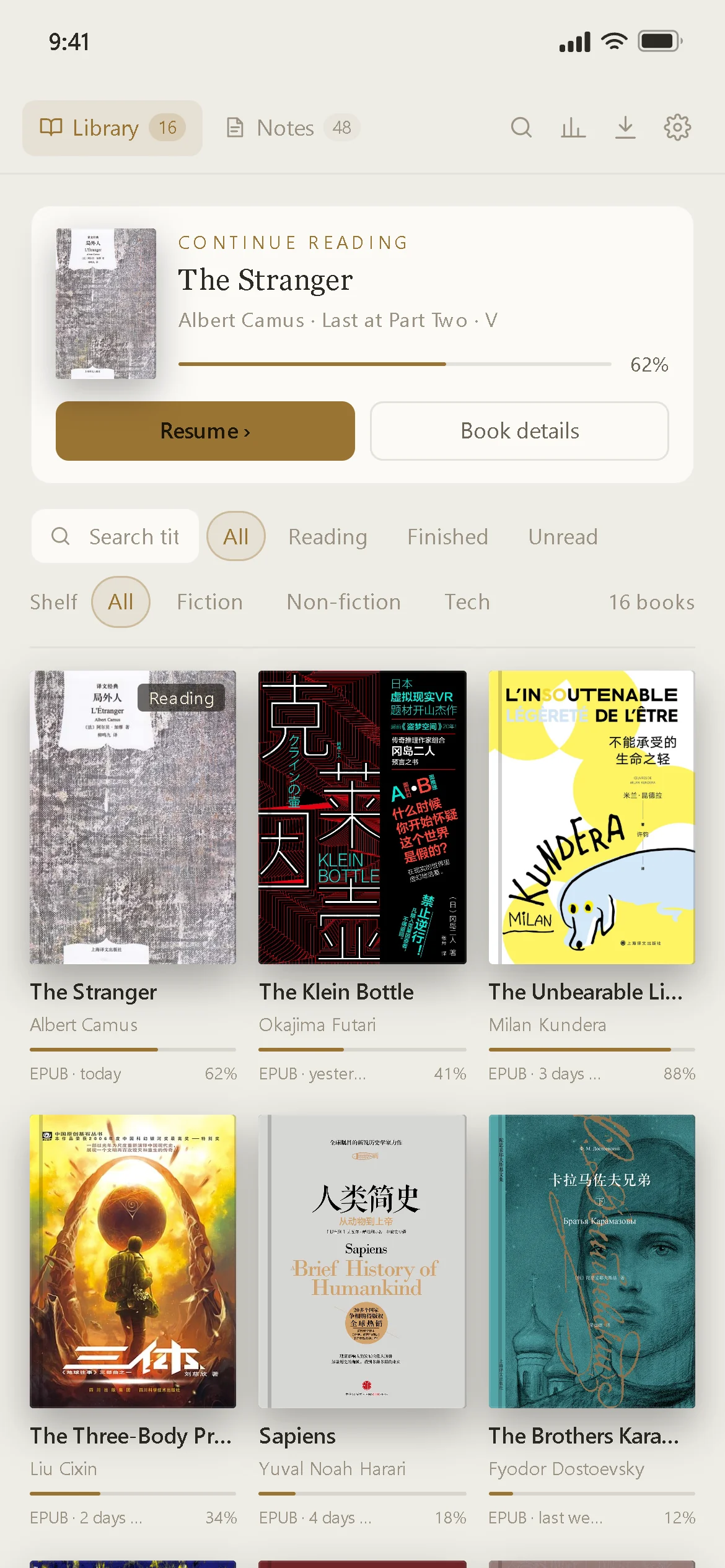
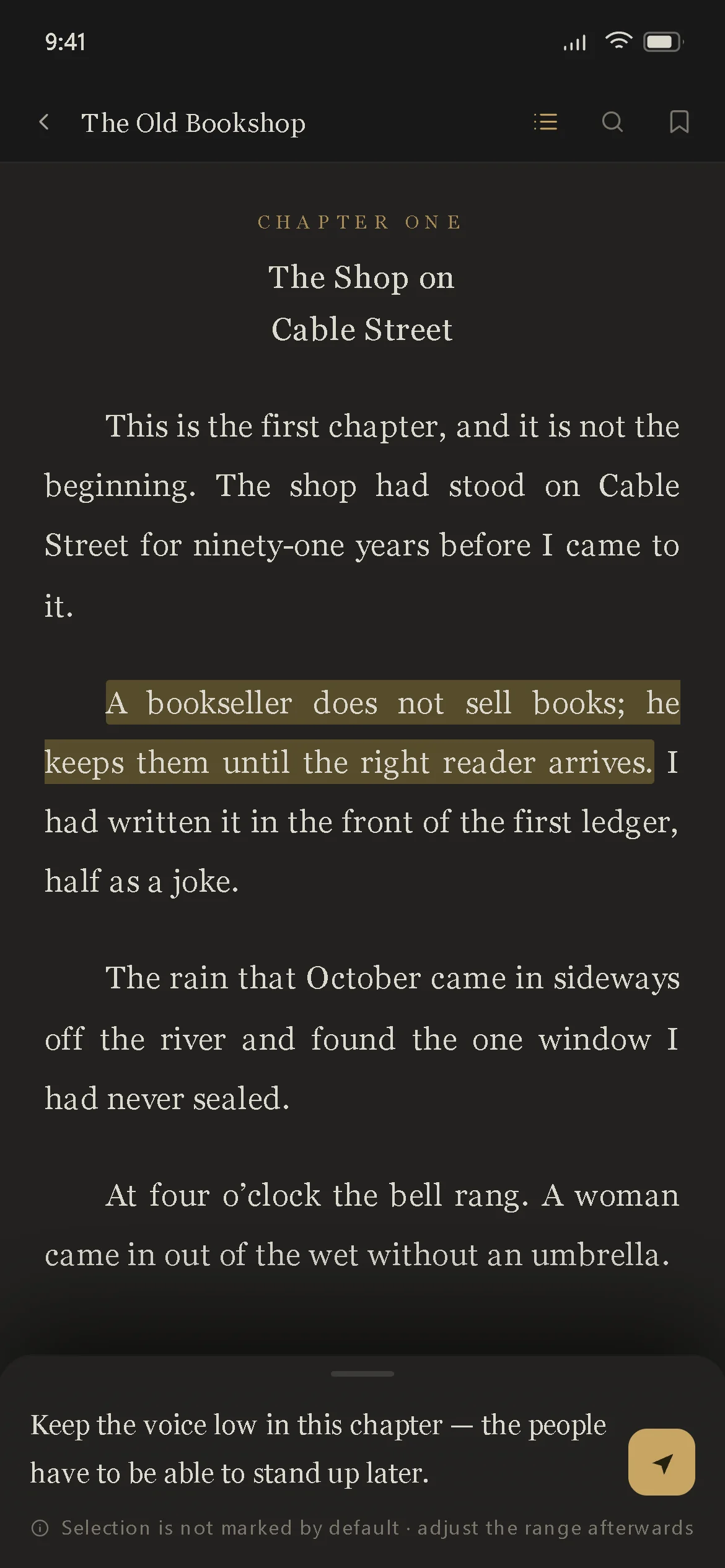
bz Reader: read EPUB, PDF, MOBI and comics inside your vault (desktop + mobile)

Disclaimer

Is this plugin open source? Yes (MIT)
Is this plugin completely free? No — free for everyday reading (EPUB/TXT, shelf, highlights, notes, read-aloud); the rest is an optional paid tier
Is this plugin vibe-coded beyond the author’s ability to comprehend how it works? No
Community Directory: bz Reader - Obsidian Plugin


**bz Reader** turns Obsidian into a place to read. Files stay in your vault, on desktop and mobile, and everything works offline — progress, highlights and notes never leave your machine.
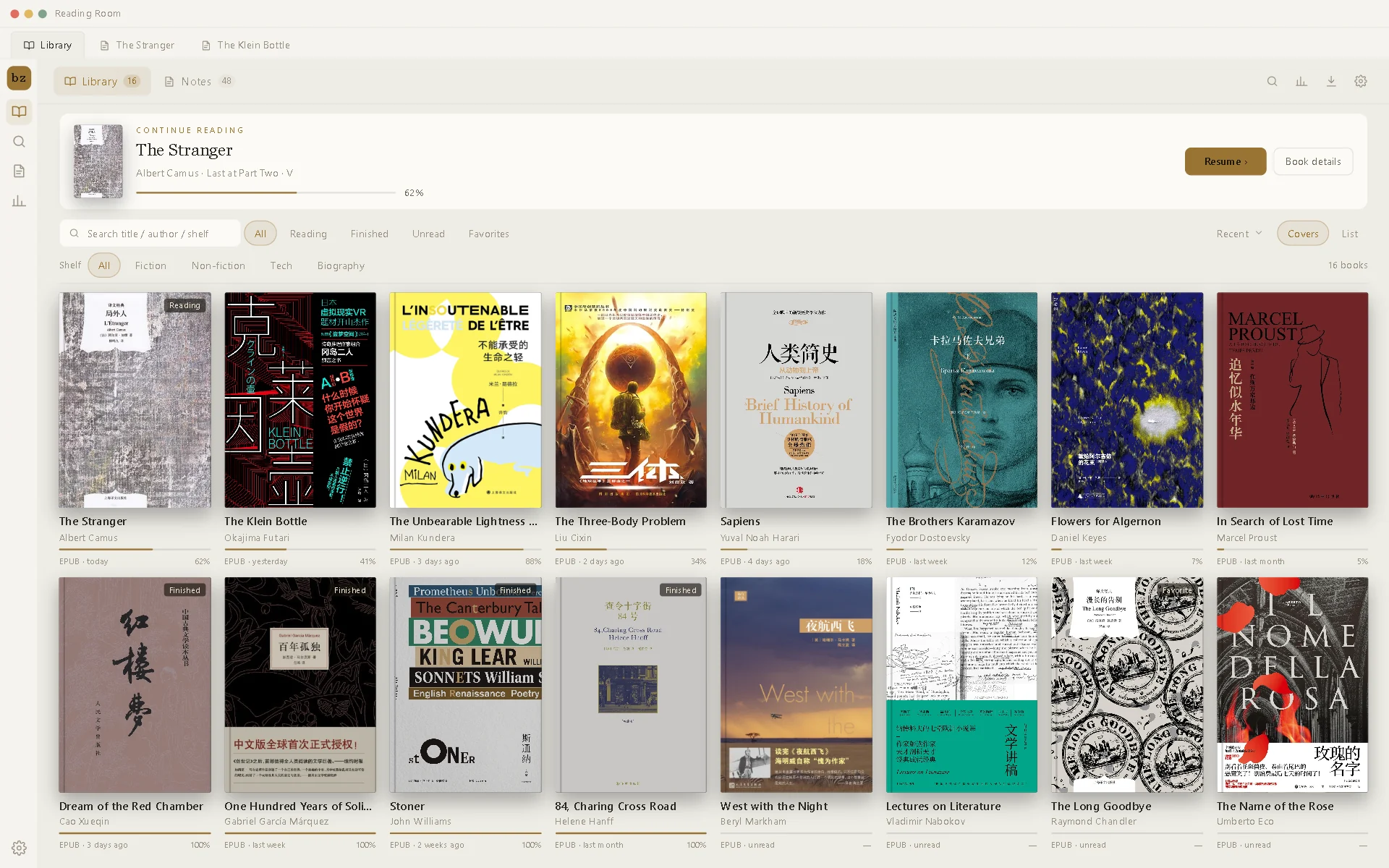
**What it does**

- **Library** — cover grid, continue reading, groups and filters, progress per book.

- **Reading view** — contents, one or two columns, four-colour highlights, notes, in-book search, footnote pop-ups, and one tap back to where you jumped from.

- **Highlights that travel** — a highlight becomes a note quote, a wikilink you can click back to, or a quote card image.

- **Clipbook to EPUB** — bind clipped articles into one EPUB and read it on the shelf like any other book.

- **Read aloud** — system voices, offline, sentence highlight and auto page turn.

- **AI on your own key** — select text to explain, translate or summarise; follow-up on a passage; or ask the whole book with highlights, page text and notes as evidence. Answers keep links back to their source. OpenAI-compatible and Anthropic endpoints, or Kimi / SiliconFlow / Volcano Ark. Keys stay local and requests go straight to the provider you configured.

- **PDF** — zoom, rotate, one or two pages, thumbnails, page links, backlinks, OCR on scanned pages.

- **Manga (CBZ)** — panel by panel, spreads split and rejoined, follows the reading direction in ComicInfo.

- **Stats and search** — pace, rhythm heatmap, per-book ETA; whole-library and semantic search.
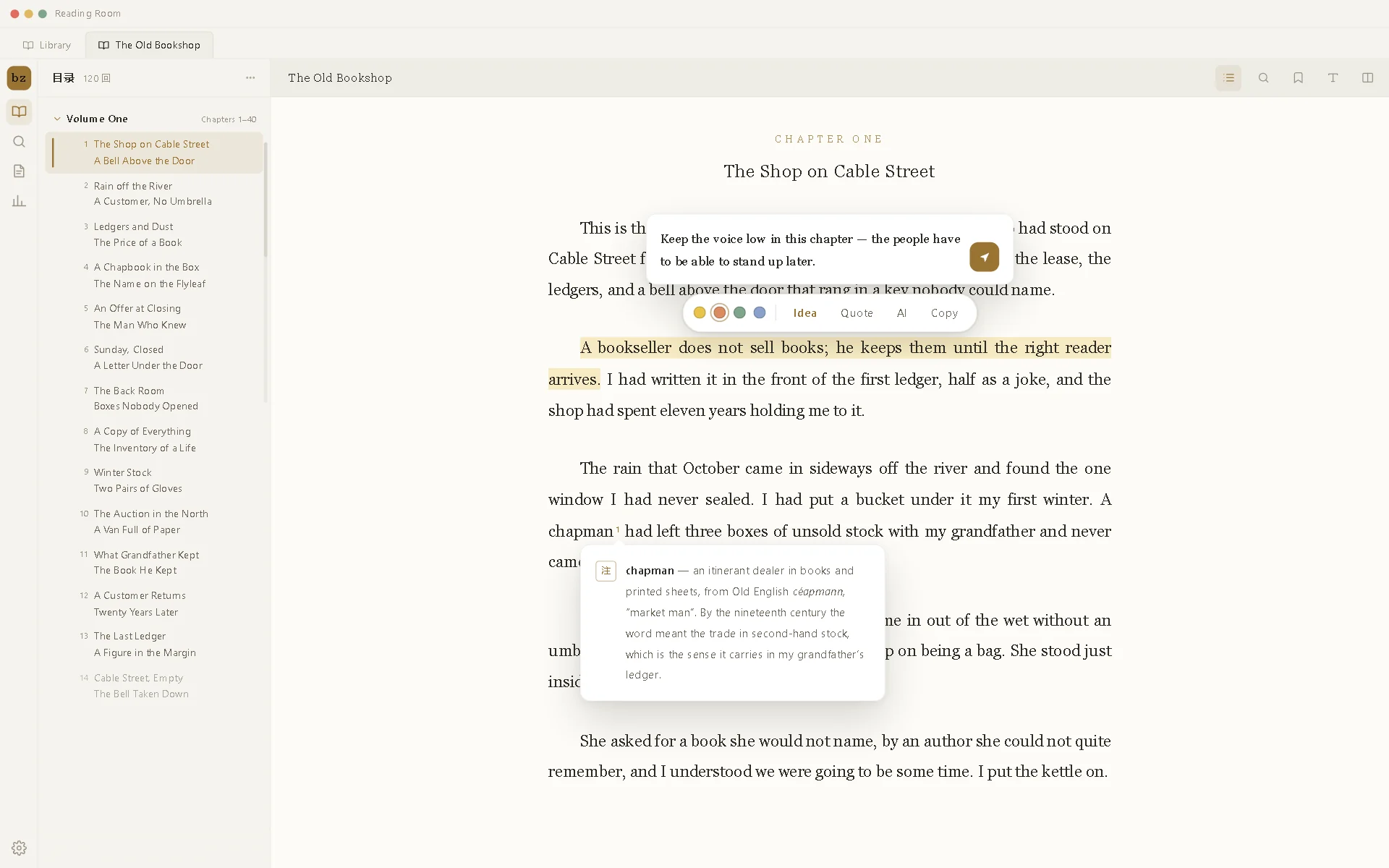
Eight interface languages: English, 简体中文, 繁體中文, 日本語, Deutsch, Français, Español, Português.

**Install**

`Settings → Community plugins → Browse` → search **bz Reader**.

Directory: ` Plugin not found

Source and full free/Pro comparison: `https://github.com/yeshimei/bz-reader\`

Feedback and bug reports are welcome in this thread — updates will be posted here too.

1 Like

bz reader 1.7.0 is out. Thanks to everyone who sent feedback — here’s what changed.

New

  • Manga — CBZ manga gets its own view, with panel navigation, right-to-left reading, paired pages, spread splitting and webtoon strips.
  • Panel guide — step through panels one by one, trim white margins automatically, and fix washed-out scans with one tap.
  • Link templates — whole-book export and highlight copying each get four presets: compact, quoted callout, detailed callout, and your own.
  • Update notice — new releases are checked in the background at startup, shown once, and can be skipped.
  • Stay awake — keep the screen on while reading; toggle it in settings.
  • Tooltips — header icons explain themselves on hover, without single-letter key hints.

Improved

  • AI setup — AI settings are open on the free tier, and custom endpoints can carry extra request headers.
  • Free tier — export, side-by-side reading, clipping and selection explain are now included.
  • Plugin setup — settings now has install entries for bz and bz review.
  • Font names — long names became “Native” and “Book”, shared by the popup and settings.

Fixed

  • Shelves — follow only what you assign, instead of falling back to subjects embedded in the EPUB.
  • High-DPI padding — the blank band on the top half of paged reading is gone.
  • AI connection — third-party providers fall back to Obsidian’s request API when direct calls fail.
  • Other languages — feedback-source labels and group icons no longer show in non-Simplified-Chinese UIs.

Release: 1.7.0 (GitHub: yeshimei/bz-reader)

bz reader 1.7.1 is out — a small maintenance update.

Release: 1.7.1 (GitHub: yeshimei/bz-reader)

New

  • Edit book details: title, author and description are editable; upload a new cover or restore the original anytime.
  • Highlight order: highlights in the sidebar can now sort by book position, with addition time still the default.
  • Right-click to shelve: right-click a file in the file explorer to add it to or remove it from the shelf.

Improved

  • Update notice: a slim banner atop the shelf, with marketplace, GitHub and skip actions.
  • Import fold: books already on the shelf fold away at the bottom of the import page.
  • Delete archived: archived books can be deleted outright instead of showing an empty “remove from shelf” prompt.
  • Settings entry: the Obsidian settings page now has a bz reader entry.
  • Purchase entry: follows the interface language with a single button.

Fixed

  • Empty shelf: no longer hides the filter bar, and “Archived” is reachable again.

bz reader v1.7.2

Optimization

  • Mobile top gap: some books no longer open with a large gap at the top; text starts right at the top.

Release: 1.7.2 (GitHub: yeshimei/bz-reader)