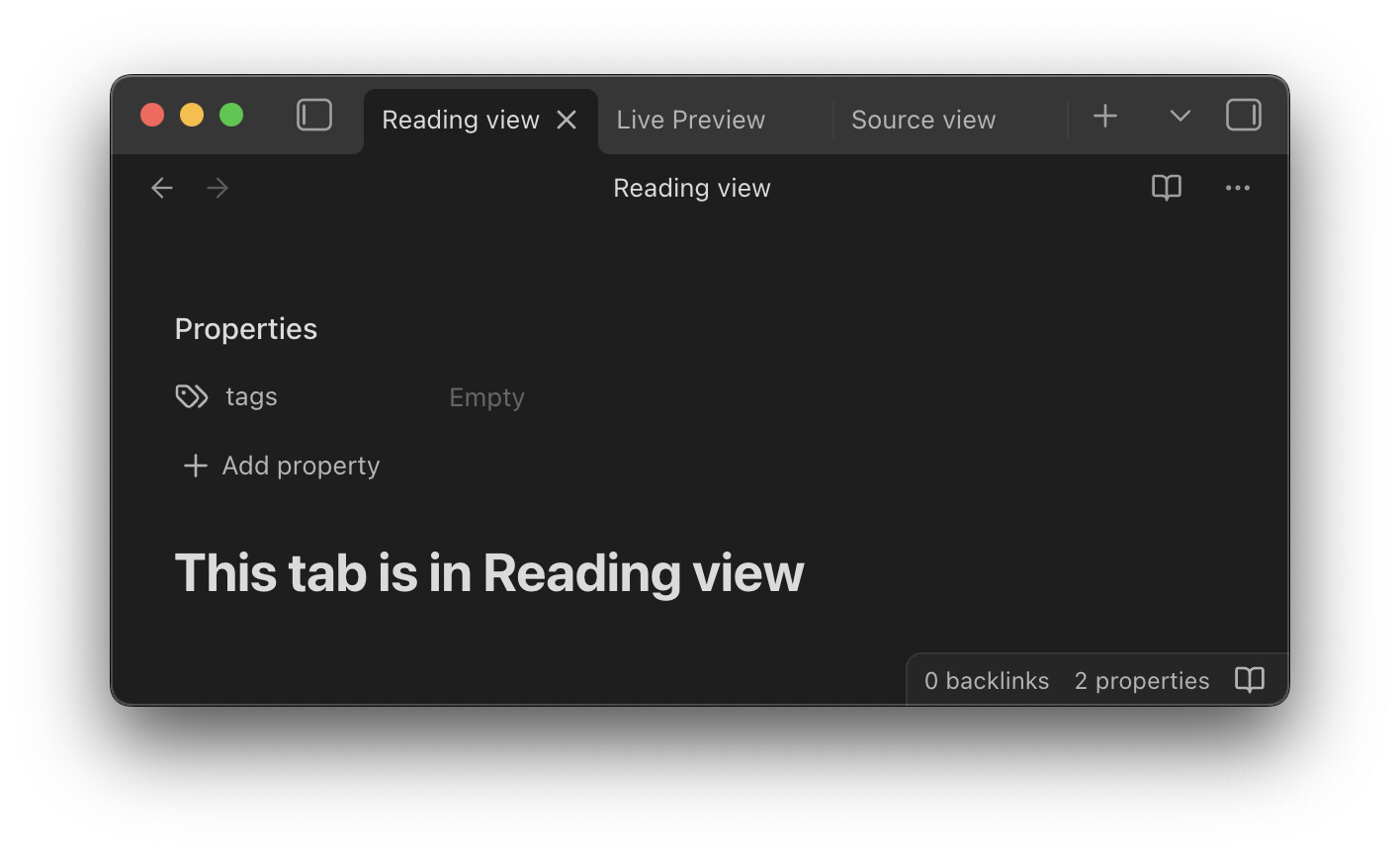
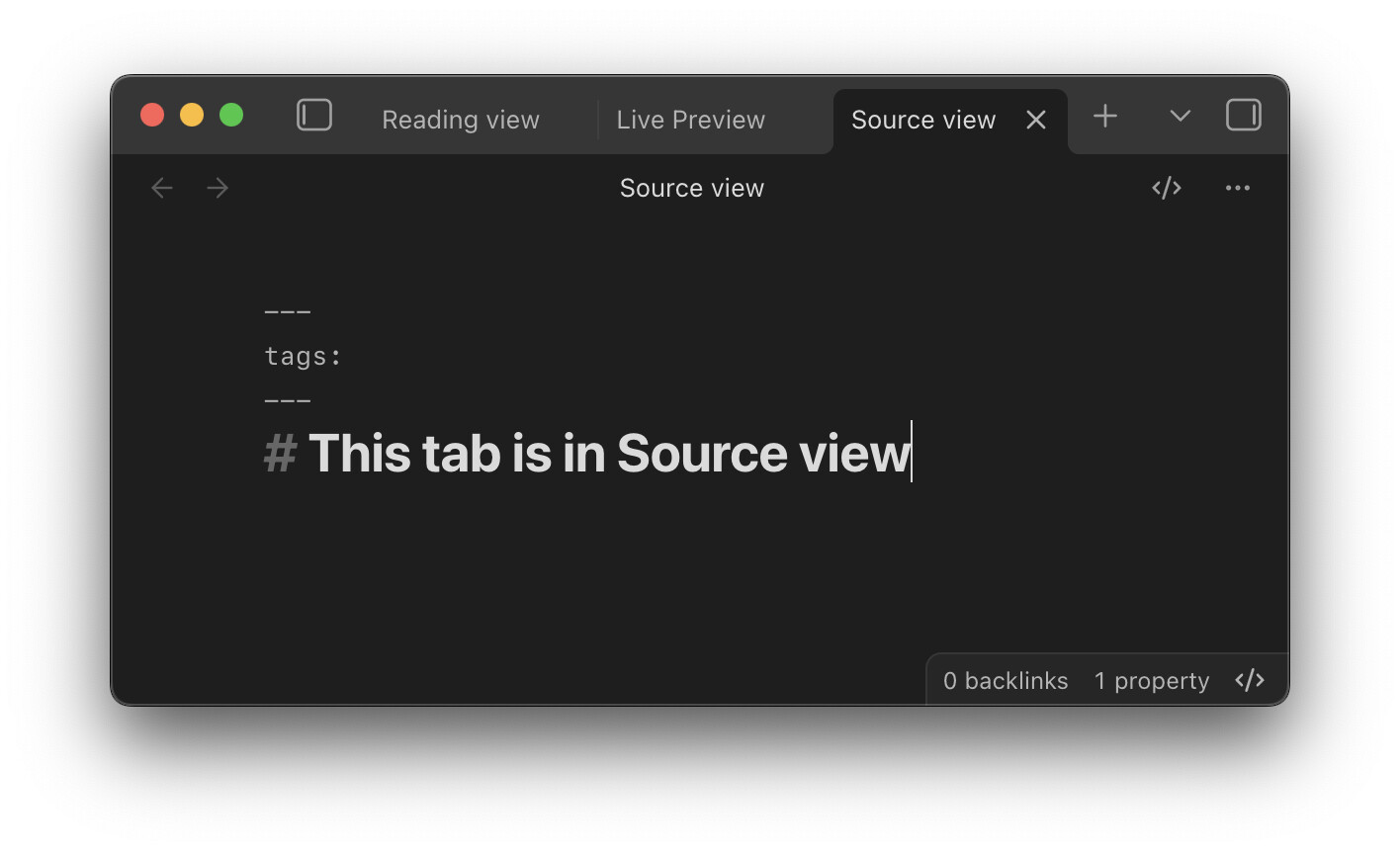
This CSS snippet makes the view switch button in the tab title bar behave just like the status bar icon: it reflects the current view rather than show the reading icon when editing, and the edit icon when reading.
It also adds an icon for Source view:
CSS snippet
Tab_title_bar_switch_view_button_reflects_current_view.css (2.1 KB)
/* Source: https://forum.obsidian.md/t/button-to-switch-view-in-tab-title-bar-reflects-current-view/105108 */

.view-action[aria-label^="Current view"] > svg {
	display: none;
}

.view-action[aria-label^="Current view"]::before {
	content: "";
	display: inline-block;
	height: var(--icon-size);
	width: var(--icon-size);
	background-color: var(--icon-color);
	mask-position: center;
	mask-repeat: no-repeat;
	mask-size: contain;
}

/* Source mode */
.workspace-leaf-content[data-mode='source']:not(:has(> .view-content > .markdown-source-view.is-live-preview)) .view-action[aria-label~="editing"]::before {
	mask-image: url("data:image/svg+xml;base64,PHN2ZyB4bWxucz0iaHR0cDovL3d3dy53My5vcmcvMjAwMC9zdmciIHdpZHRoPSIyNCIgaGVpZ2h0PSIyNCIgdmlld0JveD0iMCAwIDI0IDI0IiBmaWxsPSJub25lIiBzdHJva2U9ImN1cnJlbnRDb2xvciIgc3Ryb2tlLXdpZHRoPSIyIiBzdHJva2UtbGluZWNhcD0icm91bmQiIHN0cm9rZS1saW5lam9pbj0icm91bmQiIGNsYXNzPSJsdWNpZGUgbHVjaWRlLWNvZGUteG1sLWljb24gbHVjaWRlLWNvZGUteG1sIj48cGF0aCBkPSJtMTggMTYgNC00LTQtNCIvPjxwYXRoIGQ9Im02IDgtNCA0IDQgNCIvPjxwYXRoIGQ9Im0xNC41IDQtNSAxNiIvPjwvc3ZnPg==");
}

/* Live Preview */
.workspace-leaf-content[data-mode='source']:has(> .view-content > .markdown-source-view.is-live-preview) .view-action[aria-label~="editing"]::before {
	mask-image: url("data:image/svg+xml,%3Csvg xmlns='http://www.w3.org/2000/svg' width='24' height='24' viewBox='0 0 24 24' fill='none' stroke='currentColor' stroke-width='2' stroke-linecap='round' stroke-linejoin='round'%3E%3Cpath d='M12 20h9'/%3E%3Cpath d='M16.376 3.622a1 1 0 0 1 3.002 3.002L7.368 18.635a2 2 0 0 1-.855.506l-2.872.838a.5.5 0 0 1-.62-.62l.838-2.872a2 2 0 0 1 .506-.854z'/%3E%3C/svg%3E");
}

/* Reading */
.workspace-leaf-content[data-mode='preview'] .view-action[aria-label^="Current view: reading"]::before {
	mask-image: url("data:image/svg+xml,%3Csvg xmlns='http://www.w3.org/2000/svg' width='24' height='24' viewBox='0 0 24 24' fill='none' stroke='currentColor' stroke-width='2' stroke-linecap='round' stroke-linejoin='round'%3E%3Cpath d='M12 7v14'/%3E%3Cpath d='M3 18a1 1 0 0 1-1-1V4a1 1 0 0 1 1-1h5a4 4 0 0 1 4 4 4 4 0 0 1 4-4h5a1 1 0 0 1 1 1v13a1 1 0 0 1-1 1h-6a3 3 0 0 0-3 3 3 3 0 0 0-3-3z'/%3E%3C/svg%3E");
}
How to add a CSS snippet - Obsidian Help
3 Likes
dawni
September 2, 2025, 1:49am
2
Thanks for pinging me on Discord about this. Nice job!
In case you prefer, you can use the --icon-size variable to keep the size consistent per device and per theme, so there’s no need to hard code different numbers for mobile and not-mobile, and no need for !important declarations.
Since you’re setting each mode’s icon the way I had previously set only Source mode’s, now giving all three modes identical settings except for their icon URL, you can set the whole shebang in one go instead of repeating the styles three times. The benefits are shorter code, easier to update (edit in one place and have it apply consistently across the board), higher efficiency (from flattening the selectors), and easier to read.
/* ## viewing mode icons ## */

/* swaps the icons from "action buttons" to "status indicators/toggles", and adds an icon for Source mode */

.view-action[aria-label^="Current view"] > svg {
	display: none;
}

.view-action[aria-label^="Current view"]::before {
	content: "";
	display: inline-block;
	height: var(--icon-size);
	width: var(--icon-size);
	background-color: var(--icon-color);
	mask-position: center;
	mask-repeat: no-repeat;
	mask-size: contain;
}

/* Source mode */
.workspace-leaf-content[data-mode='source']:not(:has(> .view-content > .markdown-source-view.is-live-preview)) .view-action[aria-label~="editing"]::before {
	mask-image: url("data:image/svg+xml;base64,PHN2ZyB4bWxucz0iaHR0cDovL3d3dy53My5vcmcvMjAwMC9zdmciIHdpZHRoPSIyNCIgaGVpZ2h0PSIyNCIgdmlld0JveD0iMCAwIDI0IDI0IiBmaWxsPSJub25lIiBzdHJva2U9ImN1cnJlbnRDb2xvciIgc3Ryb2tlLXdpZHRoPSIyIiBzdHJva2UtbGluZWNhcD0icm91bmQiIHN0cm9rZS1saW5lam9pbj0icm91bmQiIGNsYXNzPSJsdWNpZGUgbHVjaWRlLWNvZGUteG1sLWljb24gbHVjaWRlLWNvZGUteG1sIj48cGF0aCBkPSJtMTggMTYgNC00LTQtNCIvPjxwYXRoIGQ9Im02IDgtNCA0IDQgNCIvPjxwYXRoIGQ9Im0xNC41IDQtNSAxNiIvPjwvc3ZnPg==");
}

/* Live Preview */
.workspace-leaf-content[data-mode='source']:has(> .view-content > .markdown-source-view.is-live-preview) .view-action[aria-label~="editing"]::before {
	mask-image: url("data:image/svg+xml,%3Csvg xmlns='http://www.w3.org/2000/svg' width='24' height='24' viewBox='0 0 24 24' fill='none' stroke='currentColor' stroke-width='2' stroke-linecap='round' stroke-linejoin='round'%3E%3Cpath d='M12 20h9'/%3E%3Cpath d='M16.376 3.622a1 1 0 0 1 3.002 3.002L7.368 18.635a2 2 0 0 1-.855.506l-2.872.838a.5.5 0 0 1-.62-.62l.838-2.872a2 2 0 0 1 .506-.854z'/%3E%3C/svg%3E");
}

/* Reading */
.workspace-leaf-content[data-mode='preview'] .view-action[aria-label^="Current view: reading"]::before {
	mask-image: url("data:image/svg+xml,%3Csvg xmlns='http://www.w3.org/2000/svg' width='24' height='24' viewBox='0 0 24 24' fill='none' stroke='currentColor' stroke-width='2' stroke-linecap='round' stroke-linejoin='round'%3E%3Cpath d='M12 7v14'/%3E%3Cpath d='M3 18a1 1 0 0 1-1-1V4a1 1 0 0 1 1-1h5a4 4 0 0 1 4 4 4 4 0 0 1 4-4h5a1 1 0 0 1 1 1v13a1 1 0 0 1-1 1h-6a3 3 0 0 0-3 3 3 3 0 0 0-3-3z'/%3E%3C/svg%3E");
}
2 Likes
Thank you. Updated the post with your version.
Came across a handy plugin that adds this: Edit mode switch .
I’ve just discovered this very nice snippet. Thank you so much, it’s something I’ve been waiting for for a long time !
I have incorporated it as an option in my theme (“Olivier’s Theme ”). Would you like to be credited in the source code ? How ?
Sincerely,
OlivierPS
dawni
March 27, 2026, 11:32pm
7
Before responding, I looked to be sure that your license is permissive and was glad to see it is. Also, nice palette and fonts! Thanks for asking. My GitHub is dawn-i · GitHub for any credits or hat tips.