Description
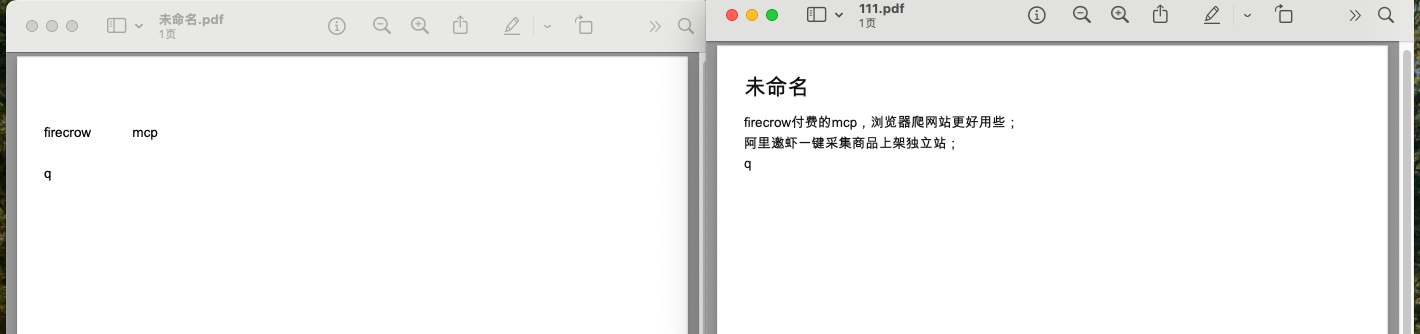
The built-in PDF export on Obsidian drops Chinese characters from the exported PDF on my Mac. English text is exported correctly, but Chinese characters are
missing.
This happens even with a very simple Markdown note.
Environment
- Obsidian version: 1.12.7
- Operating system: macOS 15.5
- Device: MacBook Air, Apple Silicon
- Vault: local vault
- Export method: Obsidian built-in “Export to PDF”
Minimal Reproduction
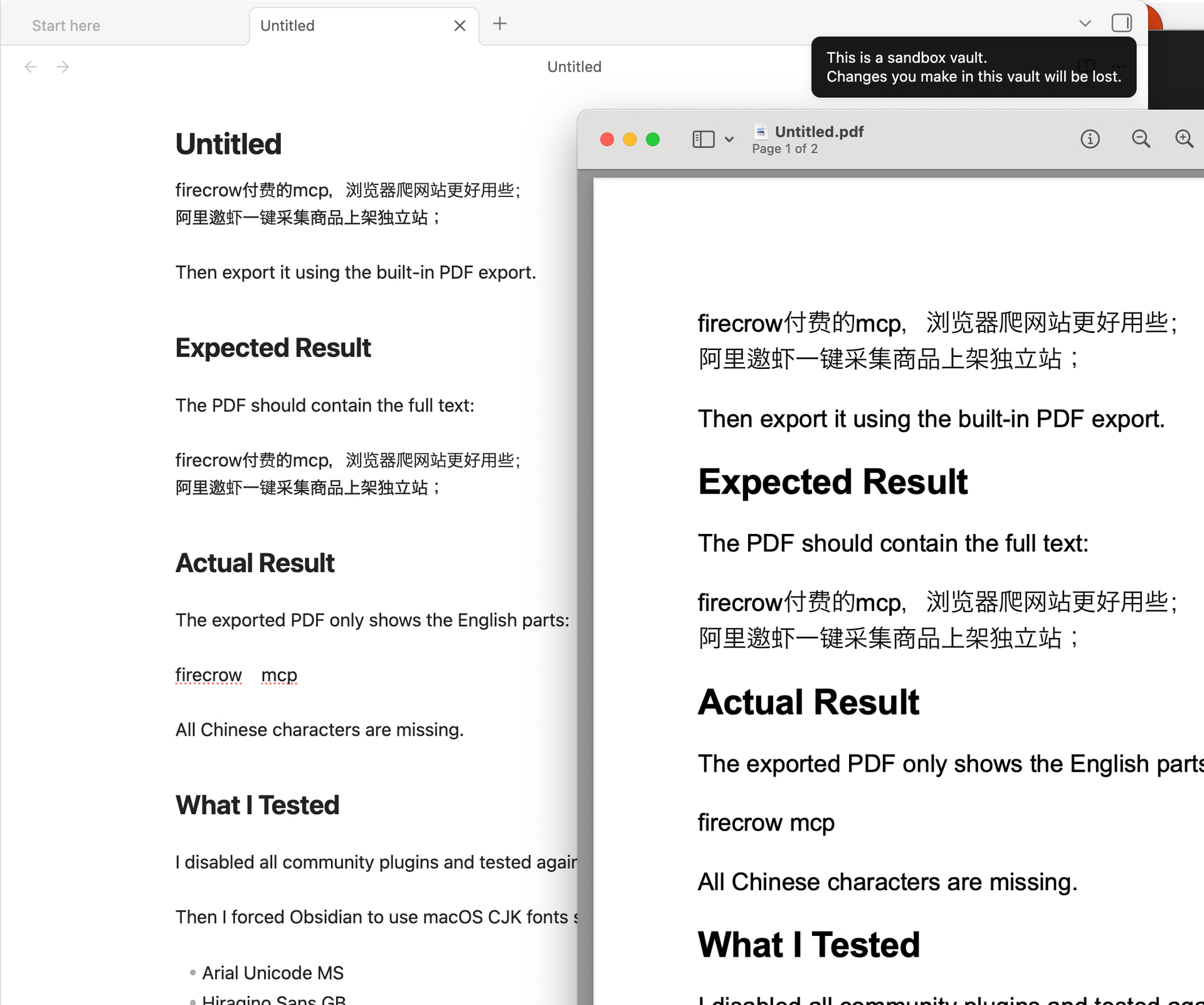
Create a new note with this content:
firecrow付费的mcp,浏览器爬网站更好用些;
阿里邀虾一键采集商品上架独立站;

Then export it using the built-in PDF export.

## Expected Result

The PDF should contain the full text:

firecrow付费的mcp,浏览器爬网站更好用些;
阿里邀虾一键采集商品上架独立站;

## Actual Result

The exported PDF only shows the English parts:

firecrow    mcp

All Chinese characters are missing.

## What I Tested

I disabled all community plugins and tested again. The issue still happened.

Then I forced Obsidian to use macOS CJK fonts such as:

- Arial Unicode MS
- Hiragino Sans GB
- STHeiti
- Songti SC

After forcing these fonts through Appearance settings and a CSS snippet, the built-in PDF export started working correctly.

So this seems related to the default font fallback or CJK font embedding/rendering in the built-in PDF export on macOS.

## Workaround

Adding a CSS snippet that forces a CJK font fixes the exported PDF:

:root,
body {
  --pdf-cjk-font: "Arial Unicode MS", "Hiragino Sans GB", "STHeiti", "Songti SC", "PingFang SC", sans-serif;
  --font-default: var(--pdf-cjk-font);
  --font-interface: var(--pdf-cjk-font);
  --font-text: var(--pdf-cjk-font);
  --font-print: var(--pdf-cjk-font);
}

@media print {
  body,
  .print,
  .markdown-rendered,
  .markdown-preview-view,
  .markdown-reading-view,
  .markdown-preview-section,
  .markdown-rendered *,
  .markdown-preview-view *,
  .markdown-reading-view * {
    font-family: var(--pdf-cjk-font) !important;
    -webkit-text-fill-color: #111 !important;
    color: #111 !important;
    opacity: 1 !important;
  }
}

## Notes

This does not seem to be caused by community plugins, because it also happened after disabling all community plugins.

It may be related to the default font fallback or PDF font embedding for Chinese characters on macOS.