I think you are trying to use Obsidian as Roam, or better, you are trying to use obsidian as an outliner with bullet-level reference. Obsidian is not that.
I understand now, thank you for clarifying. You are correct that I was trying to use it as Roam – I will need to adapt the way that I take literature notes but your suggestion will work for my purposes at this stage.
Why don’t we just use [[paragraph]] to implement paragraph block references? Since we can automatically update internal links now. It would be better if we create and see a internal link page without generate a .md file.
Thanks, it’s helpful. I think it would be a good solution if these [[]] links with no actually content don’t generate .md files in the file explorer. Maybe we can open a temp file when we open this kind of link to see backlinks. What do you think about that?
I have to say that I’m with @ryanjamurphy . I’m actually doing legal work, and trying to incorporate that with Roam/Obisidian. I’m finding that block linking leads me to be less disciplined. I suppose that block level linking allows for longer notes, but right now I’m finding that my Roam is a mess. Maybe I’m just not getting it.
One plus with this feature in Roam is that it might help with epiphany thinking, for lack of a better word. Many folks want to use Roam as a generator of new knowledge and block level linking might aid with that.
I’ve seen Nate Eliason and Tiago Forte and David Perell (in reference to the response to @ryanjamurphy) do this type of content creation by swimming through their zettelkasten, but it feels a little artificial to me and falsely equates content creation with knowledge creation, but that’s just my opinion. It reminds me of when I was in undergrad and I found two or three quotes I liked then just researched around that to write a paper. Luhman’s zettelkasten approach, in my view, is a step or two beyond that, and I’m not sure block level linking necessarily aids greater understanding or knowledge creation, but it does generate greater potential for content creation.
In my context, which is the sphere of labour law and arbitration, I’m thinking I can get by with Obsidian - a note for each case law summary, and a note for each legal concept, and finally a note for each novel new idea I have (i.e. permanent notes). But since the application of labour law is so fact specific and precedent dependent, it is very rare that I would need a “permanent note”, I think. So maybe what I really need is a wiki rather than Roam or Obsidian. LOL.
Block references and being an outliner are two sides of the same Roam coin. I suspect this is what produces the frequently described writing more and the possibility of mess is the other side of that coin.
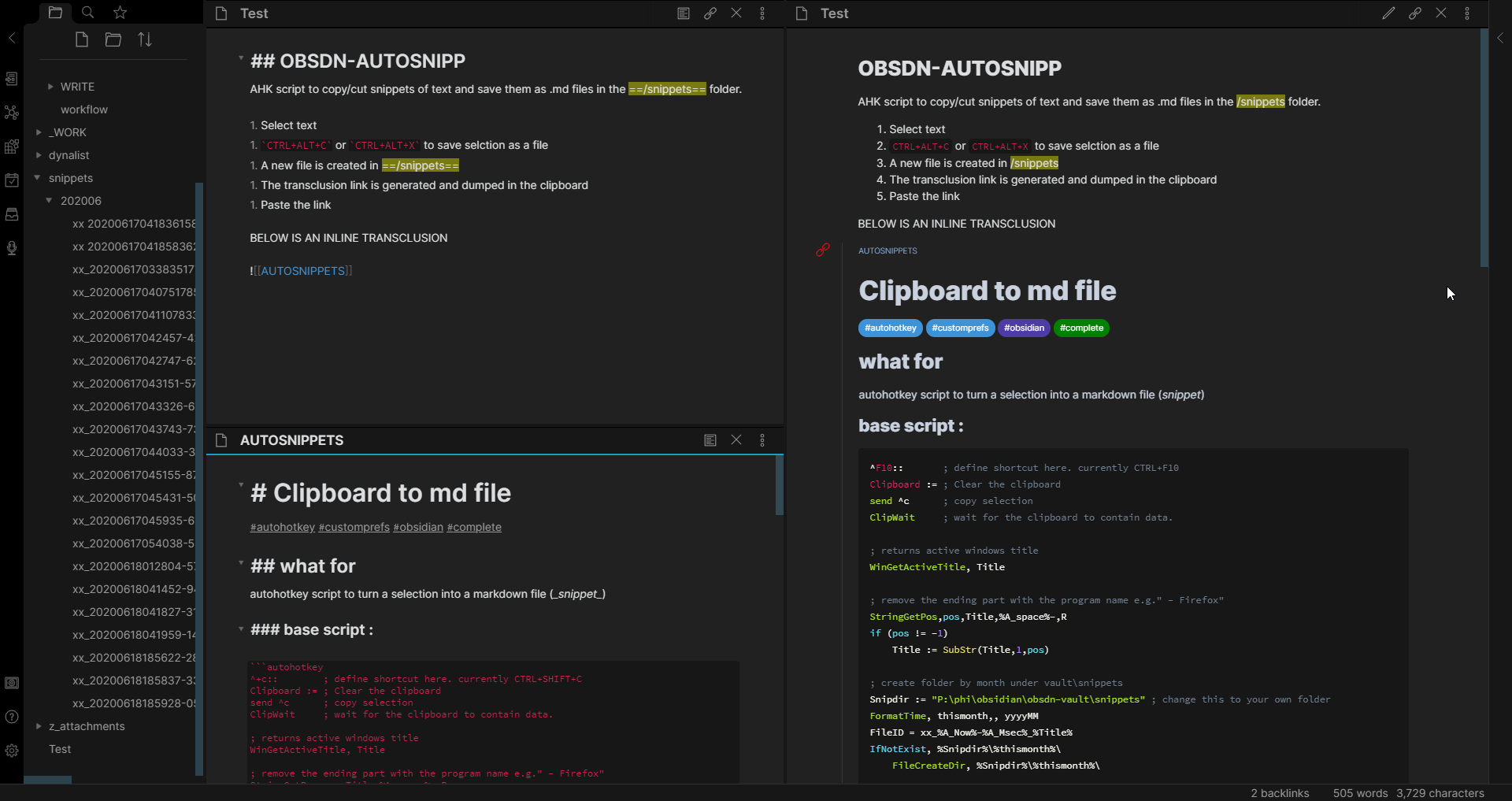
I’ve made a crude autohotkey script to create .md files out of text selections, then it puts the transclusion link in the clipboard ready for pasting… maybe someone can use it as a poor man’s ersatz of block reference.
details :
. choose a folder to store the snippets (edit the script to configure the folder’s location first). the script will create folder by month and store all snippers here
. select some text (from an obsidian doc, browser, etc…)
. CTRL+SHIFT+C (copy) or CTRL+SHIFT+X (cut) will create a new .md file in /snippets/yyyyMM/ :
. the link to the .md file is automatically copied in the clipboard and ready to be pasted in another obsidian doc as a transclusion (the script generates ![[linktosnippet]] and puts it in the clipboard).
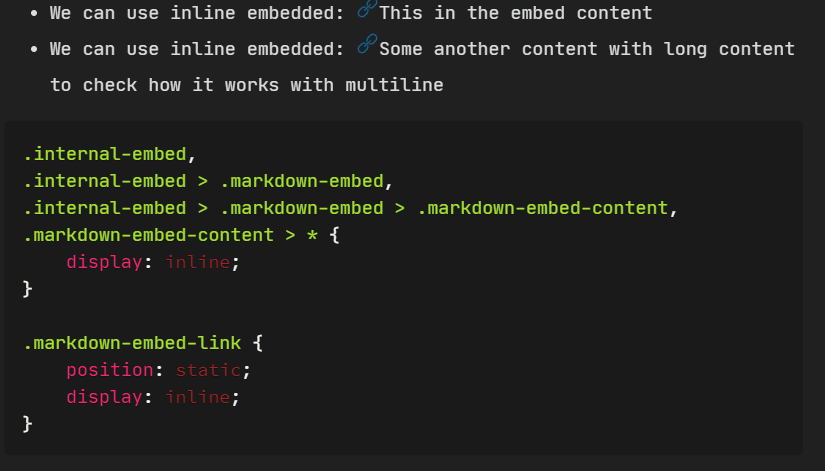
my current css makes inline transclusion visible with a blue border on the left + red icon on the upper left side :
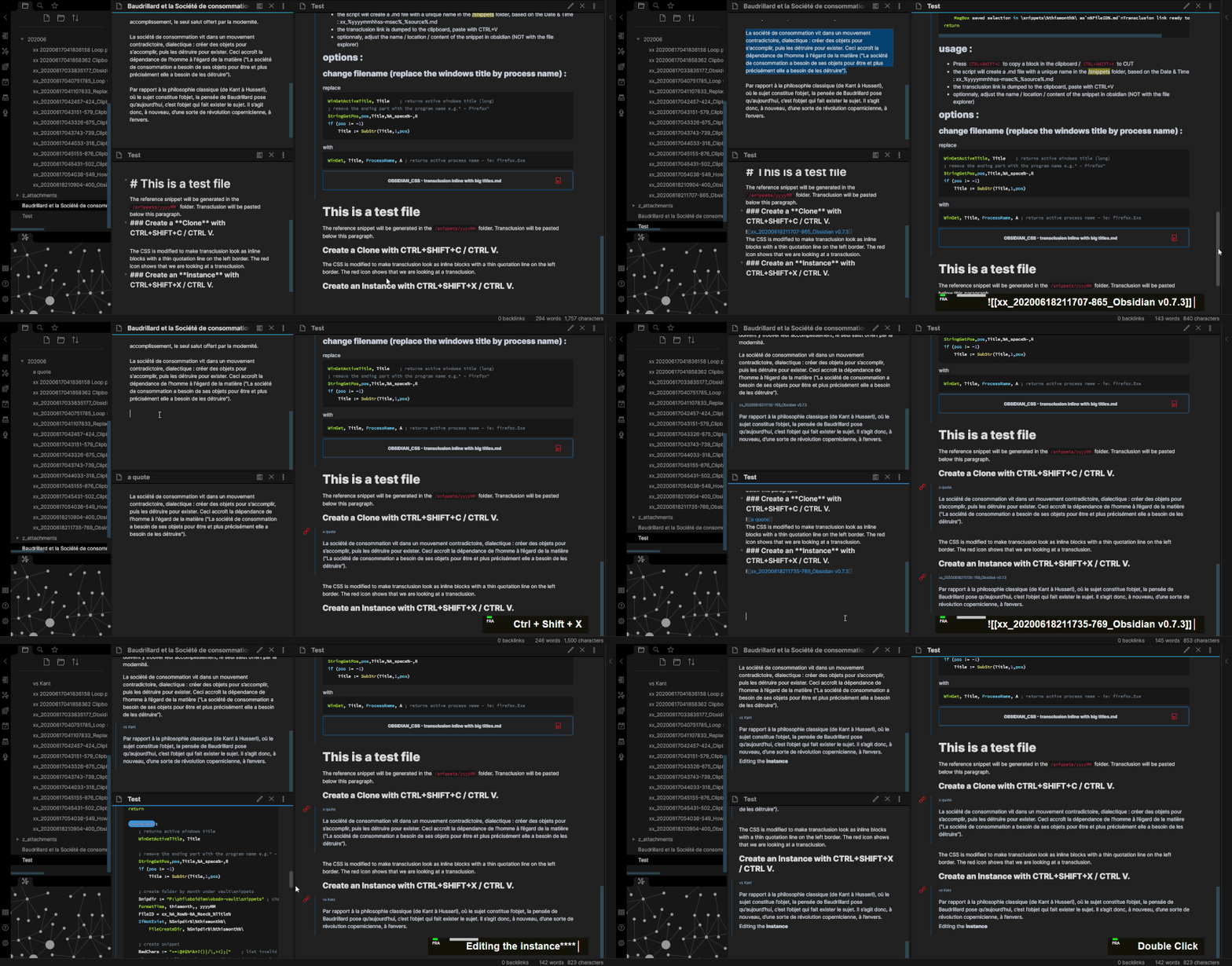
my use case is to split long files into smaller snippets that can be referenced elsewhere (poor-man’s text blocks in a way). So I select a piece of text, CTRL+SHIFT+X to cut and immediately CTRL+V at the same place : the original block of text has been replaced by a transclusion. The transcluded file is located in /snippets (at the very bottom of the list), I can then rename/move it elsewhere for storage (links will be updated as long as the file opration is made in obsidian).
Alternatively, I use CTRL+SHIFT+C to make “children blocks” that can be transcluded/edited without modifying the original reference.
DISCLAIMER :
The script is very limited, it’s text only, no images, no formatting. I’m not a coder, so it’s use at your own risk. backup/clone your docs before testing… It only work with AutoHotkey ANSI (autoHotkeyA32.exe) because it’s easier to deal with accents.
It might be doable in markdown if the text is wrapped in parentheses like {{…}} if you calculate a md5 salted with the base name of the document you get an automatic ID close to a uuid. The downside is recalculation and updating the links that reference the block if content is added or changed outside of obsidian. Maybe reference the block with a unique id related to the document which can be an anchor text or number/timestamp like;
Document.md
{text goes in here
Multi line if needed}#20200619
Reference as;
[[Document#20200619]]
Transcluded as;
{{Document#20200619}}
It can get messy if it needs to be user editable outside of Obsidian, one needs to be aware that ids should be unique in a document.
I like the cutting-and-pasting solution. It reminds me of Scrivener Ctrl-K which cuts the document from cursor position and makes a new one (essentially “discarding” that part). I use that shortcut to get deleted paragraphs out of sight immediatedly (but keeps them elsewhere in case of need).
This approach feels like promoting a reusable paragraph to file level when it is being used, and using custom grammar to mark out blocks seems like the exact opposite way around, which defines reusability before it is used.
One thing I haven’t really got used to in Roam is that it assumes every block to be reusable. It’s slick by default, but as notes accumulate it gets hard to find the exact block. It’d be cool if Obsidian implements user-controlled (and not uniform) granularity through plugins.
@s-kyy : I’ve just shared the theme here : Theme: Obsdn-Dark-Rmx (Dark only), you can look for the section transclusion inside the css. It’s mostly work in progress though, and I’m not sure I will finish it anytime soon.
@idelem : I loved the link and split workflow in Scrivener ! But I eventually grow tired of waiting for a proper scrivener 3 windows version… Regarding blocks, I agree 100%. There a lot of problems to be solved to get the right amount of control vs efficiency. I’d love to have non-textual blocks, like list/sublists with tables/diagrams/images and that doesn’t always fit well with the current way of handling transclusions.