Is this project open source? Yes
Is this project completely free? Yes
Is this project vibe-coded beyond the author’s ability to comprehend how it works? Yes — built with substantial help from Codex. I review, test, and maintain it.
Community Directory: https://community.obsidian.md/plugins/belki
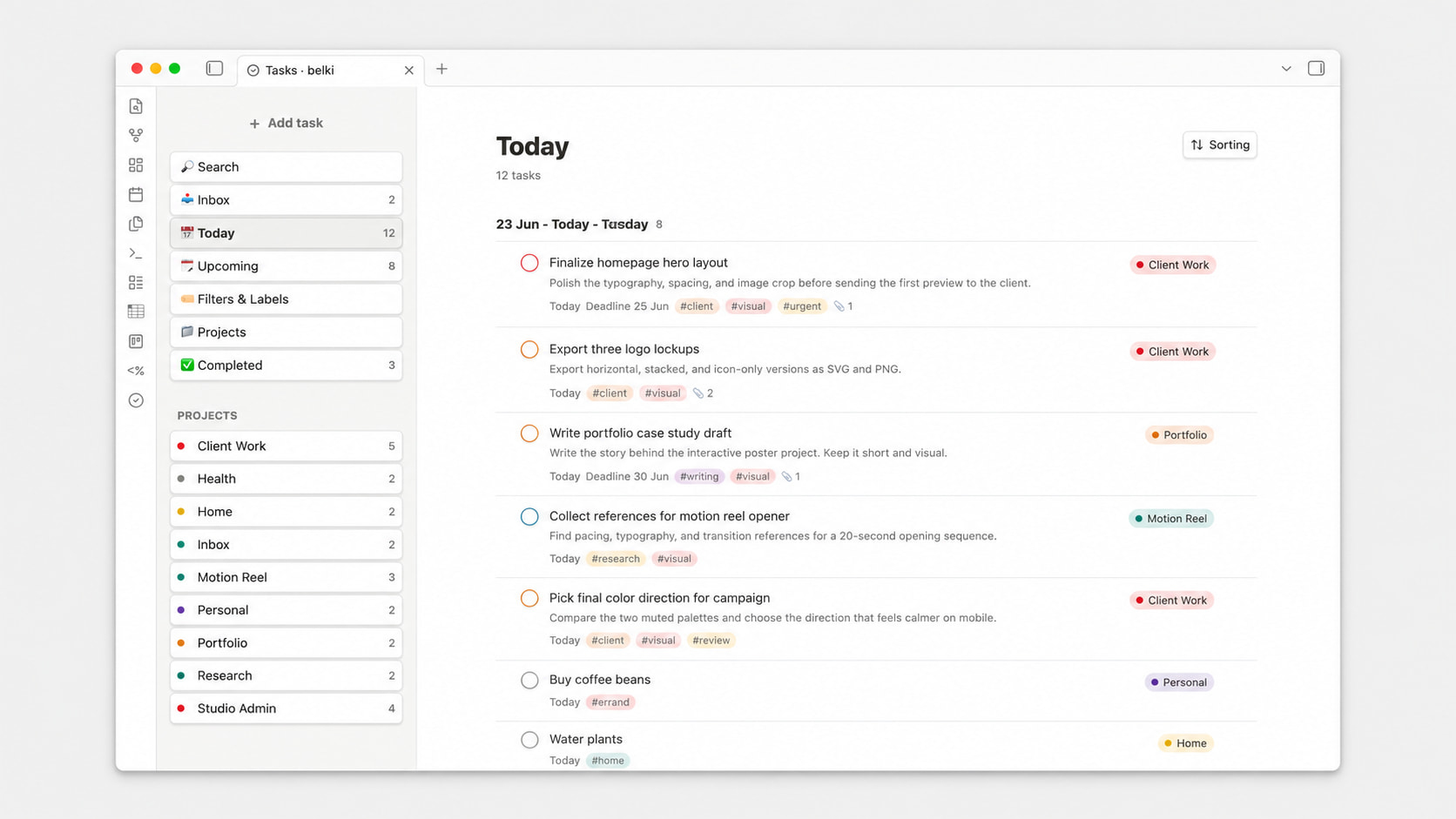
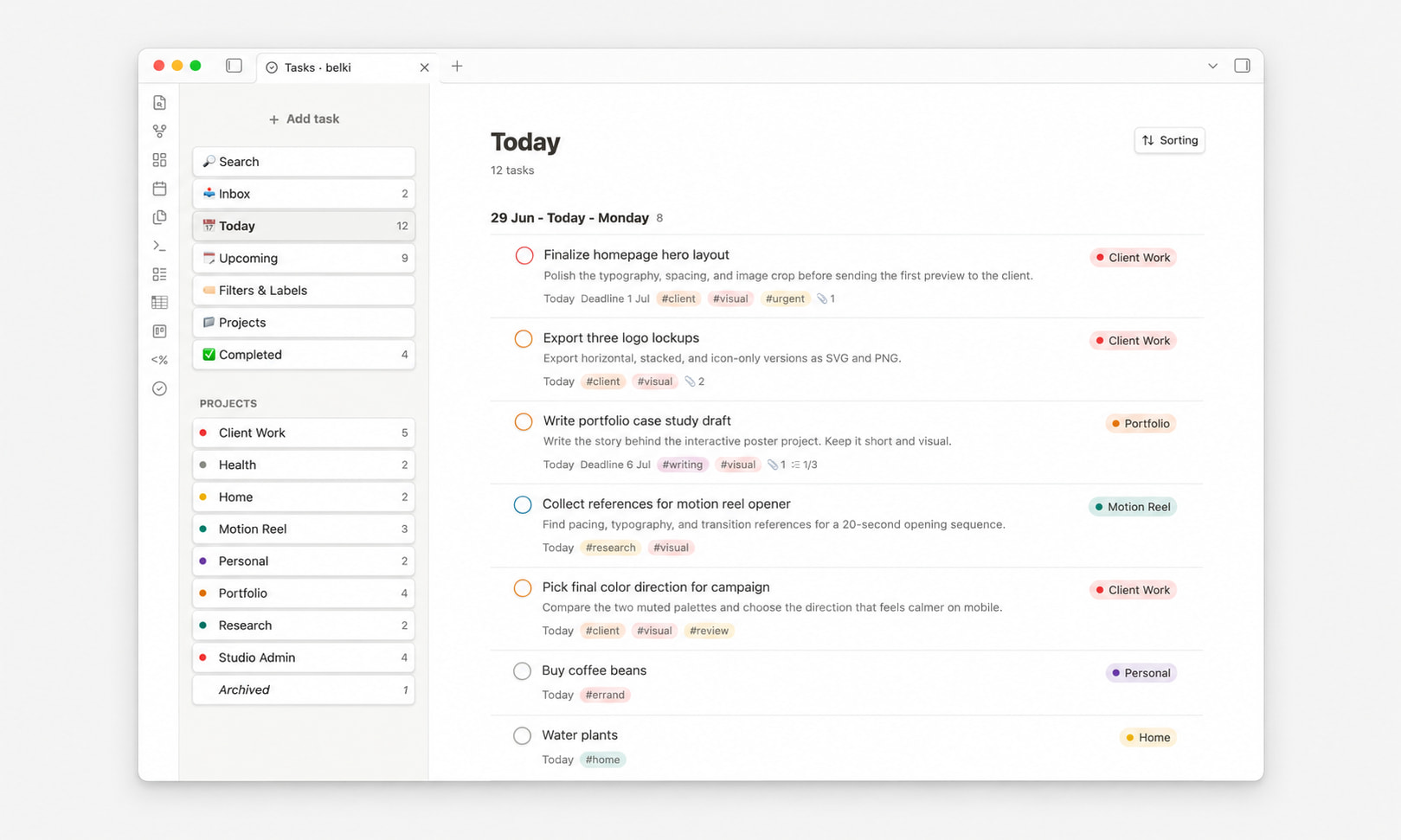
I made belki, a minimal Todoist-like task manager for Obsidian.
It keeps tasks inside your vault as readable Markdown files and does not connect to Todoist or any external service. I wanted something more visual and app-like than plain Markdown tasks, but still local, lightweight, and Obsidian-friendly.
Is this project open source? Yes
Is this project completely free? Yes
Is this project vibe-coded beyond the author’s ability to comprehend how it works? No — I do use AI tools during development, but I actively review, test, and maintain the codebase myself.
Community Directory: https://community.obsidian.md/plugins/belki
I wanted to share belki, a local-first task manager plugin for Obsidian.
The idea is to have a calmer, Todoist-like task management experience while keeping everything inside your Obsidian vault. It is not a third-party app or external service integration. Tasks are stored locally as Markdown files in your vault.
I shared an earlier version recently, and the feedback helped shape the new 0.2.0 release.
This update focuses on making belki more usable as a daily task manager:
Sub-tasks with progress counters
Recurring tasks
Better mobile support
Improved project, label, priority and sorting workflows
Attachments and wikilinks inside tasks
I’ll keep future updates for belki in this thread.
Thanks again to everyone who tried it, reported issues, or suggested improvements. Feedback is very welcome.
Also: would it be possible to choose the icons via a picker, so that you can use material icons or lucid or others? instead of just typeable emoji i mean. I prefer them generally and emoji were never meant as icons in this way (to each their own ofc)
Hi, thanks a lot for trying it out and for the detailed feedback!
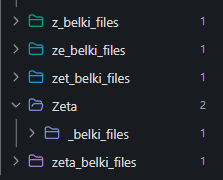
The settings folder update issue has been fixed now. It should no longer aggressively rewrite/update the settings folder while editing, so putting it inside a custom folder like zeta should behave much cleaner.
The icon picker idea is also a really good point. I agree that emoji are not ideal as “proper” icons for everyone. I’ll look into adding a picker and supporting icon sets like Lucide / Material icons in a future update.
This release is a larger usability update focused on mobile task capture, Markdown descriptions, multi-day recurring tasks, and sub-task organization.
Highlights
Full-screen mobile Add Task composer
Markdown formatting toolbar for task descriptions
Weekly repeats with multiple selected weekdays
Manual drag-and-drop ordering for sub-tasks
Cleaner repeat/date layouts on mobile and desktop
Added
Full-screen mobile composer
The mobile Add Task flow now opens as a full-screen task creation screen instead of a bottom sheet. This makes the composer more stable inside Obsidian mobile, especially when the keyboard is open.
The new mobile composer:
keeps the task title compact
gives more room to the description field
keeps metadata controls reachable
respects mobile safe areas
avoids being covered by Obsidian’s mobile toolbar
returns to the previous view after task creation
Markdown description formatting
Task descriptions now include a lightweight floating Markdown toolbar when text is selected.
Supported formatting actions include:
bold
italic
strikethrough
quote
inline code
code block
bullet list
numbered list
link
Descriptions are still stored as regular Markdown in the local belki data files.
Multi-day weekly repeats
Weekly scheduled-date repeats can now use more than one weekday.
Examples:
Every week on Tuesday
Every week on Tue, Thu
Every week on Mon, Wed, Fri
The selected weekdays are saved, restored after reopening the task, and preserved after plugin reload.
Existing single-weekday repeat data remains backward compatible.
Manual sub-task ordering
Sub-tasks can now be manually reordered from the task detail view.
The order is persistent:
drag a sub-task using the handle
close and reopen the task
reload the plugin
the custom order is preserved
Completed sub-tasks now stay in the user-defined order instead of being automatically pushed to the bottom.
Improved
Task list description previews are cleaner when descriptions contain Markdown syntax.
The mobile composer now shows Labels and Deadline as direct controls instead of hiding them behind the overflow menu.
Date, deadline, repeat, project, and overflow popovers are better anchored in the mobile composer.
The Custom Repeat modal now shows the weekday selector correctly on mobile for weekly scheduled-date repeats.
The Custom Repeat Every row now aligns the interval input and unit selector as a single control group.
Long repeat labels now truncate instead of overflowing the task detail panel or mobile composer.
Repeat chips in task detail now reopen the repeat editor directly.
Fixed
Fixed mobile quick add layout instability caused by keyboard and bottom-sheet interactions.
Fixed custom date/repeat popovers drifting outside the mobile viewport.
Fixed long multi-day repeat labels overflowing task detail controls.
Fixed sub-task reordering snapping back after drop because the Markdown block order was still being serialized in the previous order.
Compatibility
Existing tasks and data files remain compatible.
Existing single-weekday weekly repeats continue to load correctly.
The plugin still stores task data as local Markdown files.
Notes
Sub-task drag-and-drop is currently optimized for desktop. Mobile/tablet behavior may need a future touch-specific fallback if native drag-and-drop is inconsistent inside Obsidian mobile.
This release is a broad usability update focused on project and label management, activity history, faster capture, cleaner navigation, and more useful sub-task visibility.
Highlights
New Activity view with completed-task stats and a contribution-style heatmap.
New command-palette quick add flow for capturing tasks without opening the board first.
Parent tasks can now expand their sub-task preview directly in the task list.
Labels can now be renamed or deleted, with task metadata updated safely.
Projects can be created with a color, and project colors are preserved across renames.
The interface now uses a consistent Lucide-based icon system.
New features
Activity view
The sidebar now includes Activity, a compact overview of completed tasks. It shows counts for today, yesterday, this week, this month, all time, current streak, plus a 26-week completion heatmap.
Vault-wide quick add
Run belki: Add task from the command palette to add a task quickly. It uses the same parser and metadata behavior as the board composer, including labels, projects, dates, priorities, and storage.
Expandable sub-task preview
Parent task rows with sub-tasks now show a clickable completion counter. Click the counter to expand an inline preview, complete sub-tasks directly, or open a sub-task detail view.
Label management
Labels are now manageable from Settings and the Filters & Labels view:
Rename a label and update all tasks that use it.
Delete a label from tasks and settings without deleting any tasks.
Keep existing label color reset behavior as a color-only reset.
Project color on creation
When creating a project, you can now choose a color immediately or leave it on Auto. Auto keeps using belki’s deterministic generated color without creating unnecessary settings overrides.
Improvements
Project colors are preserved when projects are renamed.
Project actions now dismiss their popover before opening rename/archive/delete flows.
Sidebar navigation now uses lighter interaction states, closer to the mobile navigation behavior.
Task row checkmarks are visually centered and smaller inside completed circles.
Priority controls now render as one cohesive chip/select surface.
Repeat chips use compact labels in task creation and task detail layouts.
Task detail date and deadline popovers stay inside the modal instead of overflowing.
Task wikilinks now open more reliably from list and detail surfaces.
The README screenshots and documentation have been refreshed for the current UI.
Mobile & responsive
Mobile task action menus now include practical move actions such as Move to Today, Move to Tomorrow, Pick date, and Clear date.
Mobile users have a fallback for moving tasks without relying on drag-and-drop.
Date, deadline, and project popovers have better containment in small screens.
Several mobile jitter and layout issues around task actions and sub-task previews were smoothed out.
Fixes
Fixed overdue date labels so the visible date and relative label are derived from the same source date.
Fixed project color readability for generated/default project colors across light and dark themes.
Can you add a preview for the daily notes date? i prefer to have mine as 26w36a for example, and would like to verify in the settings that i got the syntax right
I am still checking out the new version but the icons looks much better at least