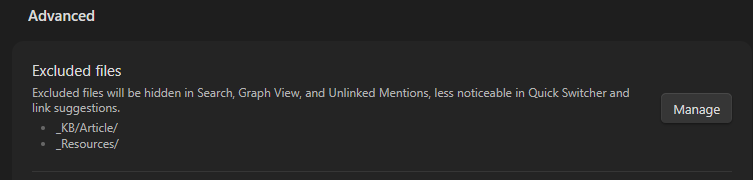
The “excluded files” option now includes a lot of different things. I use it primarily to suppress link suggestions, but I still want those files to show up in bases.
Proposed solution
The easiest fix would be to include a toggle in bases to show excluded files.
A longer term solution may be to expand the excluded file setting to give you more control over it. As there can be quite a difference between wanting something not to show up as a link suggestion, and never wanting it to be shown in bases or the graph view.
Current workaround
None that I know off. Right now I’d have to either accept the files will clutter my link suggestion, or I can’t use bases for the entire folder.
I’m in full support of this. I just noticed today that excluded files don’t show up in my bases. Like you, I don’t want these files to be shown when searching, but want them to show in bases.
+1. I use small templated notes to track certain things that happen multiple times per day. A note per occurrence means my vault has thousands of these notes. I don’t want them to show up in e.g. the quick switcher or link suggestions, but I emphatically do want to use a base as an overview of these notes.
+1 I need this too. I have many notes which I just want to make less visible in the quick switcher, but I still want to be able to sort them in a Base.