I really love the new Bases-Feature and have high hopes for it’s development!
I think there is some huge potential here - e.g. with Multiline Editing for smooth Metadata-Updates across multiple files
Use case or problem
Often times you want to add the same tag/value to a property-field in multiple files
→ e.g. all files in this folder should get a specific tag
Proposed solution
this could be creatly facilitated by introducing multiline-edits to Bases!
This could work in multiple ways:
select multiple lines (files) in a Base and then start editing a property (e.g. adding a tag) → that tag should be added to all the selected files simultanously
allow “dragging down” a value like in excel → the user can select a property-value and then drag down to copy it over to other files below
allow the user to copy/paste values (even multiple ones for tags/lists) into multiple lines (files) in a Base
This functionality could really improve how we can manage our “metadata” across multiple files in Obsidian - especially combined with the ability to quickly filter Bases for the desired files to change together!
I think it would be a huge win to enable a new way of “batch changes” in our vaults!
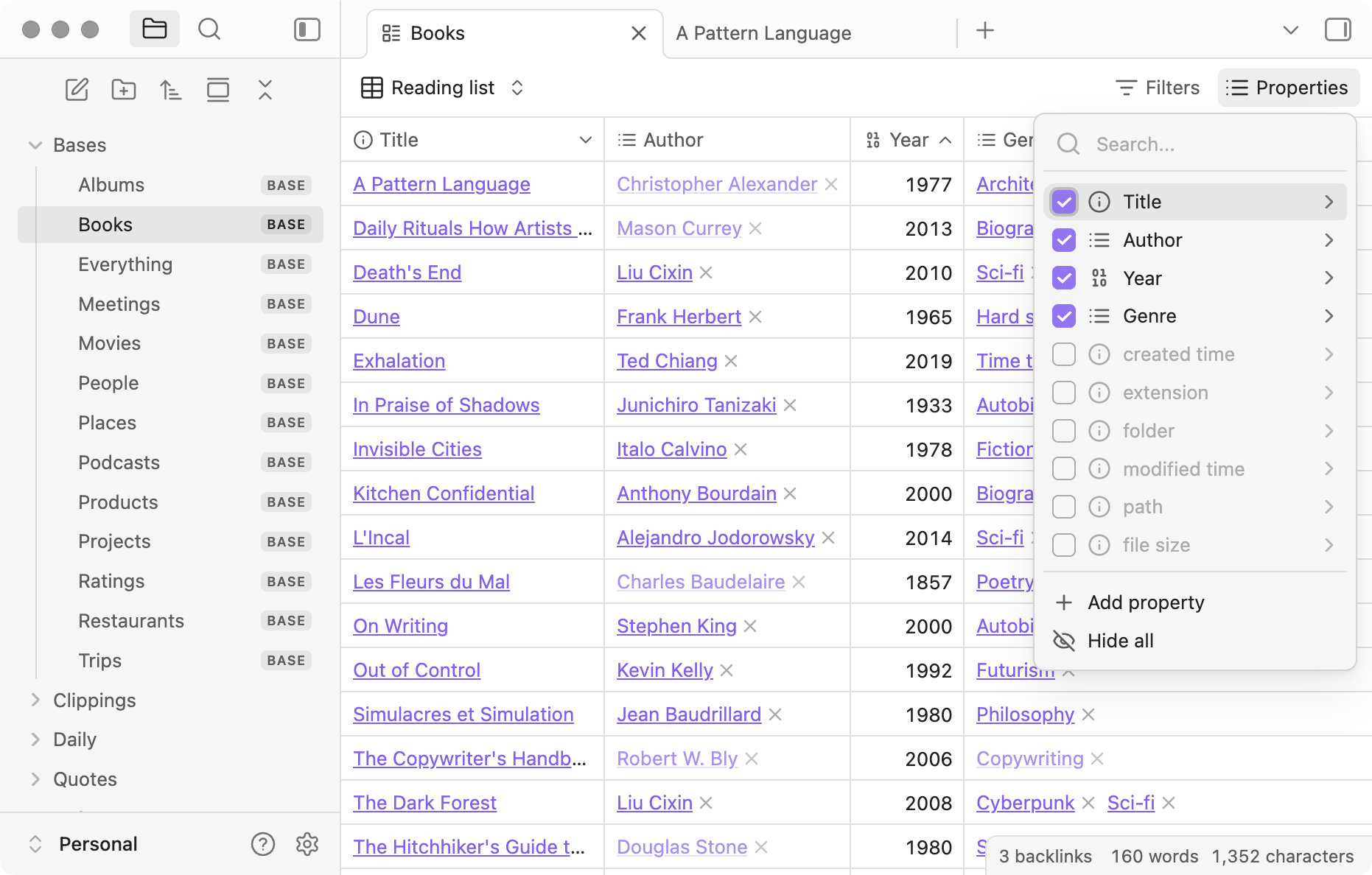
Just asking how left clicking a table cell or dragging selection across different cells/rows works currently?
Based on this image
Left clicking a table cell can at least delete list items. I’m not sure about other features, for example can you edit single values and what happens when you left click these items like “A pattern Language”. Why these text values are underlined?
Currently left-clicking and dragging does seem to do nothing - a single click into a cell lets you edit the content of the corresponding property though.
Left-clicking “A pattern Language” will open the corresponding note - those text-values are underlined because they are links
Currently we can edit one value at a time. Can we edit/ paste a scalar/ constant to multiple selected cells (i.e. operate on selected n cells together).
It would be great to be able to select multiple cells and paste from keyboard. Useful when multiple cells (eg in a single column) should have the same value.
Proposed solution
Add support for multi select and pasting data from the clipboard.
Made a selection with bases. Had to change (edit or add or delete) the content of a field (a tag) of multiple rows (records) of the table. At the moment I have to do that record by record.
Proposed solution
It would be nice to have a possibility to select multiple rows in a table to bulk edit a field in the selected rows.
Use Case
Refining my notes from using tags to identify note types (i.e. #project) to using text strings “project”). Also generally trying to cleanup / reduce / refine my properties by using bases table views to quickly scan and identify notes which require attention / modification.
Would be extremely useful to have basic spreadsheet copy (cell, column, selection) and paste (cell, column, selection) for properties across multiple notes in table view to facilitate these types of bulk, no code, actions.
Current Workaround
The Multi Properties community plugin does allow editing bulk selected note properties via right click in bases. Feels a bit clunky but it does the job.
AFAIK, copying/pasting across multiple cells is feasible now though …
Since table in bases became more keyboard friendly with the release of Obsidian 1.10.3
You’re strangely not the 1st person mentioning this …
Someone on Discord ran into something similar recently… But I’ve not been able to reproduce the issue (at all) , so I have no idea why it appears to work for me but not for you ?
I’m running Obsidian 1.10.3 on Linux MInt using the aptimage and I can confirm that I can copy the cell (and confirmed that it copied by pasting into a text editor) but I cannot paste using ctrl+v into the selected cells above or below the copied cell in Base.
It is working for me now also. Apologies for the delayed response. I do believe that this actually wasn’t working for me previously but one thing I noticed that I wanted to mention for the possible benefit of others who may run into this..
I had my base setup to sort by last modified. When I copy a cell and then shift select 2 or more to paste to (directly below the copied cell), after i paste the newly edited rows jump to the top of my base and out of view due to the sorting. The visible part of the base still has the 2+ cells below the copied cell highlighted so it APPEARS that the paste didn’t work but it actually did.

 …
…
 I’m on 1.10.3 and tried copying of the “cell” and of the text but paste didn’t paste. I can see the shift down highlights the cells but no paste…
 …
… , so I have no idea why it appears to work for me but not for you ?
