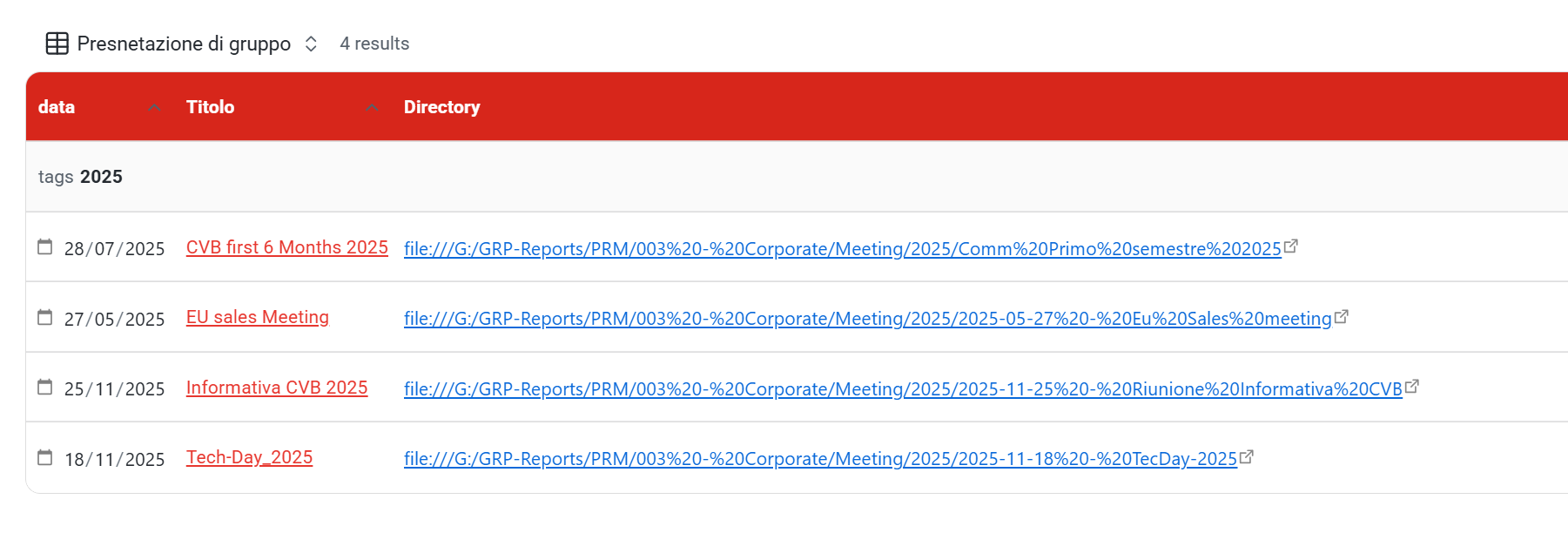
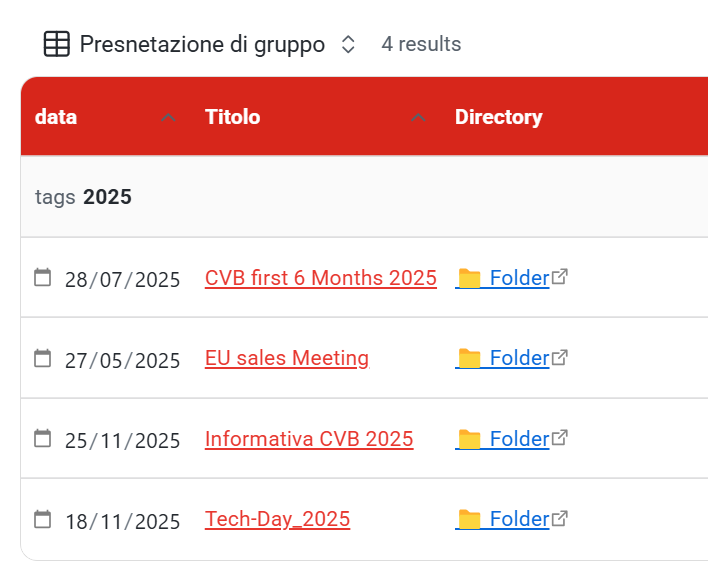
Hi,
I have a YAML field like:
folder_path: file:///G:/...
In a Bases table, the full path shows as a long blue clickable link.
I want to display Folder instead of the full path, but still clickable .
Tried link(), Markdown, HTML, CSS ā none worked.
Bases doesnāt seem to allow formatting or replacing external file:/// links.
Question:
Is it possible to show a custom label/icon for an external link in Bases, or is this a current limitation?
Thanks!
ACTUAL WORKING :
Attend: not working
Zodian
November 25, 2025, 7:22pm
2
I just posted a very similar question, and I also couldnāt find any way to get file:/// link working in base formulas.
What Iām trying to do
I want to use a bases formula that creates a link pointing to a local file on my computer.
Things I have tried
I know that the following works:
In my notes I use external links. Either of the following syntaxes works there:
[Link](file:///Users/xyz/Downloads/Filename%20With%20Spaces)
[Link](<file:///Users/xyz/Downloads/Filename With Spaces>)
When I add the value "file:///Users/xyz/Downloads/Filename%20With%20Spaces" to my āLinkToFileā property and display this propeā¦
EDIT: Just got an answer to my post and links in bases to local files are currently not working.
Using link(folder_path, "šFolder"), if you right click šFolder in the base and choose Open link in default browser, does it work? It does on my Mac, but ā¦
1 Like
Zodian
November 25, 2025, 8:00pm
4
For me this workaround did work.
anon5277159:
if you right click
Thank you, this is correct. I was mistakenly left-clicking instead of right-clicking. Perfect!
1 Like
Hi.
I actually think left-clicking should work, and hope the team will consider activating it in the future.
1 Like
Zodian
November 27, 2025, 2:06pm
7
They are aware of the issue.
Steps to reproduce
In the sandbox
Create a new note, and add a property whose value is a local URI, such as:
---
myLink: file:///C:%5CUsers
---
Create a new base file, click Properties > AddFormula, and enter the formula myLink (or even link(myLink)).
In the base column, click that link.
Did you follow the troubleshooting guide?
Y
Expected result
The link opens.
Actual result
The link does not open.
Environment
SYSTEM INFO:
Obsidian version: v1.10.0
Installer version: v1.9.14
Operatiā¦
1 Like
system
Closed
December 25, 2025, 2:07pm
8
This topic was automatically closed 28 days after the last reply. New replies are no longer allowed.