I have a base which lists all my “Author” notes. This is simple, as they are all tagged with #author. Now I would like to create a property with a formula, that counts the number of notes which link to the respective Author notes. Alternatively, the formula could also count all notes where the author property in the yaml is equal to the note title. This is what such a note could look like:
---
author: Stanislaw Lem
---

# The Albatross by [[Stanislav Lem]]

...
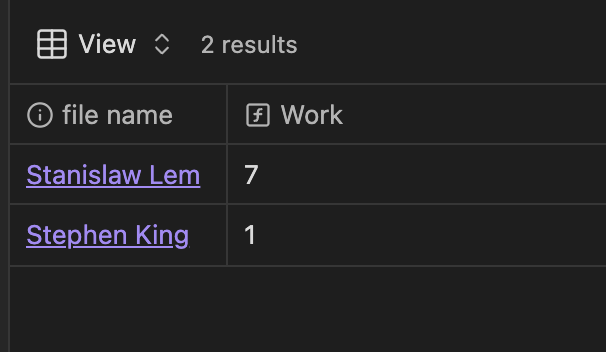
So if I have seven notes listing Stanislav Lem as author, respectively linking to him, the author.base would show something like
Author ……………………… Works
Stanislav Lem …… 7
Progress so far:
Solved the part with the Links:
file.links.length
But how would I get it to work if had only the author property and no link?
Something similar could also potentially work using file.links instead (depending how your book/author relationship is setup)
Some things to note here though:
This is just a very quick test
I’m assuming you’re using the latest catalyst release of Obsidian (1.9.7)
In the example you shared, the value of the author key in the book note is “Stanislaw Lem” (Stanislaw, ending with a “w”) while the note point to “Stanislav Lem” (Stanislav, with a “v”) … which could be problematic but that could also just be a copy/paste here thing .
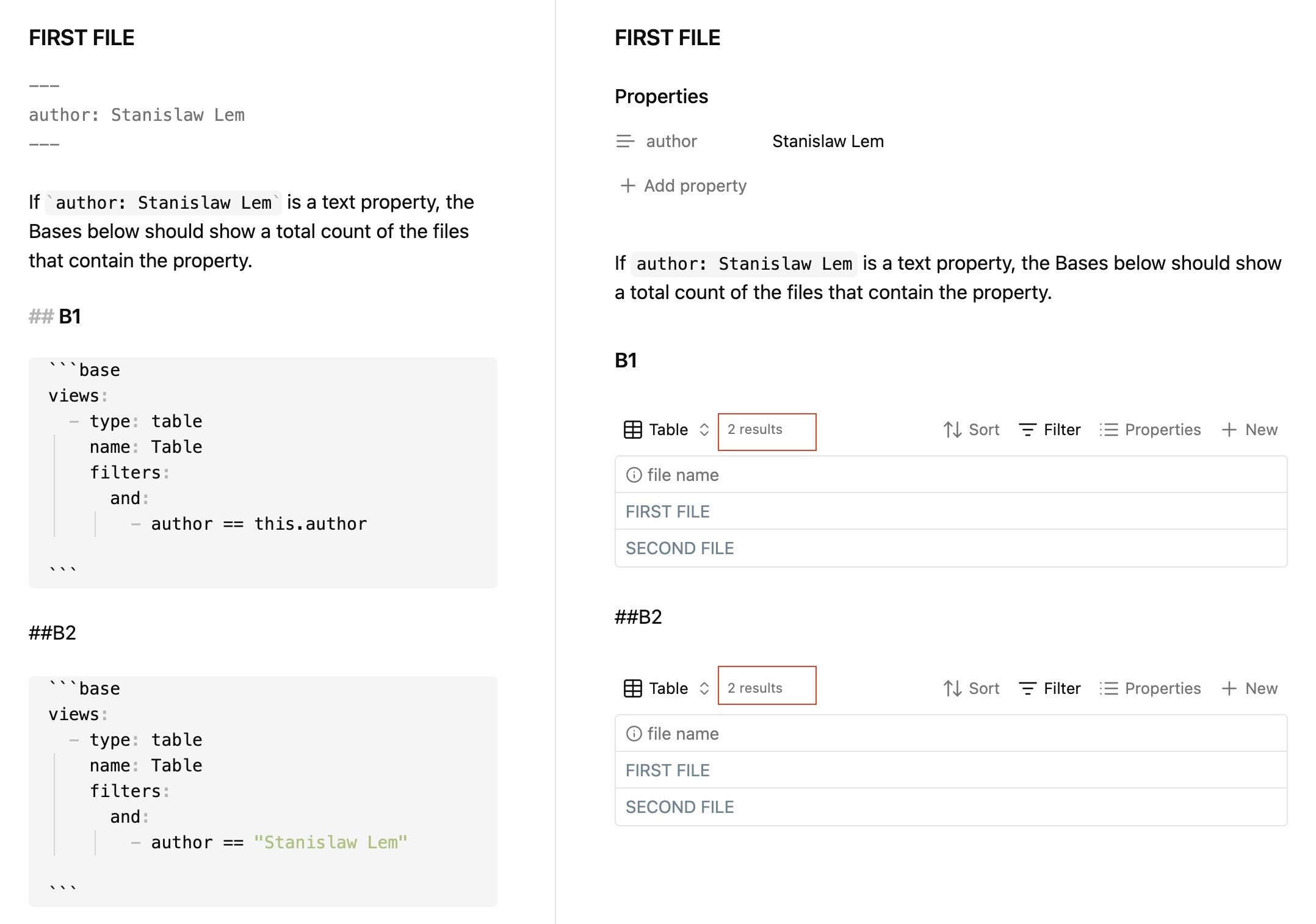

 …
…

 … which could be problematic but that could also just be a copy/paste here thing