Use case or problem
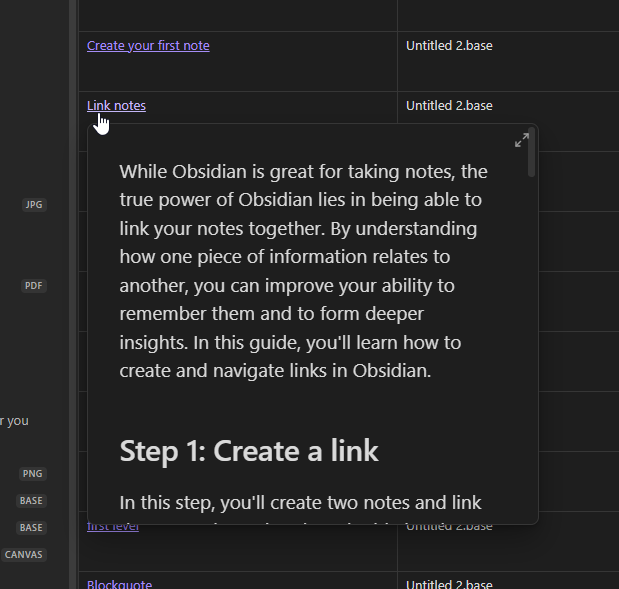
Upon hovering over a link to a file listed in a Base (both in Table view and Cards view), no preview is shown. This is already implemented everywhere else in the vault, so it would make sense to have consistent behaviour in Bases, too. In any other note, hovering over a link shows a preview to the file (be it another note, pdf, etc).
Proposed solution
When hovering over a link, show a small window with a preview of the file.
Current workaround (optional)
Clicking on the link to get to the file - but it’s a bit annoying to not have the same functionality as everywhere else. It’s cool to have many files listed in one place, but sometimes I’d just like to “flip” through them quickly and preview them.
Related feature requests (optional)
None to my knowledge. The most closely related RFs are about directly accessing the contents of listed files, but the FR I’m proposing wouldn’t have to do that(?).