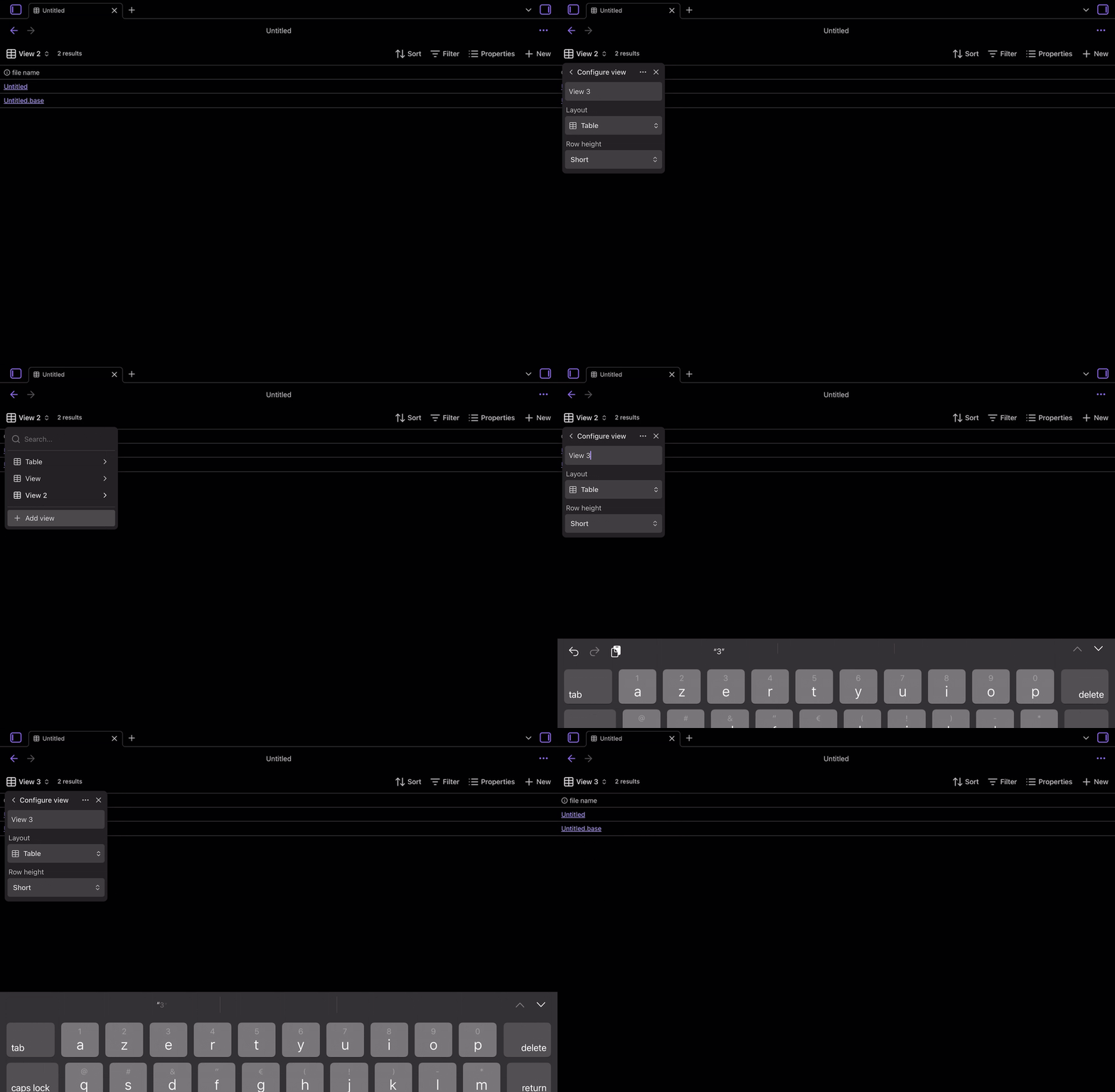
Apparently, when one wishes to create a new view in a base on iPadOS/iOS, the brand new view isn’t automatically focused on, meaning the creation appears to fail unless the onscreen keyboard is open and then close (which can only be achieved by putting the cursor within the text box meant to hold the name of the view and then closing the onscreen keyboard in a way or another) 
Steps to reproduce
-
Open or create a “mobile sandbox vault” (local or not, it doesn’t seem to matter
 )
) -
Create a base in the vault (I used the command palette to do so)
-
Tap on the “View” dropdown at the top of the base to open it and tap on the
+ Add viewoption at the bottom of the menu- This appears to create a view titled:
View, using theTablelayout with aShortrow height
- This appears to create a view titled:
-
Leave the configuration of the new view as it is
-
Tap on the
< Configure viewto go back to the list of views- →
Viewdoesn’t appear in the list
- →
Note: Selecting a different layout and setting it up (renaming excluded) doesn’t seem to effectively create the view.
Did you follow the troubleshooting guide? [Y/N]
Yes, this has been seen and reproduced in a brand new “mobile sandbox vault”
Expected result
I was expecting to be able to create/duplicate a view more like on desktop where, from what I’ve seen in the sandbox vault, the new view is focused on (and therefore appearing in the list of views) by clicking on the < Configure view to go back to the list without further modification/configuration of the new view .
Actual result
Well, to create a new view on iPadOS/iOS, after tapping on + Add view in the view dropdown of the base and before tapping on < Configure view to go back to the list of views, one apparently needs to:
-
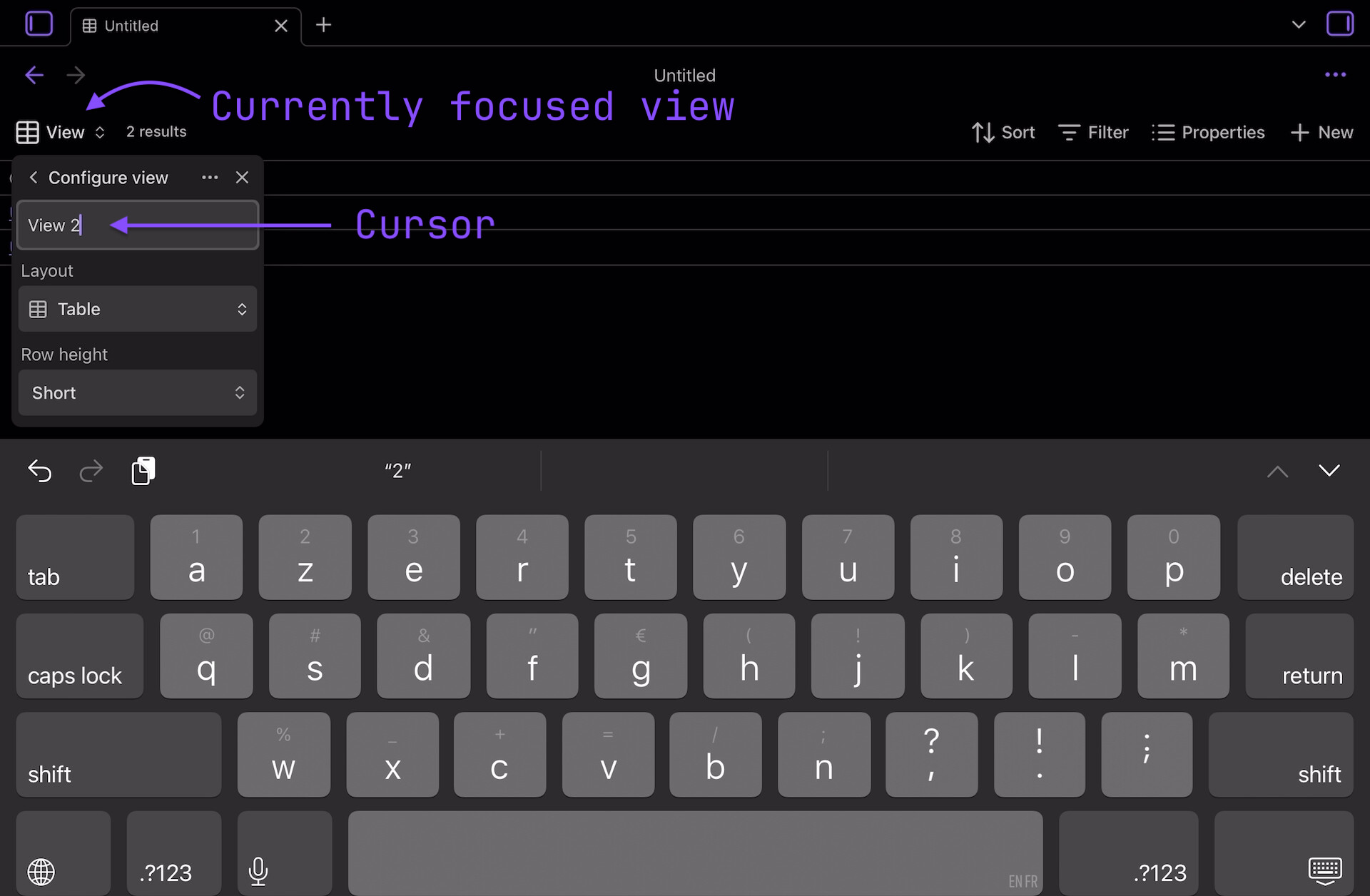
Set the focus on/cursor in the text box meant to hold the name of the view which open the onscreen keyboard.
Here it displaysView 2while the view titledViewis still the one being focused on -
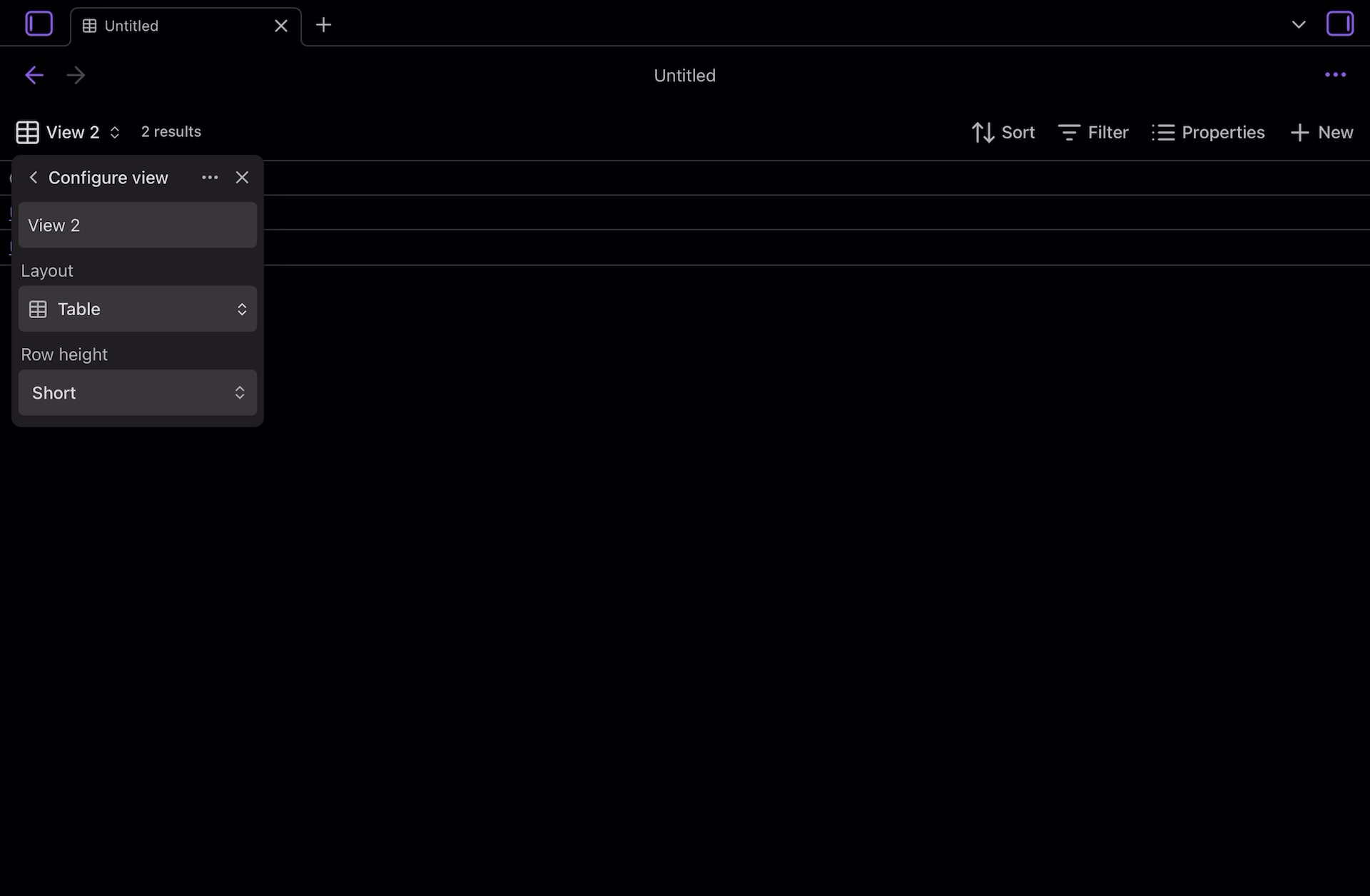
Discard the onscreen keyboard in a way or another.
Once the onscreen keyboard is closedView 2is now the focused view and it will appear in the list of views after one taps on< Configure viewto get back…
Environment
iPadOS:
SYSTEM INFO:
	Operating system: ios 18.6.2 (Apple iPad8,9)
	Obsidian version: 1.9.11 (236)
	API version: v1.9.11
	Login status: logged in
	Language: en
	Catalyst license: supporter
	Live preview: on
	Base theme: adapt to system
	Community theme: none
	Snippets enabled: 0
	Restricted mode: on

RECOMMENDATIONS:
	none
iOS:
SYSTEM INFO:
	Operating system: ios 18.6.2 (Apple iPhone17,1)
	Obsidian version: 1.9.11 (236)
	API version: v1.9.11
	Login status: logged in
	Language: en
	Catalyst license: supporter
	Live preview: on
	Base theme: adapt to system
	Community theme: none
	Snippets enabled: 0
	Restricted mode: on

RECOMMENDATIONS:
	none
Additional information
- I tried to look for a report about this, but I could have missed it
 (sorry if that’s the case or if that should have been posted as an FR instead of a BR)
 - The 2 extra steps described here are also needed when duplicating a view
- I feel like having to go through these extra steps, while not being awfully problematic, can be a bit “confusing” as it’s inconsistent with the behavior on desktop
- Here’s a small gif of me trying to create
View 3by just tapping multiple times on+ Add a viewand then< Configure viewdirectly…View 3never appears in the list of views.
It only do so when:- I set the cursor with the text box → Onscreen keyboard shows up
- Onscreen keyboard is discarded →
View 3appears in the list