Use case or problem
I would like to make the output of a Base available to an external script. However, when a script currently accesses the note with the Base in it it only sees the Base code, rather than the results of the Base (visible to the user). This would allow Bases to be used as search indices in external scripts without having to create extra code. (Great job, by the way, making Bases so user-friendly!)
See forum post “bases-it-is-possible-to-access-their-output-programatically/103509” for more details of a potential use-case.
Proposed solution
I imagine an API would be the “usual” way of doing this, but personally I don’t mind how it’s done.
Current workaround (optional)
Manually exporting the output of the Base to a .csv file, or copy/pasting via clipboard into a new note.
Related feature requests (optional)
I couldn’t find anything myself, and posting in the forum didn’t reveal any “leads”.
Likewise; my plugin currently consumes the results of a Dataview query. It would be great to be able to drop the mandatory dependency on a third-party plugin. (It would be even better if I could subscribe to the results of the query changing!)
Same. I used to use the deprecated plugin called obsidian-projects to make my backlog database of movies and games. I use the Media DB plugin to grab games/movies info from TMDB, Steam, etc.
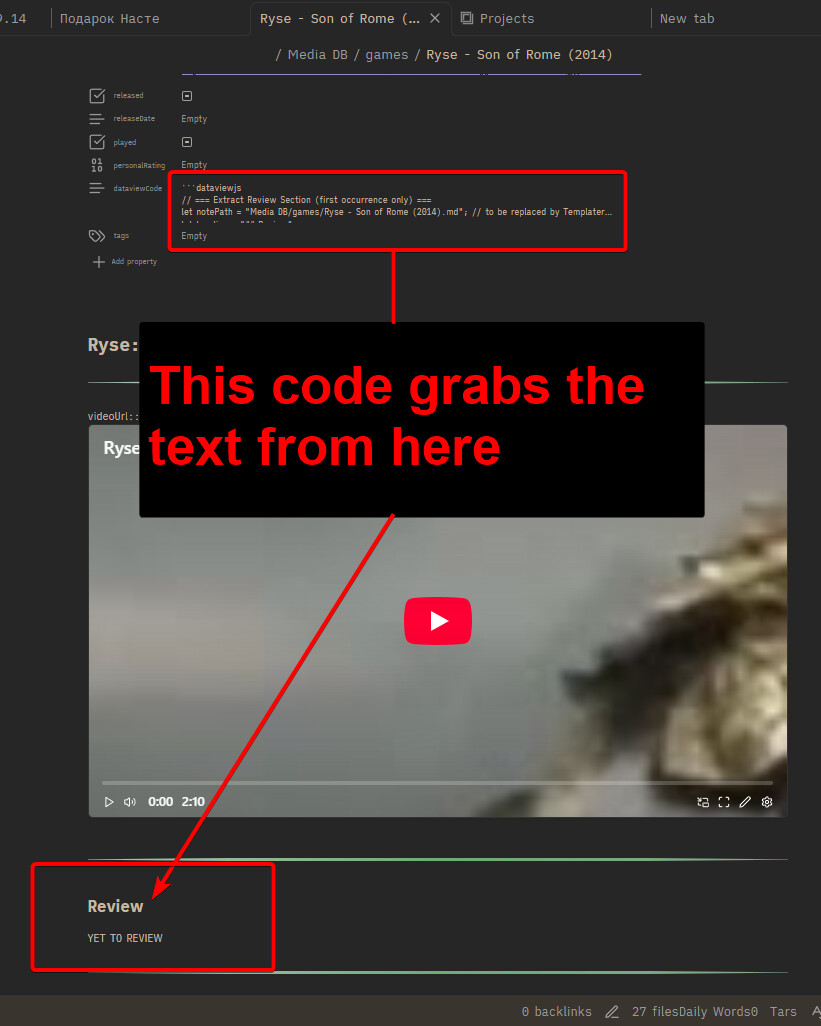
To make it output my reviews from Media DB created notes, I wrote a dataviewjs script in all such notes’ frontmatter that would grab the text from the body of the note, from a specified place.
And put it in the Media DB’s template.
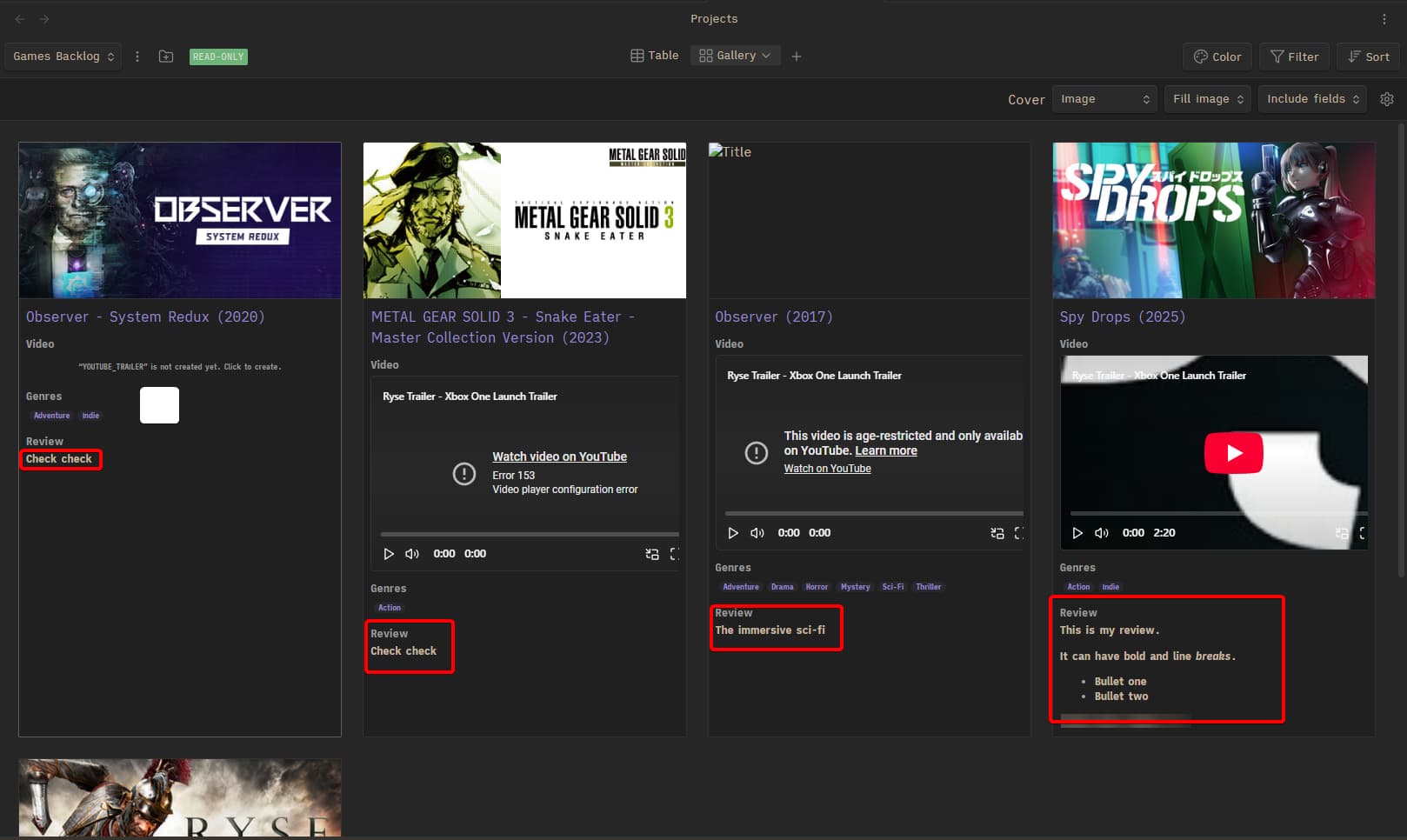
So when I open it in Projects plugin, it reads the dataviewjs dataview code from the frontmatter, (which in turn) grabs the text from the note’s body, and outputs it:
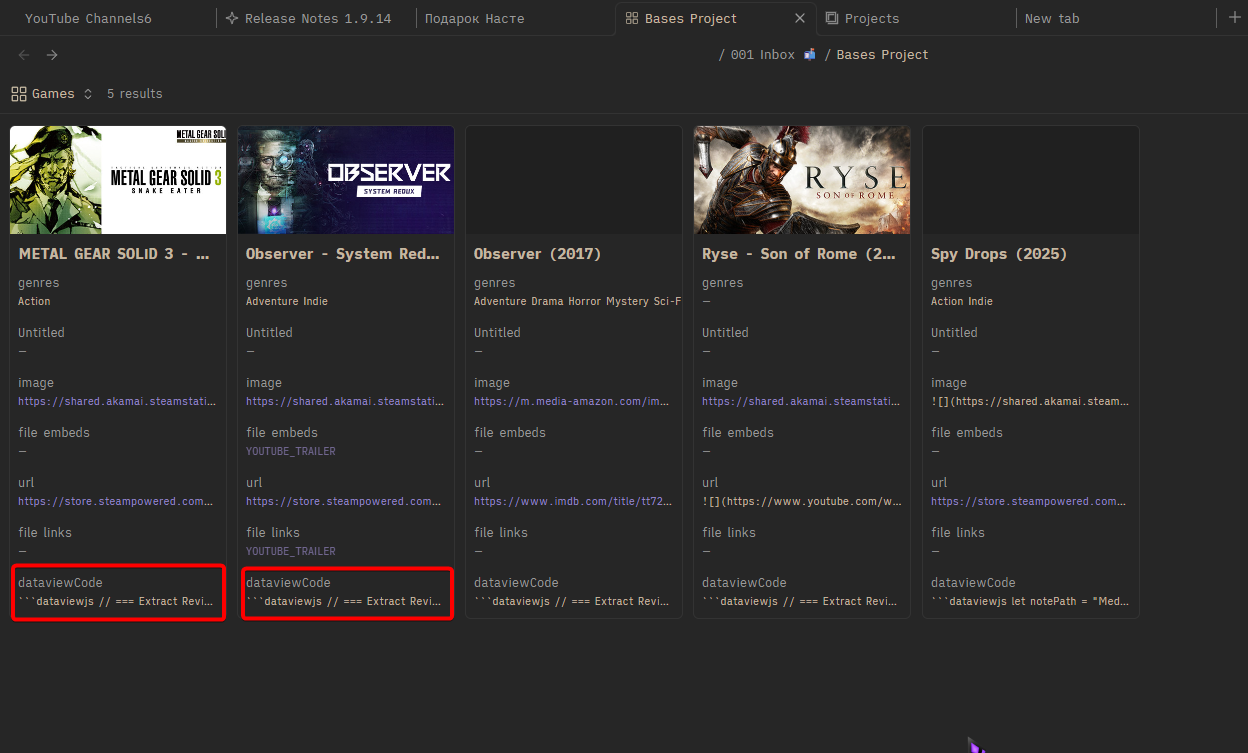
And this is how the Bases core plugin views it:
If Bases could output the dataviewjs code somehow by some switch - that’d be delightful.
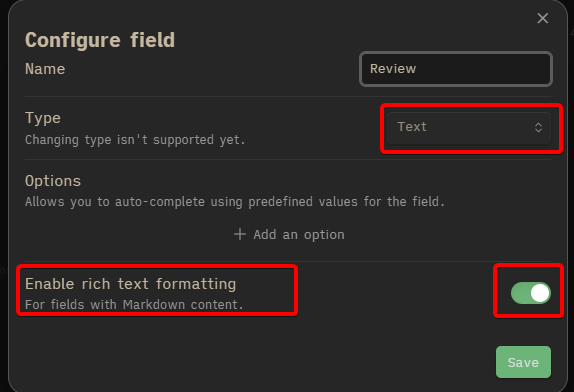
P.S. In case anyone’s wondering and want to use the Projects plugin temporarily until Bases updated:
- You need to turn on Rich text formatting in the Field setting for it to output the code. Otherwise, it will show as a plain text code, and not its output.