There are a few CSS options to accomplish this depending on what you’d like to do:
Limit height of all embedded bases in a vault
.bases-embed > .bases-view {
    max-height: 320px;
    overflow-y: auto;
}
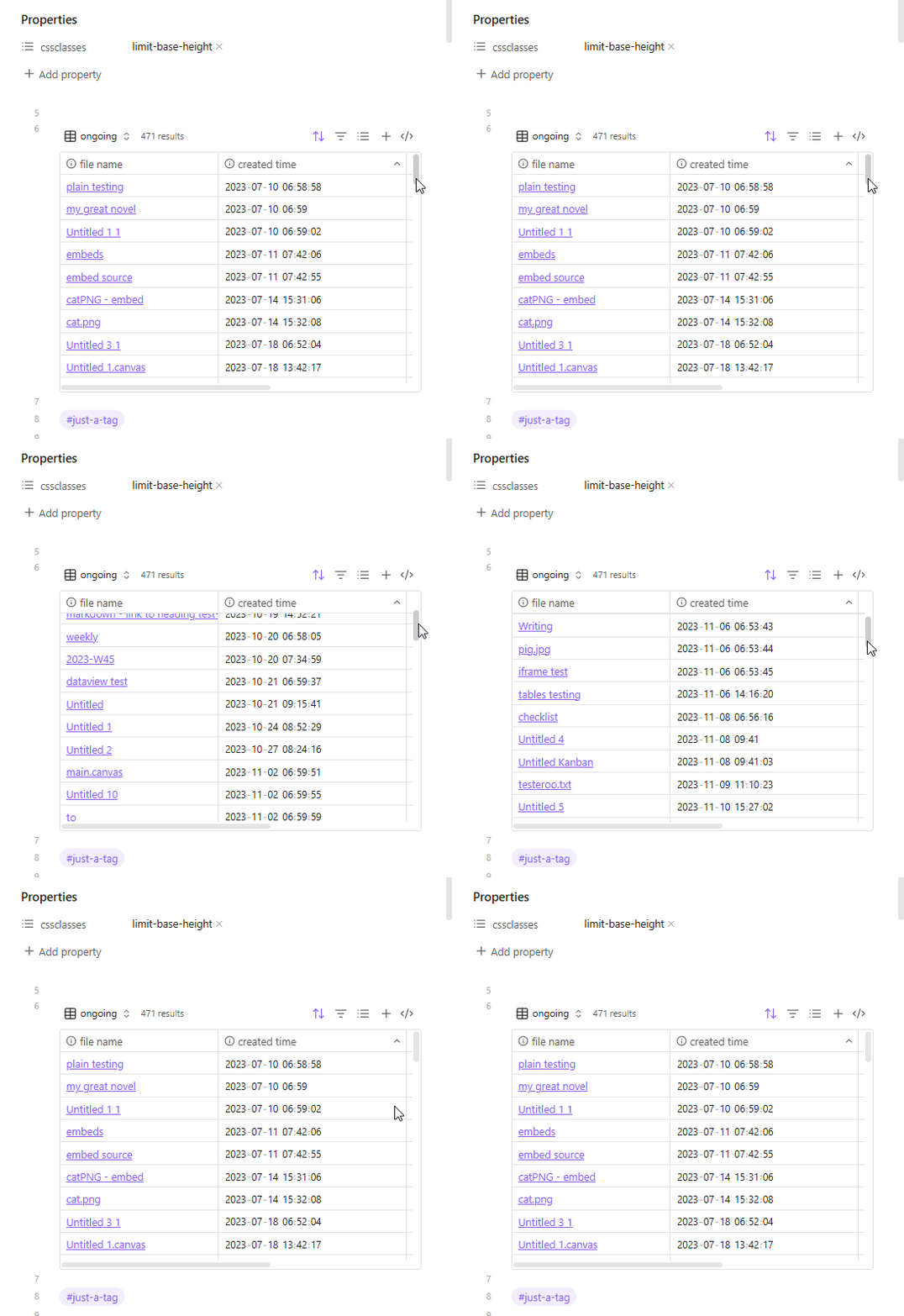
Limit height of all embedded bases in specific notes (using cssclasses)
.limit-base-height .bases-embed > .bases-view {
    max-height: 320px;
    overflow-y: auto;
}
and add limit-base-height to the cssclasses property. The YAML/Proeprties look like this in Source mode:
---
cssclasses:
  - limit-base-height
---
Limit height of specific embedded bases only (using alt/attribute text)
.bases-embed[alt~="limit-base-height"] > .bases-view {
    max-height: 320px;
    overflow-y: auto;
}
and the link is written as ![[my.base|limit-base-height]]
The limit-base-height class can be changed to whatever, something shorter, etc., (as long as it’s not used elsewhere in your theme or other CSS snippets).
Also, I just picked 320px for the height because I thought that looked alright, but can be changed to 30vh, for example, to be a bit more dynamic and fill 30% of your view port. (CSS Unit Guide: CSS em, rem, vh, vw, and more, Explained).