SYSTEM INFO:
Obsidian version: v1.9.12
Installer version: v1.9.12
Operating system: Windows 10 Pro 10.0.19045
Login status: not logged in
Language: es
Insider build toggle: off
Live preview: on
Base theme: dark
Community theme: none
Snippets enabled: 0
Restricted mode: on
RECOMMENDATIONS:
none
Additional information
Since the “name” column allows going to the full note by clicking or hovering, I decided to report this behavior as an error.
Once the “file links” column is displayed, you click on any link.
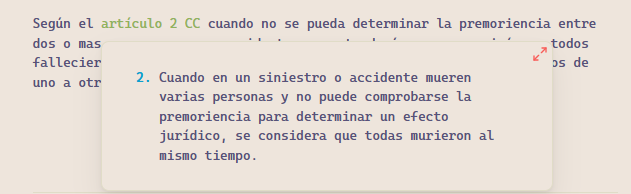
Obviously, the links can point to a note or a block with an ID [^id]. The problem does not occur with links to a note.
The issue arises when I click on a link to a block with [^id], which takes me to the note but not to the specific location of the block, as happens, for example, when navigating from a note.
Bases doesn’t (currently) support links to block IDs or headings, only to the entire note. Other people have brought this up in various ways.
I’m surprised no one has posted a feature request for it yet—or at least not that I could find. I don’t personally need that feature so would be a poor spokesperson, but on behalf of yourself and many others, maybe you could make the feature request to get things started.