Steps to reproduce
-
Create or open a “mobile sandbox vault” which can be synced between Obsidian desktop and Obsidian mobile (more specifically iOS or iPadOS)
-
In said vault, create a note with the following content:
- Note: the key
dateStringneeds to be set as atextkey (as the date string needs to represent a non-existing date corresponding to: “the end of the month + 1 day”, at least)
- Note: the key
---
dateString: 2025-11-31
---

~~~base
formulas:
  date1: date(dateString)
  date2: date("2025-02-29")
views:
  - type: table
    name: Table
    filters:
      and:
        - file.hasProperty("dateString")
    order:
      - file.name
      - formula.date1
      - formula.date2
    columnSize:
      formula.date1: 125

~~~
- Open the note, once synced across devices, in Obsidian on desktop and on mobile (iPhone and/or iPad as this seems to be a mobile Apple “thing”)
Did you follow the troubleshooting guide? [Y/N]
Yes 
Expected result
That the global date() base function would handle the non-existing date string on iOS/iPadOS like it does on desktop, I guess …
As bases can appear as “broken” on iPhone/iPad while working perfectly fine on desktop (leading to unnecessary troubleshooting/confusion)
Maybe just adding an error message in this (edge ?) case on iOS/iPadOS could possibly make things clearer from a user point of view
Actual result
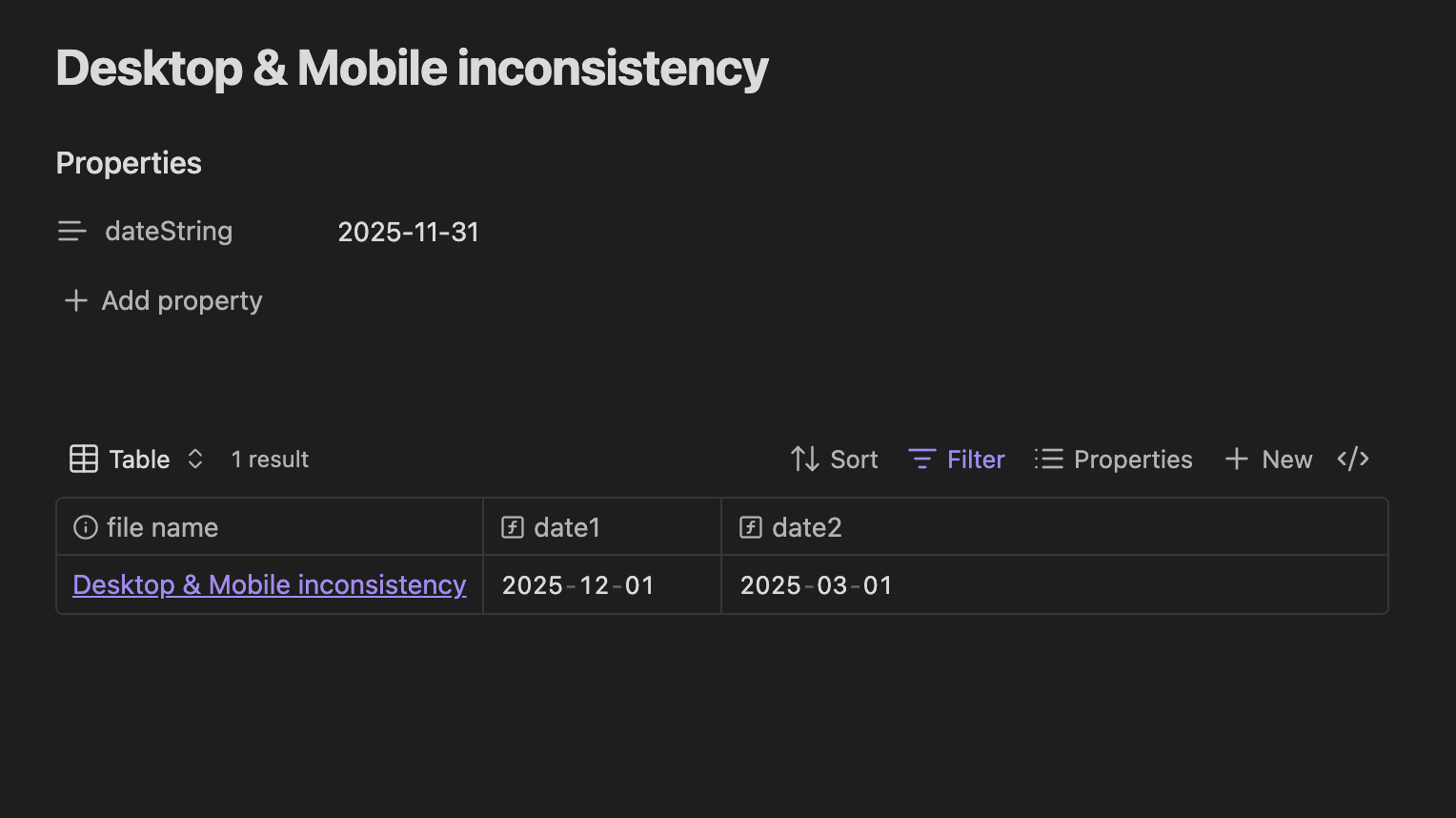
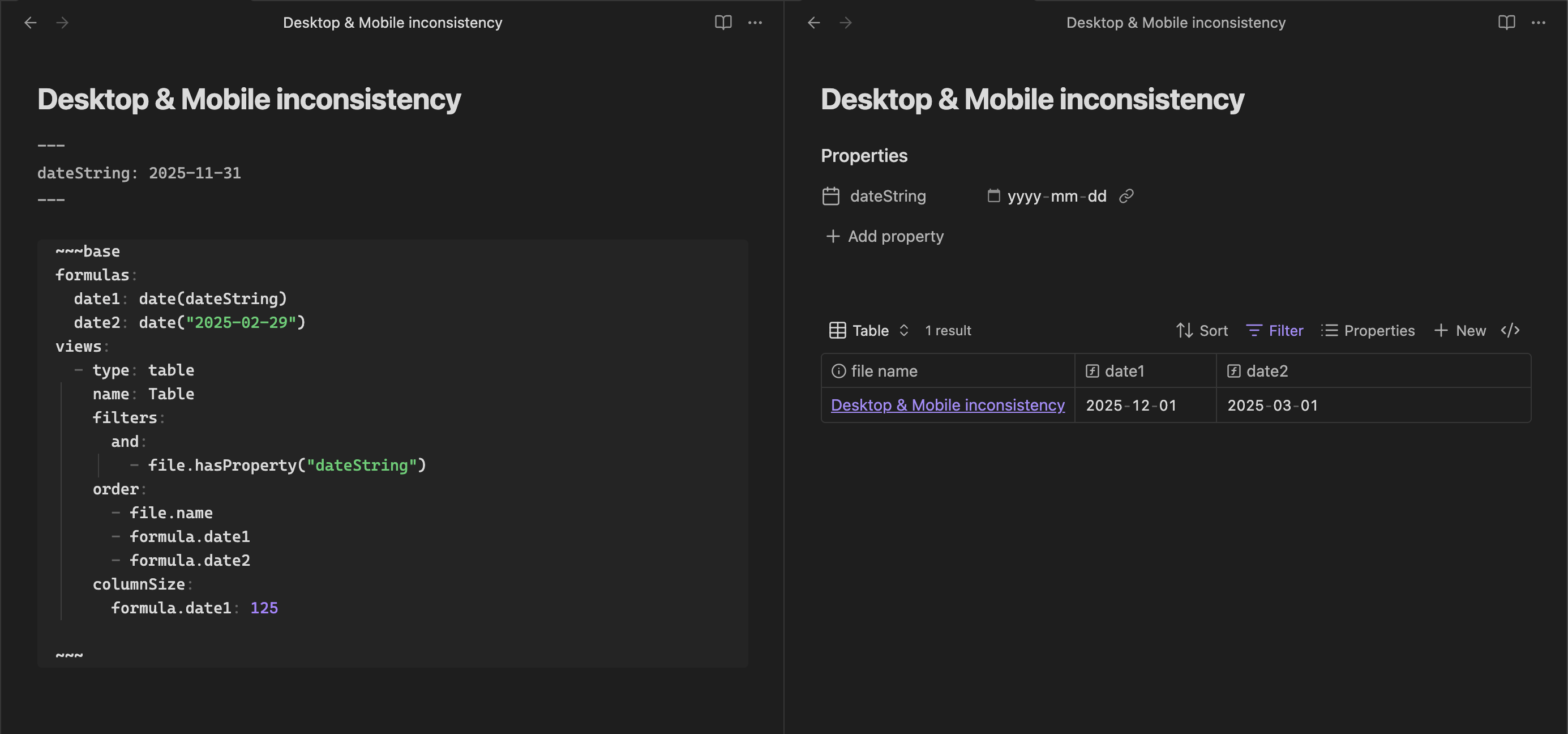
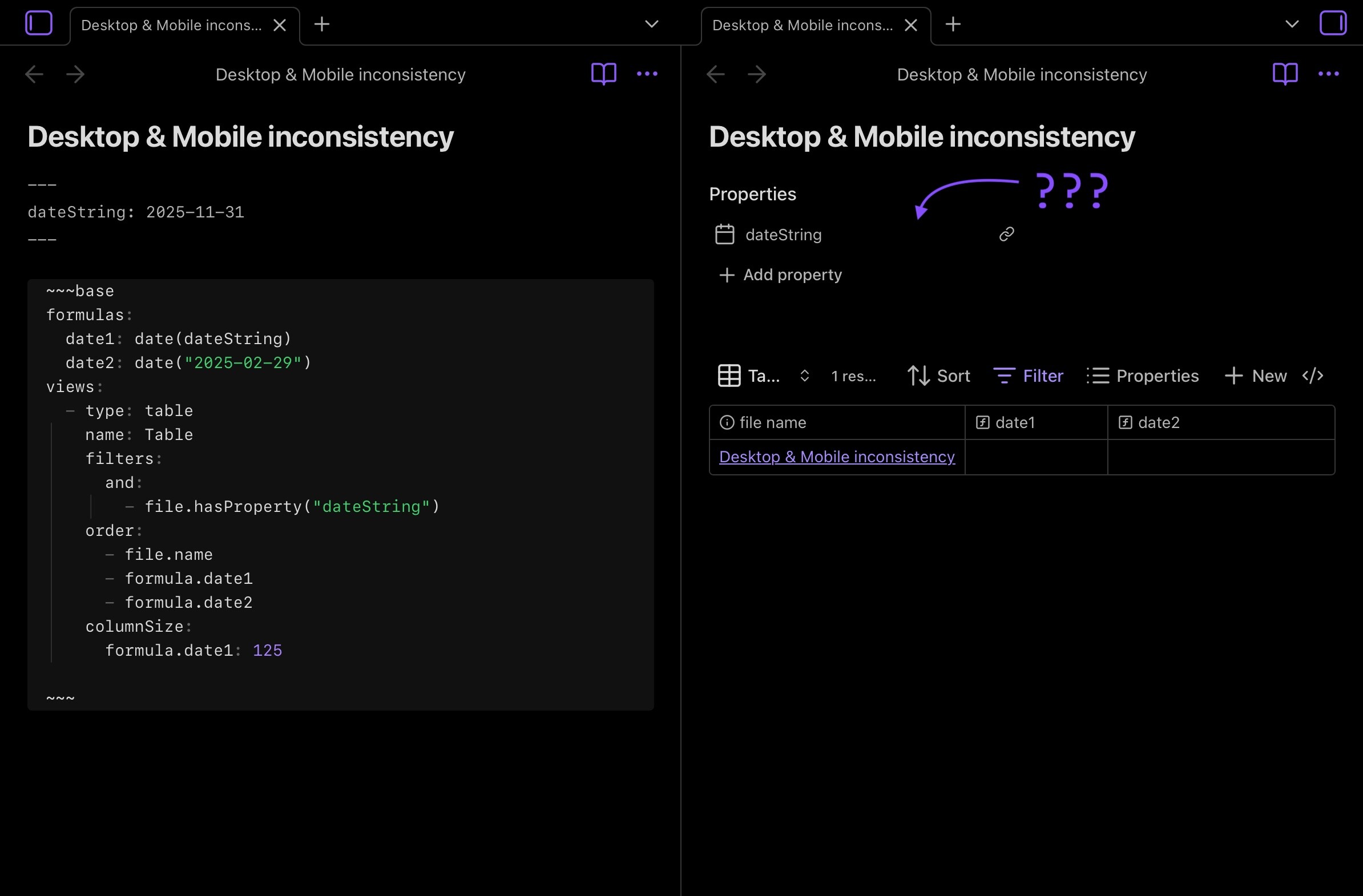
So, I know that both date strings in the sample ("2025-11-31" and "2025-02-29") don’t exist as dates but desktop seems to handle them by returning, as dates, what would be the next day:
- The formula
date(dateString)→ outputs:2025-12-01on desktop but nothing on iPad/iPhone - The formula
date("2025-02-29")→ outputs:2025-03-01on desktop but nothing on iPad/iPhone
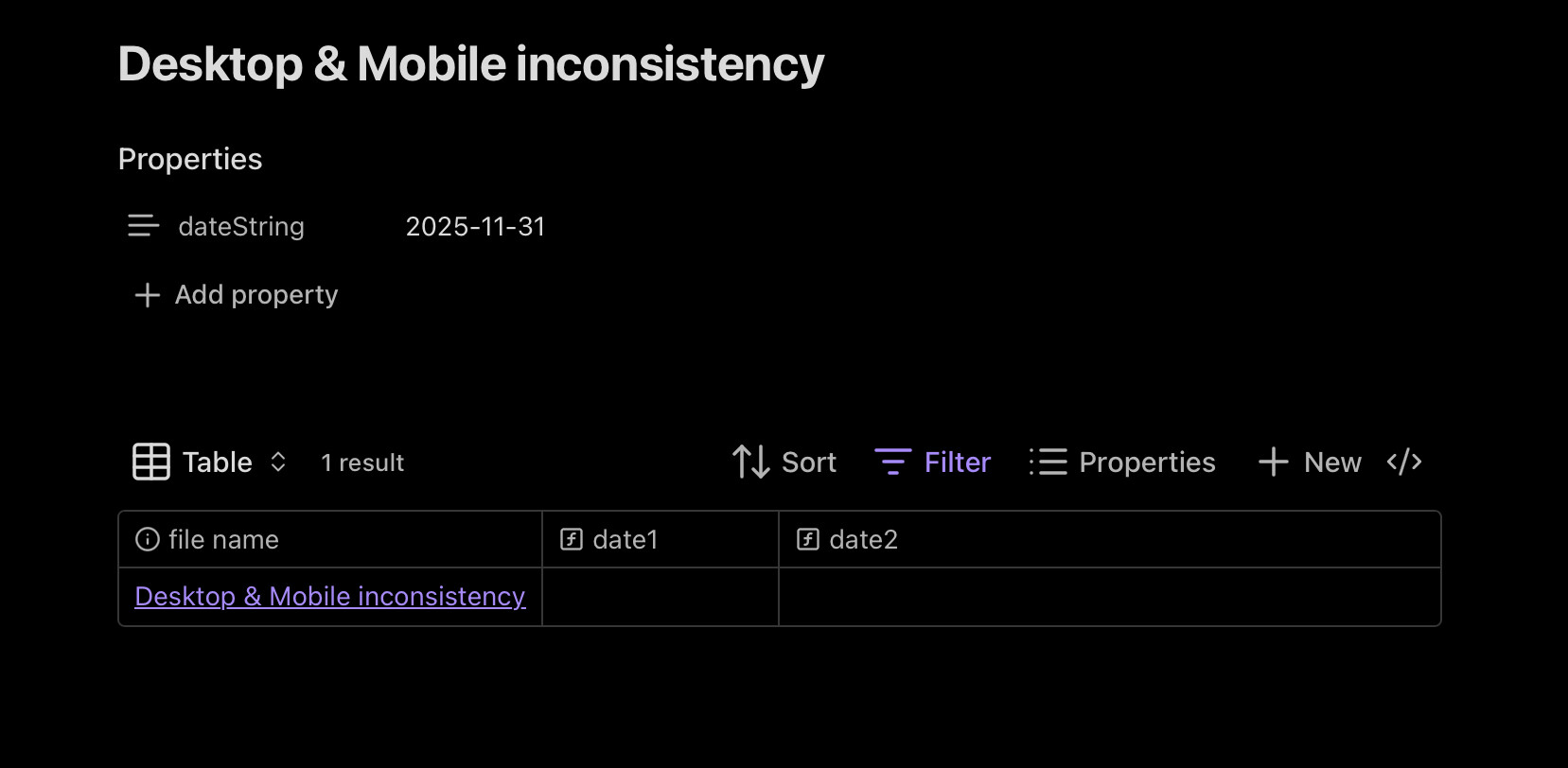
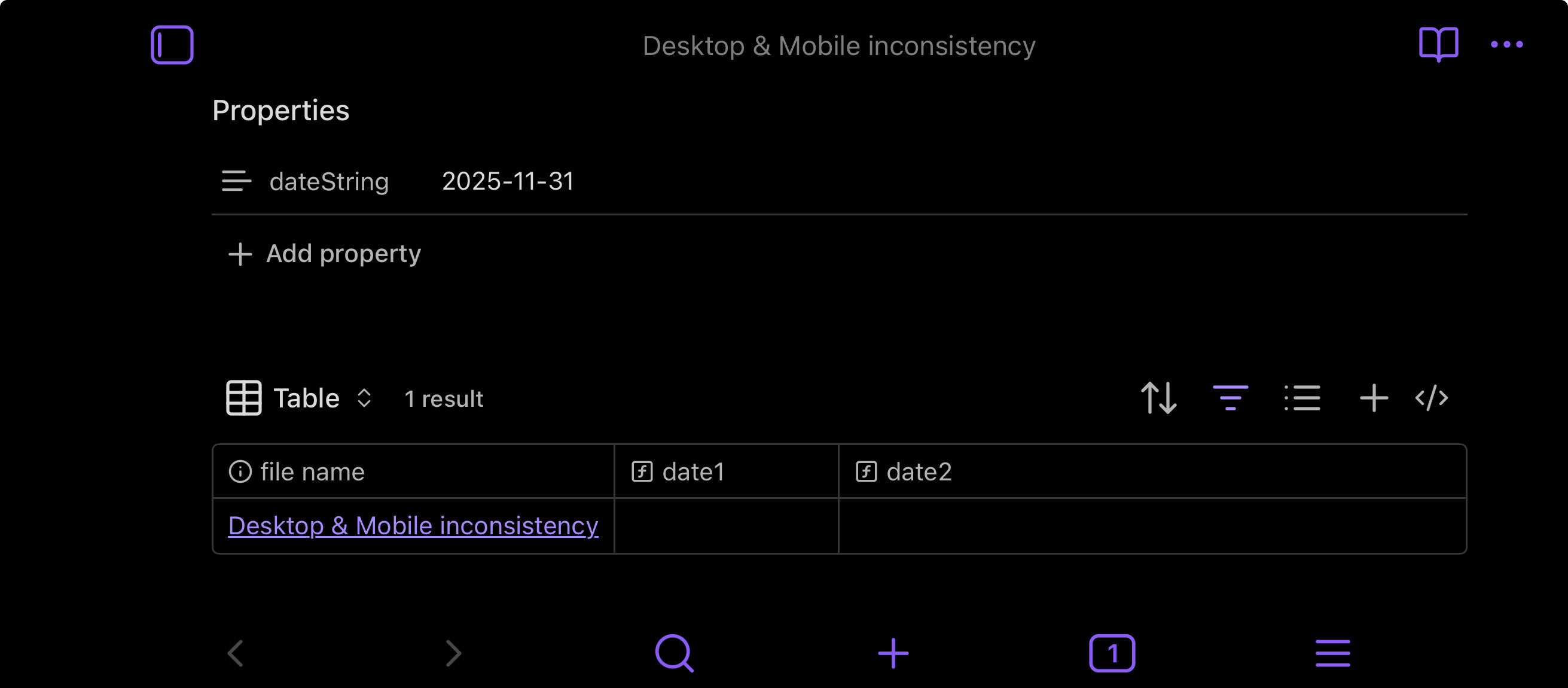
… meaning that on desktop, dates and date strings manipulations appears to be working fine but that’s not the case on iPad/iPhone as formulas “breaks” by not returning anything (no errors in the cells, they’re just blank)
Here’s a screenshot of the base shared above on desktop:
Here’s a screenshot of the same exact base on iPad:
Same but on iPhone:
Environment
Desktop:
SYSTEM INFO:
	Obsidian version: v1.10.3
	Installer version: v1.10.3
	Operating system: Darwin Kernel Version 24.6.0: Wed Oct 15 21:12:08 PDT 2025; root:xnu-11417.140.69.703.14~1/RELEASE_ARM64_T6020 24.6.0
	Login status: logged in
	Language: en
	Catalyst license: supporter
	Insider build toggle: on
	Live preview: on
	Base theme: adapt to system
	Community theme: none
	Snippets enabled: 0
	Restricted mode: on

RECOMMENDATIONS:
	none
iPad:
SYSTEM INFO:
	Operating system: ios 18.7.2 (Apple iPad8,9)
	Obsidian version: 1.10.3 (251)
	API version: v1.10.3
	Login status: logged in
	Language: en
	Catalyst license: supporter
	Live preview: on
	Base theme: adapt to system
	Community theme: none
	Snippets enabled: 0
	Restricted mode: on

RECOMMENDATIONS:
	none
iPhone:
SYSTEM INFO:
	Operating system: ios 18.7.2 (Apple iPhone17,1)
	Obsidian version: 1.10.3 (251)
	API version: v1.10.3
	Login status: logged in
	Language: en
	Catalyst license: supporter
	Live preview: on
	Base theme: adapt to system
	Community theme: none
	Snippets enabled: 0
	Restricted mode: on

RECOMMENDATIONS:
	none
Additional information
This was spotted by someone looking for help in the dedicated #obsidian-bases channel trying to build a “birthday tracker” using a base which didn’t seem to work for someone born on a leap day: here …
Dawni/Purple Penguin ended up suggesting to try with this birthday base shared on Discord: here instead but what appeared to work on desktop and android, didn’t work neither on iPhone nor iPad, as reported starting out there
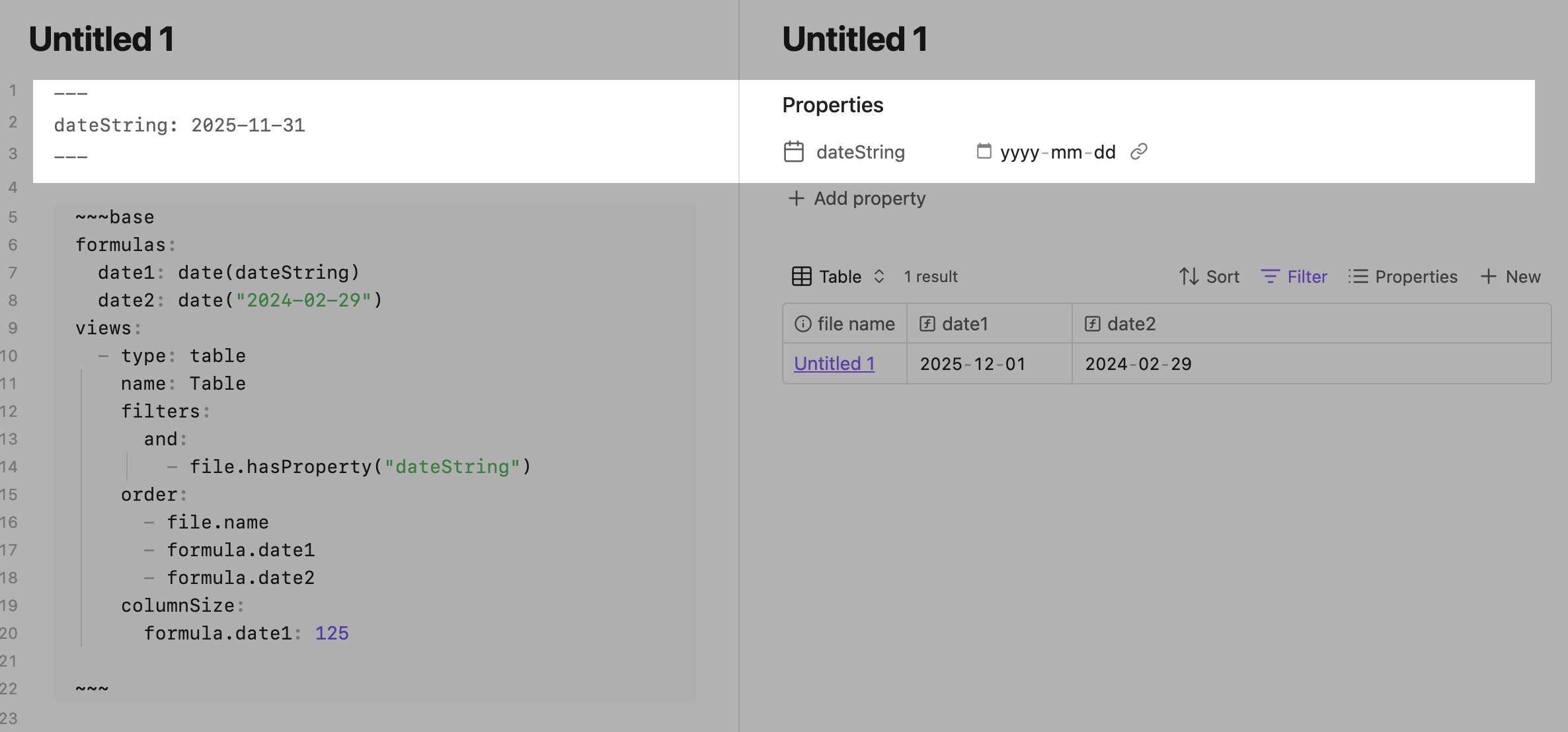
 … and I’ve just edited the post
  !
! …
…
 How did I not notice the different icon?

 !
! …
… !
!