First of all I think Bases is a fantastic tool! I’m eager to test it on my mobile but on my PC is faster than Dataview in showing what I need.
The problem I’m facing is the following: I wish to check which books I’ve read in 2024.
With the help of this amazing community I’ve solved with dataview using this code:
```dataview
LIST
FROM "Libri"
WHERE date-start.year = 2024 OR date-read.year = 2025
SORT date-read ASC
How can I replicate the "WHERE" part in Bases?
My dates are in Italian format (dd/MM/yyyy) and Bases is asking me the date in this format.
I've already tried filtering with "on or after 01/01/2024" and "on or before 31/12/2024" (and also with "after 31/12/2023" and "on or before 01/01/2025) but I didn't get the correct results.

Thanks in advance for any help!
Thanks a lot but this is not working.
I have a property named “date-read” for when I finish the book of “date” type.
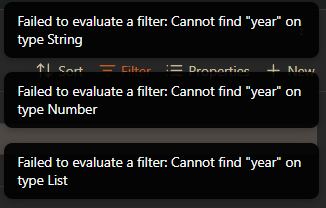
The are the two errors I’m getting:
Filed to evaluate a filter. Type error in "date", parameter "input". Expecting String given Number
and
Filed to evaluate a filter. Type error in "date", parameter "input". Expecting String given List
If the second one also doesn’t work, then what’s the exact filter you used when you got the errors you posted in response to reaty?
Those errors seem to say that your property has inconsistent formatting throughout your notes—lists and strings even though you meant for them to be dates. Do you know whether, in source mode, all of your date-start and date-read properties are strictly like you mentioned:
The second filter neithet get errors nor results: it shows nothing.
In all notes both properties are of “data” type. When compiling the book’s note the property require the date in dd/mm/yyyy format, but in source mode is yyyy/mm/dd
(never checked the source mode, my fault. But still I don’t know what to do in order to solve )
Edit:
after a lot of thinking and experimenting with a “test view” I’ve found this solution:
note["date-read"] > "2023-12-31"
and
note["date-read"] < "2025-01-01"
I think is not so elegant but it’s working. I think yesterday I’ve already tried this but it was not working.
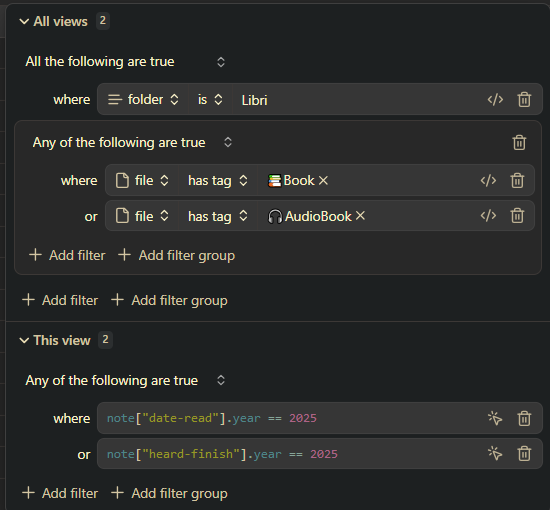
Feel free to give me a better solution, and maybe a way to have the possibility to filter for date-read OR heard-finish (for audiobooks). I’ve not found a solution using this approach.
Since it works the way your showed, I would expect this to also work:
note["date-read"].year == 2024
I was under the impression you said that didn’t work, but I mention it again in case I misunderstood your response to reaty (or maybe I just misunderstood what you had already tried).
and maybe a way to have the possibility to filter for date-read OR heard-finish (for audiobooks)
To do “or” in the Filter maker, select “Any of the following are true”, like this:
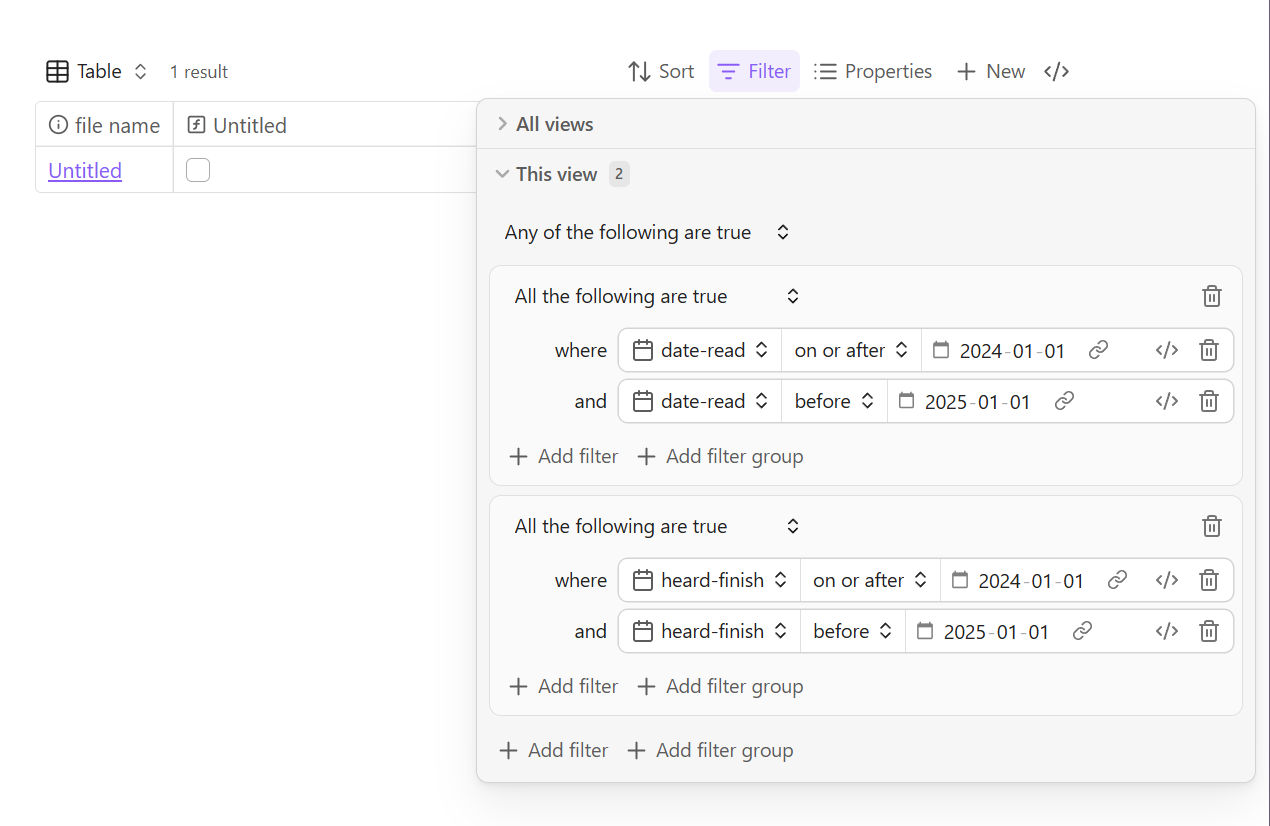
Alternatively, if you would rather use the filter pairs you shared, then you could click “Add filter group” to create groups with “or” and “and”, like this:
but I’m getting the correct results.
I wish I could understand why this error but hope to get what I need also tomorrow
Thanks for your help and your patience!
That error message means some of your date-read and/or date-heard values are in a format that is not a date, per Bases’s interpretation. It means that notes with the “incorrect” format won’t show up in your results, even if they are from the year you entered.
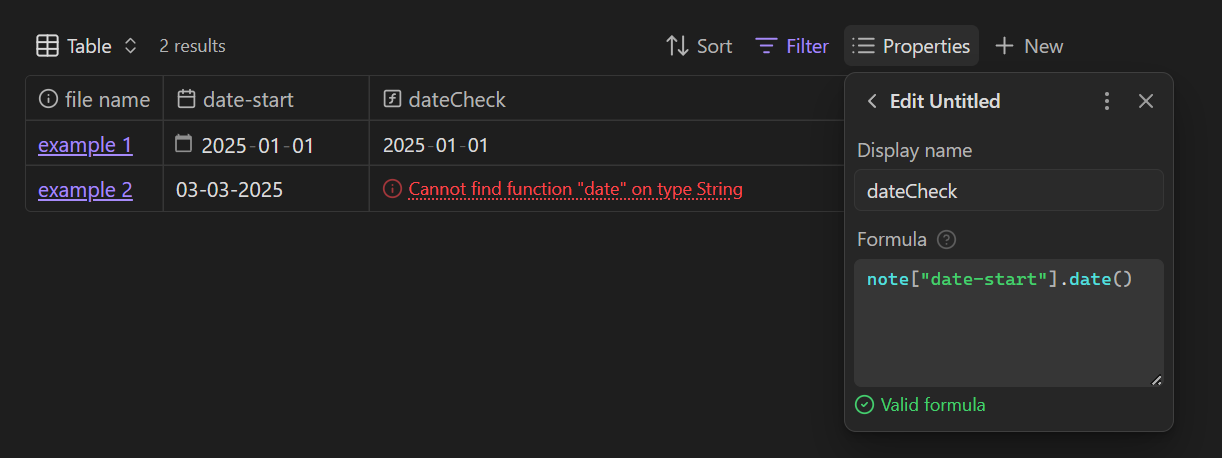
Several things can make the date format incorrect for Bases, such as being in a list, having a time zone offset, slashes instead of dashes, the year at the end instead of the beginning, or an number that’s out of range (like 2025-13-50).
If you want to clean the property values, one way to try to find those notes is to make a separate base with this filter:
note["date-start"]
… and this property formula:
note["date-start"].date()
That ought to show you which date-starts aren’t dates, like this:
 )
)
 )
)