QUESTION
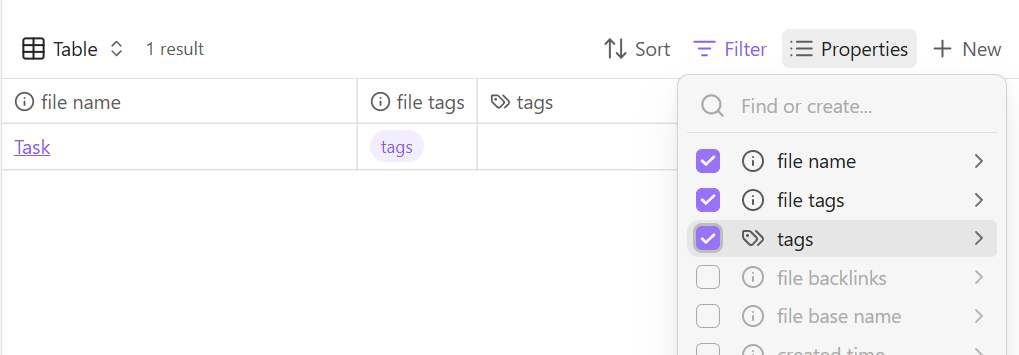
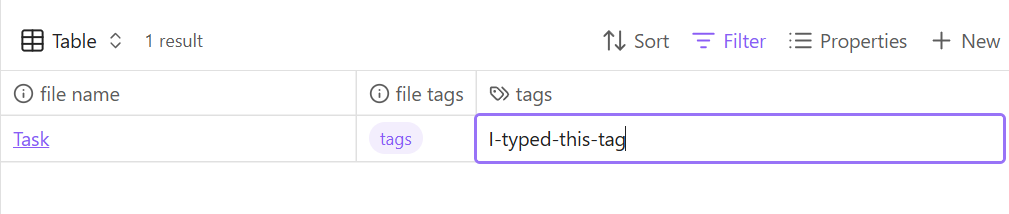
Where to find documentation on notes[“tag”]?
CONTAINS
Discussion of Bases, Tag Wrangler, Dataview.
REVIEW
I am impressed with Bases and it has already provided many benefits.
Data cleaning: Obsidian provided a note-by-note view (zoomed in) but lacked an overview (zoomed out) which Bases now provides. I have found many errors and inconsistencies because of this table format.
Speed and Convenience: Bases permits you to quickly select metadata in columns and filter notes (lines). Links and tags can be listed. Scrolling through is a quick way to check 1000s of notes in a short period for consistency of links and tags, which give the vault its structure. Tags can be added on the run when missing.
Dynamic view: Bases creates view from formulas and filers that are dynamic and change as the content of the vault changes. Time intensive workarounds such as static pages created to structure note groups (table of contents) are no longer required.
Organic growth of Vaults: Over several years, I have created many vaults, some websites and others were databases. There structured was fit for purpose and depended on my best practice at the time. The many vaults have now been sliced and diced. The new vault shows inconsistencies and requires data cleaning and restructuring. Bases helps with the rebuild.
Good design: Congratulations. The team has done a good job with the design of Bases. Defining my own functions so that they are then listed alongside the default functions is a great idea. Saves much time and work.
Vaults made of nodes and notes: Links create a graph structure with many nodes that serve only to connect the NOTES (leaves on a tree). Notes contain the useful information (text). The nodes are vault metadata and have size 0 (empty file). Bases permits these nodes to easily found and labelled and then filtered out, so that only the notes are left in view. I have a nodes to notes ratio approximately 1:2.
File attachments: Markdown (.md) is a text only file format. The embedded content is therefore external to the markdown file (images for example). Obsidian creates messy folders with many file types mixed together. With the filters in Bases, it is possible to retain this mixed file structure but blend out the attachments (via extensions) and focus in on only the notes themselves.
OUTSTANDING PROBLEMS
Where to find documentation on notes[“tag”]?
The documentation may be incomplete. I have read most of the Bases help pages and it appears to be a little brief. As discussed in this thread, hasTags(“tag”) and notes[“tag”], are both useful but not the same. I could not find documentation of notes[“tag”].
The addon Tag Wrangler permit tags with child tags. For example: tags A, B, C can form a hierarchy A/B/C. But hasTags(“B”) will find the child tag but notes[“tag”] does not. For Notes[“tag”] to produce the same result, a note with the tag A/B/C would additionally need to be tagged with A and A/B.
TODO
I have yet to test the Tag Pages which links a node with an identical tag via an alias. Tag Wrangler will create these pages. Dataview addon might be a better way to create these Tag Pages, the code added when the node is created from a template. However, that is where Obsidian gets interesting with side effects. Take the hasTags(“tag”) and notes[“tag”] example, already the two functions produce a different result. Obsidian in this sense in complex. Tag Wrangler and Dataview reduce manual workload but at a price of complexity and Bases may not behave as expected.