Wanted to share a workflow for automatically linking back to the parent note when you’ve created a new note by typing [[Note name]] into a parent note and clicking the link.
There are a few other workflows shared on the forum, but they use multiple plugins. This workflow is simpler. It just uses the templater plugin.
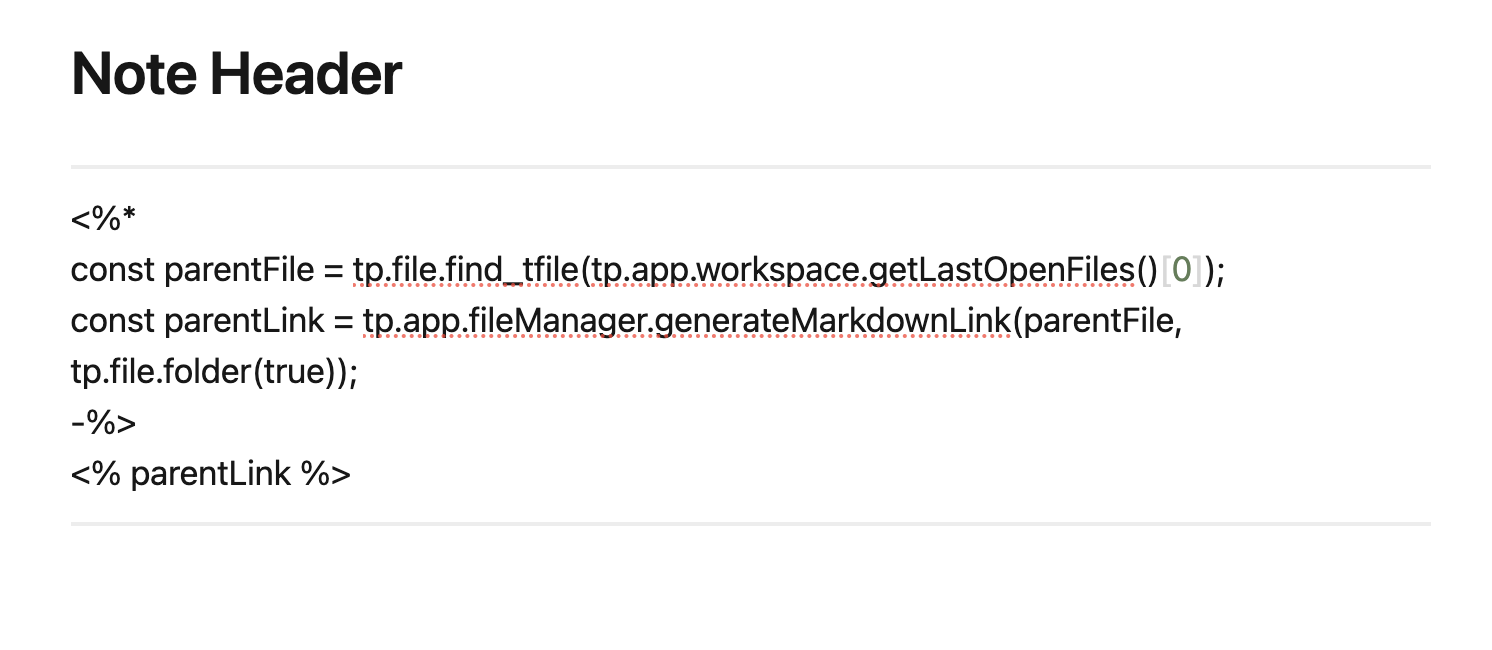
Insert this text into your template:
<%*
const parentFile = tp.file.find_tfile(tp.app.workspace.getLastOpenFiles()[0]);
const parentLink = tp.app.fileManager.generateMarkdownLink(parentFile, tp.file.folder(true));
-%>
<% parentLink %>
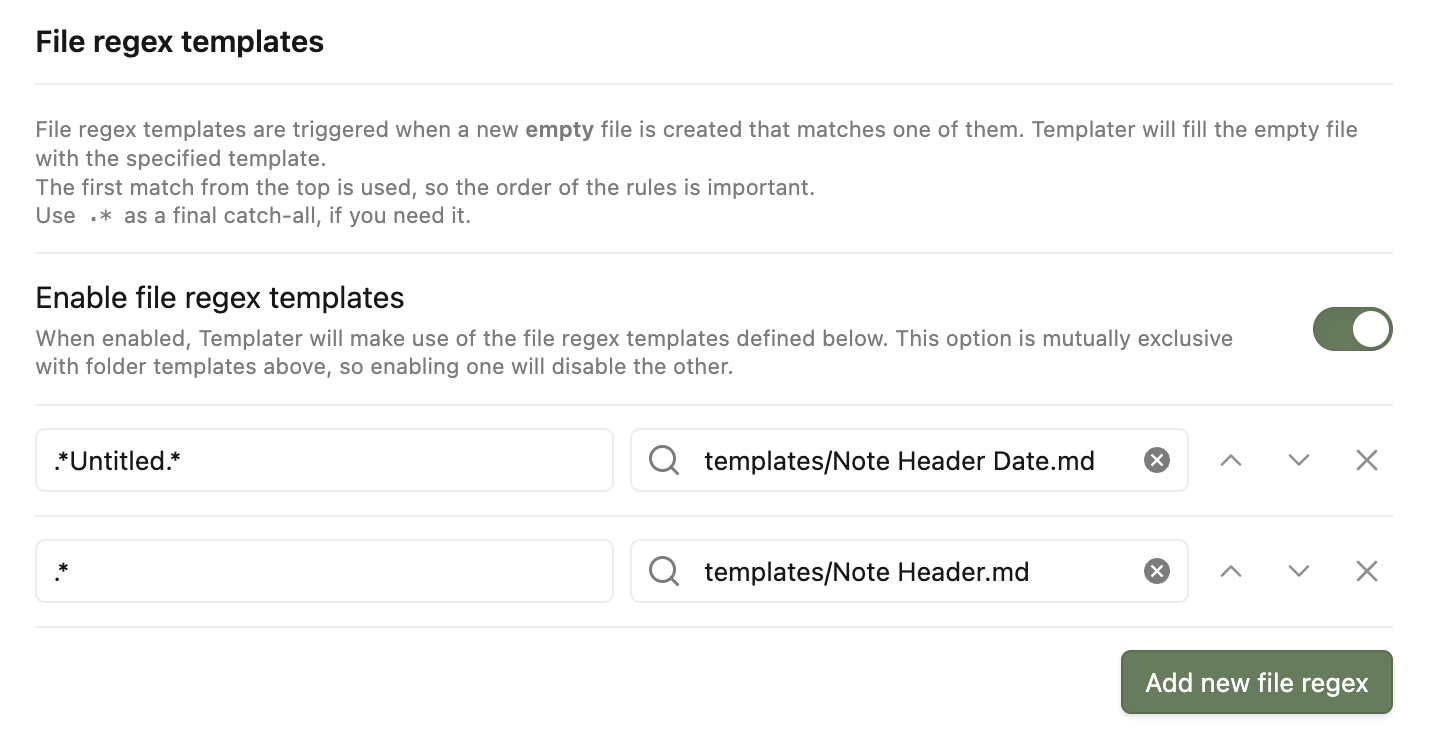
In the Templater settings, enable “Trigger Templater on New File Creation” and “File regex templates”. Add these two file regex (in this order):
- c.*Untitled.* → link to a template without the formula to avoid new notes not created from a parent from linking to a random note
- .* → link to template with the formula to have all other new notes
Very interesting proposition, thank you very much.
I have one question and one request.
First, the request : would you be kind enough to provide a screen capture showing the setup of the regexes in the Templater settings ?
Second, the question : will this work when notes are created by the QuickAdd plugin ?
Yes, no problem. Here are the templater settings.
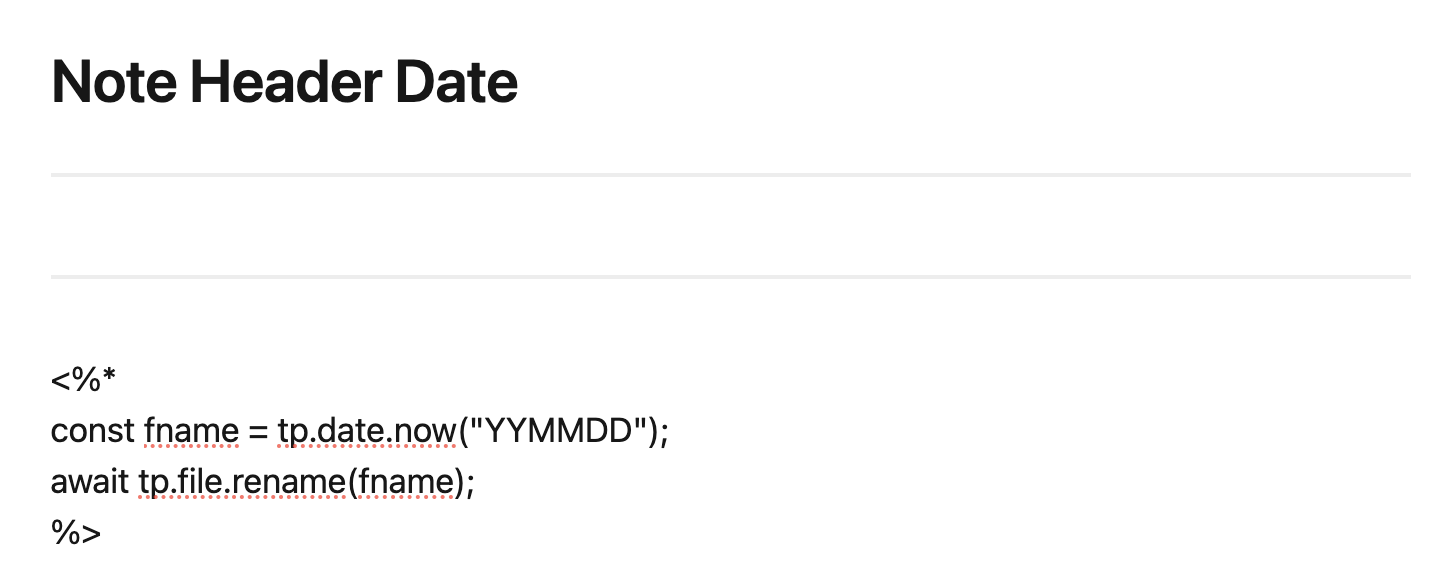
And here are what those two notes look like. I use note header date to automatically rename any new note that would be called “Untitled” to today’s date. The lines are just aesthetic.
Any new note that is created but already has a title other than “Untitled” will be linked to the parent it was created from.
Regarding QuickAdd, sorry I don’t use the plugin myself, so I am not sure how they would interact.
EDIT. No “c” on the first one.
-
.*Untitled.* → link to a template without the formula to avoid new notes not created from a parent from linking to a random note
-
.* → link to template with the formula to have all other new notes