If I want to use the same name for multiple notes, I know Obsidian doesn’t allow that. Of course, I could just add -01, -02, etc. But it seems that even just adding the date and time could be enough. Is there any way to automate this?
Things I have tried
I used Chat to help me with my organization and a template for existing notes for a project, which worked great. But for this, first, it had me install Templater and gave me scripts that theoretically would auto-increment the title, but the prompts wouldn’t work and it just put the content of the the Templater template into the note. Chat finally said it wouldn’t work after changing the script a number of times. Then, it said Templater could auto add the date/time. But still when I inserted the template, it just put the script into the note. Then, Chat insisted this would work without Templater through Obsidian adding the date/time. And of course, as I anticipated, Obsidian wouldn’t let me use the same name. At that point, I finally realized I needed human help. So I hope you might have some ideas. Thanks!
Unusually for Obsidian, Chat may have been correct all three times. However, the simplest way might be a fourth option.
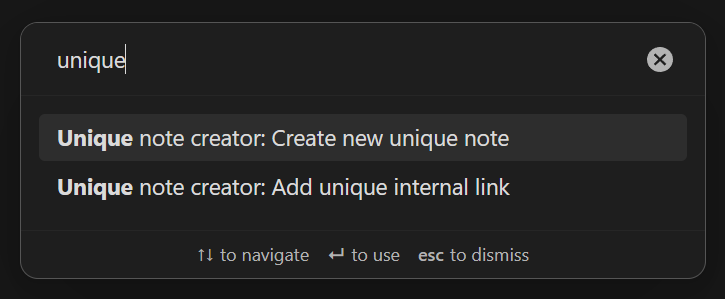
Enable Settings > Core plugins > Unique note creator. Press CTRL + P / CMD + P to open the command palette. And select Unique note creator: Create new unique note:
Optional settings are in Settings > (Core plugins) Unique note creator.
Regarding the other methods
(A)
You can use Templater the two ways you described. Can’t speak to whether the GPT gave you correct templates, but if the notes you created contained the literal text of the template commands, then you might not have been applying the templates. For example, the first of these is for the Templates core plugin whereas the second is what you want for the Templater community plugin:
There are other ways to mistakenly apply the wrong command or not apply a command at all. If you want to go back and test your templates, then create a new note, press Alt + E[1], and then select your template. If that doesn’t work, then something in the template could need fixing.
(B)
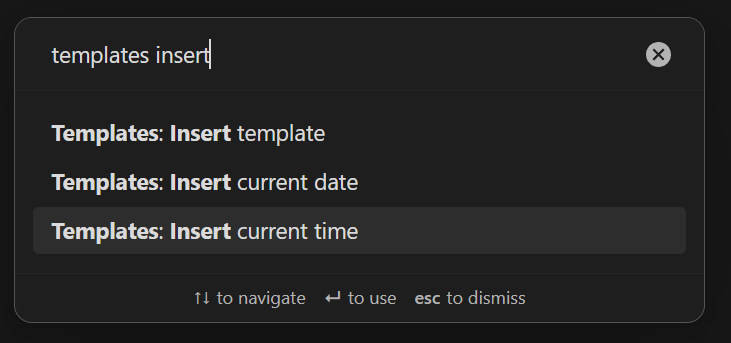
The Obsidian commands to insert date and time don’t work when your cursor is in a note title, but you can type [[ then use the commands: