I use the Zettelkasten system inside Obsidian, which means I am constantly using note refactor to move text in a note to other notes.
This becomes a problem for footers, since if the text I select has footers, I cannot easily move those over without messing up both the original document and the changed document.
Proposed solution
It would be great if in note composer or note refactor, moving text with footers would automatically move the corresponding bottom footnotes.
Current workaround (optional)
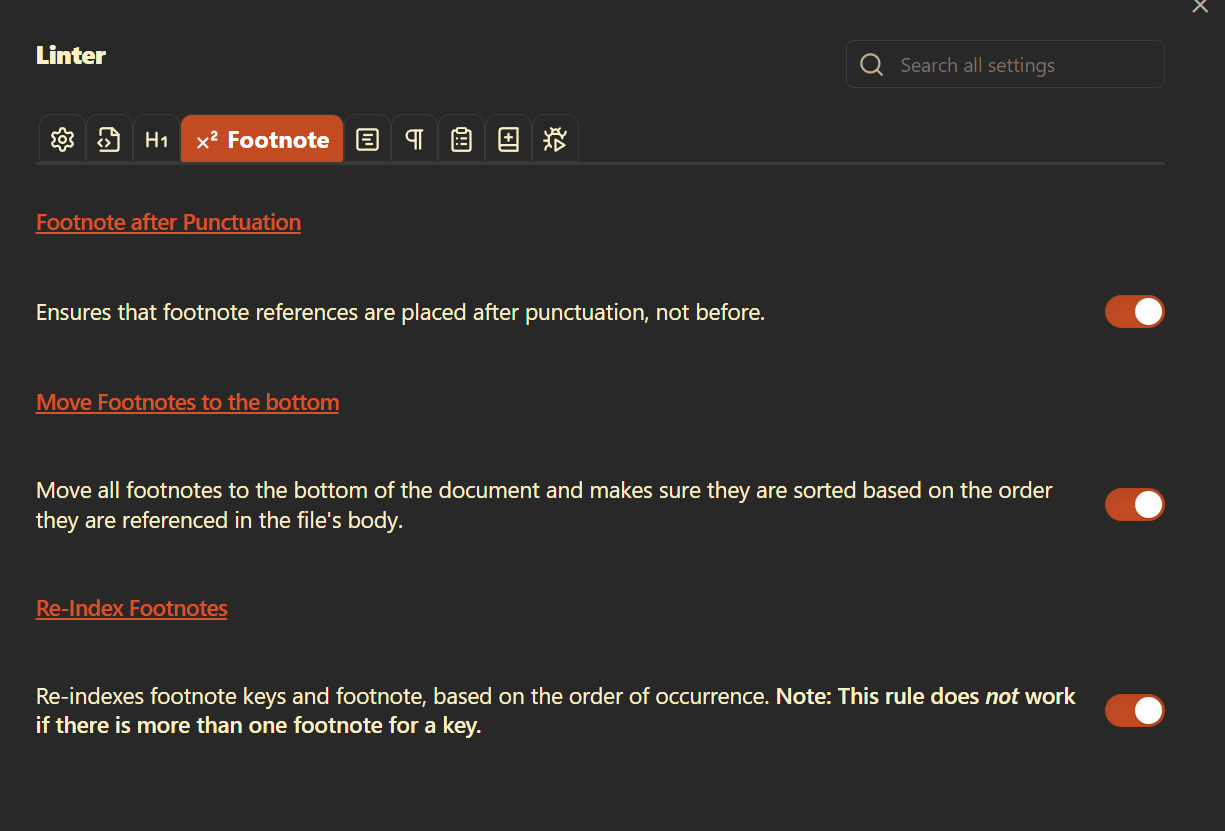
I use a combination of the linter plugin to auto reformat the footers:
I also use the footnote shortcut plugin to recreate each of them.
However, footnote shortcut is a buggy experience, and it is just too many steps to refactor everything, leaving me with the option of either not using footers at all (replacing with links which clutters up the note) or just using a monolith of a document and writing all my content there.
Also, by using Linter, my numbering becomes off, since I may merge multiple documents, each which contain the same footer number.
I second this feature request. Using Obsidian for a one-stop-shop for writing meeting minutes, thoughts, as well as papers using atomic notes within a folder I then merge.
Powered with Zotero and Minimal theme full screen mode, Obsidian could have nothing to envy to the Scriveners or the Ulysses… if it wasn’t for this footnote mess which had a lot of manual work.
Hey, I’m the maintainer of the Footnote Shortcut plugin. Sorry for seeing this so late. I’ve seen multiple people have similar feature requests, because their footnote names across different notes end up conflicting together when they merge them together with the Longform plugin or similar other systems such as yours.
Right now I’m working on adding the ability to specify a footnote prefix in your note YAML properties that will be prepended to the front of each numbered footnote.
That way, when you merge Note 1 with Note 2, all the footnotes from Note 1 (which you could number [^1-#]) won’t interfere with all the footnotes from Note 2 (which you could number [^2-#]) To prevent conflicts from ever occurring, you could even give each note a unique footnote prefix, like [^abc-#].
Following up on my July post: the prefix feature shipped in Footnote Shortcut 0.2.0, available in the community plugin list.
How it works: run Set footnote prefix in a note and pick a prefix, say 2- for note #2. The note gets a footnote-prefix property, and from then on new footnotes in that note are [^2-1], [^2-2], … instead of [^1], [^2]. The linter can also convert a note’s existing plain footnotes to carry the prefix, so notes you have already written can be migrated one at a time.
@Prolle, for your case (merging atomic notes into a paper or minutes) this is the whole fix: give each source note its own prefix (e.g. note 1 gets 1-, note 2 gets 2-, etc.) and the merged document (with footnotes numbered [^1-1],[^2-1],…) has no duplicate labels. Obsidian renders footnotes numbered by order of appearance no matter what the label says, so readers see 1, 2, 3 as usual. If you also want plain [^1], [^2], [^3] in the raw text of the merged note, turn on Renumber named footnotes in the plugin settings and run Lint footnotes on it: the merged note has no prefix of its own, so every prefixed label counts as a name and gets a clean number in order of appearance.
@devinat1, for moving text with Note Refactor it solves half the problem. Prefixed labels are unique across your vault, so pasted footnotes stop colliding with the destination note’s own [^1]. Moving the definition line along with the text is still on you, or on Note Refactor; my plugin does not do that yet.