Disclaimer
Is this project open source? Yes
Is this project completely free? Yes
Is this project vibe-coded beyond the author’s ability to comprehend how it works? Yes
Community Directory: Attachment Type Icons
Attachment Type Icons
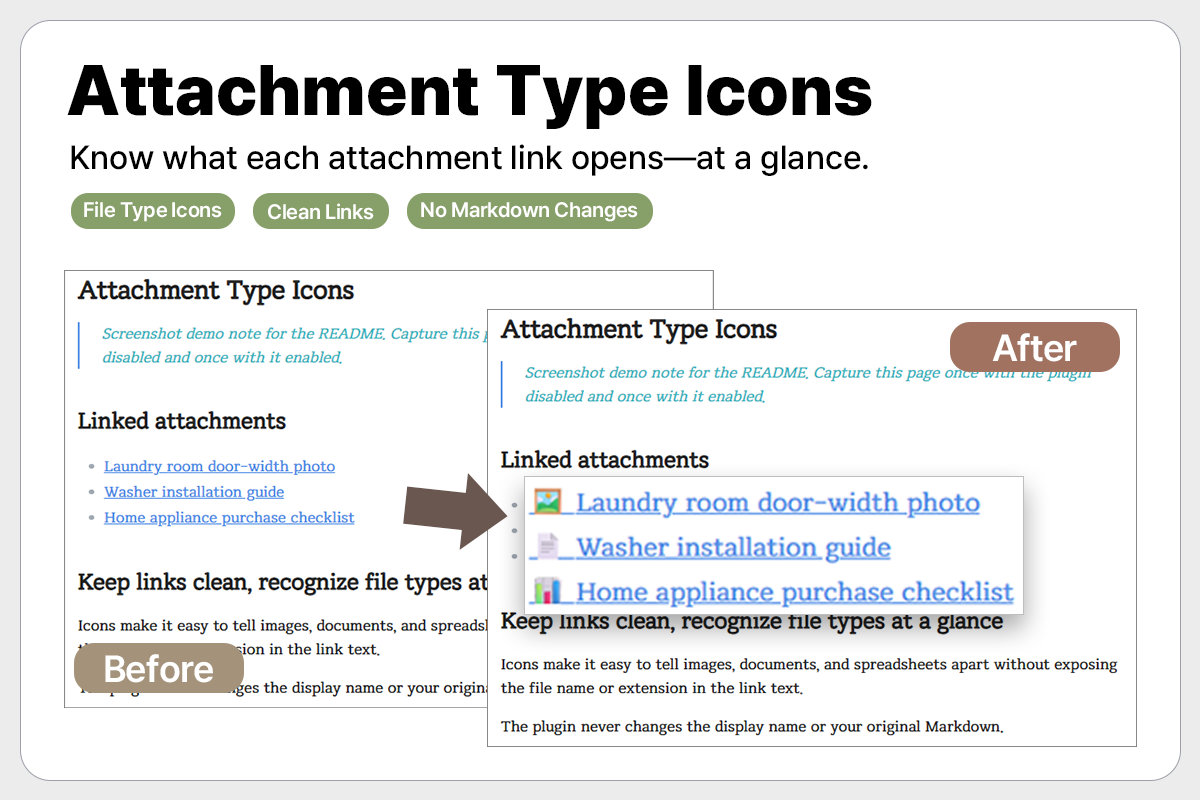
Attachment links often use clean, human-friendly display names, but that can make it hard to tell whether a link opens an image, PDF, spreadsheet, or another file type.
Attachment Type Icons adds a small, configurable icon before regular attachment links, so you can recognize the file type at a glance without changing your Markdown, file names, or link aliases.
Highlights
- Detects common attachment types, including images, PDFs/documents, spreadsheets, audio, video, and archives.
- Lets you enable or disable each file type.
- Lets you customize icons and comma-separated file extensions.
- Leaves embedded files such as
![[photo.jpg]]unchanged. - Does not scan or modify your vault.
I made this because I prefer keeping attachment links concise, while still being able to see what kind of file each link opens.