1 Like
Lovely indeed! Do you use a particular plugin or tool to create those?
A few!
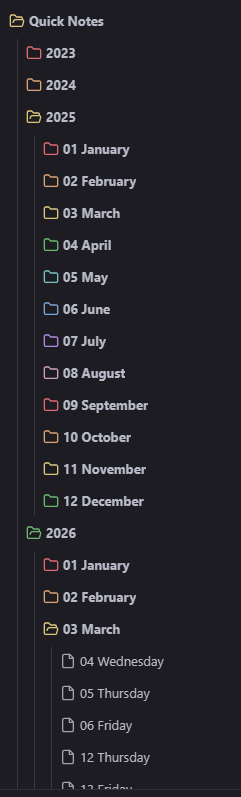
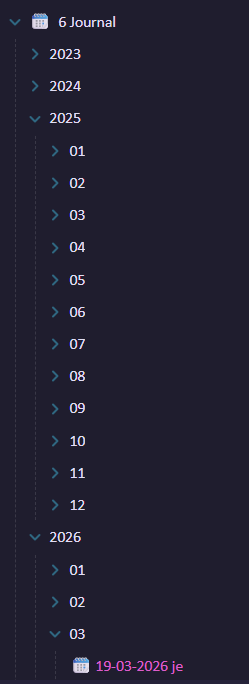
The theme is Border, with the rainbow folder option turned on.
The notes get organized automatically upon creation because their name is formatted like this:
YYYY/MM MMMM/DD dddd
And then I have a lot of formatting going on to make them look nice using the plugins Templater, Buttons, and Callout Manager
# <% tp.date.now("dddd, MMMM D, YYYY") %>

> [!Green] Personal
> ```tasks
> not done
> tags include personal
> hide tags
> hide created date
> group by filename
> show tree
> sort by due```

> [!Maroon]- Work
> ```tasks
> not done
> tags does not include personal
> hide tags
> hide created date
> group by filename
> show tree
> sort by due```
---
```button
name New Entry
type line(10000) template
action Daily Note Time 3
remove true```
^button-iufdhjnsl
1 Like
That’s great! How do you implement the automatic organization?
In Settings, go to the Core Plugins → Daily Notes.
Date format: Custom
Custom Format: YYYY/MM MMMM/DD dddd
That formats it as like 2025/03 March/20 Friday. You can’t put Slashes in filenames, it creates hierarchical folders instead. So everything gets group by year and month. Having the Number of the Month (MM) and date (DD) in front means everything is sorted in the right order.
If you don’t like that format, there’s a a link provided in the Custom format field (here) so you can make it however you like!
I have ran into one issue with this, which is Graph View and some plugins seem to not like having notes with the exact same name (Since some months will have the same day on the same date, like February and March). @Anwen’s format above wouldn’t have that issue though
Oh, I see! Yes, I do something similar with Daily Notes. Do you have multiple quick notes in each daily note?
A friend uses a daily note as the place where all text starts; he breaks out individual notes from the daily note if the text sees too long. I like that approach — reduces friction getting started.
Nah I just use one daily note, anything bigger than that gets its own. Upon generation the note looks like this:
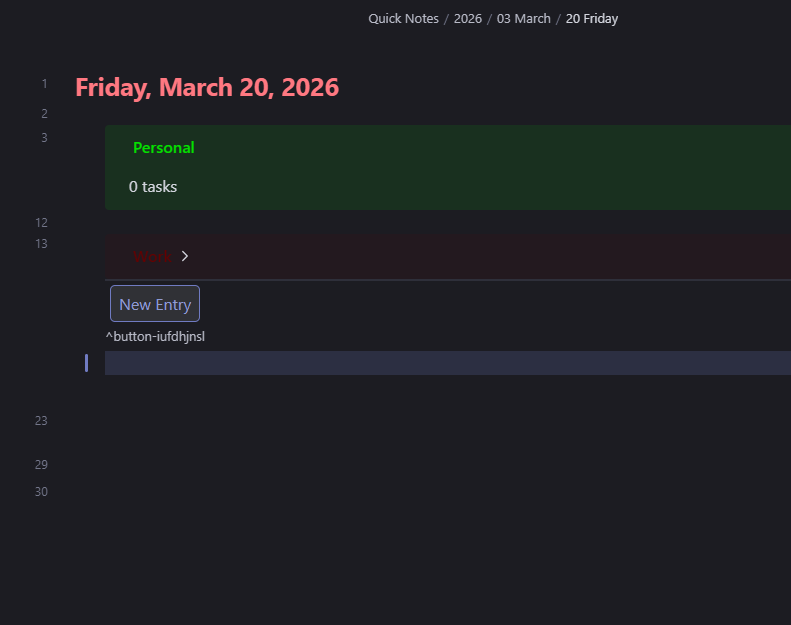
The plugin Buttons is responsible for “New Entry” as pictured. When you click it, it appends an entry, deletes the existing button, and adds another as shown:
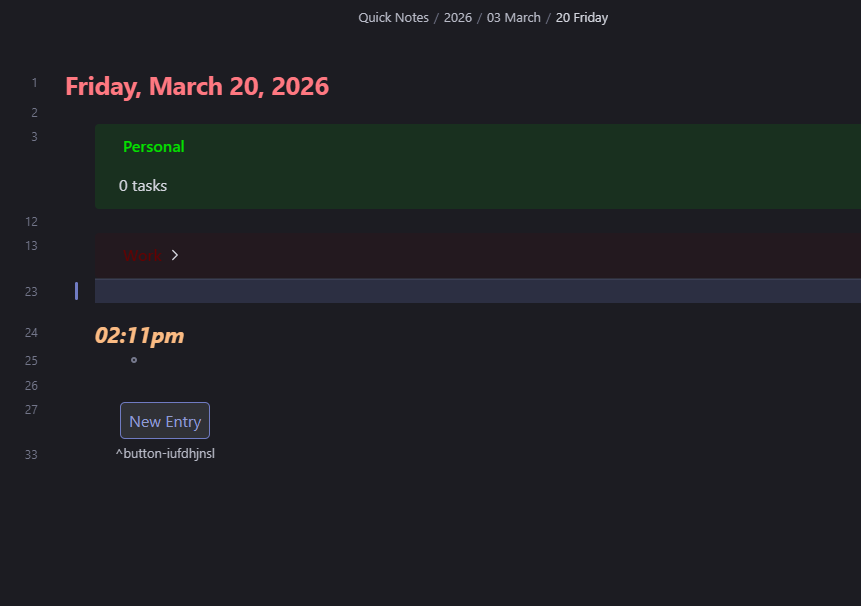
The button configuration is
```button
name New Entry
type line(10000) template
action Daily Note Time 3
remove true```
type line(10000) template adds technically adds 10,000 lines (but only actually adds like 2 it just works like that for some reason) and tells the Button to add a template. It gets my template folder from the plugin settings, and then you notate it on the line below
action Daily Note Time 3
“Daily Note Time 3” looks like this:
## *<% tp.date.now("hh:mma") %>*
 -

```button
name New Entry
type line(10000) template
action Daily Note Time 3
remove true```
^button-iufdhjnsl
And finally, remove true is what deletes the Button after clicking it. The ## *<% tp.date.now("hh:mma") %>* adds a Level 2 header containing the current time, but it’s formatted in Javascript which is what the Templater plugin uses
1 Like