I know we’ve got the four commands: New file, Export as image, Jump to group and Convert to file…, but I’m more wanting to know if someone knows of other ways to interact with the commands through some internal API stuff?
Like is there any function calls to add new cards, or link notes, or similar to an open canvas? Is this kind of API exposed (and ready for use) by our scripts somehow?
(Part of the reason for asking, is that I’m thinking of using a canvas to do a visual reordering of a task list, and it would be really neat to “toss” every task onto a canvas (as cards), do a visual re-order or grouping, and then have some function to export these cards again as a task list. )
For anyone wondering, you can inspect the Canvas methods by opening a canvas file in Obsidian and typing app.workspace.getLeavesOfType('canvas')[0].view.canvas in the dev console.
@demeneer, thank you for the starting point.
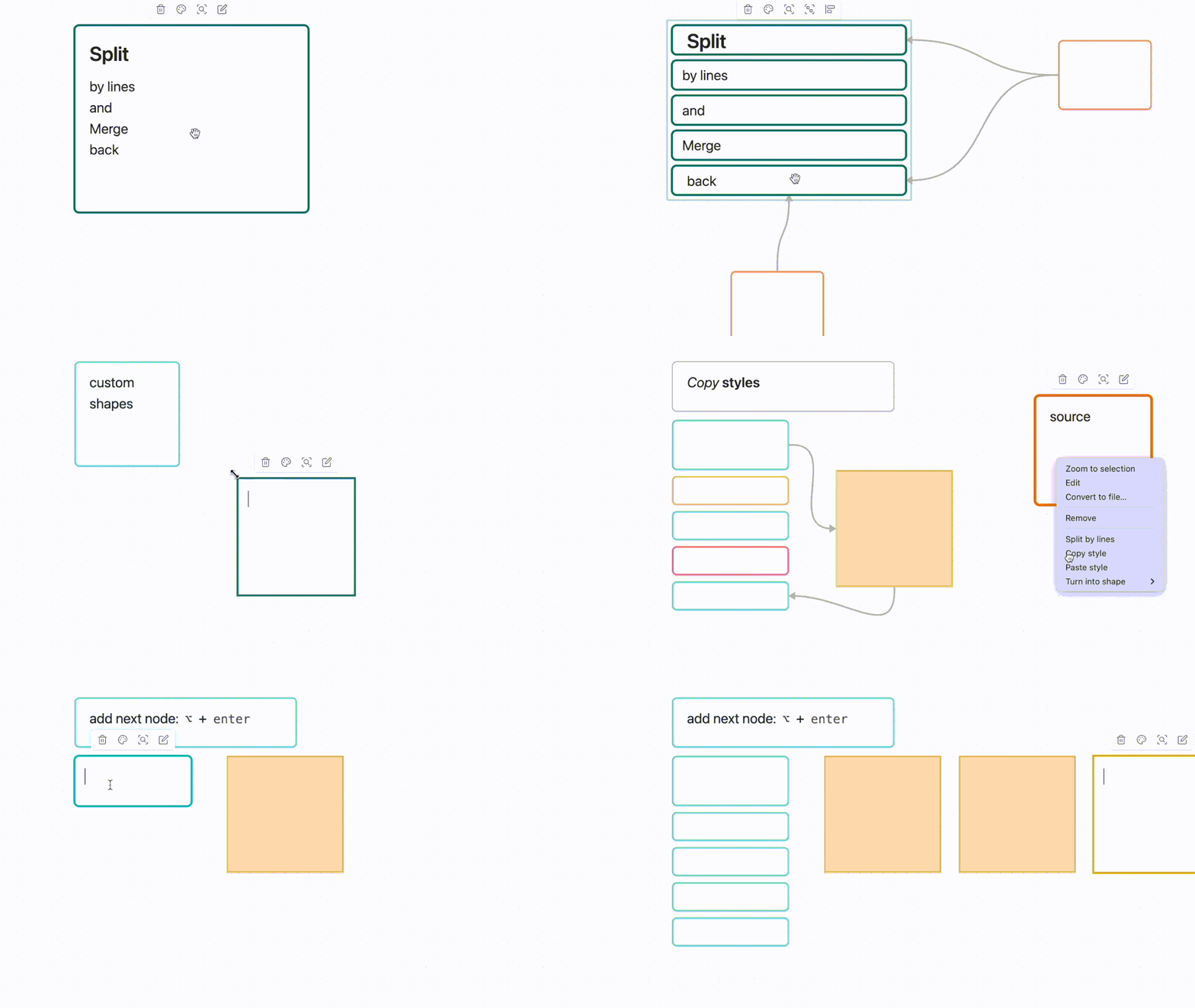
I’ve created a plugin with features like copying styles, merging and splitting cards, custom shapes, and hotkeys.
There are various bugs and glitches, but perhaps someone will find it useful.
It is relatively easy to work with more conventional UIs - lists, grids, etc.
But node-based UI is something that typical HTML+CSS doesn’t lend to naturally.
The help from Obsidian developers can help a lot with visualizing our second brains in more organic way!
Obsidian team previously open-sourced the canvas format: https://jsoncanvas.org/
Would’ve been nice if Obsidian allowed to draw a navigable (not necessarily editable) Canvas from in-memory JSON.
Related:
now that we’ve got Bases API, it is very desirable to have more tools to visualize our queries in meaningful ways
alternative approach is to reinvent the wheel and make alternative bespoke implementation of canvas
this won’t have the multiplicative effect of multiple tools using common APIs and data formats and still requires a lot of work for everyone taking this route