Description
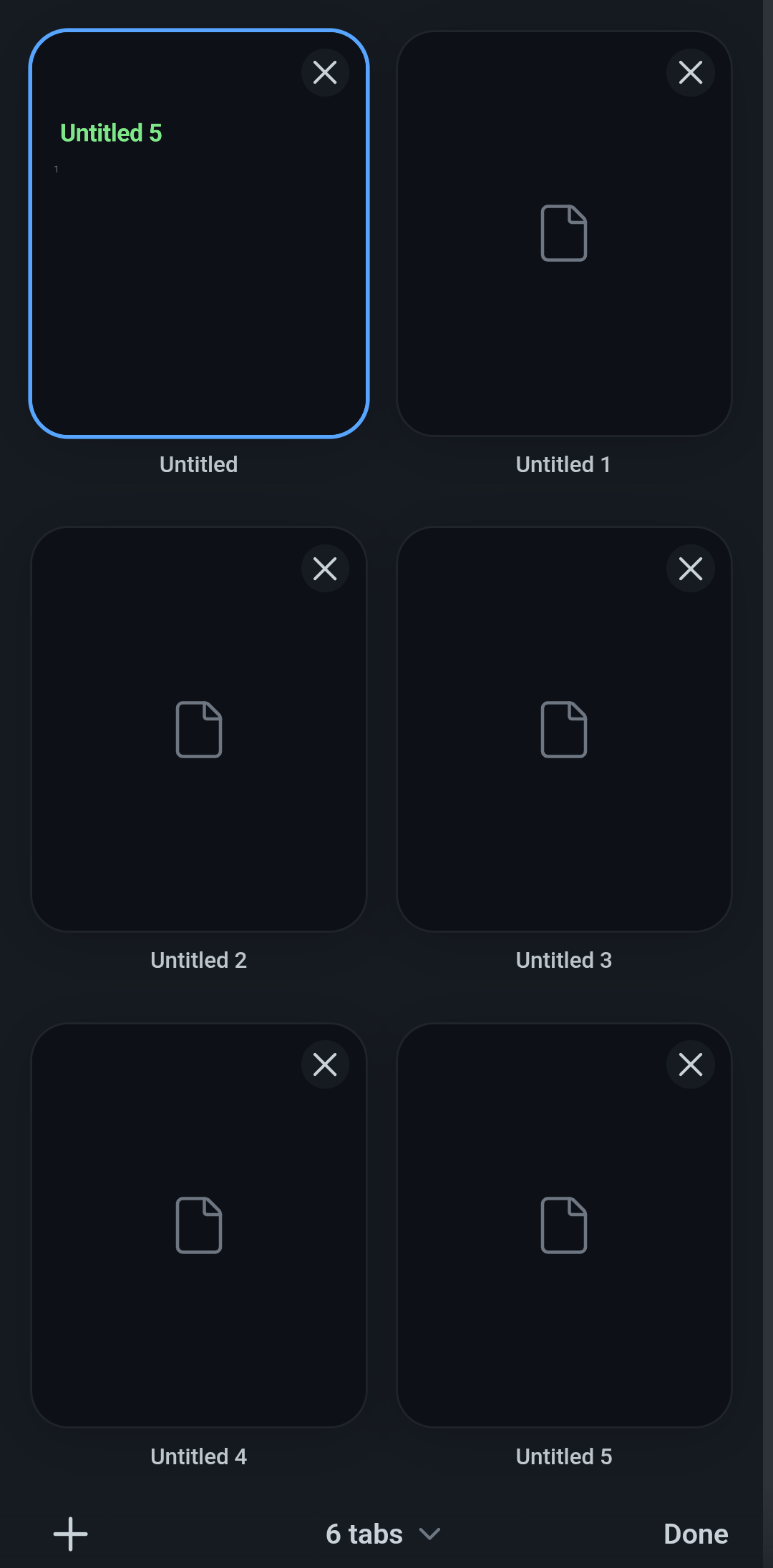
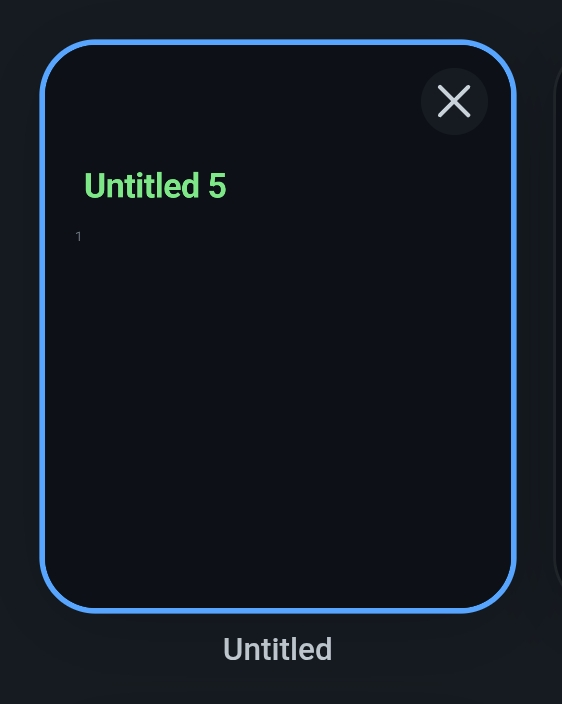
After a recent update, tab labels are mismatched. When viewing content that displays “Untitled 5” as its title (shown in green inside the content area), the tab selector incorrectly shows this content under “Untitled” with the blue highlight on that tab. The displayed content and the selected tab label don’t correspond.
Steps to reproduce
- Open Obsidian on Android
- Create multiple tabs (6 tabs in my case: Untitled, Untitled 1, Untitled 2, Untitled 3, Untitled 4, Untitled 5)
- Open the tab switcher view
- Tap on any tab other than the currently active one (e.g., tap “Untitled 5”)
Did you follow the troubleshooting guide? [Y/N]
Y - Tested with Restricted mode enabled (all community plugins disabled), force-closed the app, and relaunched it. Bug persists.
Expected result
Tapping on “Untitled 5” should navigate to and display the content from that specific tab.
Actual result
When viewing “Untitled 5” content, the app displays that content in the first tab position (“Untitled”) and places the blue highlight indicator on the first tab instead of on “Untitled 5”. The tab content and visual indicator are mismatched.
Environment
Obsidian version: v1.11.4
Installer version: v1.11.4 (277)
Operating system: Android 13
Device: Samsung Galaxy S20+ (One UI version 5.1)