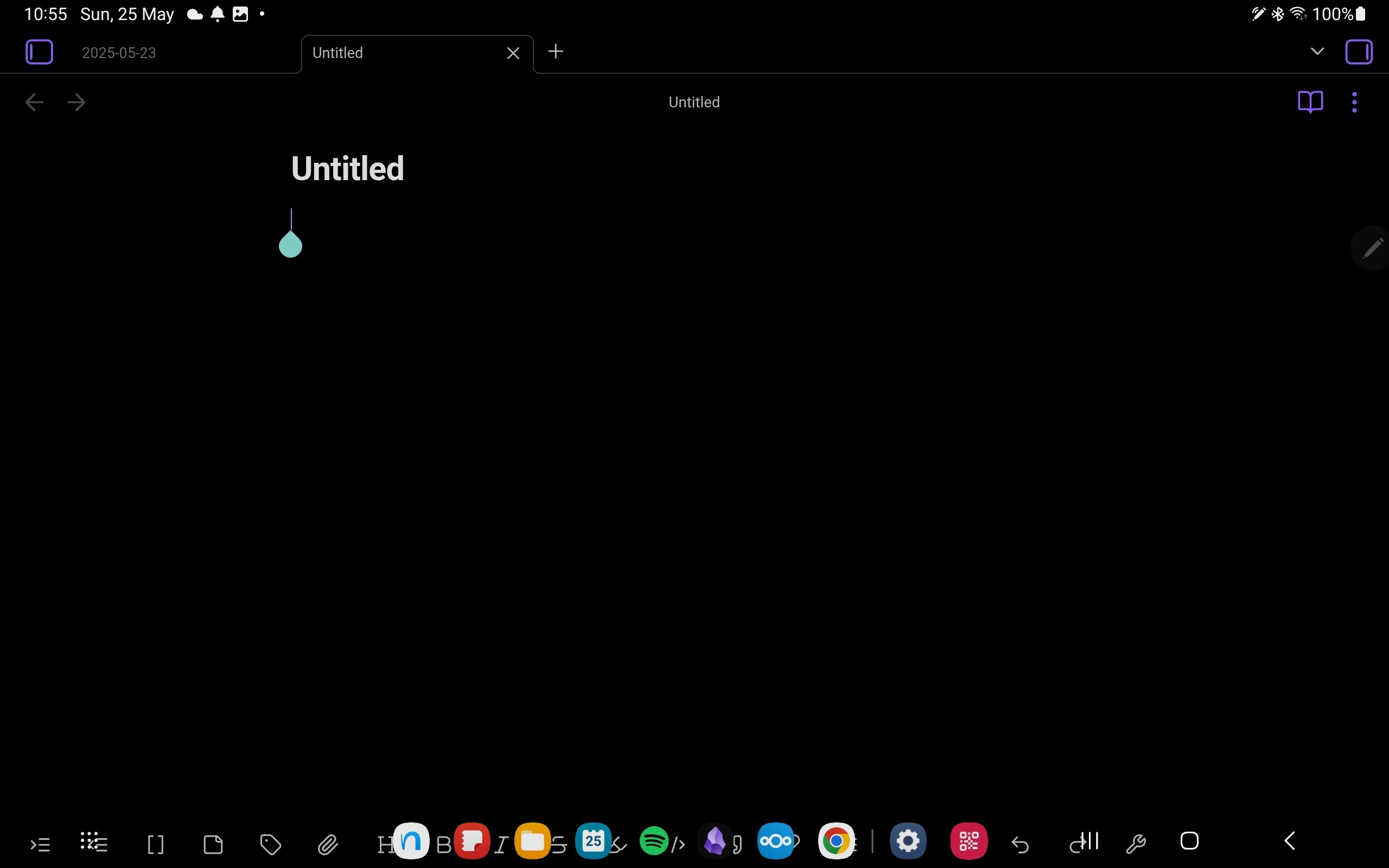
I’ve got a Z Fold 6. Obsidian seems to overflow when my smartphone is in “unfolded” mode which causes some elements to overlaps my Samsung UI.
It happens on the mobile toolbar when the virtual keyboard is hidden, it also happens on the right click menu if I have a lot of plugins installed. Tabs are also overlapping on my mutlitask shortcut button.
Did you follow the troubleshooting guide? [Y/N]
Yes. I close Obsidian and opened an empty vault on my mobile phone.
Expected result
I believe Obsidian workspace should be fitted in the actual space my phone offers to work with.
Actual result
The elements overflow and overlap on my Samsung UI
Environment
SYSTEM INFO:
Operating system: android 15 (samsung SM-F956B)
Webview version: 138.0.7204.179
Obsidian version: 1.9.10 (234)
API version: v1.9.10
Login status: logged in
Language: fr
Catalyst license: insider
Live preview: on
Base theme: adapt to system
Community theme: none
Snippets enabled: 0
Restricted mode: on
On a Samsung Galaxy Tab S7 the editor toolbar is below the navigation buttons if a physical keyboard is attached. As soon as there is something actually typed, the suggestion bar appears and the toolbar moves up. This is reproducible in 1.9.1 with the minimal theme and the default theme. Te bug was first mentioned here:
It’s not a terrible issue as it is usable once there was anything actually typed, but I was asked to create a Bug report here.