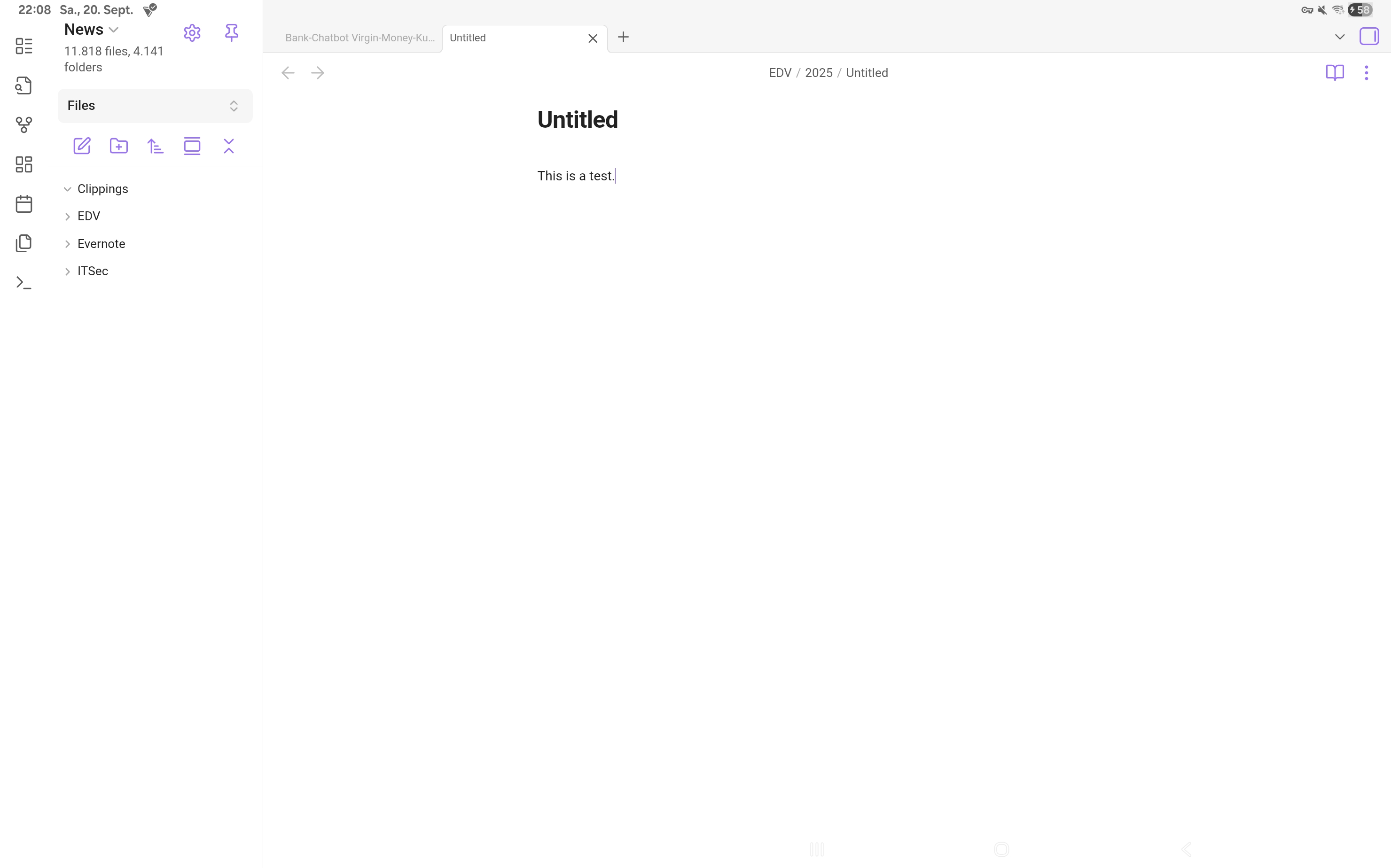
Since some versions the editing toolbar (bold, italic, …) on the lower screen area isn’t working anymore - it doesn’t show up.
This happens consistently when having the Book Cover (Book Cover Keyboard Slim
EF-DX920) docked on my Galaxy Tab S10 Ultra. If undocked and using the on-screen keyboard, everything is fine. This has worked before, but I can’t remember the concrete app version.
Steps to reproduce
doch the book cover so you’re using the external keyboard
Did you follow the troubleshooting guide? [Y/N]
yes
Expected result
I expect the tool bar to appear in editing mode as it used to.
Actual result
No editing toolbar at all if the book cover was docked when the app was started. If docked later, a non-functional toolbar is displayed on the lowest spot of the screen. But it’s dead.
Environment
SYSTEM INFO:
Operating system: android 15 (samsung SM-X920)
Webview version: 140.0.7339.51
Obsidian version: 1.9.12 (237)
API version: v1.9.12
Login status: logged in
Language: en
Catalyst license: none
Live preview: on
Base theme: adapt to system
Community theme: none
Snippets enabled: 0
Restricted mode: off
Plugins installed: 3
Plugins enabled: 1
I’d appreciate if I would been able to work with Obsidian on my Samsung tablet again … I mean it had worked before, so something broke, and now it’s become unproductive.
The current version changed the behaviour a little bit, but the functionality is still broken.
Book cover docked, then app started: no toolbar
Book cover undocked, on-screen keyboard: toolbar appeared and is working
Book cover re-docked: no toolbar
SYSTEM INFO:
Operating system: android 16 (samsung SM-X920)
Webview version: 141.0.7390.122
Obsidian version: 1.10.3 (251)
API version: v1.10.3
Login status: logged in
Language: en
Catalyst license: none
Live preview: on
Base theme: adapt to system
Community theme: none
Snippets enabled: 0
Restricted mode: off
Plugins installed: 3
Plugins enabled: 1
1: Automatic Table Of Contents v1.7.2
Open Obsidian on my new Pixel 10 Fold (either tablet mode or mobile (one screen) mode. Hide soft keyboard (either by just hiding it, or by virtue of attaching a physical keyboard). The mobile toolbar is displayed at the absolute bottom of the screen, and is unresponsive.
Did you follow the troubleshooting guide? [Y/N]
Yes.
Expected result
Should be able to tap on the mobile toolbar and have it respond.
Actual result
No response from tapping on mobile toolbar.
Environment
SYSTEM INFO:
Operating system: android 16 (Google Pixel 10 Pro Fold)
Webview version: 142.0.7444.102
Obsidian version: 1.10.6 (256)
API version: v1.10.5
Login status: logged in
Language: en
Catalyst license: insider
Live preview: on
Base theme: adapt to system
Community theme: none
Snippets enabled: 0
Restricted mode: on
RECOMMENDATIONS:
none
Additional information
Just a thought, but this could be related to how the Pixel 10 Fold (have not tested on Pixel 10 non-Fold) reports its size information, so that the very bottom of the screen is reported as space available to the app, when actually it's not (e.g., that's exactly where the horiontal black bar for going into select-and-search mode lies).
This is making it very hard for me to use my new phone. I was told that going back to the five-year-old navigation model with three buttons at the bottom of the screen might solve this, but I really don’t want to do that.
To clarify: do you mean the toolbar (which appears over the soft keyboard when it’s open) or the navigation bar (which only appears when the soft keyboard is closed & has back button, quick switcher, etc.)? On iOS, at least, the toolbar goes away when the soft keyboard is closed and no physical keyboard is attached.