Test the link once, leaving the app open on a not that DOES NOT have the same name as in the link
Click the link after having exit the Obsidian app for a bit
For me it was inconsistent, but started failing pretty reliably around the 1h mark
Did you follow the troubleshooting guide? [Yes]
Expected result
The obsidian app is launched, the vault is set to the correct one, and a new note is created with the file name specified in the link. In my case, the current time.
Actual result
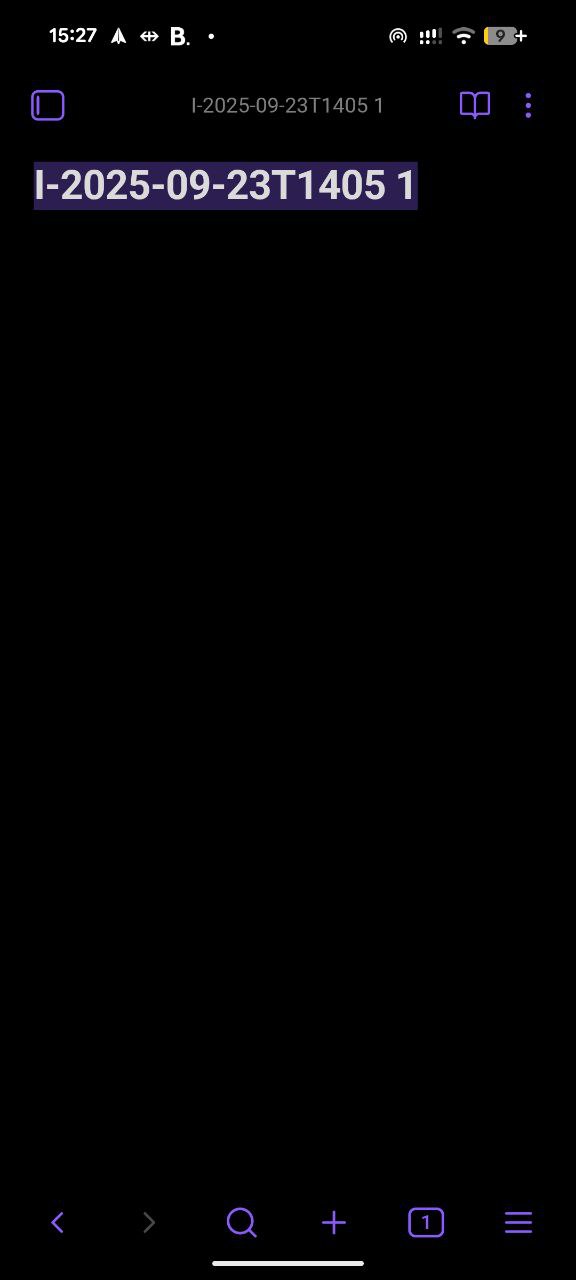
A copy of the last opened note is created (title only, no content).
I have tested if while quitting the app in multiple different vaults, namely at least once in the Sandbox, and in a Vault I use and set to restricted mode for the test.
When it fails, the results are always the same: The vault is not changed, and a copy of the note with a " 1" suffix is made. The file copied can have a completely different name / naming scheme from the one we want to open. “E-test” will get duplicated even if I try to open “I-2025-…”.
Environment
SYSTEM INFO:
 Operating system: android 16 (Google Pixel 8)
 Webview version: 140.0.7339.51
 Obsidian version: 1.9.12 (237)
 API version: v1.9.12
 Login status: logged in
 Language: en
 Catalyst license: none
 Live preview: on
 Base theme: adapt to system
 Community theme: none
 Snippets enabled: 0
 Restricted mode: on
One additional piece of information, when this happens, the obsidian app launches, the screen stays blank for a bit, and this is just conjecture, but almost like a timeout occurred, the app then launches the file copy.
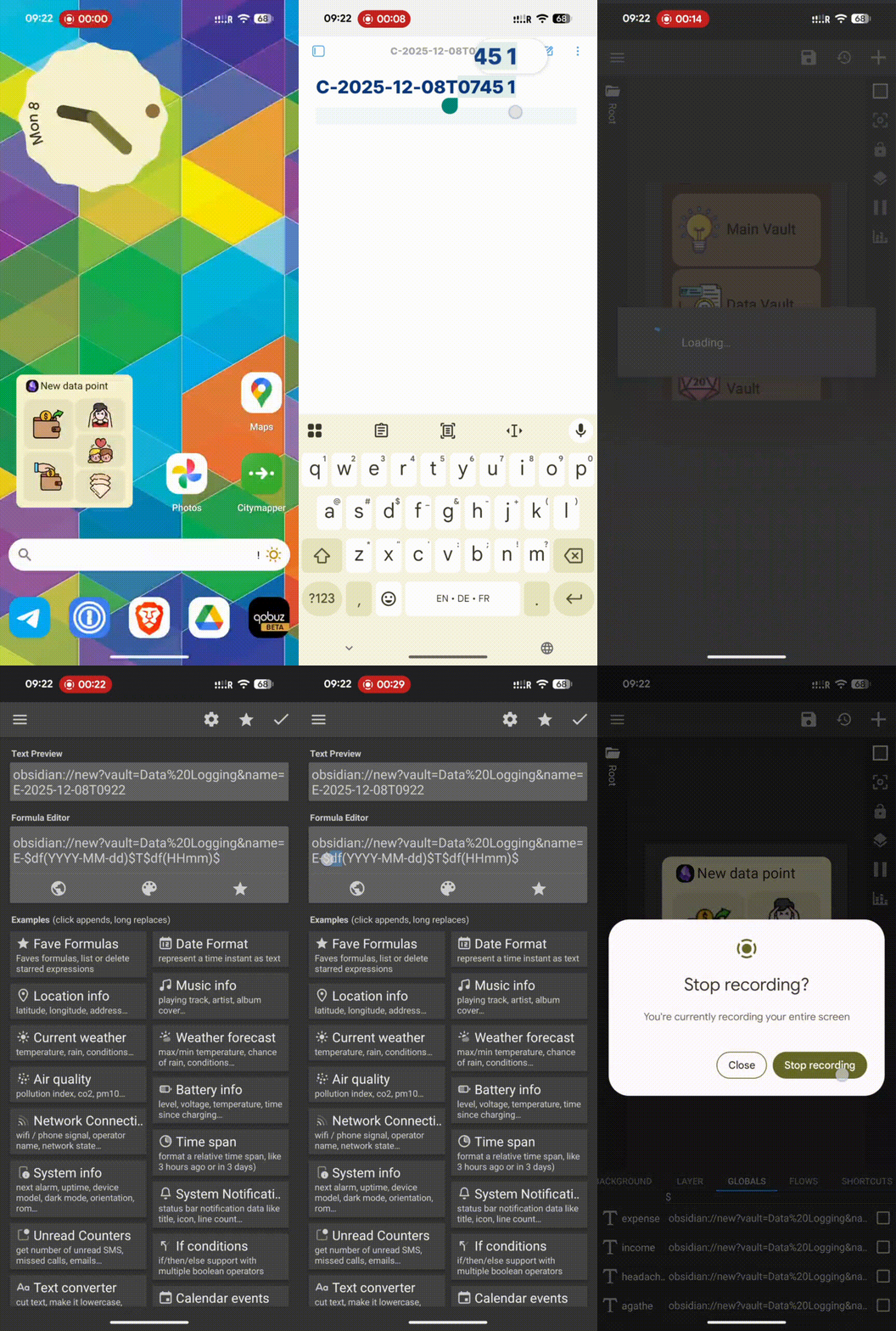
Sorry for the late reply, here is a video of the action working.
In it we can see me press a button, that should open a link that starts with E-. I have tested KWGT a lot, and am 100% sure that the link works correctly.
We can see the file that opens is an empty file with a title that is a copy of the file I created this morning, which can be seen from the starting “C-” and time set to “0745 1”. I then confirm that I pressed the correct button and show the actual structure it should have.
Here is a second attempt. I found that any action on a different app (potentially that puts obsidian to sleep), triggers the bug.
I can’t reproduce this. It would be helpful if you used vaults with restricted mode enabled (no third party plugins) and you tried to run the URI from something different than KWGT. Because I wonder if the problem is in KWGT or its widgets.
In v1.11, we will have some changes to mobile URIs for iOS to fix two bugs we were able to reproduce. I don’t know if those changes are gonna help you or not, but let me know when you get 1.11
Here is a GIF of me using Telegram to open it instead, with a fixed name. As you can see, it even opens the vault normally, but after changing the wallpaper, it opens the original Data Logging vault again (I preemptively put it in restricted mode). I can probably duplicate the problem fully within the “Random Vault” I used, but I would need to do so tomorrow. That is the only reliable way I found to “set” the note that will get duplicated over the whole day.
My thoughts were that it might be battery optimization killing or putting the obsidian thread to sleep, and that breaking the URI until its woken up again. I turned off Optimized background usage to Unrestricted, but it didn’t help and the problem persisted.
Additionally, this buggy behavior is independent of the actual URI command. If I use a simple obsidian://open?vault=Random%20Vault link, it also triggers.
I was able to do one additional test that confirms the URI behavior I am seeing.
This morning, I made sure that the very first link I clicked was obsidian://open?vault=Main%20Vault. I chose this to make sure I was neither creating a new note, nor using a vault I was already using a lot with URIs. The link worked correctly in the morning, and opened the last open note (daily note) on my main vault.
Now, runnning the same tests by opening a new note using my previously mentioned URIs, or opening a different vault using a open command. I saw that this resulted in simply opening my daily note on the Main Vault again. This means that the obsidian app is storing my first URI somewhere, and in case of some kind of failure, is reverting back to that one. The only way to explicitly set this initial URI is by making it be the first one I use in the morning.
I ran a different test this morning, and hope it will help with debugging. If the first action I take with obsidian in the day is opening the app normally (with the app icon), the the issue does not persist for the rest of the day!
This is very useful a I will try to get into the habit of opening the app first thing in the morning, but it is not a sustainable solution.
I’m also experiencing this issue exactly as described as of 1.13.7, and have been since at least 1.10. in my case i dont use URI, only the web clipper addon for firefox.
it’s quite inconsistent and hard to reproduce. I think it might happen when obsidian is killed in the background by android after a while, and then reopened. but killing it manually and restarting doesn’t reproduce this.