AI Context Pack – Turn Obsidian Notes into Reusable AI Knowledge

Disclaimer

Is this project open source? Yes
Is this project completely free? Yes
Is this project vibe-coded beyond the author’s ability to comprehend how it works? No
Community Directory: AI Context Pack - Obsidian Plugin


Hi everyone,

Many AI tools work best with focused context.

I found myself repeatedly copying the same notes into ChatGPT, Claude, Gemini, and NotebookLM.

Keeping those contexts updated became tedious.

So I built AI Context Pack to solve that problem.

AI Context Pack turns scattered notes into reusable AI knowledge by creating AI-ready context packs directly from your Obsidian vault.

What it does

AI Context Pack can generate context packs from:

  • Folders
  • Tags
  • Daily Notes
  • AI-generated MOCs

The generated packs are optimized for AI tools and can be easily re-exported whenever your notes change.

Key Features

  • Folder Packs
  • Tag Packs
  • Daily Notes Packs
  • AI-generated MOCs
  • Freshness Tracking
  • One-click Re-export
  • Token Estimation
  • Clipboard Export

Supported AI Tools

  • ChatGPT
  • Claude
  • Gemini
  • NotebookLM
  • Claude Code

:rocket: AI Context Pack v3.1 Released — Introducing AI Brief Generator

I’ve just released AI Context Pack v3.1.

The main addition is AI Brief Generator.

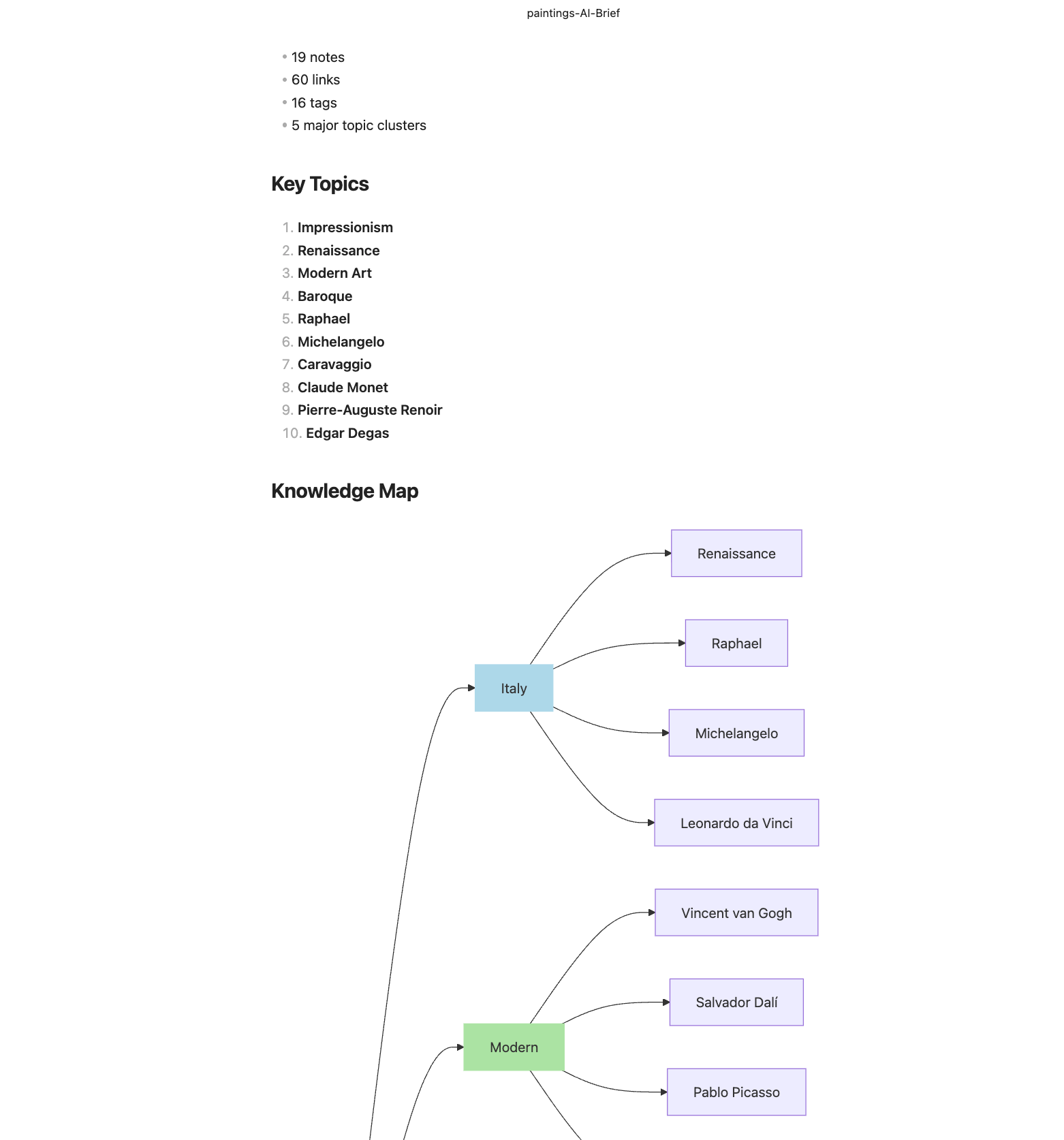
AI Brief analyzes a folder of notes and automatically generates:

  • Executive Summary
  • Topic Clusters
  • Knowledge Maps
  • Relationship Maps
  • Knowledge Health Diagnostics
  • Suggested AI Prompts

Everything runs locally inside Obsidian.

  • No AI provider API
  • No cloud service
  • No external indexing

Example

A folder containing 19 Art History notes automatically produced:

  • 5 major topic clusters
  • 60 note relationships
  • Knowledge Map visualization
  • Suggested navigation paths

Workflow

Folder
↓
Generate AI Brief
↓
Generate AI MOC
↓
Create Context Pack
↓
Use with ChatGPT / Claude / Gemini / NotebookLM / Claude Code

Released v3.2.0.

This update adds a clearer AI Brief workflow:

Analyze → Organize → Export → Ask

New / improved:

  • Generate AI MOC from AI Brief
  • Visual Knowledge Map workflow
  • Cleaner Context Pack export flow
  • Updated README with Art History sample workflow

The goal is to help users understand their notes before exporting them to ChatGPT, Claude, Gemini, NotebookLM, or Claude Code.

Updated the README and tutorial for v3.2.

New additions:

• Step-by-step tutorial (Alice art history example)
• Analyze → Organize → Export → Ask workflow
• AI Brief examples
• AI MOC examples
• ChatGPT grounded-answer example

If you’re curious about AI Briefs or AI MOCs, the tutorial walks through the complete workflow from notes to AI-ready knowledge.

Feedback is welcome.

Update: Knowledge Books (EPUB) from AI Briefs

I’ve added a new experimental feature to AI Context Pack:

Create Knowledge Book (EPUB)

The new workflow is:

Folder
↓
Generate AI Brief
↓
Create Knowledge Book (EPUB)
↓
Read in Kindle / Apple Books / Kobo

Instead of exporting notes as a flat document, the plugin uses the AI Brief structure to generate a navigable EPUB book with:

  • Cover page

  • Overview

  • AI Brief preface

  • Hierarchical table of contents

  • Topic clusters

  • Source notes

The goal is to make AI-generated knowledge structures readable not only by AI assistants, but also by humans.

I’ve been testing it with an Art History vault, and it works surprisingly well as a lightweight study guide on Kindle.

I’d love to hear feedback on whether this fits your workflow and what you’d like to see next.

Small update for AI Context Pack:

:books: Knowledge Book (EPUB) Export

AI Briefs can now be exported as EPUB books for Kindle and other e-book readers.

The EPUB output includes:

  • Cover image

  • AI Brief preface

  • Hierarchical table of contents

  • Structured chapters based on AI Brief organization

  • Embedded note images

  • Kindle-compatible EPUB output

Example workflow:

Obsidian Notes → AI Brief → Knowledge Book (EPUB) → Kindle

One interesting use case is turning travel notes, study notes, or topic collections into readable reference books for offline reading.

Thanks to everyone who provided feedback on AI Briefs and knowledge organization features.

Update: AI Workspace + Knowledge Books (EPUB)

I’ve just updated the plugin page and README with a new workflow GIF that demonstrates the complete AI knowledge workflow.

New AI Workspace workflow

  1. Create a Workspace

  2. Add a Folder Workspace

  3. Analyze Notes (AI Brief + AI MOC)

  4. Generate Knowledge Outputs

  5. Export for AI Tools

  6. Read as a Knowledge Book (EPUB)

The AI Workspace provides a single place to manage:

  • AI Briefs

  • AI MOCs

  • Context Packs

  • Knowledge Books (EPUB)

The goal is to make the workflow easier to understand and reduce the number of manual steps when preparing knowledge for ChatGPT, Claude, Gemini, NotebookLM, and other AI tools.

I’ve also added a workflow GIF to the README to better illustrate the process from note analysis to EPUB generation.

Feedback is always welcome. Thanks to everyone who has tried the plugin and shared suggestions!
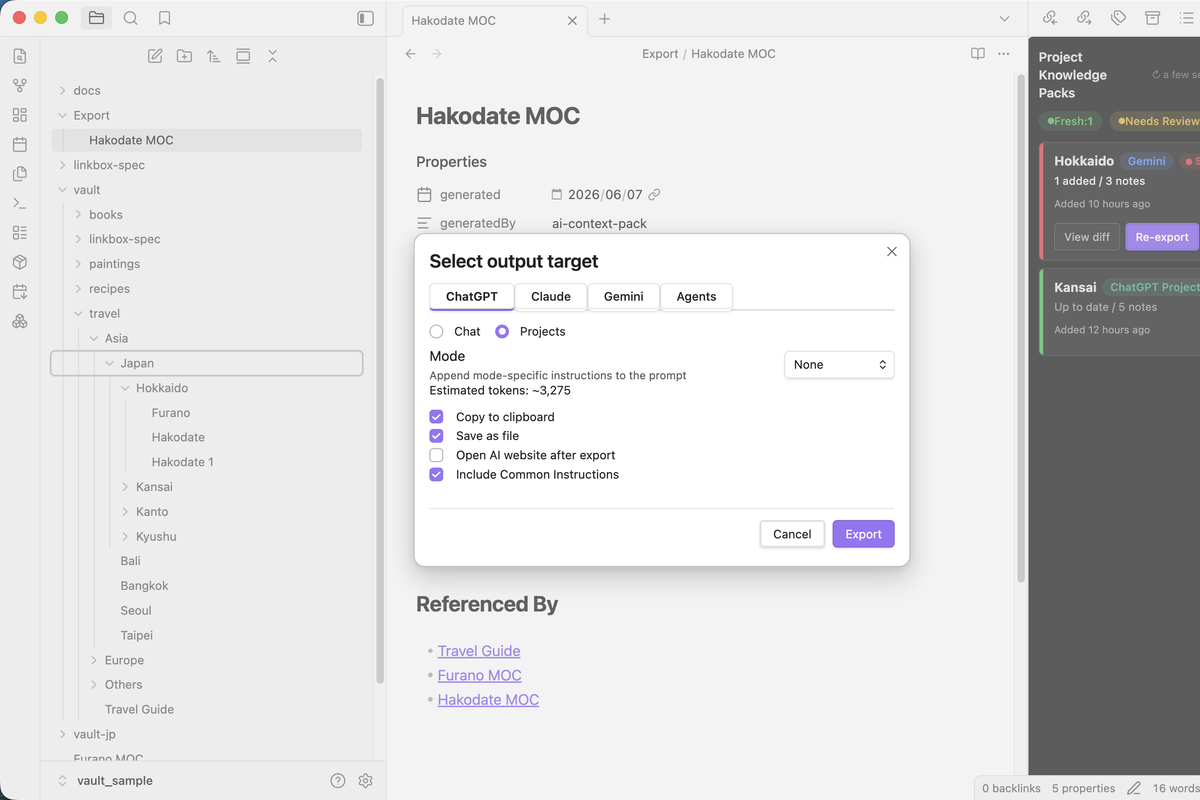
AI Context Pack v4.1.0 is now available :tada:

This release adds:

:white_check_mark: Notion Workspace Export

You can now export an entire AI Workspace as a Notion-ready ZIP and import it directly into Notion.

The exported workspace includes:

  • AI Brief
  • AI MOC
  • Source Notes
  • Images

This makes it easy to:

• Share research with teammates
• Publish knowledge outside Obsidian
• Create a collaborative Notion workspace from your notes

Example workflow:

Obsidian Notes
→ AI Workspace
→ AI Brief / AI MOC
→ Notion Workspace ZIP
→ Notion

Thanks to everyone who provided feedback during the AI Workspace development.

GitHub: