table {
  counter-reset: rowNumber;
}

table tr > td:first-child {
  counter-increment: rowNumber;
  position: relative;
  padding-left: 1.5em !important;
}

.markdown-reading-view table tr > td:first-child {
  padding-left: 2em !important;
}

table tr td:first-child::before {
  content: counter(rowNumber);
  opacity: 0.7;
  font-size: 0.8em;

  position: absolute;
  left: 0.5em;
  top: 0.5em;
}
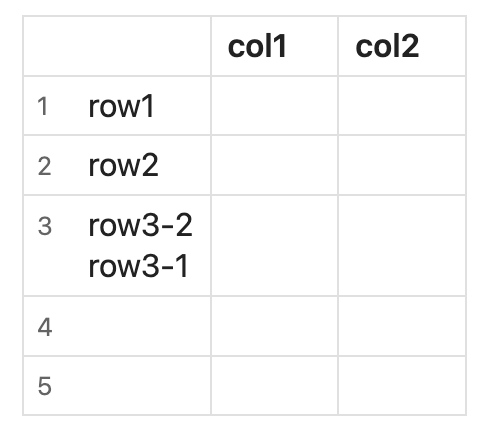
Live Preview:
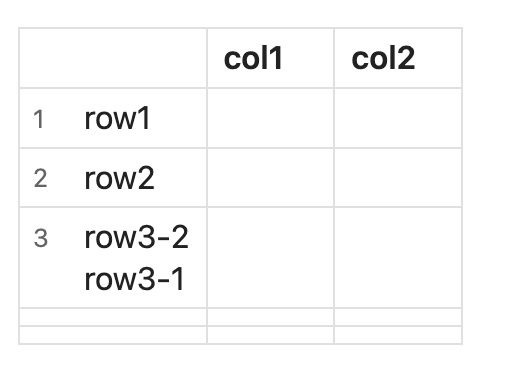
Reading View:
dawni
August 30, 2025, 12:56am
2
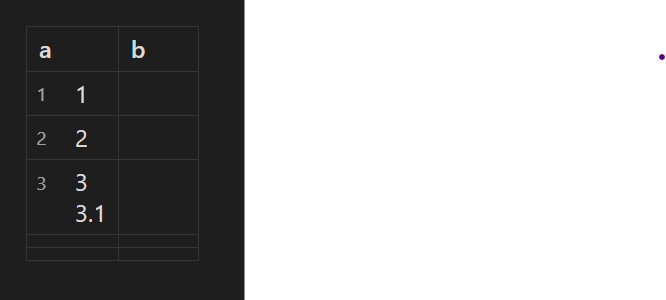
Nice job. Just a little warning that that will “squish up” those empty rows in the Reading view:
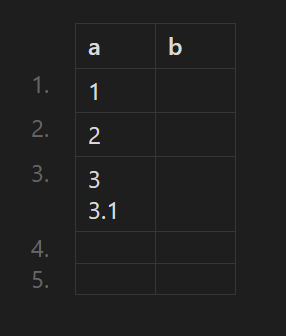
One way to prevent that is to keep the added content outside the cells, where you also don’t have to deal with fudging the positioning or padding:
table tr {
	counter-increment: rowNumber;
}

table thead tr::before {
	content: " ";
}

table tbody tr::before {
	content: counter(rowNumber) ".";
	color: var(--list-marker-color);
	display: inline flex;
	padding-right: 2ch;
}
It makes for a different look, though, which you might not prefer.
And to avoid numbering other types of tables, such as Dataview, you could specify that it’s for markdown tables:
:is(.el-table, .cm-table-widget) table {
	tr {
		counter-increment: rowNumber;
	}

	thead tr::before {
		content: " ";
	}

	tbody tr::before {
		content: counter(rowNumber) ".";
		color: var(--list-marker-color);
		display: inline flex;
		padding-right: 2ch;
	}
}
1 Like
Thank you!
I don’t really like having the numbers outside the cells, because the extra empty space to the left of the tables feels distracting to me. It breaks the alignment with the headings.
I also tried adding the numbers outside the cells without moving the tables, but I noticed they got cut off outside the content area.
Your solution to avoid the squishing issue is awesome.
1 Like