Add settings and Vault to Ribbon

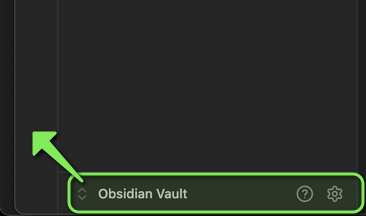
I was watching YouTube video and loved how he had a clean interface with icons on the left. I have vault, help and settings icons show up on the bottom


how can I move them to the left ribbon? or add any other useful icons there. Currently I am using Obsidian default theme. I was not sure if this was theme related or not. I am using Mac Latest OS 15.5
You can use the Commander plugin to add any commands, including settings, to ribbon and to other menus.

@reaty - just realized you were the one who posted an option on below thread :slight_smile:

This thread talked a lot about it. Looks like this was part of new UI update. The YouTube video i saw was perhaps on bit older version.

Here’s a plugin that brings back the pre-1.6.0 vault switcher, help, and settings buttons.

This topic was automatically closed 90 days after the last reply. New replies are no longer allowed.