Use case or problem
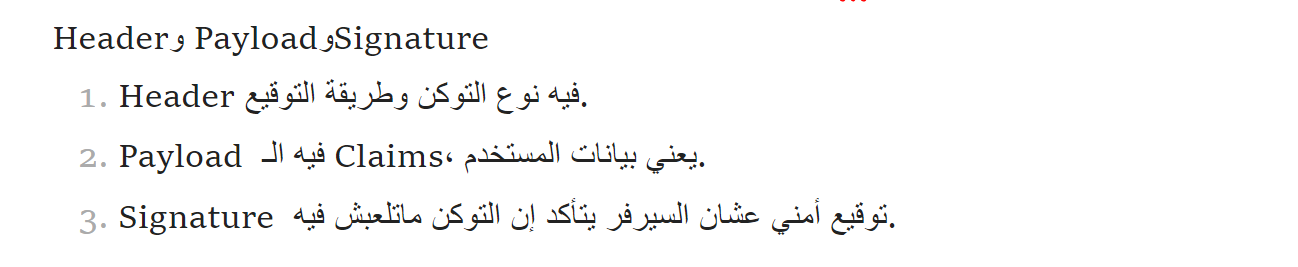
While Obsidian handles Right-To-Left (RTL) text well when a line starts with an RTL language, the bi-directional (BiDi) text rendering breaks when a sentence starts with Left-To-Right (LTR) characters (like an English word, a number, or a numbered list like “2. Payload”) but the rest of the sentence is in Arabic/RTL.
Because the editor often detects the first character to determine the paragraph’s base direction, starting with English forces the entire block into an LTR direction. This causes the subsequent RTL words to display out of logical order, scrambling the sentence structure and making it unreadable.
Proposed solution
Add an explicit RTL / LTR direction toggle inside the right-click Format context menu (and as a Command Palette action/hotkey). This would allow users to manually force the “Base Direction” of a text block to RTL, even if the first word is in English. This overrides the auto-detection and renders the mixed sentence in the correct visual order.
Current workaround (optional)
Currently, users must manually wrap the text in HTML tags like
Related feature requests (optional)

in this image here, if i started with english first the arabic broken.
but if there an option to force the line to be RTL or LTR this will be very very useful… thank u