Disclaimer
Is this plugin open source? Yes
Is this plugin completely free? Yes
Is this plugin vibe-coded beyond the author’s ability to comprehend how it works? No
Community Directory: Link
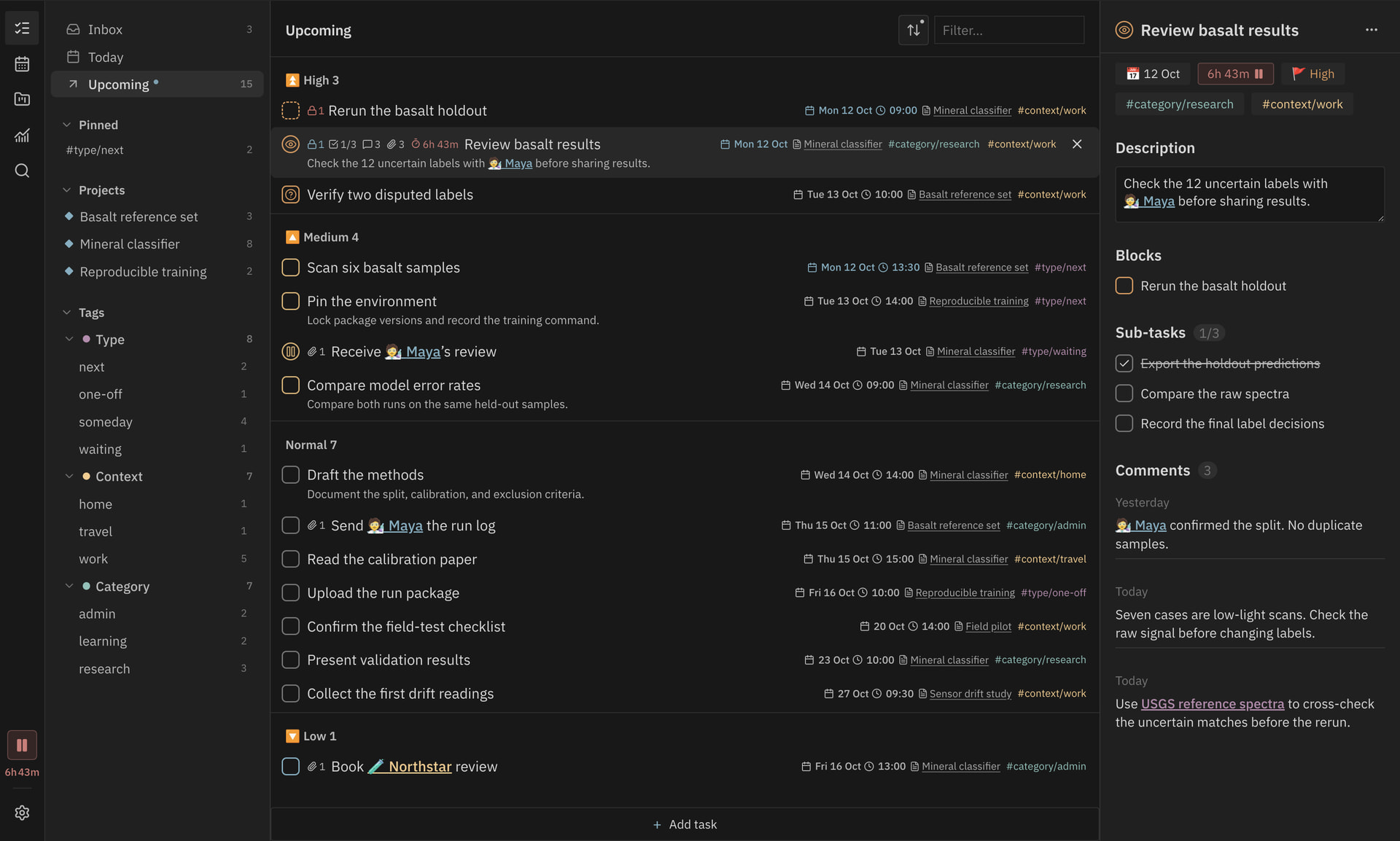
I’ve released Abyss Tasks, a task manager now available in Obsidian’s Community plugins. Tasks stay in their Markdown notes and use syntax compatible with the Tasks plugin. A task written in a meeting note can appear in your calendar or a filtered list.
Nested tags such as #context/work become lists in the sidebar, each with its own filters, grouping and sort order. Open a task to edit its description, subtasks and comments, or see which tasks it depends on and which ones it blocks. You can also set repeat rules and define statuses with your own checkbox symbols.
The README includes a quick start guide. Here are a few of the main views.
Calendar
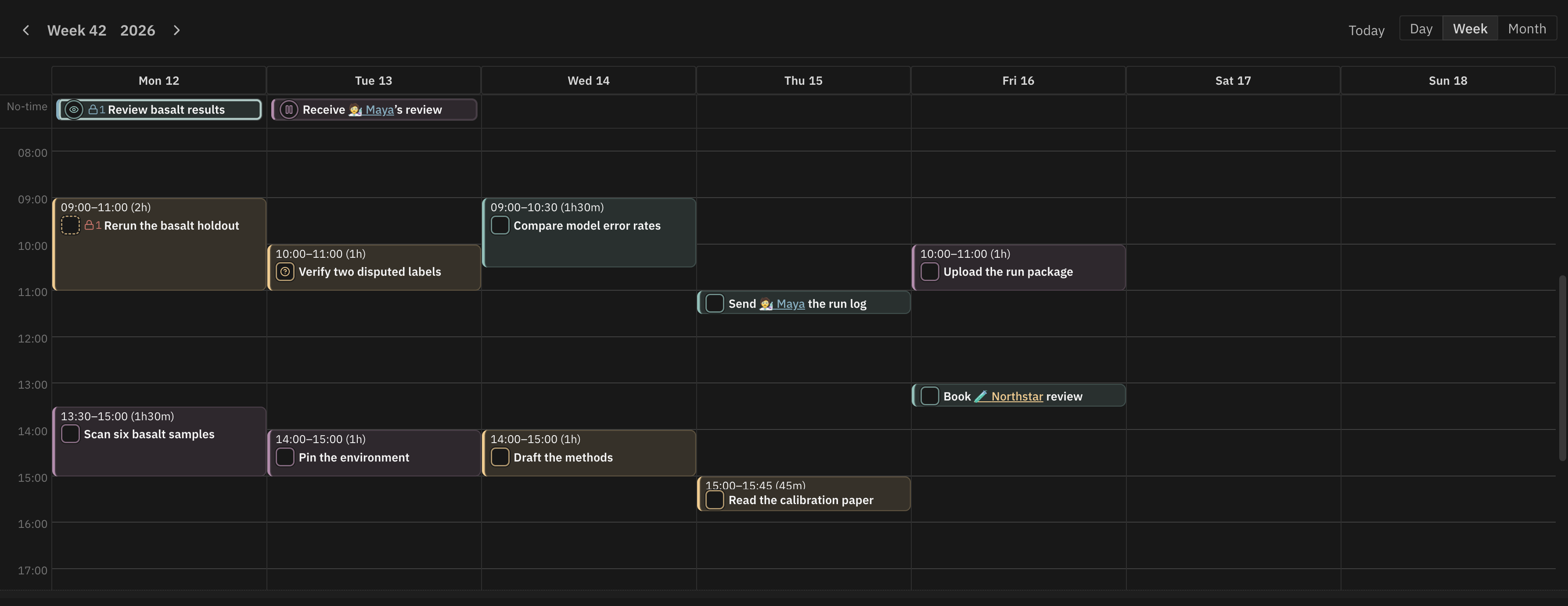
Schedule tasks by day, week or month. Move or resize a time block to change a task’s start time and duration.
Projects
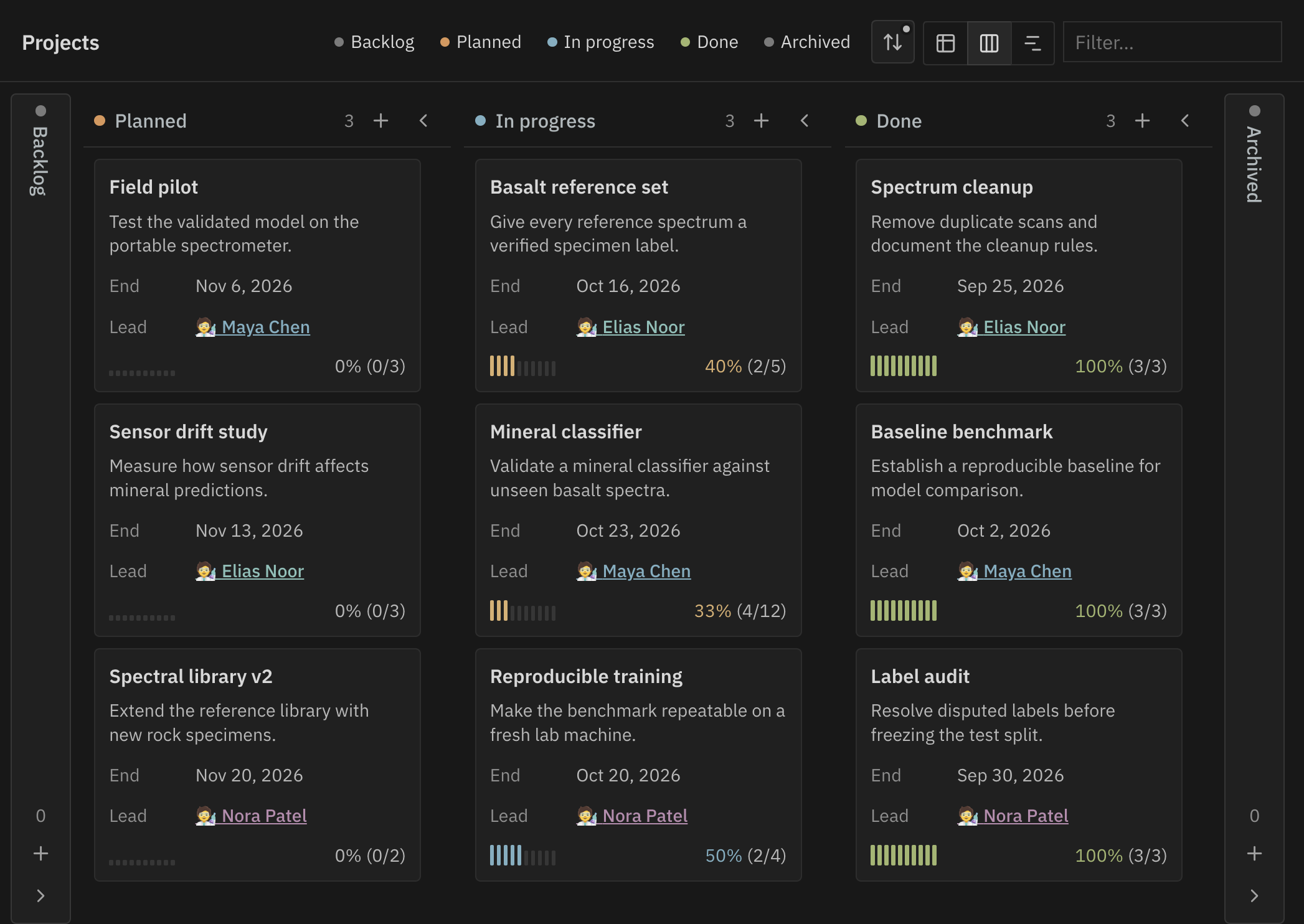
Projects are notes with properties and tasks. Moving a card between status columns updates the status in the project note. Progress is calculated from its tasks. There is also a table for editing project properties.
Project timeline
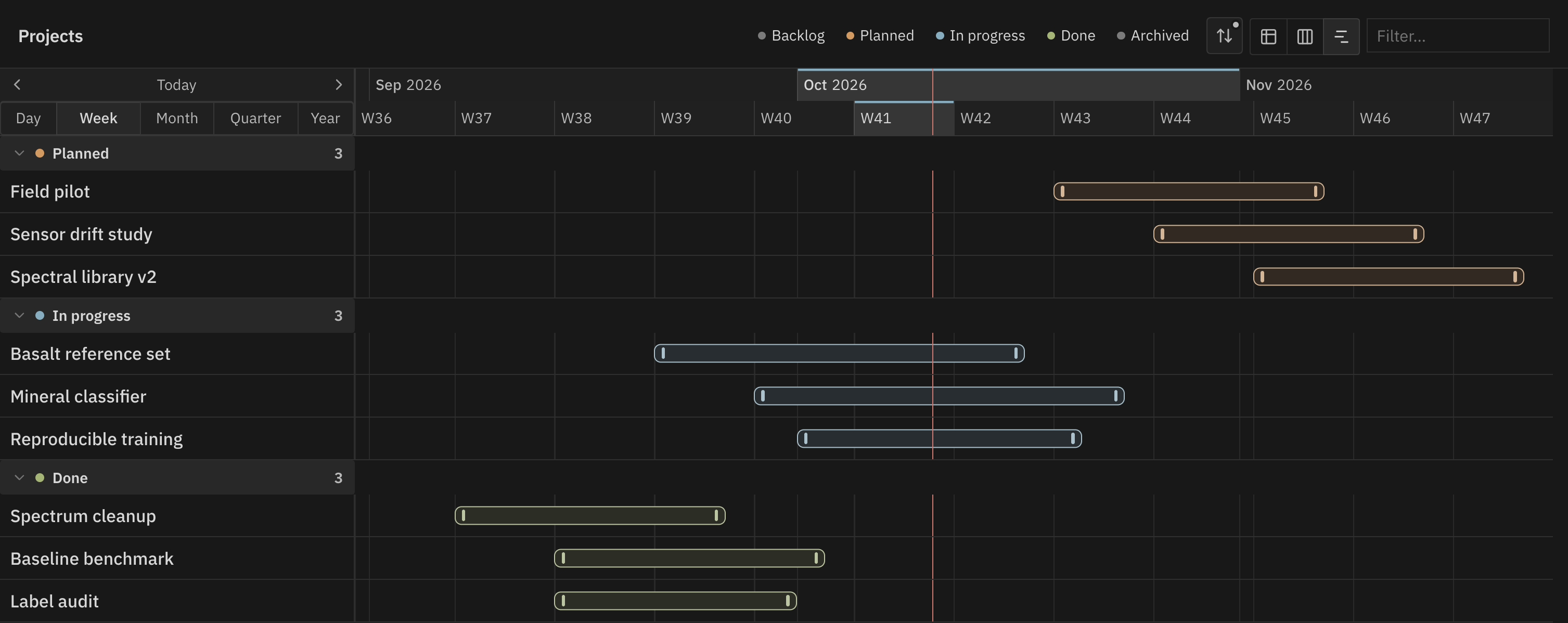
The same projects can be viewed on a timeline. Drag a bar or resize its edges to change the project’s start and end dates.
Time tracking and analysis
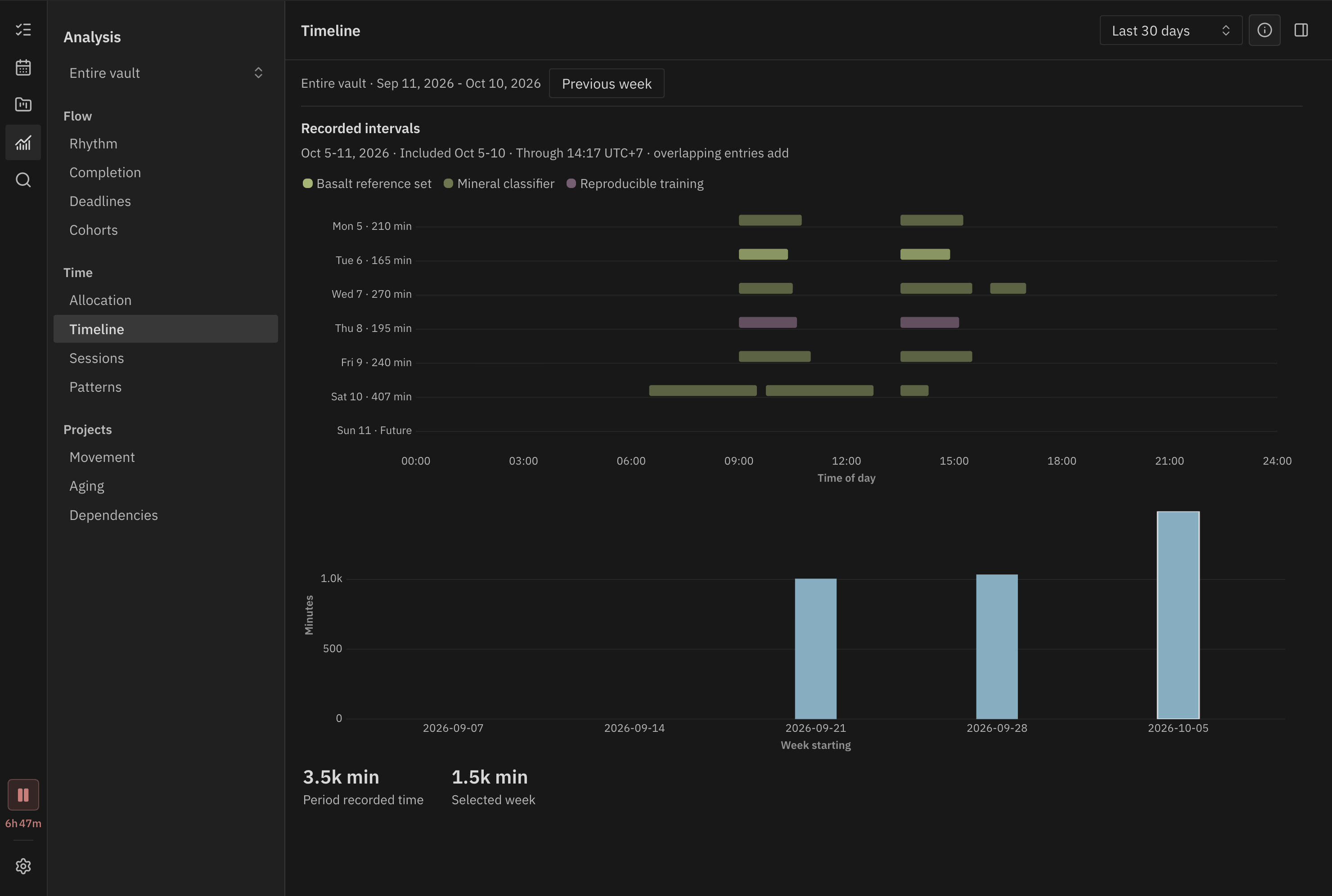
Start and pause a timer on a task, then review its recorded sessions and weekly totals. There are 11 analysis views covering completions, deadlines, the age of open tasks, dependencies and recorded time. You can inspect the tasks and sessions behind the charts.
Time allocation
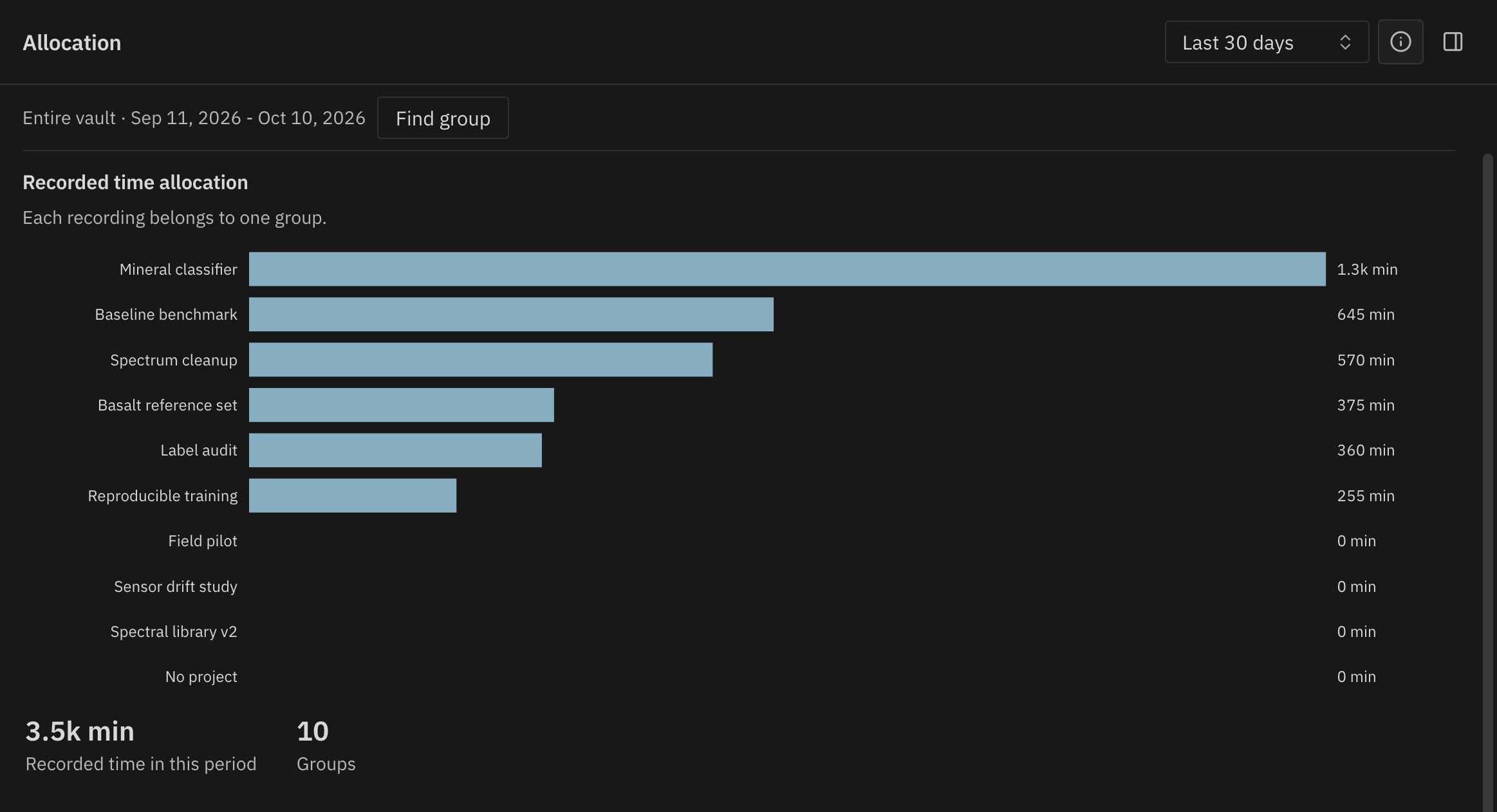
Break recorded time down by project, tag or priority. Open a group to see its daily totals.
Time patterns
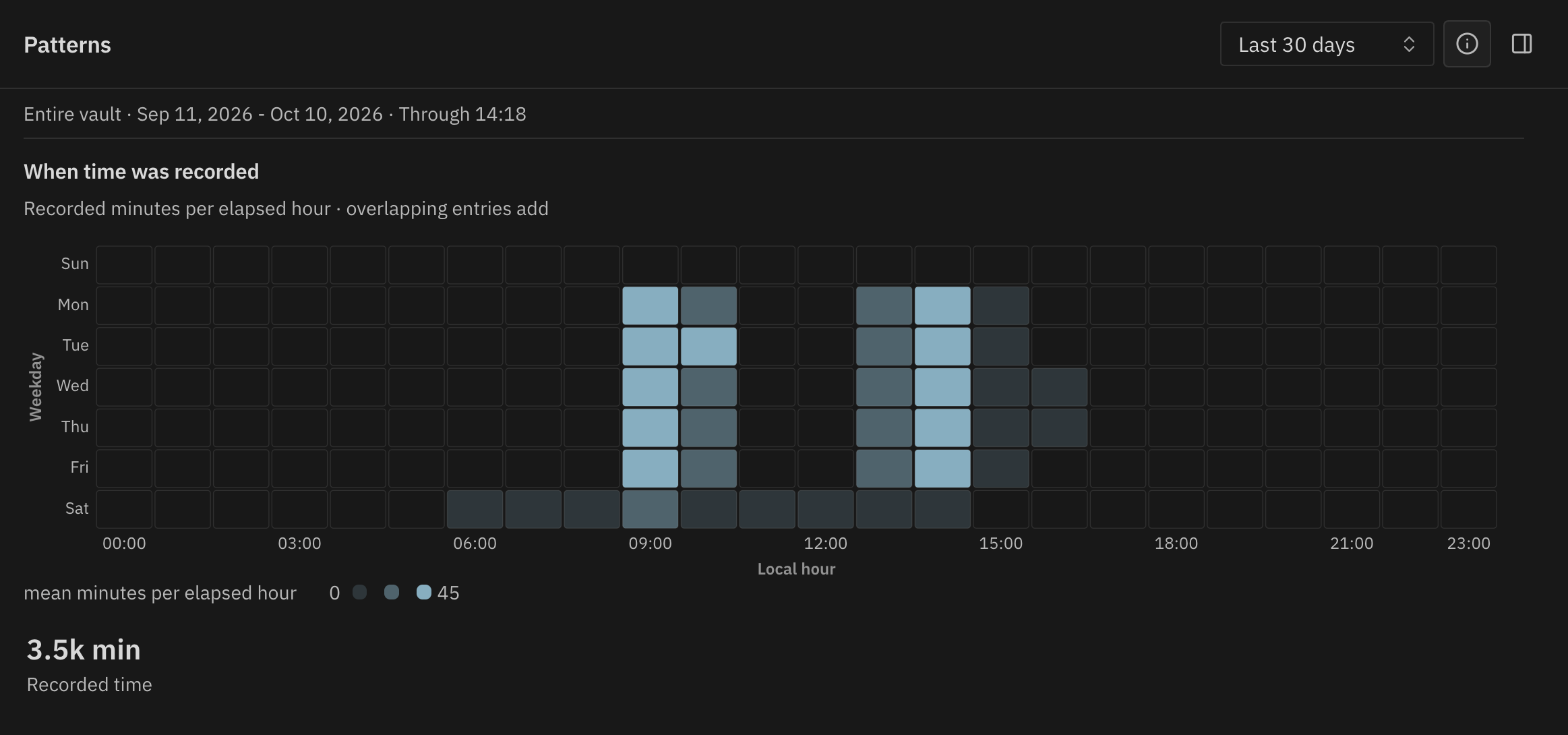
The heatmap shows when time was recorded, broken down by weekday and hour.
• • •