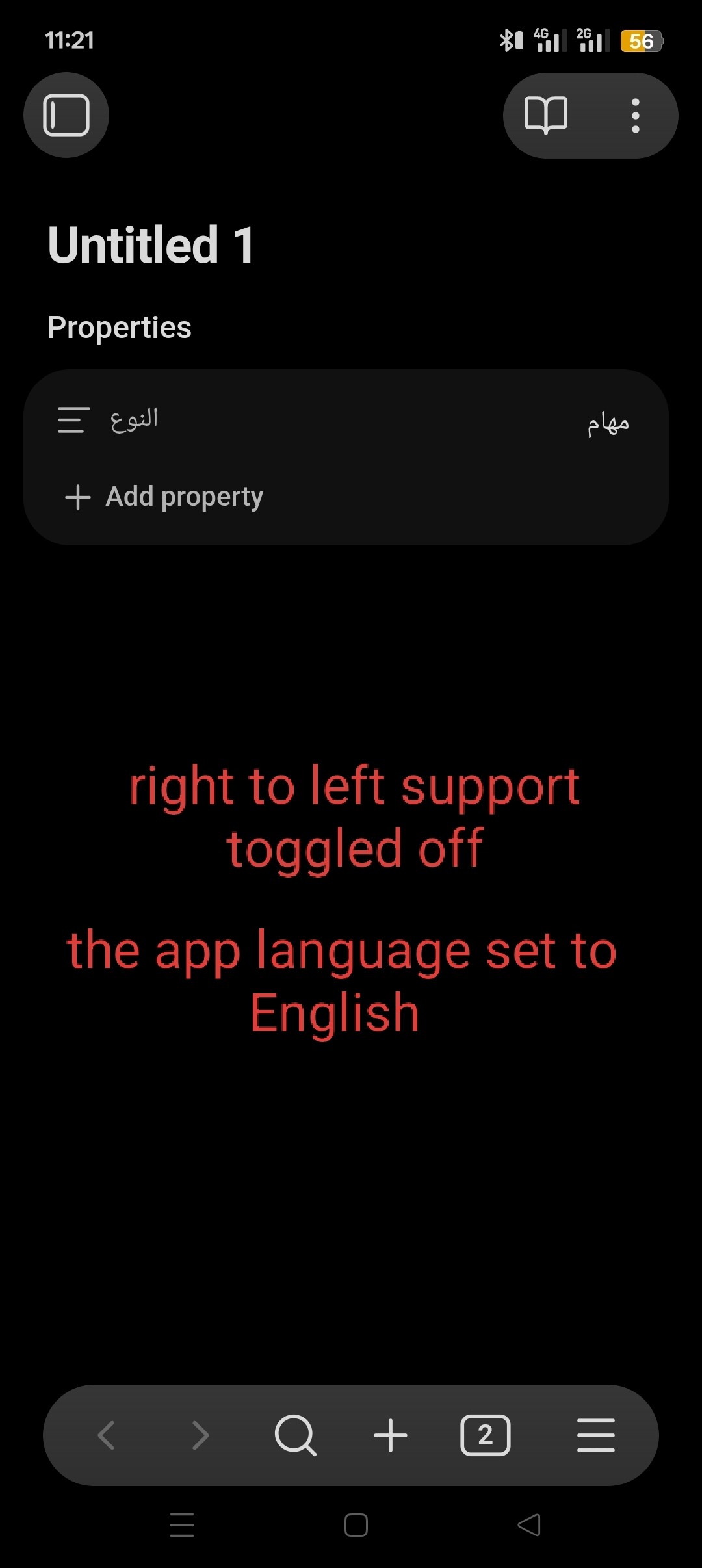
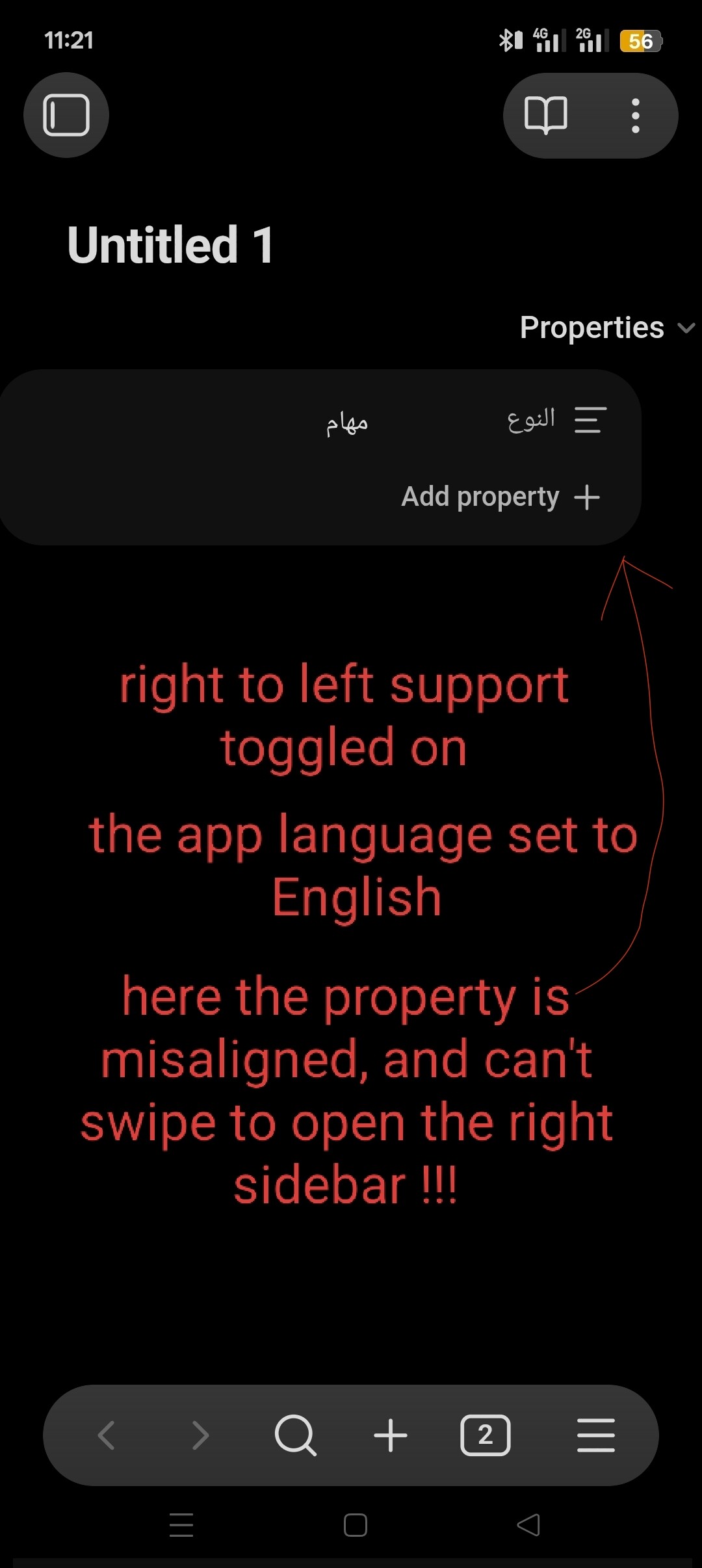
When the app language is set to English, Arabic properties are misaligned, as shown in the attached video.
I also can’t swipe to open the right sidebar anymore — the only way to access it now is through the command palette.
When I change the app language to Arabic, everything works perfectly again. However, I don’t want to switch the app language because I’m used to using Obsidian in English.
I’m on android and using the obsidian default theme.
i wasn’t able to attach the video here i don’t why but here is link to it on obsidian subreddit (click here).
Create a new vault, does it happen there?
If yes, make a screen recording and link it here.
What is the output of the “show debug info command” ?
Thanks
Update: Issues persist in a new vault
I created a new vault as requested, set the app language to English, and the issues remain:
Property Misalignment: In RTL (Arabic) properties, the property name appears on the left and the value on the right. It should be the opposite.
UI Layout Break: When RTL support is toggled ON while the app language is English, the property container shifts partially off-screen (as seen in the first screenshot).
Navigation Bug: I still cannot swipe to open the right sidebar; it remains unresponsive unless accessed via the command palette.
The screenshots provided show the comparison between having “Right-to-Left” support toggled ON vs. OFF while the app is in English.
note: this bug only on android in my windwos everything works as expected.
Debug Info:
SYSTEM INFO:
Operating system: android 15 (realme RMX3841)

Webview version: 143.0.7499.192

Obsidian version: 1.11.5 (279)

API version: v1.11.5

Login status: not logged in

Language: en

Live preview: on

Base theme: adapt to system

Community theme: none

Snippets enabled: 0

Restricted mode: on
RECOMMENDA
TIONS:
none