Disclaimer
Is this plugin open source? Yes
Is this plugin completely free? Yes
Is this plugin vibe-coded beyond the author’s ability to comprehend how it works? Yes
Community Directory:https://community.obsidian.md/plugins/xiaoji
A single striking line from a book, a sudden spark of inspiration, three small tasks for the day… Not everything warrants a dedicated note, yet scattering them across random places feels messy. Finding existing micro-memo plugins rather bloated, I collaborated with AI to build xiaoji, which is now available in the official Obsidian Community Plugins store.
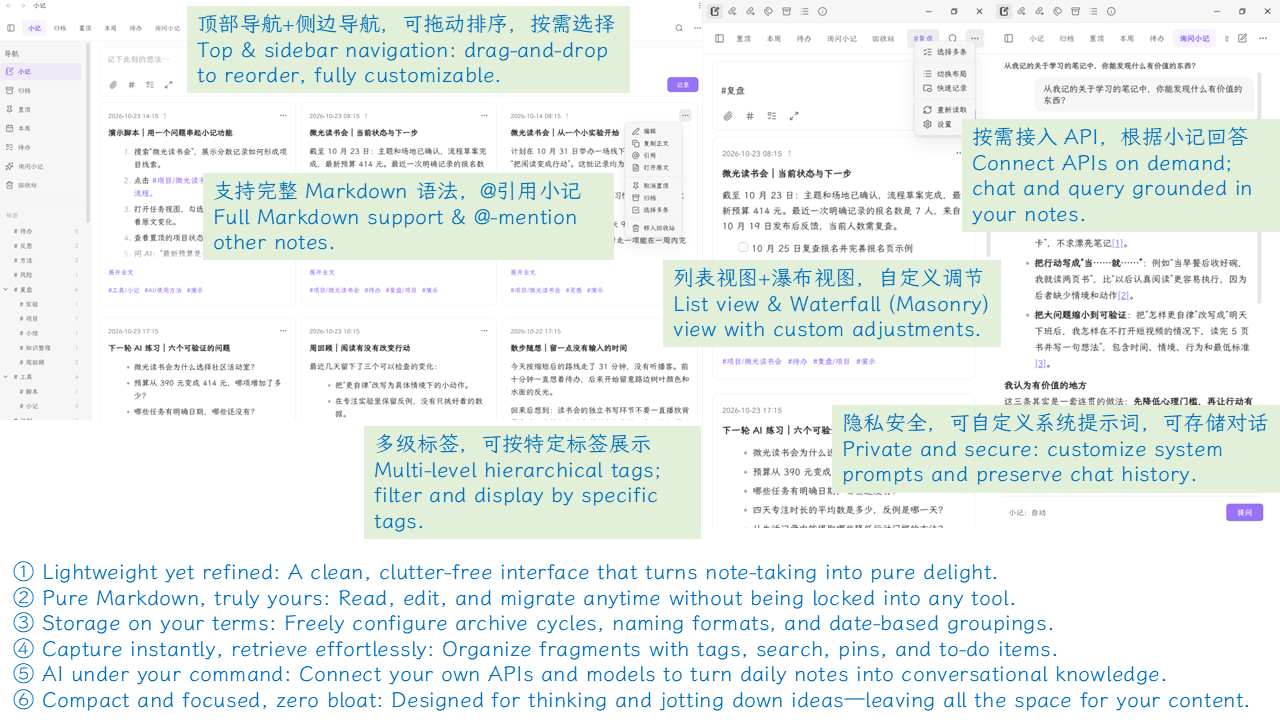
1. Open and write: full Markdown support By default, press Enter for a new line and Shift + Enter to save (both shortcuts are fully customizable). Type # or click the tag button to pick tags, insert to-do checkboxes or attachments with a single click, and seamlessly include code blocks, tables, math formulas, and embeds.
2. List or masonry view: browse your way Choose the list view for focused reading, or switch to the masonry layout to scan more entries at a glance. Long entries can be collapsed, and card width, spacing, and information density are all adjustable. Double-click any note to instantly bring it back into the top input box for editing.
3. Tags, search, and navigation: keep everything discoverable Nested tags like Reading/Method are fully supported—click any tag to filter matching entries. Search can be refined by tags, scope, and whether to include archived notes. Frequent entry points (such as All Notes, Pinned, This Week, To-Do, and Archive) are available in both the top bar and sidebar, and views can be reordered via drag-and-drop.
4. Batch organization and connected notes Enter multi-select mode to select cards individually or drag-select with your mouse, allowing you to batch tag, archive, or move items to the trash. Want to build upon an earlier thought? Select “Quote” from the menu to insert @ID into the top input box. Clicking a citation jumps directly to the original note, while hovering with Ctrl / ⌘ brings up a live preview.
5. Desktop quick capture: capture thoughts as they strike Supports a standalone floating window with pin-to-top functionality, with an option to transfer floating drafts back into the main workspace for continued editing. The global summon hotkey can be configured directly in Obsidian’s hotkey settings.
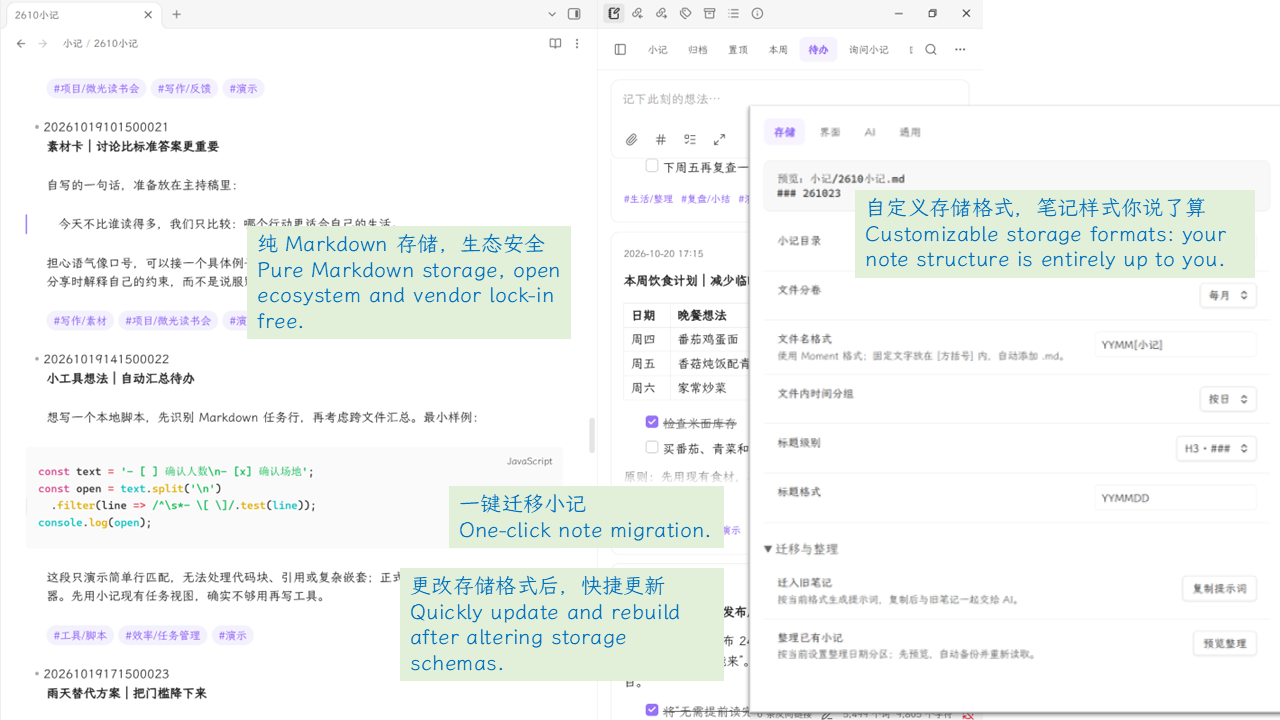
6. Your data, your rules: fully customizable storage Your notes are stored directly as Markdown files inside your vault. You can split them into volumes by month, quarter, or year with custom file naming, and group entries internally by day, week, month, or leave them ungrouped. Attachments follow Obsidian’s native settings. Deleted notes go to an in-plugin trash bin for easy recovery, and migrating legacy formats includes a live preview alongside an automatic Markdown backup.
7. On-demand AI: chat freely or query your notes Connect your own compatible API to enable automatic retrieval, restrict answers strictly to your notes, or chat freely without context. When sources exist, referenced notes can be expanded directly to view the original text. System prompts and chat log directories are fully configurable, or you can disable logging entirely for ephemeral sessions. When AI features are active, your prompts and retrieved context are sent securely to your configured API provider.
The goal behind xiaoji is to make capturing lighter and reviewing or organizing far more effortless. Everyday recording, browsing, and search run entirely offline.
If you are looking for a friction-free way to hold onto fleeting thoughts in Obsidian, give it a try. Any feedback or feature suggestions are warmly welcomed!