Disclaimer
Is this plugin open source? Yes, MIT.
Is this plugin completely free? Yes, no paid tier, no trial, no account.
Is this plugin vibe-coded beyond the author’s ability to comprehend how it works? No, heavily used engineered AI in development tbh.
Community Directory: [Window Spaces]https://community.obsidian.md/plugins/window-spaces
Hi all  First post here. Window Spaces gives Obsidian’s popout windows the parts they never had: their own activity bars and sidebars, and a saved layout per window.
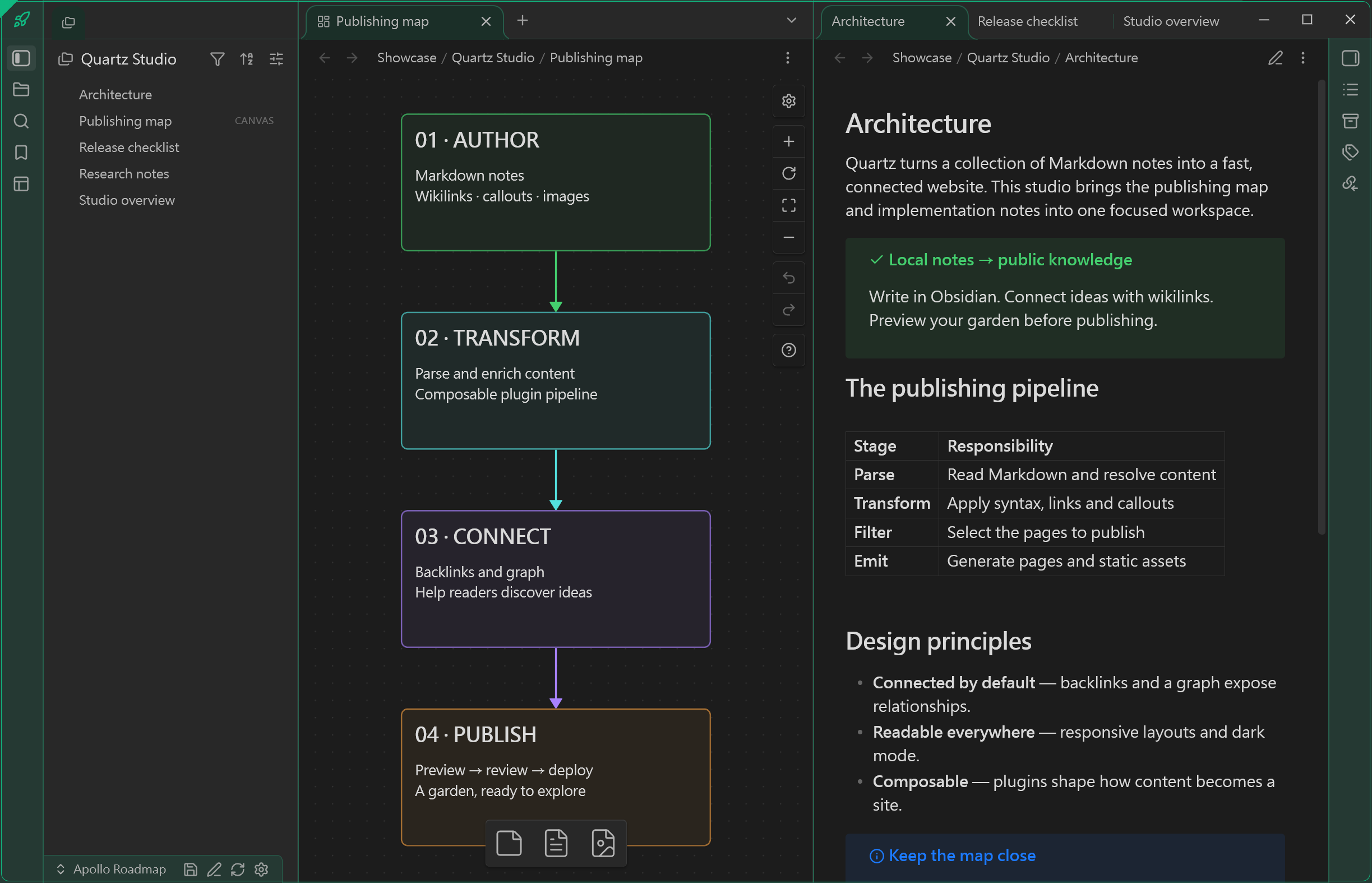
A popout “work cabin”: sidebar and activity bar on the left, Canvas + notes in the centre, accent frame and status badge.
Sidebars in popouts – dock File Explorer, Bookmarks, Search, Outline or community views; right-click an activity bar icon to toggle them.
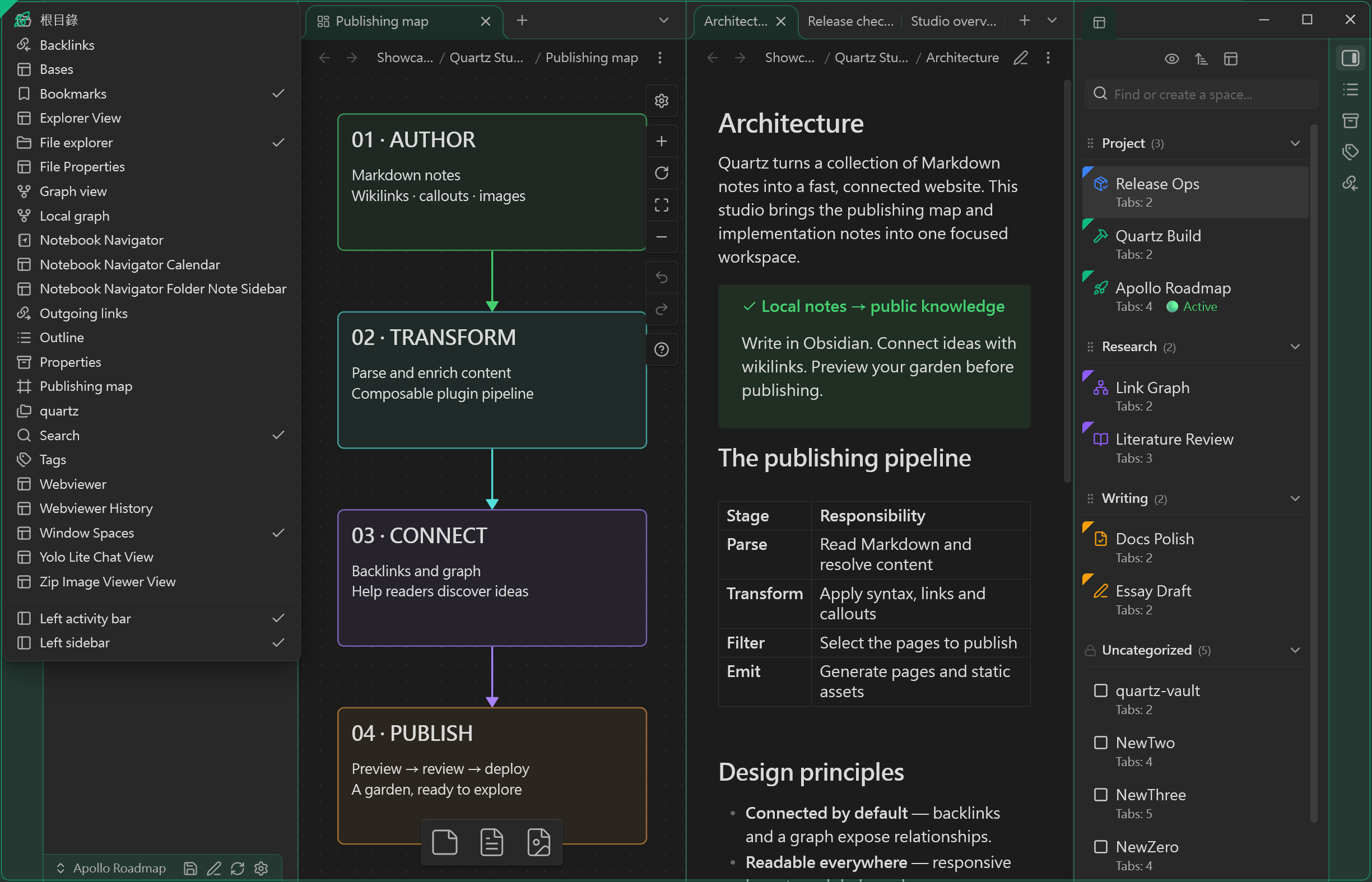
Native-style menus, inside the popout.
Spaces –Enter saves and launches a whole window layout (splits, tabs, open files, size, position); Shift+Enter restores into the current window, with optional auto-save.
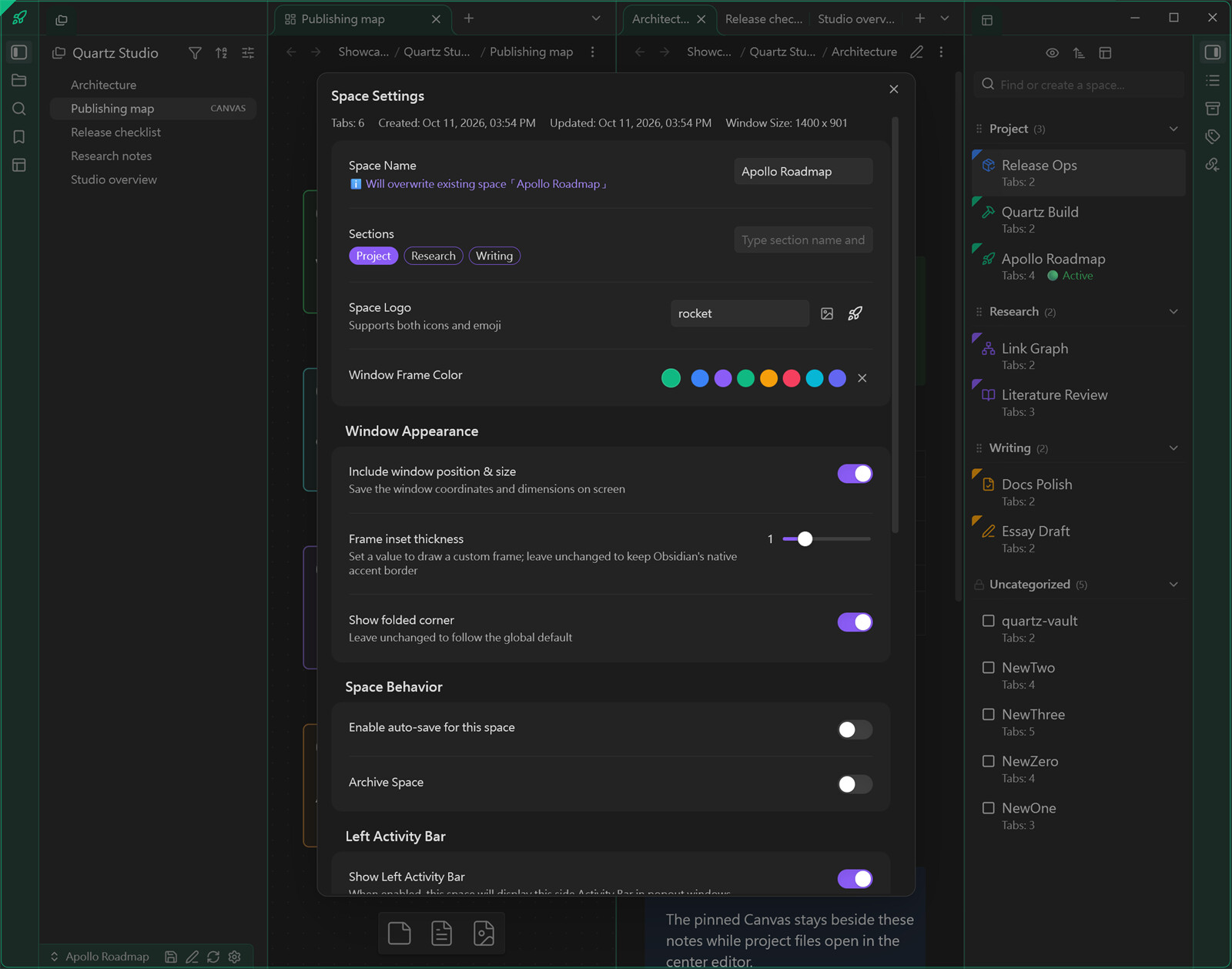
Name, icon, accent colour and auto-save per Space.
Multi-window routing – an Outline in window A tracks window A’s note, and core/community views run independently per window; one switch reverts to native routing.
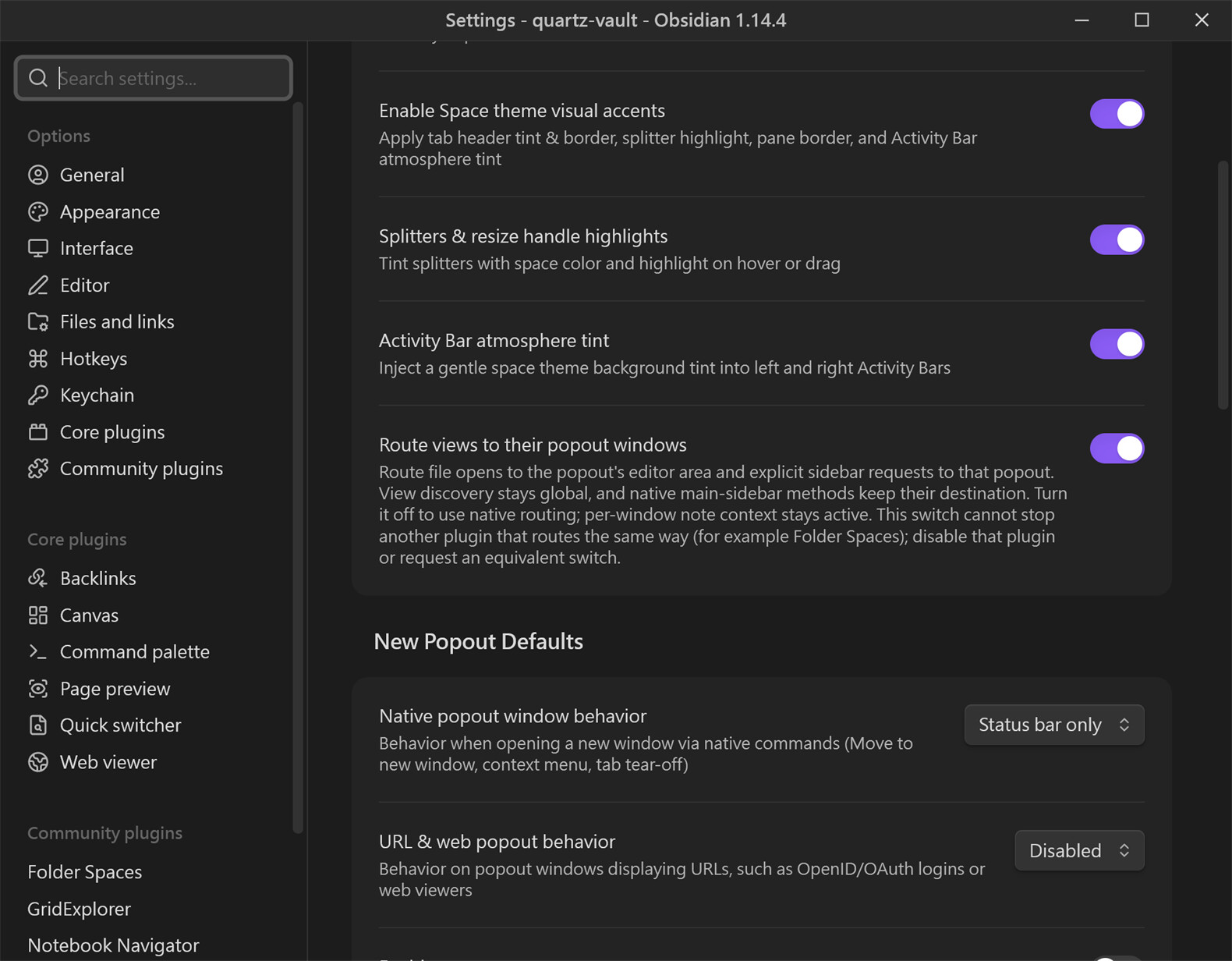
Folder scoping — pair with [Folder Spaces]https://community.obsidian.md/plugins/folder-spaces to lock a popout to one project folder.
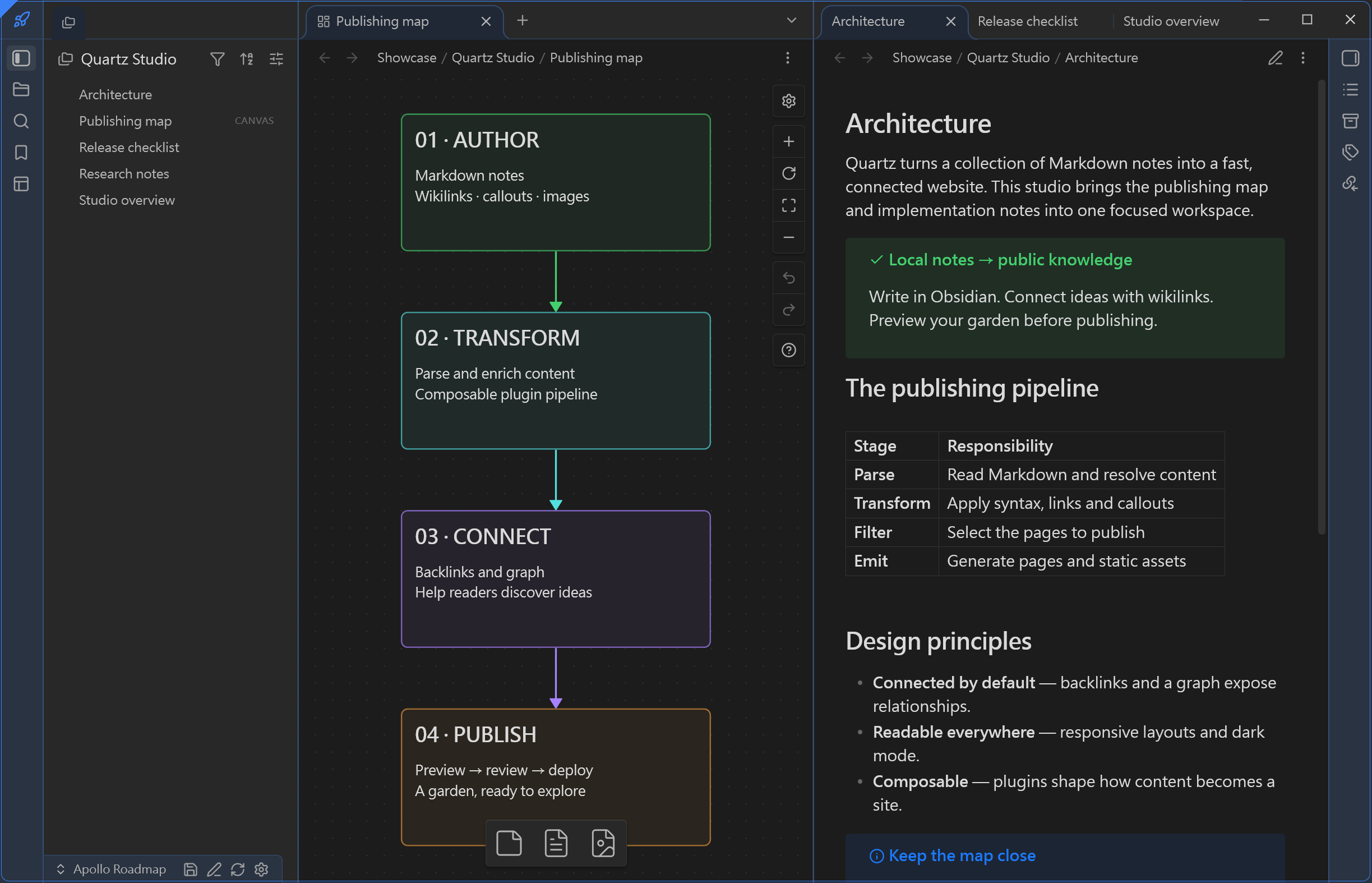
Same panels from a sidebar, tab or quick modal. Free, MIT, desktop only, Obsidian 1.13+.
 Using both plugins? Update both (Window Spaces ≥ 1.5.0, Folder Spaces ≥ 0.4.10) — they share one interceptor.
Internal Obsidian APIs are used with runtime fallbacks; the store scan flags only !important rules in styles.css, by design.
- [Store]
https://community.obsidian.md/plugins/window-spaces - [GitHub]
https://github.com/edwardsayer/obsidian-window-spaces - [User guide]
https://github.com/edwardsayer/obsidian-window-spaces/blob/main/docs/user-guide.md.
Feedback welcome — I’ll keep future release notes in this thread.