Disclaimer
Is this plugin open source? Yes (MIT)
Is this plugin completely free? Yes
Is this plugin vibe-coded beyond the author’s ability to comprehend how it works? No
Community Directory: https://obsidian.md/plugins/?id=vault-workbench
My biggest pain point with Obsidian has always been managing multiple vaults: I keep work and personal stuff in separate vaults, and every switch means changing windows and reloading. Finding a note also means remembering which vault it lives in. So I built a plugin to fix this.
Vault Workbench
A complete workbench UI for Obsidian. Browse, preview and edit every vault on this machine from one workbench — no more switching windows. Browsing another vault feels like browsing another folder.

What it does
Three-pane workbench
-
Left: all vaults on this machine — click to switch
-
Middle: folder drill-down + breadcrumbs, grid/list views, multi-select batch operations
-
Right: preview / edit / outline, supports images, PDF, audio & video
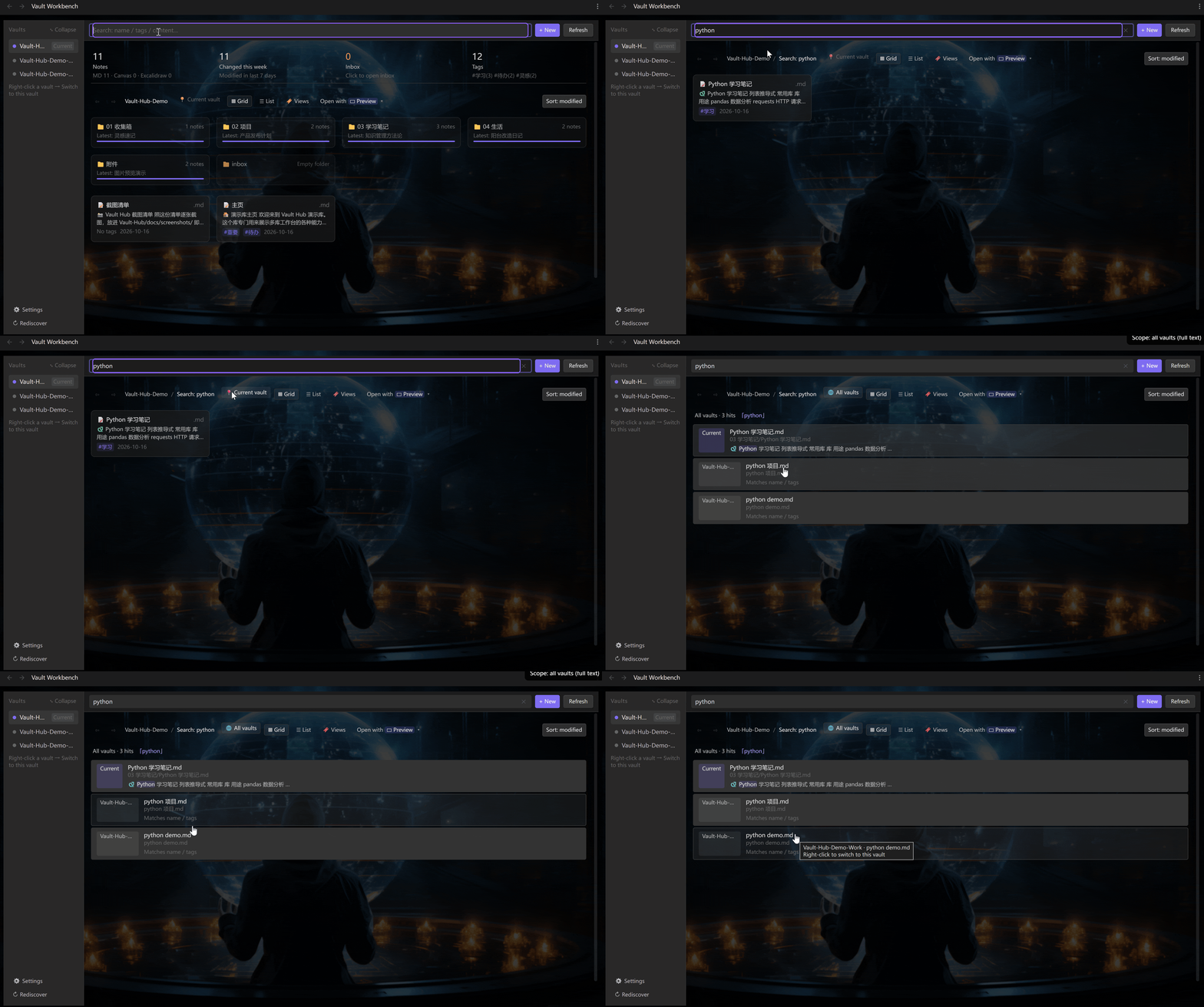
Dashboard cards Four always-on cards above the file area: Notes (MD / Canvas / Excalidraw), Changed this week, Inbox, Tags — search terms, folders, tags and time windows can all be combined with AND filters.
Cross-vault full-text search Switch to “ All vaults” and search the body text of every vault at once. Results show the source vault with highlighted snippets — click to jump straight in. All indexes are built locally.
Cross-vault operations
-
Right-click a vault → switch to it: the plugin installs itself into the target vault first, so you land in the same workbench
-
Renaming a file automatically repairs that vault’s
[[wikilinks]] -
A unified trash across vaults remembers original paths and supports restore
-
Multi-select → Copy to… another vault (deliberately no cross-vault move — moving breaks links, copying doesn’t)
-
Also
-
Built on Obsidian’s own CSS variables — follows your theme automatically
-
Bilingual UI (English / Chinese), follows Obsidian’s language or can be locked in settings
-
Wallpaper, accent color and density are configurable, per vault
Why multiple vaults anyway?
If you run a single vault, this plugin probably isn’t for you. But running multiple vaults has underrated benefits: query isolation (Dataview / tags / searches don’t leak across projects), independent sync and publishing per vault, archived vaults that don’t slow down active ones, and privacy isolation (you can hand an AI exactly one vault). The plugin itself never syncs or merges anything — your existing setup is untouched.
Install
Settings → Community plugins → Browse → search Vault Workbench → Install & enable.
Note: the first time you enter a vault you’ll need to turn off Restricted mode once — that’s Obsidian’s security design, no plugin can bypass it.
Known limitations
-
Desktop only
-
The built-in editor doesn’t have wikilink autocomplete yet
-
Cross-vault search is substring matching, not semantic search
Repo: https://github.com/Bevis23/vault-hub — the README has the full feature table and screenshots.