Steps to reproduce
-
Create and share a file (e.g., PDF, GIF, etc.) on Google Drive. Set sharing to “Anyone with the link can view”.
-
Create a new note in Obsidian.
-
Embed the shared Google Drive link in the note using the standard iframe format (
<iframe src="YOUR_URL"></iframe>).
Did you read and follow the Troubleshooting Guide ? [Yes/No]
Yes.
Expected result
The shared file should display correctly inside the iframe within the note.Actual result
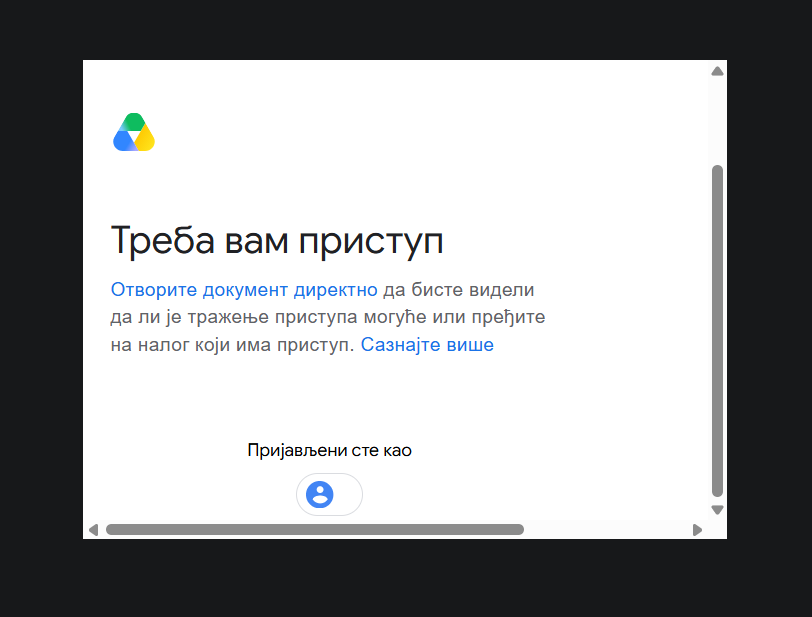
The page displays an error message, and the file fails to load. This happens even though the file is publicly accessible and does not require a Google Drive login.Environment
SYSTEM INFO:
Obsidian version: 1.14.4
Installer version: 1.14.4
Operating system: Windows 11 Home 10.0.26300
Login status: not logged in
Language: en-GB
Insider build toggle: off
Live preview: on
Base theme: adapt to system
Community theme: none
Snippets enabled: 0
Restricted mode: on
RECOMMENDATIONS:
none
Additional information
-
I can open the exact same shared link in the Obsidian’s web viewer without any issues, and the file displays fine. The problem only occurs with iframes.
-
As far as I’ve experienced, this issue only affects files shared from Google Drive.
-
The problem persists even in a sandbox vault.
-
Error message (translated from Serbian):
“You need access. Open the document directly to see if requesting access is possible, or switch to an account that has access. Learn more. You are signed in as…”
-
If I downgrade back to version 1.13.7, iframes open again without any errors.