Description
When I follow a note link in a large embedded Bases table and then navigate back, Obsidian does not preserve my scroll position. The table redraws, and the viewport jumps to the bottom of the table instead of returning to the top where I was working.
The text cursor is positioned on a line immediately above the table before I follow the link.
Steps to reproduce
- Open a note containing a large embedded Bases table in Live Preview. In the attached GIF, the table contains 259 results.
- Scroll to the top of the table.
- Place the text cursor on a line immediately above the table, leaving the table rendered.
- Click a note link in one of the first rows of the table to open that note in the same tab.
- Click the Back navigation button to return to the original note.
Expected result
Obsidian restores the previous scroll position, with the top of the table visible and the text cursor still on the line above it.
Actual result
The table redraws, and the viewport jumps down to the bottom of the table, exposing the content immediately below it. I have to scroll back up to resume working with the first rows.
Attached GIF
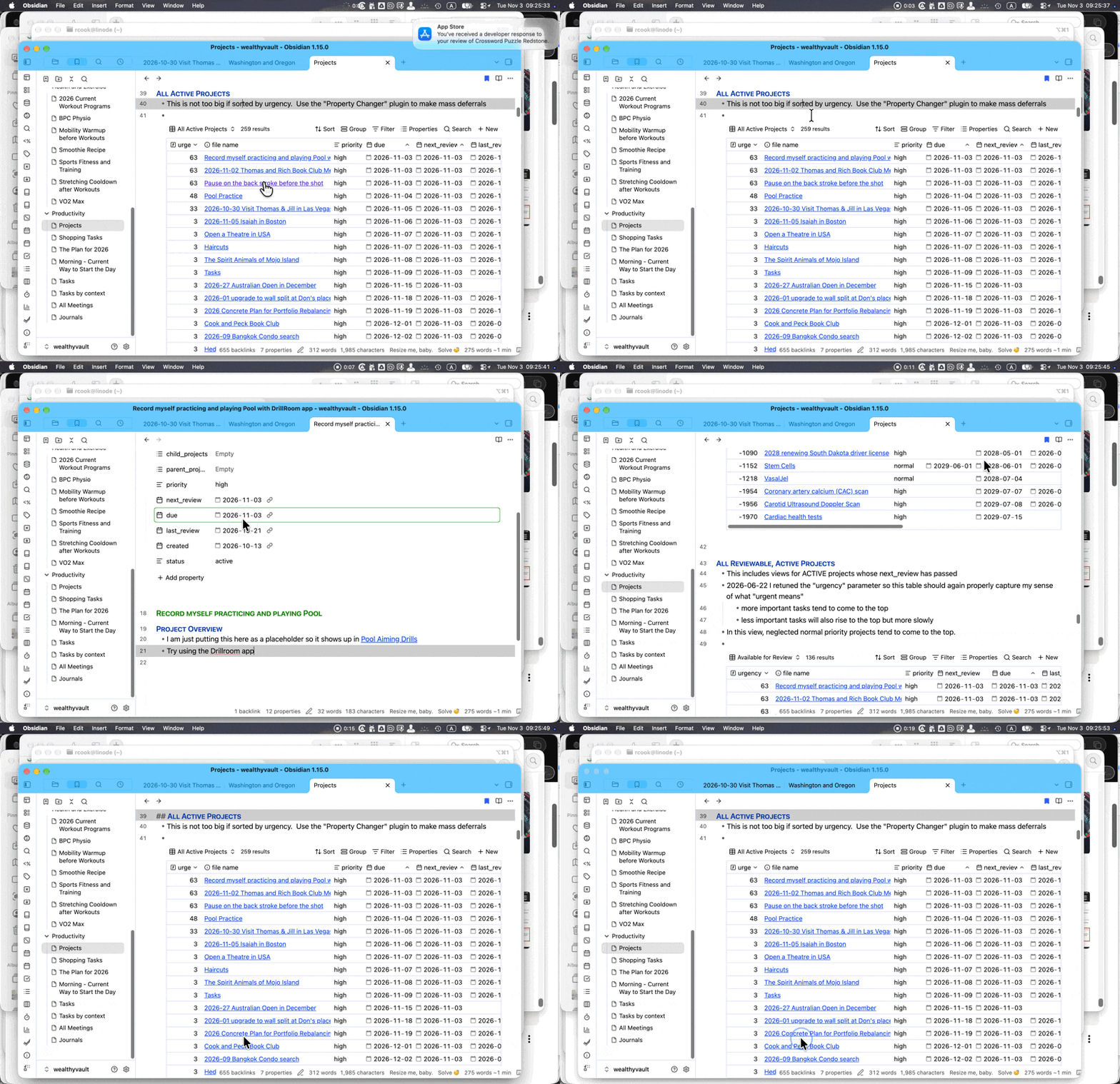
The GIF shows:
- The original note positioned at the top of the “All Active Projects” table, with the text cursor on the line above it.
- Clicking the first note link in the table.
- The linked note opening, followed by clicking Back.
- Returning to the original note near the bottom of the table, with the next section, “All Reviewable, Active Projects,” visible below it.
Environment
- Obsidian: 1.15.0
- Installer: 1.12.4
- Platform: macOS, Apple Silicon
- Editor mode: Live Preview
- Theme: Minimal 9.1.1
- CSS snippets and community plugins enabled
Also Occurs with Default theme and disabling Plugins
Note: This also occurs with the default theme, with community plugins and CSS snippets disabled.