This request could be retitled and rewritten for clarity. Trying to comprehend it breaks my brain a little.
What is meant by ‘render’ here exactly?
What’s a ‘Canvas object’ exactly?
A preview should be given with a miniature preview of the structure.
What is meant by ‘structure’ exactly?
It would be great to have a popup feature like it exists with notes: a small version of the respective canvas opening as overlay. It would be great to be able to navigate inside this little window.
A better title could be: “Full preview of a canvas embedded in another canvas” or “Fully-functional canvas embed within another canvas”—which is a feature I duly support
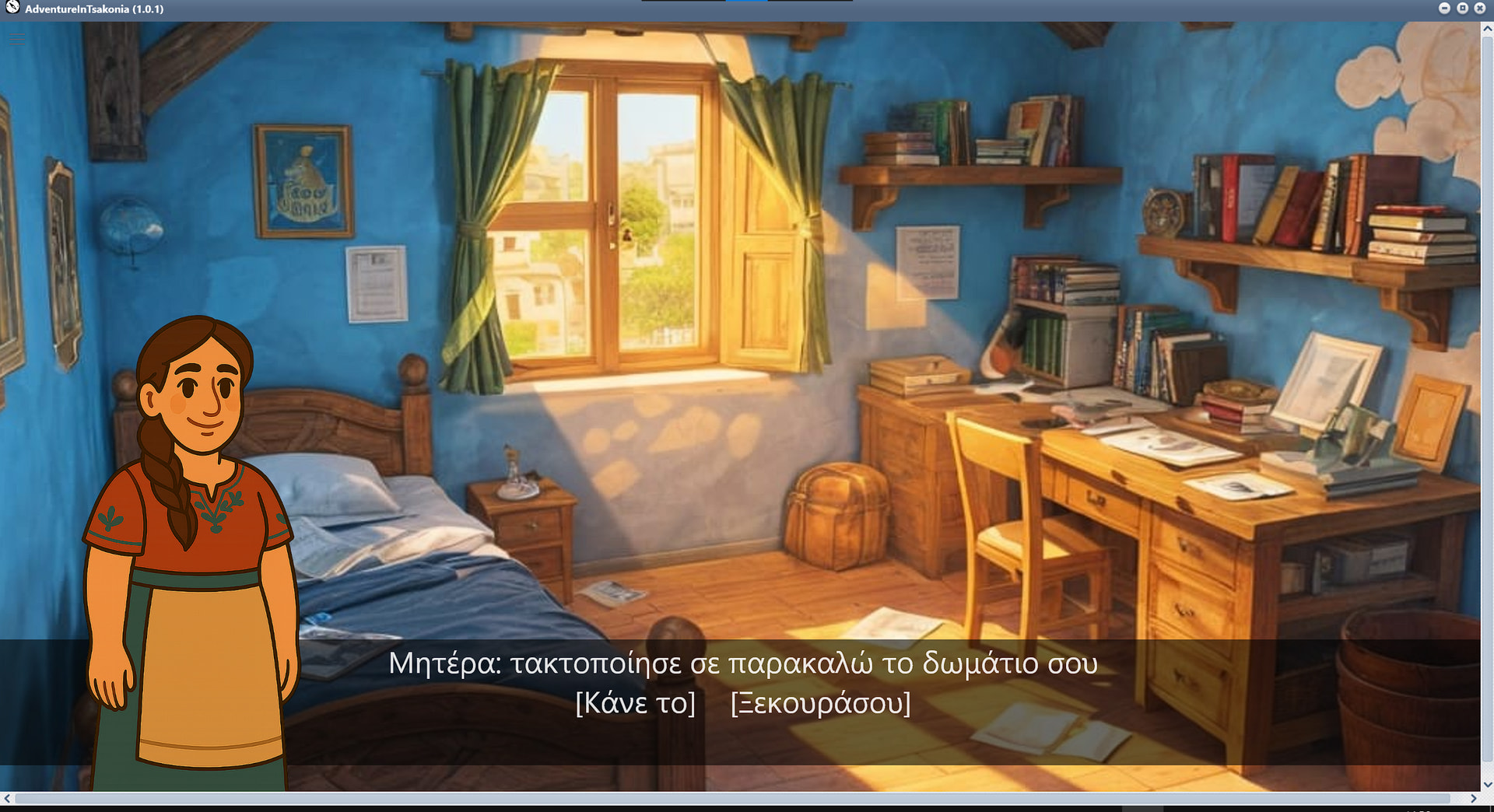
I want to use Canvas to design a screen with a background image, some text and a character over it. Then various dialogue choices link to other screens. Visual-novel style.
But since I can’t visually group overlapping items, I tried to make each screen a separate canvas (which helps organize them) and drag-drop those canvases in a main canvas where I’ll make the choice links (labeled links) that connect those screens.
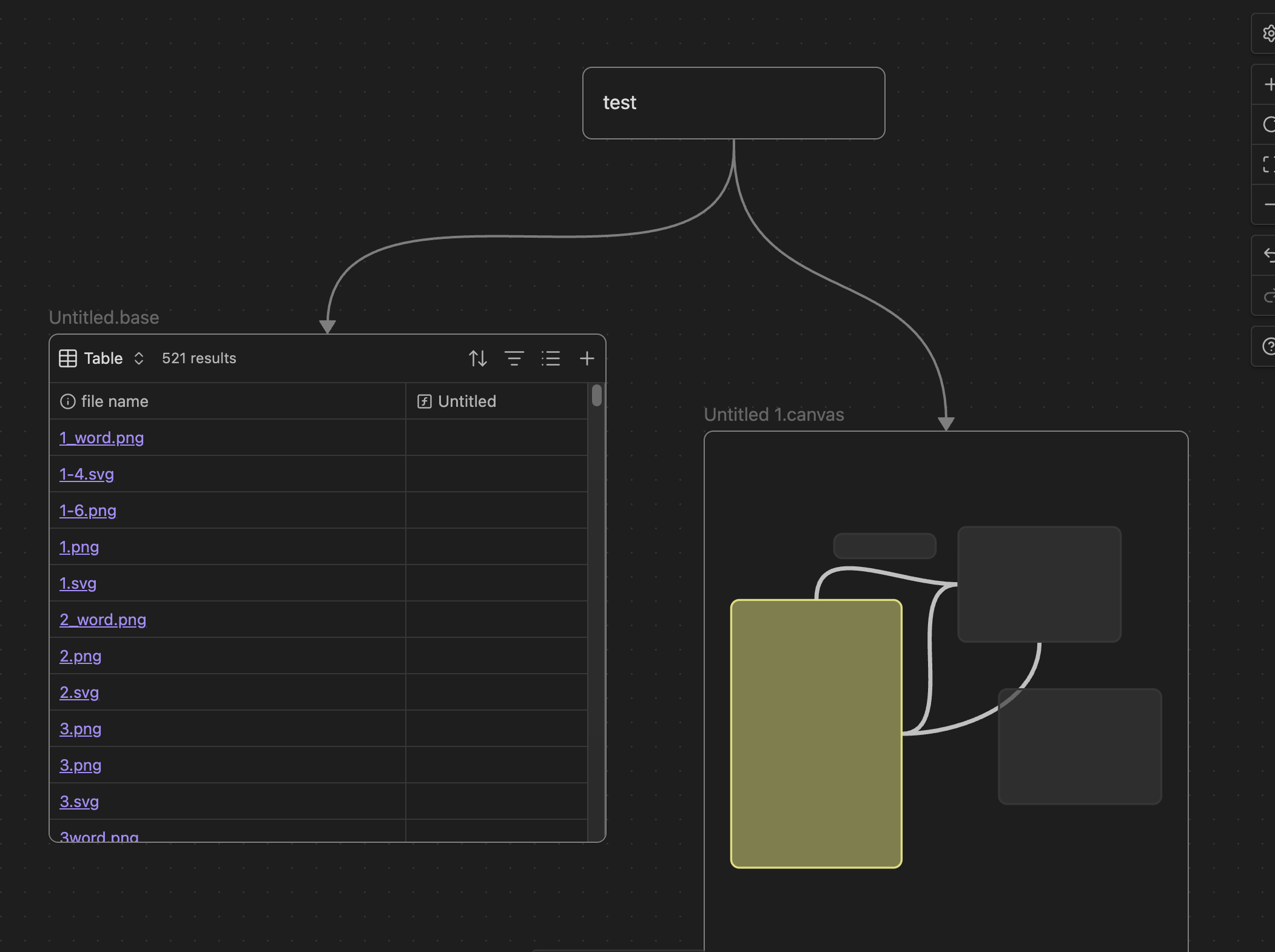
Problem is the Canvas inside another canvas only shows as a diagram of boxes, doesn’t show images. I’d expect it to be able to render the content (as it does if I put say a Base in a Canvas)
Proposed solution
A canvas inside another canvas should have an option to show it either as it is designed or with the current boxed view. The default should be to show it as it was designed I feel (at least for newer projects).
Another idea could be for items in a vault to generate thumbs automatically when edited and containers like canvas shows those thumbs. But that would look ugly at zooming. I prefer it to draw the content infinitely in (Canvas inside Canvas inside Canvas…)
Current workaround (optional)
I could export everytime I edit a screen each screen as image and have those images at the master canvas, but it would be hard to keep in sync and at zooming it wouldn’t have best quality
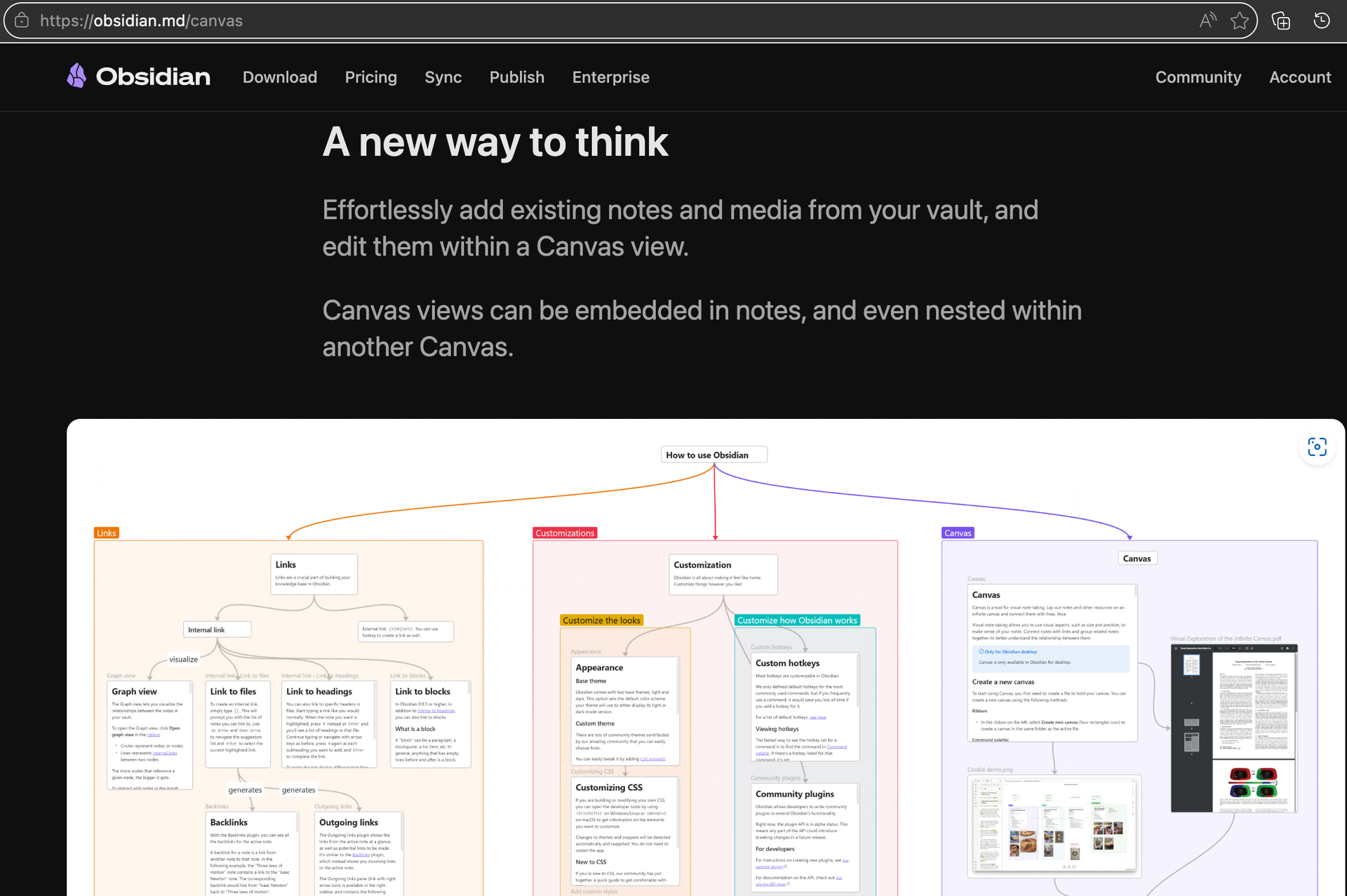
btw, from info on Canvas at website one would think it can display Canvas inside Canvas, so wonder if there’s something wrong with how I use it (installed latest Mac version)
this is what I get, you can see the .base renders inside the canvas, but the .canvas doesn’t (just shows a correct layout but not the images that are in it, nor labels for the links in there (just boxes and connections).
Note that this is a test, in the nested canvas I’d have overlapping images instead (a background image, a character image over it at the side and a text overlay at the bottom with what the character says and the options to choose [those same options would be on the outgoing links at the parent canvas])
Another somewhat alternative (or additional) could be to have, apart from markdown flow-document like notes, also canvas like notes with overlapping items (I mean directly edited in the designer instead of jumping to other editor/document).
But that would be maybe more complex to implement.