Disclaimer
Is this project open source? Yes
Is this project completely free? Yes
Is this project vibe-coded beyond the author’s ability to comprehend how it works? No
Community Directory: Regex Replace
Regex Replace does find and replace with regular expressions, and shows you what the replacement will do before it does it.
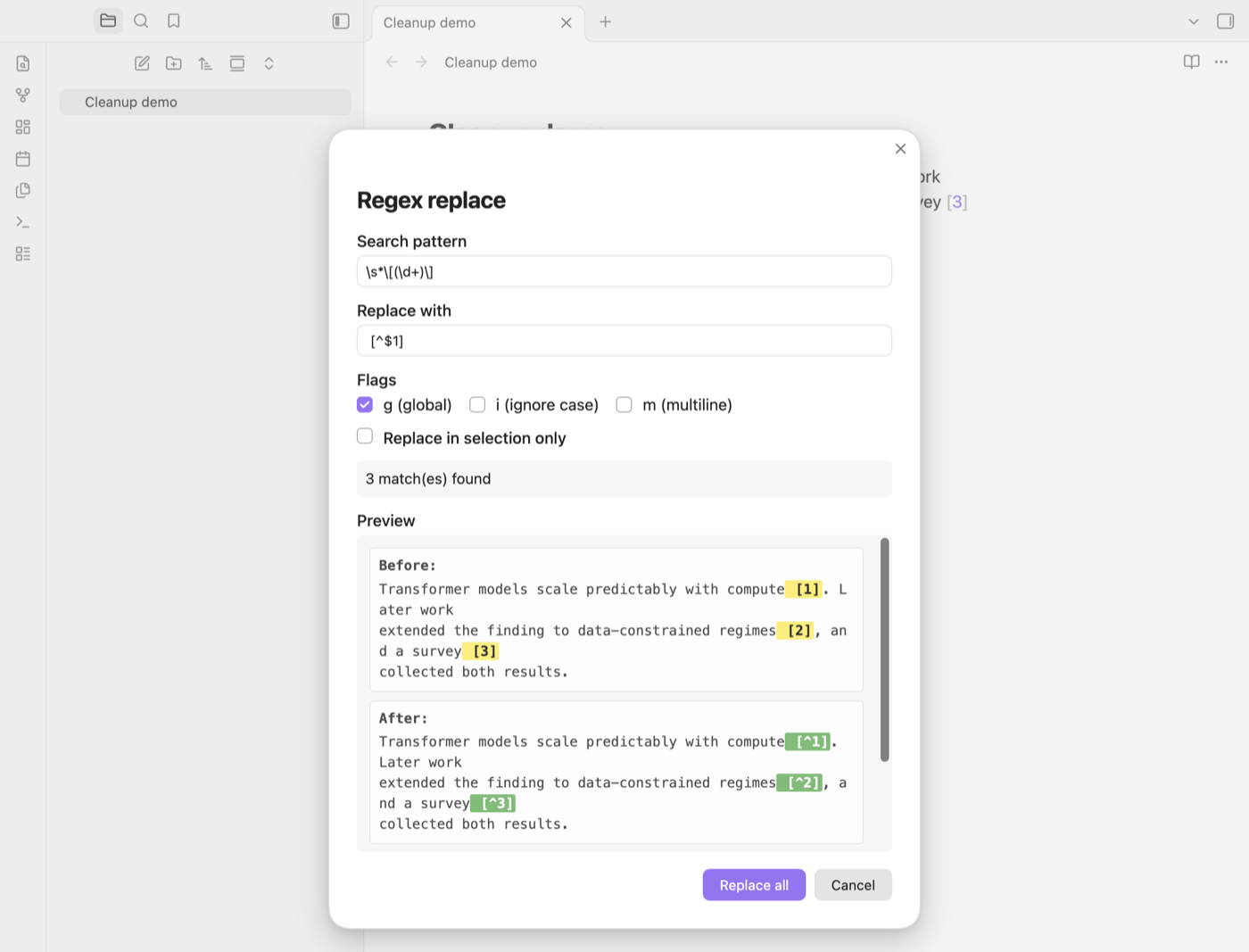
Type a pattern and the dialog gives you the match count and a before/after of the note with every match highlighted. Capture groups, the usual flags, selection-only mode, and a history of recent patterns. Nothing is written until you press Replace.
Replace in vault runs the same thing across every note, or one folder.
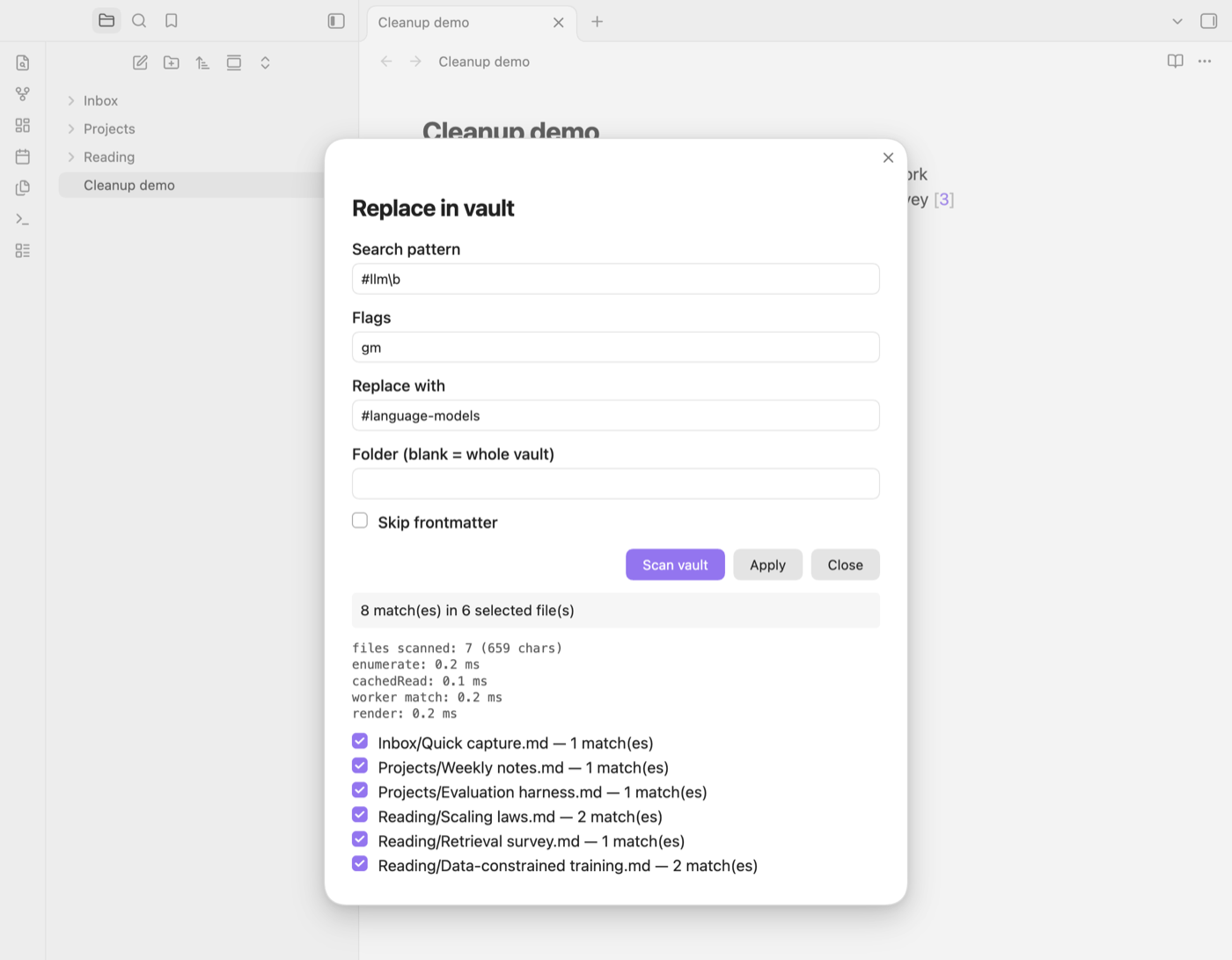
It scans in batches, so the count moves while it works and you can cancel partway. You get one row per matching file with its match count, all ticked: untick what you do not want, click a row to see that file’s matches, and Apply asks once more before writing.
Undo last vault replace puts every file back. A file you edited after the run is skipped rather than reverted, so an undo never eats work you did in between. The same check runs during apply, so a file that changed between the scan and the write is skipped and reported.
A pattern that backtracks catastrophically cannot be interrupted on the thread running it, so matching happens in a worker the main thread can terminate. Match timeout in settings is the leash. Skip frontmatter reads Obsidian’s own metadata rather than guessing at ---, and there is a glob list for paths to leave alone.
You can also save a multi-step ruleset and apply the steps in sequence with a step-by-step preview, and import rulesets you already keep in .obsidian/regex-rulesets/.
The vault commands run on mobile as of 1.3.0. It is still the less-travelled path, so if a scan ever seems to hang on a phone, lower Match timeout and tell me.
Install from Settings → Community plugins and search for Regex Replace. Source, issues and changelog: github.com/bongho/obsidian-regex-replace
Feedback welcome, especially on patterns that behave in ways you did not expect. I will keep posting updates in this thread.