This worked for me. Thanks!
+1 For this… Please please please
I wrote a snippet to change MM-DD-YYYY to DD-MM-YYYY.
Before: 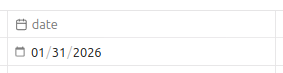
After: 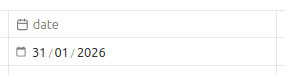
Place this in your snippets folder, and enable it under Settings > Appearance.
Not perfect, but works.
/* Reorder date input from MM-DD-YYYY to DD-MM-YYYY */
.metadata-input.mod-date[type="date"]::-webkit-datetime-edit-fields-wrapper {
  display: flex;
}

.metadata-input.mod-date[type="date"]::-webkit-datetime-edit-day-field {
  order: 1;
}
.metadata-input.mod-date[type="date"]::-webkit-datetime-edit-month-field {
  order: 2;
}
.metadata-input.mod-date[type="date"]::-webkit-datetime-edit-year-field {
  order: 3;
}

/* Hide native separators (they render as "//" at start when reordered) */
.metadata-input.mod-date[type="date"]::-webkit-datetime-edit-text {
  display: none;
}

/* Add slashes via background (::before/::after not supported on date pseudos) */
.metadata-input.mod-date[type="date"]::-webkit-datetime-edit-day-field,
.metadata-input.mod-date[type="date"]::-webkit-datetime-edit-month-field {
  padding-right: 1ch;
  background-image: url("data:image/svg+xml,%3Csvg xmlns='http://www.w3.org/2000/svg' viewBox='0 0 8 16'%3E%3Ctext x='0' y='12' font-size='12' fill='%23888' font-family='system-ui'%3E%2F%3C%2Ftext%3E%3C%2Fsvg%3E");
  background-repeat: no-repeat;
  background-position: right -2px center;
  background-size: 0.6em 1em;
}
Bless you - this is perfect, thank you!
Thank you this worked perfectly, was diring me insane. So had to make an account just to thank you.
Thanks for this! I noticed it only seems to work for date properties, not date & time properties. I tried my hand at adapting the CSS snippet to apply to date & time but couldn’t hack it. Any ideas how that could be done?
For anyone interested, here is an adaptation of @bcarbonn ‘s CSS snippet that renders the date property as YYYY-MM-DD rather than DD/MM/YYYY:
/* Reorder date input from MM-DD-YYYY to DD-MM-YYYY */
.metadata-input.mod-date[type="date"]::-webkit-datetime-edit-fields-wrapper {
  display: flex;
}

.metadata-input.mod-date[type="date"]::-webkit-datetime-edit-day-field {
  order: 3;
}
.metadata-input.mod-date[type="date"]::-webkit-datetime-edit-month-field {
  order: 2;
}
.metadata-input.mod-date[type="date"]::-webkit-datetime-edit-year-field {
  order: 1;
}

/* Hide native separators (they render as "//" at start when reordered) */
.metadata-input.mod-date[type="date"]::-webkit-datetime-edit-text {
  display: none;
}

/* Add dashes via background (::before/::after not supported on date pseudos) */
.metadata-input.mod-date[type="date"]::-webkit-datetime-edit-year-field,
.metadata-input.mod-date[type="date"]::-webkit-datetime-edit-month-field {
padding-right: 1ch;
background-image: url("data:image/svg+xml,%3Csvg xmlns='http://www.w3.org/2000/svg' viewBox='0 0 10 16'%3E%3Ctext x='0' y='16' font-size='22' fill='%23444' font-family='system-ui'%3E-%3C%2Ftext%3E%3C%2Fsvg%3E");
background-repeat: no-repeat;
background-position: right -2px center;
background-size: 0.6em 1em;
}
There’s been a common misconception since forever, in computer software, that locale == language. Perhaps especially among US developers, but that could be a misleading impression. Within the field of IT, at least, there are many languages in which there are few or no universally established localized/national terms for many technical concepts and elements. As such, English easily becomes the international language, and the most obvious language of reference. Personally, I’ve always used English as the system language on all devices, since childhood. Mobile phones, computers, IoT devices, everything except the kids’ personal devices. The US date format, on the other hand, is in my opinion the most backwards of them all. There is an ISO standard, and that’s the one I want to use. Going to try the CSS workaround.
While the snippet works, it’s a bit awkward and indeed, conflating language with the various localization formats is suboptimal. This would really be very useful.
While I am 100% missing the larger idea for the date/time concern, I would like toss out my simple method for handling this that may be insufficient for the OP’s use case.
My computer is set for MM/DD/YYYY and I am honestly too lazy to care about changing it. And yes that is pretty lazy, LOL.
But, as an engineer, my method for ensuring that i have my notes and files organized in a way that I can easily find them, I use YYYYMMDD_file_name in file names and in my Obsidian metadata I use a text field with Templates from the Core Plugins.
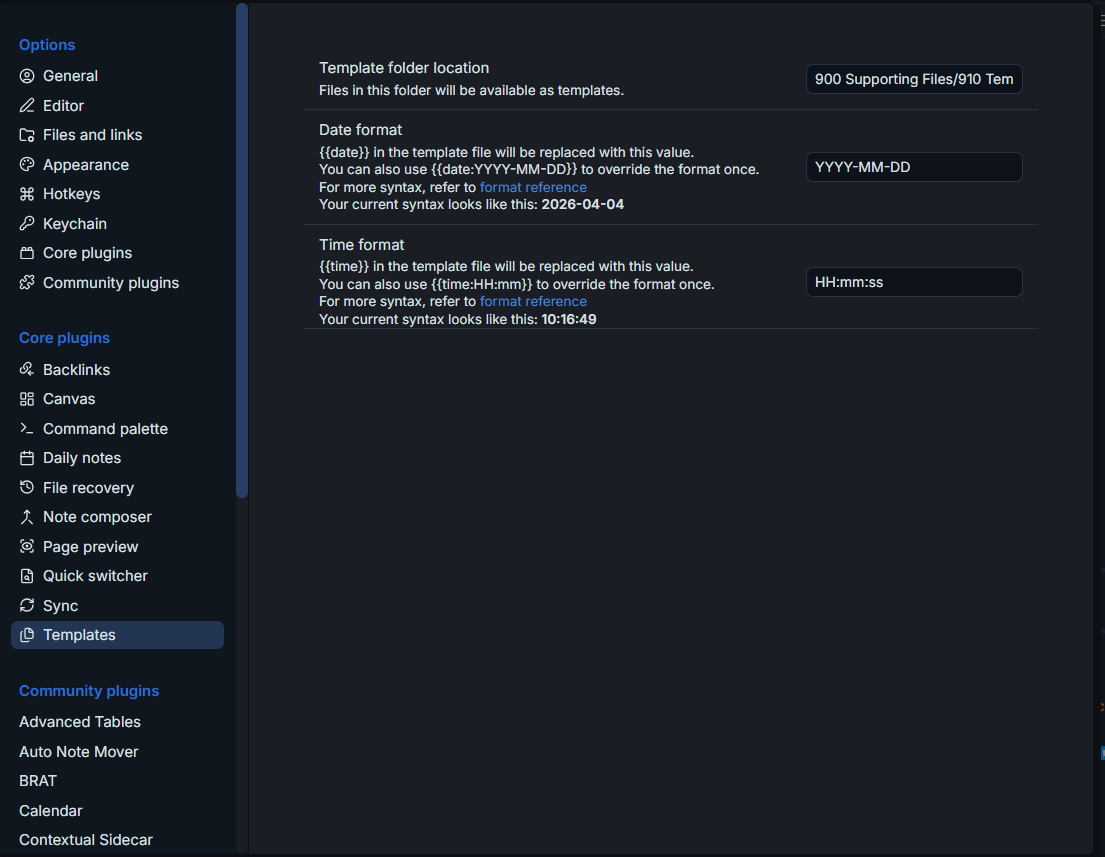
So in my Daily Note template for instance I have {{date:YYYY-MM-DD HH:mm:ss}}(see below)
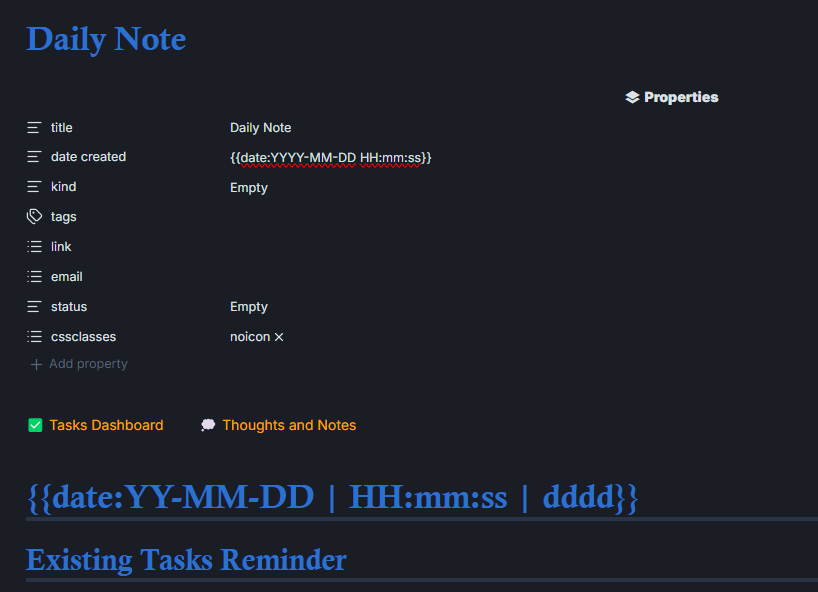
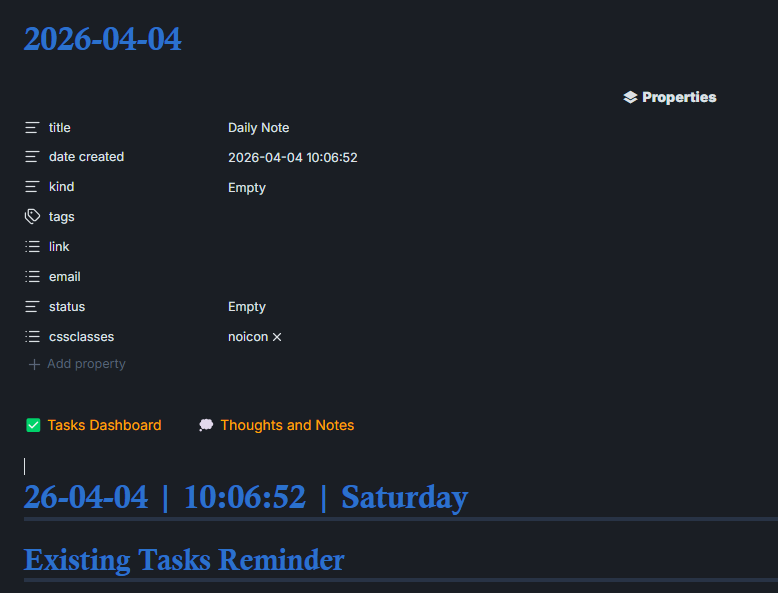
I realize this is not at all a solution or anything, but maybe will help until a reasonable solution is available.
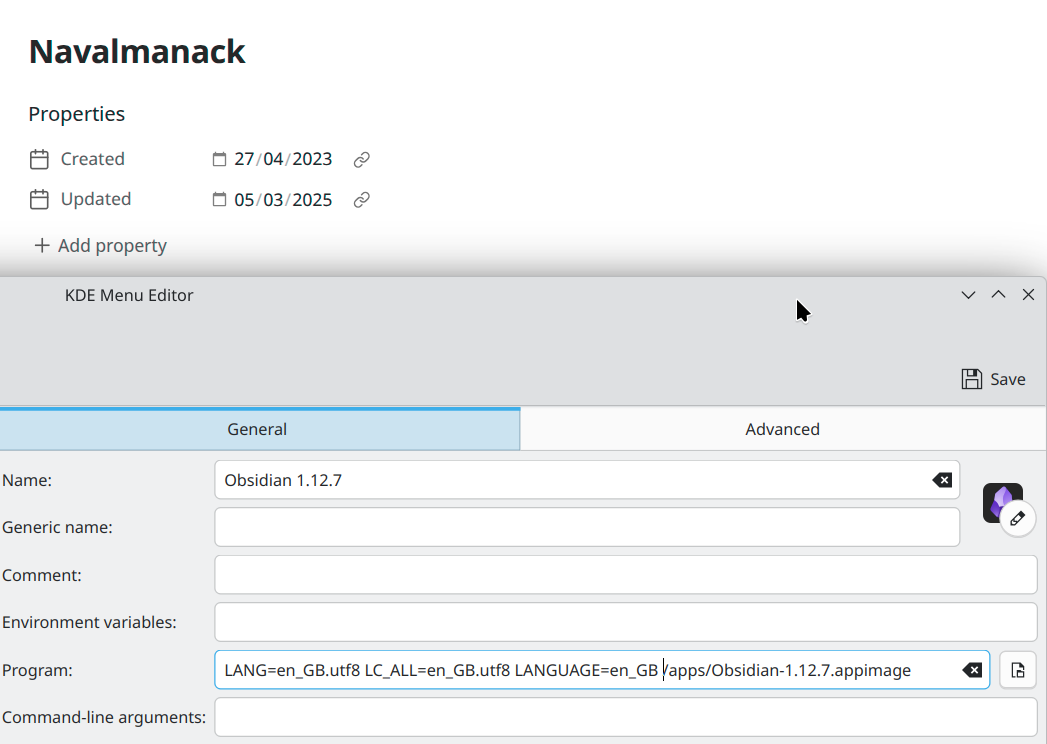
Workaround for linux (debian)
This did the trick for me.
Date format in properties now is dd/mm/yyyy.
Add this to your .bashrc or .bash_aliases:
alias obsidian-iso='LANG=en_GB.UTF-8 LANGUAGE=en_GB.UTF-8 LC_TIME=en_GB.UTF-8 /opt/Obsidian/obsidian'
start Obsidian from console with
obsidian-iso
You can create a custom menu entry if you like to.
Just extending what @bcarbonn did
/* Same but datetime */
.metadata-input.mod-datetime[type="datetime-local"]::-webkit-datetime-edit-fields-wrapper {
  display: flex;
}

.metadata-input.mod-datetime[type="datetime-local"]::-webkit-datetime-edit-day-field {
  order: 3;
}
.metadata-input.mod-datetime[type="datetime-local"]::-webkit-datetime-edit-month-field {
  order: 2;
}
.metadata-input.mod-datetime[type="datetime-local"]::-webkit-datetime-edit-year-field {
  order: 1;
}

/* Hide native separators (they render as "//" at start when reordered) */
.metadata-input.mod-datetime[type="datetime-local"]::-webkit-datetime-edit-text {
  display: none;
}

/* Add dashes via background (::before/::after not supported on date pseudos) */
.metadata-input.mod-datetime[type="datetime-local"]::-webkit-datetime-edit-year-field,
.metadata-input.mod-datetime[type="datetime-local"]::-webkit-datetime-edit-month-field {
padding-right: 1ch;
background-image: url("data:image/svg+xml,%3Csvg xmlns='http://www.w3.org/2000/svg' viewBox='0 0 10 16'%3E%3Ctext x='0' y='16' font-size='22' fill='%23444' font-family='system-ui'%3E-%3C%2Ftext%3E%3C%2Fsvg%3E");
background-repeat: no-repeat;
background-position: right -2px center;
background-size: 0.6em 1em;
}

/* Add colon via background (::before/::after not supported on date pseudos) */
.metadata-input.mod-datetime[type="datetime-local"]::-webkit-datetime-edit-minute-field,
.metadata-input.mod-datetime[type="datetime-local"]::-webkit-datetime-edit-hour-field {
padding-right: .5ch;
background-image: url("data:image/svg+xml,%3Csvg xmlns='http://www.w3.org/2000/svg' viewBox='0 0 10 16'%3E%3Ctext x='4' y='14' font-size='16' fill='%23444' font-family='system-ui'%3E:%3C%2Ftext%3E%3C%2Fsvg%3E");
background-repeat: no-repeat;
background-position: right -2px center;
background-size: 0.6em 1em;
}
/* Add space between time and date via background (::before/::after not supported on date pseudos) */
.metadata-input.mod-datetime[type="datetime-local"]::-webkit-datetime-edit-second-field {
padding-right: 1.5ch;
}
To maximize value, I hope this FR to encompass relative date displays too, if not customizable then like GitHub/Discourse in comments/posts is okay.
Add my name to the list of people who would like to see dates formatted properly with ISO 8601. I’ve implemented the CSS fixes from @bcarbonn and @aracyladev, but I find they don’t fix the problem on my Android phone (it’s most of the way there, but shows 12hr times instead of 24hr).
count me in, the current solution makes me unhappy