Plugin: Nexus AI Chat Importer: Import ChatGPT and Claude, Mistral Le Chat and Perplexity conversations to your vault

Nexus AI Chat Importer 1.0.7 Release

Happy to announce version 1.0.7 of the Nexus AI Chat Importer plugin!

What’s New

  • Direct Chat Access: Added direct URL to chat conversations in note headers, complementing the existing inline title link
  • Dynamic Upgrade Notifications: New system that fetches release notes directly from GitHub for better upgrade information
  • Streamlined Import Process: Removed unnecessary provider selection dialog, simplifying the user experience

Technical Improvements

  • Complete modular refactoring preparing for multiple provider support (Claude coming next!)
  • Enhanced error handling and version management
  • Improved note formatting organization

Upgrading

Users of version 1.0.2 and later can simply update through Obsidian’s community plugins. No action required for existing data.

:warning: If upgrading from pre-1.0.2: Please delete old data and re-import conversations for full functionality.

Links

Thanks for using Nexus AI Chat Importer! :folded_hands:

:hot_beverage: Support My Work

If this plugin simplifies your life, consider supporting its development:

Support me on Ko-fi

Suggested amounts:

  • $5 - Fuel my coding sessions with caffeine :hot_beverage:
  • $25 - Power my AI development tools :robot:
  • $75 - Supercharge my entire dev toolkit :rocket:

Your support helps me continue building useful tools and explore new ways of making your life easier.


@iiz :backhand_index_pointing_up:

:rocket: Nexus AI Chat Importer v1.0.8 - Critical Performance Fix Released!

Important update for users with large conversation collections:

If you’ve imported 1000+ conversations and noticed Obsidian becoming painfully slow to start up, please update to v1.0.8 immediately. This version fixes a critical performance issue that was causing 30+ second startup times.

What’s fixed:

  • Eliminated file scanning that slowed down Obsidian startup
  • Much faster navigation between notes
  • Better memory usage
  • Optimized for large conversation collections (tested with 4000+ conversations)

How to update:
Go to Settings → Community plugins → Browse → Search for “Nexus AI Chat Importer” → Update

The plugin now handles thousands of imported conversations without any performance impact on Obsidian.


:hot_beverage: If this plugin makes your life easier, consider supporting development:
Ko-fi

Download: Available now through Obsidian’s Community Plugins


1 Like

There is still a major performance issue while opening Obsidian when the catalog contains a large amount of entries.

I’m actively working on fixing this. Please stay posted. release 1.1.0 will be released in the next hours. And it will bring huge new feature :wink:

1 Like

I am thrilled to provide you the latest release of my plugin. Extensive work has been made to make it way better.

:rocket: Nexus AI Chat Importer v1.1.0 is here!

Your ChatGPT conversations now import with full attachment support! DALL-E images, documents, and files are automatically extracted and linked when available in your export archive.

:sparkles: What’s new:

  • :paperclip: Attachment import - Images and files saved to your vault
  • :artist_palette: DALL-E support - Generated images with prompts preserved
  • :bar_chart: Enhanced reports - See exactly which files were found/missing
  • :counterclockwise_arrows_button: Reprocess option - Add attachments to conversations imported before v1.1.0
  • :link: Smart linking - Missing files link directly to original conversation

:high_voltage: Performance fix: Resolved startup slowdown for users with large conversation collections.

Files are organized in Attachments/chatgpt/images/ and reports show clear status: :white_check_mark: found, :warning: partial, :cross_mark: missing. Attachment import is optional and can be disabled in settings.


:hot_beverage: If this plugin makes your life easier, consider supporting development:
Ko-fi

Download: Available now through Obsidian’s Community Plugins


Full release notes

Hi @28px ,

Have you tried 1.1.0 ?

Can you please confirm it’s working as expected on your archives ?

this is very exciting! looking forward to it. the chatgpt imports (+ attachments !!) is incredibly useful!

1 Like

Thank you for stopping by. Positive feedback is always very encouraging.

:tada: Nexus AI Chat Importer v1.2.0: Claude Support is Here!

Overview

Import your AI chat conversations from ChatGPT and Claude exports into Obsidian as beautifully formatted Markdown files. This major update introduces the highly anticipated Claude conversation support with advanced artifact management.

:hot_beverage: Support My Work

I spend about $100/month for A.I. services, not counting my time and other expenses. If this plugin makes your life easier, consider supporting its development:

Support me on Ko-fi

Suggested amounts:

  • $5 - Fuel my coding sessions with caffeine :hot_beverage:
  • $25 - Power my AI development tools :robot:
  • $75 - Supercharge my entire dev toolkit :rocket:

Your support helps me continue building useful tools and explore new ways of making your life easier.

:glowing_star: What’s New

:artist_palette: Full Claude Support

  • :speech_balloon: Complete Claude.ai conversation import
  • :artist_palette: Artifact versioning with separate files per modification
  • :link: Version-specific links within conversations

Enhanced Experience

  • :artist_palette: Colored message boxes for better readability
  • :stopwatch: Import progress dialog with real-time feedback
  • :high_voltage: 50%+ faster processing performance

:inbox_tray: Install

Go to Community Plugins → Browse → search for “Nexus” (first install) or check for updates.

Note: Upgrade will reformat and reorganize existing conversations.

:gear: Settings

  • Date Format: Add a date suffix and select your preferred presentation (with or without dashes)
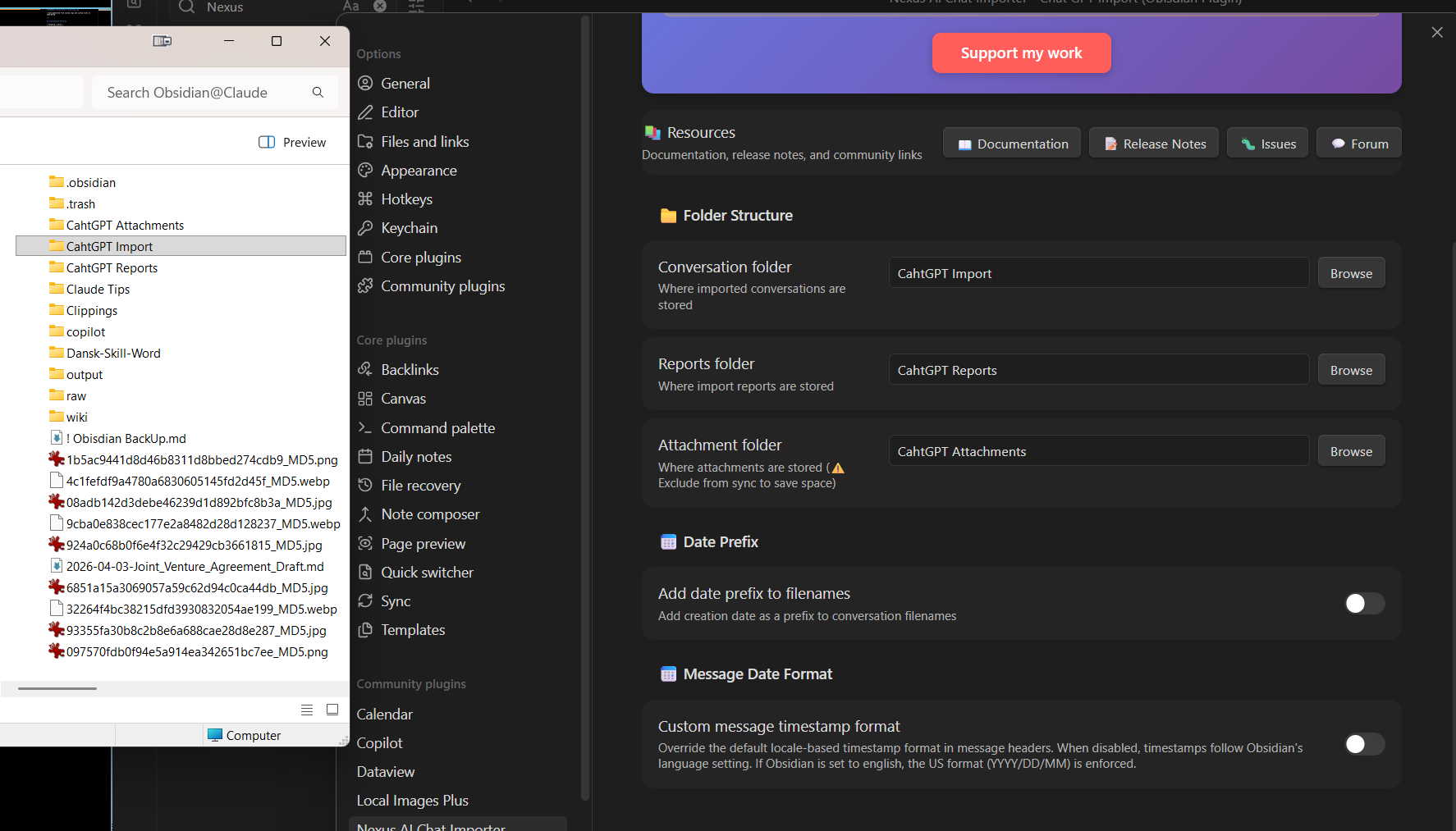
  • Archive Folder: Where conversations are stored
  • Attachment Folder: Where images/files are saved
  • Import Attachments: Enable/disable attachment extraction
  • Skip Missing Attachments: Continue import if files are missing

:light_bulb: Recommendations

  • Exclude the Nexus attachment folder from sync
  • Use Reading View for better user experience

:outbox_tray: Get Export Files

ChatGPT: Settings → Data Controls → Export data
Claude: Settings → Privacy → Export data

:inbox_tray: Import in Obsidian

Click the chat+ icon, or Ctrl+P → Type “Nexus” → Select “Select zip file to process”

Select ChatGPT or Claude. You can select multiple files - they’ll be processed chronologically.

Be patient: Large archives may take time and impact Obsidian performance during indexing.


GitHub: View on GitHub

1 Like

Hi everyone! :waving_hand:

:tada: Nexus AI Chat Importer v1.3.0 — Selective Import is Here!

I’m excited to announce version 1.3.0 of Nexus AI Chat Importer, bringing major improvements to how you import your ChatGPT and Claude conversations into Obsidian.

:bullseye: What’s New

Selective Import

  • Choose exactly which conversations to import from your ZIP files
  • Process multiple ZIP files in a single operation with automatic deduplication
  • Preview conversation details (title, date, message count, attachments) before importing
  • Sort and filter conversations to find what you need

Enhanced Organization

  • Separate folder settings for conversations, attachments, and reports
  • Better folder management with migration assistance
  • Improved import reports with per-file statistics

International Support

  • ISO 8601 timestamps in frontmatter for universal compatibility
  • Custom message timestamp formats (ISO, US, European, UK, German, Japanese)
  • Fixed parsing issues for non-US locales

Better User Experience

  • Modern dialogs with comprehensive information
  • Real-time progress tracking for long operations
  • Detailed completion summaries
  • 26+ bug fixes across import processing, UI, and settings

:inbox_tray: Download

Available now on the Community Plugins page, or download directly from GitHub.

:open_book: Documentation

:counterclockwise_arrows_button: Upgrading

If you’re already using the plugin, the update will be available through Obsidian’s Community Plugins settings. All migrations are handled automatically—no manual intervention required.

:hot_beverage: Support

This plugin is free and open source. If you find it valuable, consider supporting development on Ko-fi. Your support helps me continue improving the plugin and adding new features.


Questions, feedback, or issues? Feel free to reply here or open an issue on GitHub.

Happy importing! :rocket:

1 Like

Update on Claude Artifacts Import

Claude has modified how Artifacts are handled in their latest version.

I’m currently investigating to understand exactly what changed.

Unfortunately, version 1.3.0 of the plugin cannot properly import artifacts from the latest Claude archives: imported notes come through empty.

I’m working on a fix and will release version 1.3.2 ASAP. Stay tuned!

Nexus AI Chat Importer v1.3.2 Released - Critical Bug Fixes

Hi everyone! :waving_hand:

I just released v1.3.2 which fixes critical issues with Claude imports.

:counterclockwise_arrows_button: What Happened

Anthropic changed Claude’s export format without warning. The old format used tool_use blocks with name: 'artifacts', but the new format uses create_file and str_replace tool calls. This caused all Claude artifacts (code files, markdown, etc.) to be completely ignored in recent imports.

:bug: What’s Fixed

Critical Fixes

  • Claude artifacts now work with the new export format
    • All text-based artifacts (code, markdown, etc.) are now properly extracted
    • Binary files show as attachment callouts with proper links
  • Fixed crashes during import (missing logger errors in 9 files)
    • Prevents ReferenceError: logger is not defined crashes

Other Fixes

  • Fixed weird formatting in conversations with multiple attachments
  • Removed orphaned separators between messages
  • Fixed nested callout quote breaking
  • Better messages when re-importing conversations
  • Fixed ChatGPT research prompts incorrectly detected as DALL-E prompts

:inbox_tray: How to Get Your Missing Files Back

If you imported Claude conversations recently and noticed missing code files:

  1. Delete the affected conversations from your vault
  2. Re-import the same ZIP file
  3. Everything will be there now! :white_check_mark:

:link: Download

GitHub Release: Release v1.3.2 - Bug Fixes & Claude Format Update · Superkikim/nexus-ai-chat-importer · GitHub

The plugin should auto-update through Obsidian’s Community Plugins in the next few hours.

:folded_hands: Support

If you find this plugin valuable, please consider supporting its development:

Support me on Ko-fi

Your support helps me fix bugs faster and add new features! Even $5 makes a difference! :folded_hands:


Questions or issues? Reply to this thread and I’ll help you out!

Cheers,
Akim

Nexus AI Chat Importer v1.4.0 Released - Le Chat, CLI, & Claude Improvements

Hi everyone! :waving_hand:

I’m excited to release v1.4.0 — a big update with a new provider, a CLI tool, and important Claude improvements.

:rocket: What’s New

:robot: Le Chat (Mistral AI) Support

You can now import your Mistral AI Le Chat conversations! The plugin handles attachments, references, and citations. Since Le Chat exports don’t include conversation titles, the plugin auto-generates one from your first message.

:desktop_computer: Command-Line Interface (CLI)

A standalone CLI tool lets you import conversations without opening Obsidian — useful for automation, large archives, or headless setups.

  • All providers supported: --provider chatgpt, --provider claude, or --provider lechat

  • Preview with --dry-run

  • Full feature parity with the plugin

Contributed by @caseyg via PR #33 :tada:

:file_folder: Human-Readable Artifact Folders

Claude artifacts are now stored in folders that match the conversation name instead of cryptic UUIDs.

  • Before: artifacts/a3663666-58a8-4835-bef1-308fb59c8609/

  • After: artifacts/2026-02-10 - My Conversation/

Existing UUID-based folders are renamed automatically on first launch, and all wikilinks are updated.

:triangular_ruler: LaTeX Math Conversion

\[...\] and \(...\) math delimiters are now automatically converted to Obsidian’s $$...$$ and $...$ syntax. Code blocks are left untouched.

:counterclockwise_arrows_button: Migration: Artifact Callout Restoration

Anthropic changed the structure of their Claude export format. Conversations imported with v1.3.x may be missing inline artifact callouts — even though the artifact files themselves were correctly extracted to disk. This is not a plugin bug, but a consequence of Anthropic’s export format change.

The v1.4.0 migration automatically detects affected notes and restores artifact links at the end of each note. To get artifacts positioned inline within messages, delete the affected note and re-import from your Claude export ZIP.

:bug: Bug Fixes

  • Multiple attachments in a single message no longer break out of the parent callout

  • Claude artifacts now render correctly for both old and new export formats

  • Conversations on mobile no longer show raw placeholder text instead of artifact links

  • Binary files referenced by Claude scripts are no longer saved as empty artifacts

:link: Download

GitHub Release: https://github.com/Superkikim/nexus-ai-chat-importer/releases/tag/1.4.0

The plugin should auto-update through Obsidian’s Community Plugins in the next few hours.

:folded_hands: Support

If you find this plugin valuable, please consider supporting its development:

[Image]

Your support helps me fix bugs faster and add new features! Even $5 makes a difference! :folded_hands:


Questions or issues? Reply to this thread and I’ll help you out!

Cheers,
Akim

Nexus AI Chat Importer v1.5.4 Released — Full UI Localization & Bug Fixes

Hi everyone! :waving_hand:

I’m happy to release v1.5.4, which bundles the headline feature from v1.5.0 — complete UI localization — with a series of bug fixes and polish updates.


:globe_showing_europe_africa: Full UI Localization (10 Languages)

The plugin UI is now fully internationalized and automatically matches your Obsidian interface language — no configuration required.

Supported languages: English · French · German · Spanish · Italian · Russian · Chinese (Simplified) · Japanese · Portuguese · Korean

Every dialog, settings panel, progress modal, and import notice is translated. Import reports and conversation note content remain in English to keep your vault content consistent regardless of language.


:bug: Bug Fixes (v1.5.4)

Le Chat — Generated Images
Assistant-generated images now display a clean “Not included in export” callout with a proper filename (generated-image.jpg) and a direct link to the original conversation, instead of a raw UUID path.

Missing Attachment Callouts — All Providers
All missing attachment callouts are now a single clean line across Le Chat, ChatGPT, and Claude:

:warning: Not included in export. Open original conversation

ChatGPT — Multi-ZIP Regression Fix
User-uploaded images were incorrectly marked as “Not included in export” when importing multiple ZIP archives simultaneously — even when the images existed in older archives. This regression is now fixed, restoring the behavior from v1.2.x.

Support Links & Branding
Support links updated to nexus-prod.dev, support box and donation messaging fully localized across all 10 languages.


:link: Download

GitHub Release: Release v1.5.4 — UI & Branding Polish · Superkikim/nexus-ai-chat-importer · GitHub

The plugin should auto-update through Obsidian’s Community Plugins in the next few hours.


:open_book: Documentation

Full documentation is available at: Nexus AI Chat Importer — Import ChatGPT, Claude & Le Chat into Obsidian


:folded_hands: Support

This plugin is free and always will be. If you find it valuable, please consider supporting its development:

:backhand_index_pointing_right: Support this project on nexus-prod.dev

Your support helps me fix bugs faster and add new features! :folded_hands:

Questions or issues? Reply to this thread and I’ll help you out!

Cheers,
Akim

Nexus AI Chat Importer v1.5.5

This is an important maintenance update for OpenAI users and anyone importing large archives.

1. OpenAI export structure change

OpenAI recently modified the structure of its conversation exports.
Conversation files are now split differently, and new exports are no longer compatible with plugin versions earlier than 1.5.5.

If you import recent OpenAI archives, updating to v1.5.5 is required.

2. Memory usage improvement for large archives

Until v1.5.4, archives were fully loaded into memory during import.
With very large exports, this created a potential risk of high RAM usage and possible crashes.

Version 1.5.5 improves the import process to significantly reduce memory pressure and eliminate that risk.


:folded_hands: Support

This plugin is free and always will be. If you find it valuable, please consider supporting its development:

:backhand_index_pointing_right: Support this project on nexus-prod.dev: Support Nexus AI Chat Importer — Help Keep It Free

Your support helps me fix bugs faster and add new features! :folded_hands:

Questions or issues? Reply to this thread and I’ll help you out!

Cheers,

Akim

1 Like

Nexus AI Chat Importer v1.5.7

This is an important reliability update focused on import stability and clearer reporting, especially for large archives and mobile usage.

:sparkles: New

  • Automatic provider detection from the first supported selected archive

  • Split import reports for better readability:

    • import summary

    • index heavy

    • index mobile

:wrench: Improved

  • Unified ZIP processing model on desktop and mobile (scan first, then targeted reads only)

  • Mobile imports now run one ZIP at a time for more predictable memory usage

  • Better handling for already-imported archives on mobile:

    • reprocess/recreate all notes

    • add/update missing or changed notes

  • First-install UX: Get Started now opens plugin settings directly

  • Upgrade fallback “What’s New” content aligned with 1.5.7 behavior

:bug: Bug Fixes

  • ChatGPT numbered exports (conversations-XXX.json) are recognized correctly

  • ChatGPT user-uploaded image extraction in multi-ZIP flows is restored/stabilized

  • Missing message updates in Claude imports are handled correctly

  • Unsupported ZIPs are classified earlier and skipped more cleanly

  • Large archive handling no longer depends on full in-memory ZIP loading

  • Mobile logs now expose precise import phases for diagnostics

  • CLI now forces the desktop ZIP reader path in Node.js and stamps correct plugin version metadata

If you test this release, feedback is very welcome, especially for large ZIP imports and mobile behavior.

Support

I’m building and maintaining this plugin without stable income, and currently dealing with health issues.
If the plugin helps you, support really makes a difference:

Hi Superkikim,
Thank you for the effort building this plugin. I am trying to use it but it was not working . I don’t really understand where (or If) I should initiated it.

I just set up the files and folders, as you mentioned in your guide but nothing happened afterwards. Is there any logs or any way for me to know what I’ve done wrong?
Thanks,
Nio

Hi,
I managed to find “+” icon button on the left to start the import. but Once I clicked it I got this error: “No supported archive was detected in the selected ZIP files”…

Hi @asets

What kind of zip file are you trying to import ?

This error messages is usually related to an unsupported provider or archive format.

Can you give a bit more context ?

Thanks Superkikim,
The file is a a Chat GPT back up created. I added a video so that you can watch and better understand why I am getting error: “No supported archive was detected in the selected ZIP files”…

Hey @asets

Thank you for the video. It’s a great way to share feedback. Very insightful, and it gave me ideas for new features.

I just hit the 1000+ bar for downloads of this release. Time to release a new one :wink:

Currently, from OpenAI, only ChatGPT exports are supported in the plug-in. I didn’t know yet OpenAI released an export feature as you showed. That’s great news.

Bear with me.

I’m currently working on 1.6.0, which will bring Perplexity support and some improvements. After that, I plan to work on additional features, and handling OpenAI exports is definitely something I want to implement. However, I can’t commit to a timeline. Sometimes things move quite fast; sometimes they take much longer. It all depends on my availability and on the complexity of the exercise.

Version 1.5.7, for example, was complex and long to release. Still I’m very proud of the memory-handling improvement I made. It was 100% worth it.