How did you get this to work with Switcher++?
I have opening Switcher++ in command-mode set to Ctrl+p, and I just want typing ‘pre’ or ‘prev’ to highlight ‘Toggle Live Preview/Source mode’. However, no matter how many times I use that command, ‘Go to previous tab’ remains the first, highlighted option, so it seems to me Switcher++ doesn’t reorder based on most/recently used.
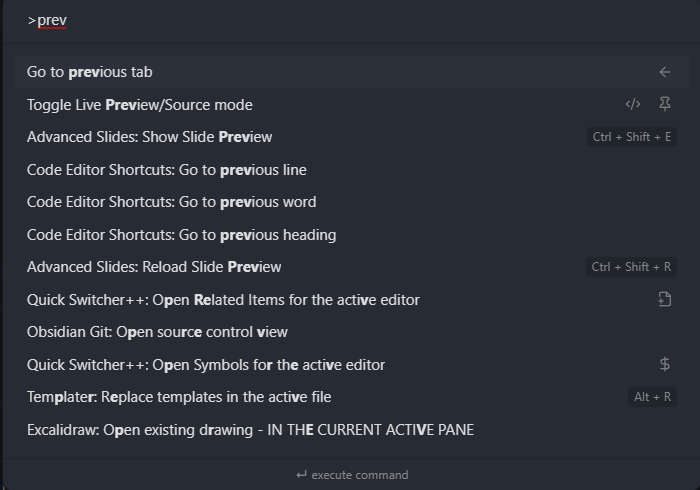
Do I need to change a setting of Switcher++?
The command is also pinned, but those don’t quite work as one might expect. This FR “Pinned commands should always be at the top, even after searching for them” is about that.