Operon 4.4.0: Kanban Boards, Extended
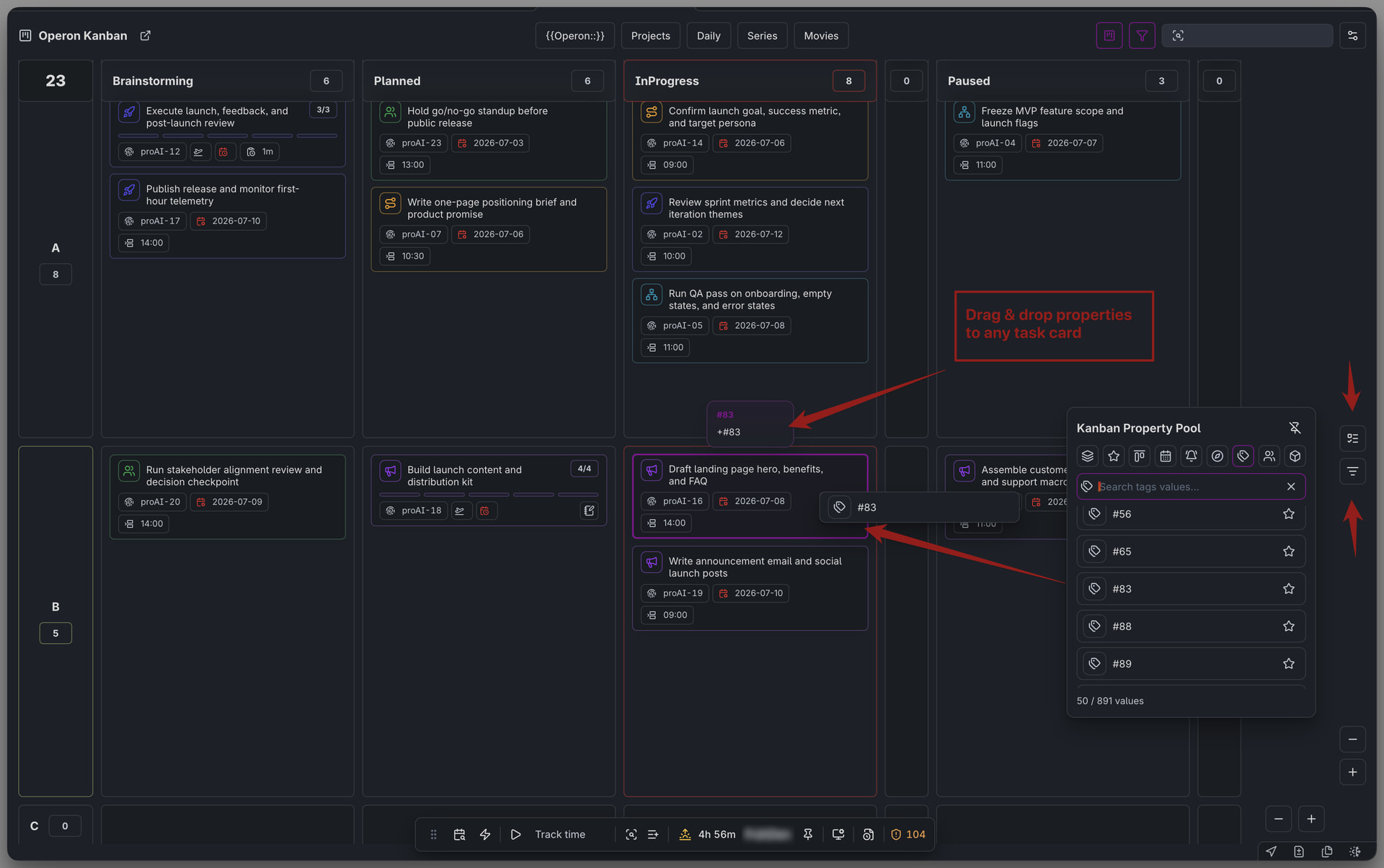
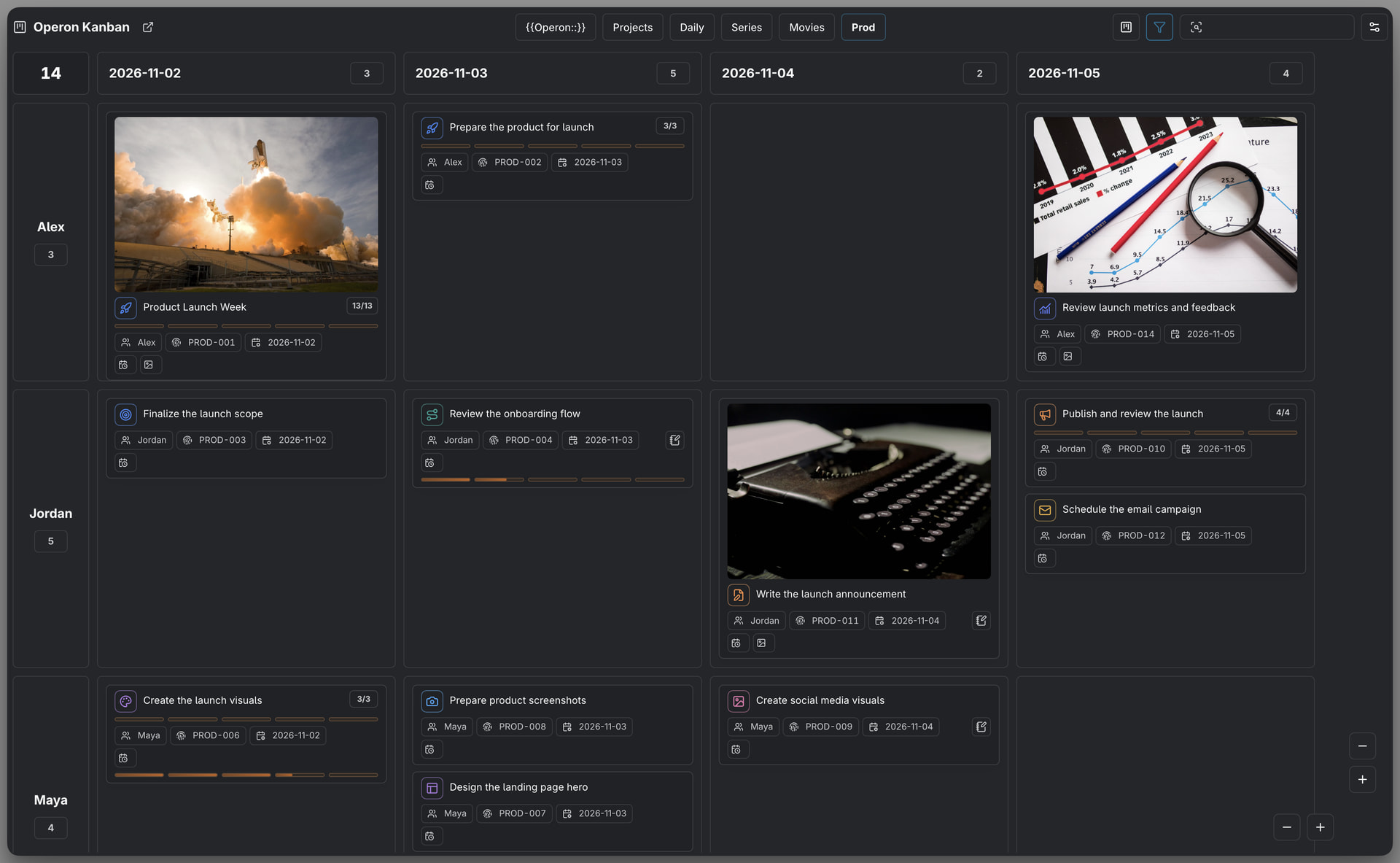
Kanban has been rebuilt around more flexible boards. You can choose what goes on each axis, plan with specific values, and save a different layout for each preset. Large boards also get a major performance improvement, with testing on a board containing hundreds of cells and 7,000 tasks.
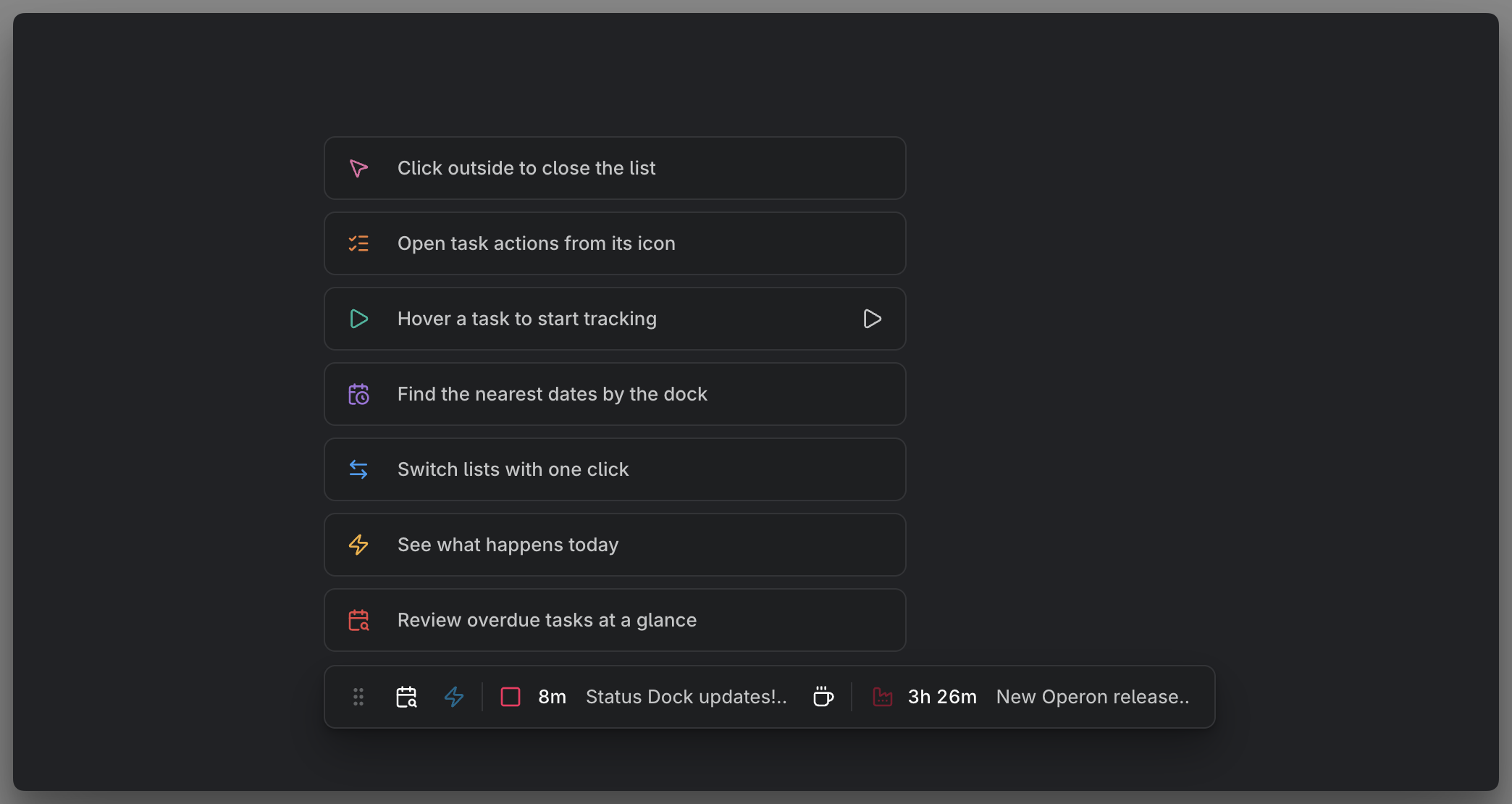
The Status Dock now gives you quick access to Overdue and Today task lists, plus a temporary card for reviewing your last recorded session. You can start tracking or manage tasks without leaving your current view.
New
- Independent Kanban axes: choose properties for columns and swimlanes, including custom keys and supported vault properties. Select the values you want, arrange their order, or leave the selection empty to show all values.
- Overdue and Today lists in the Status Dock: open matching tasks without switching views. Hover over a card to start or stop tracking. The nearest dates and times appear closest to the dock.
- Last-session card: review a recorded session in a temporary card above the dock. Click its duration to edit it; the ten-second timeout pauses while you interact with the card.
- Task Occurrence Date: filter, sort, and display recurring tasks by their stored occurrence dates, helping you find missed tasks. Repeat reference date remains separate.
Improved
- Preset-specific layouts: save column width and cell height for each board, or adjust them directly with floating −/+ controls. Choose No swimlanes for a classic layout.
- Large boards: only nearby cells are rendered, visited cells retain their scroll position, and scrolling continues through the board when a cell reaches its edge.
- List groups: dropping a task into another group adds that value while preserving existing memberships. Totals count each task only once.
- Repeat chips: show the task’s occurrence date, with the recurrence rule in the tooltip.
- Task Creator: icons for populated fields stay visible.
- Status Dock Play/Stop: controls time tracking without opening FlowTime.
Fixed
- Missing existing values in custom Text and List pickers in Task Creator and Task Editor.
- Inline tasks exposing raw metadata when opening Notes or chip pickers.
- Task Editor checkbox popovers not accepting typing.
- False “task changed elsewhere” warnings when completing recurring File Tasks from contextual menus.
Docs
There’s a new Kanban presets guide, alongside updates to 36 existing docs, including Kanban overview, Kanban swimlanes, and Status Dock.