I just sent another DM to @WhiteNoise with an example of a conflict situation. Four files incorrectly reflected that the versions on my iPhone were newer than the versions that were incoming from my desktop, despite the edits only having been made on my desktop and the files on the iPhone being older versions.
3 Likes
Opening my spare tablet after a month of disuse created 39 conflict files. None were legitimate. They were all just the old versions that should have been replaced by the incoming changes. Not all of them were big. I don’t have the Sync log because I had to turn off Restricted Mode to use the diff plugin and forgot to save the log first (relevant FR: Obsidian Sync: Persistent / Save Sync logs for debugging).
2 Likes
We have a hypothesis on what is happening but need some help verifying. For those who:
- Have their conflict files still, and;
- Were primarily having the conflict files created from the mobile device
Can you please check if the conflict file matches the prior version of the file exactly with no changes. By prior version, we mean if you made an edit to file A on Day 1, then again on Day 2, then again on Day 3, confirm if the files match exactly for Day 1 or Day 2. Screenshots would help.
So, in my case, I am using my iPad very rarely recently. Editing my files mostly on my Windows PC and my Phone.
Whenever I get to my iPad, and open Obsidian, it creates a conflicting files - in files that I don’t remember when I truly edited on last time on this device (just syncing it once in a while).
Here is a file that just got created with a conflict on my iPad:
My Programiści - historia programowania (Conflicted copy iPad 202602072229).md (1.4 KB)
and here is its original copy:
My Programiści - historia programowania.md (1.8 KB)
When I checked revisions of this original file, here is what I see.
The 3rd revision is the one that I ended up in the conflict file (from what I see)
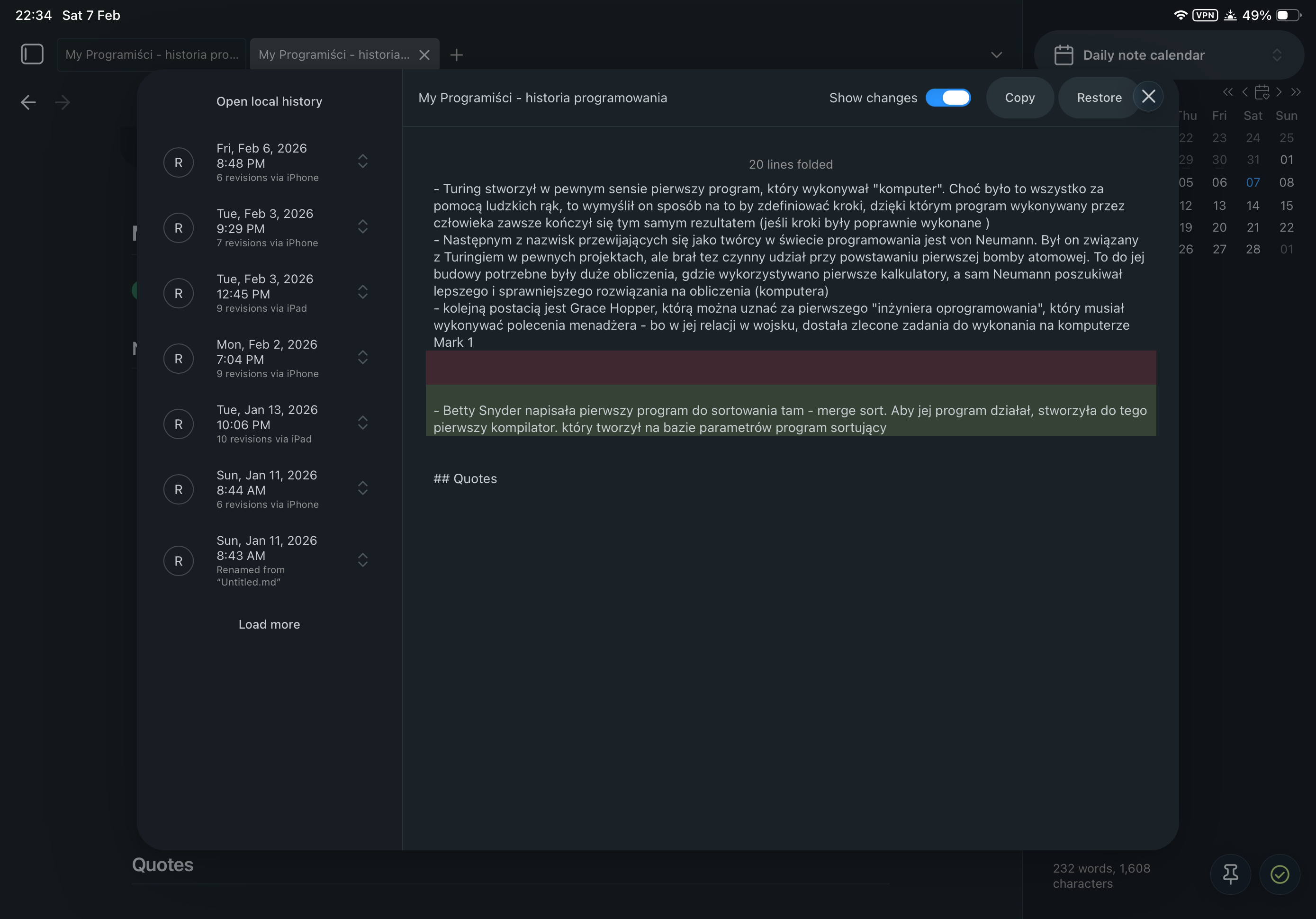
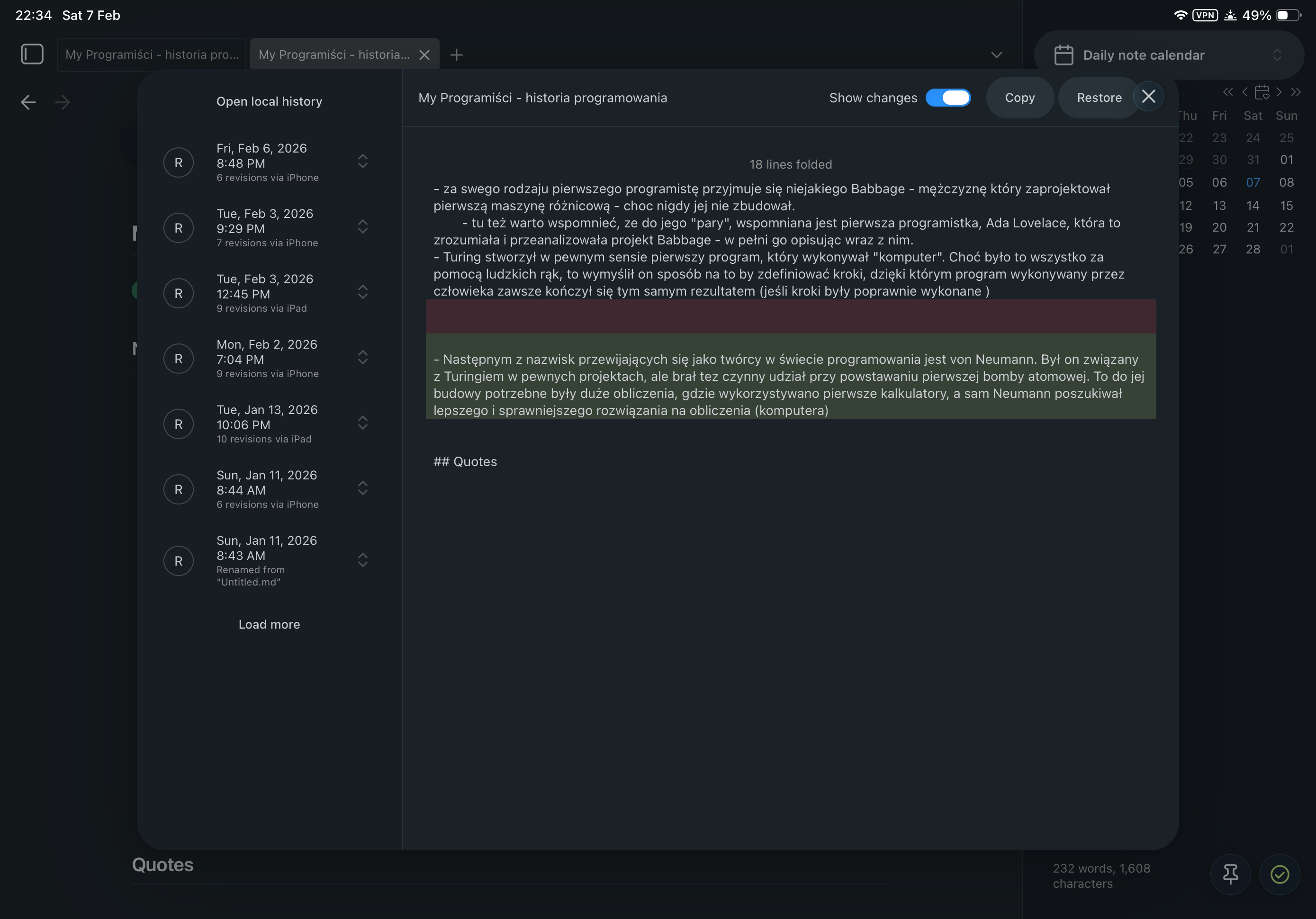
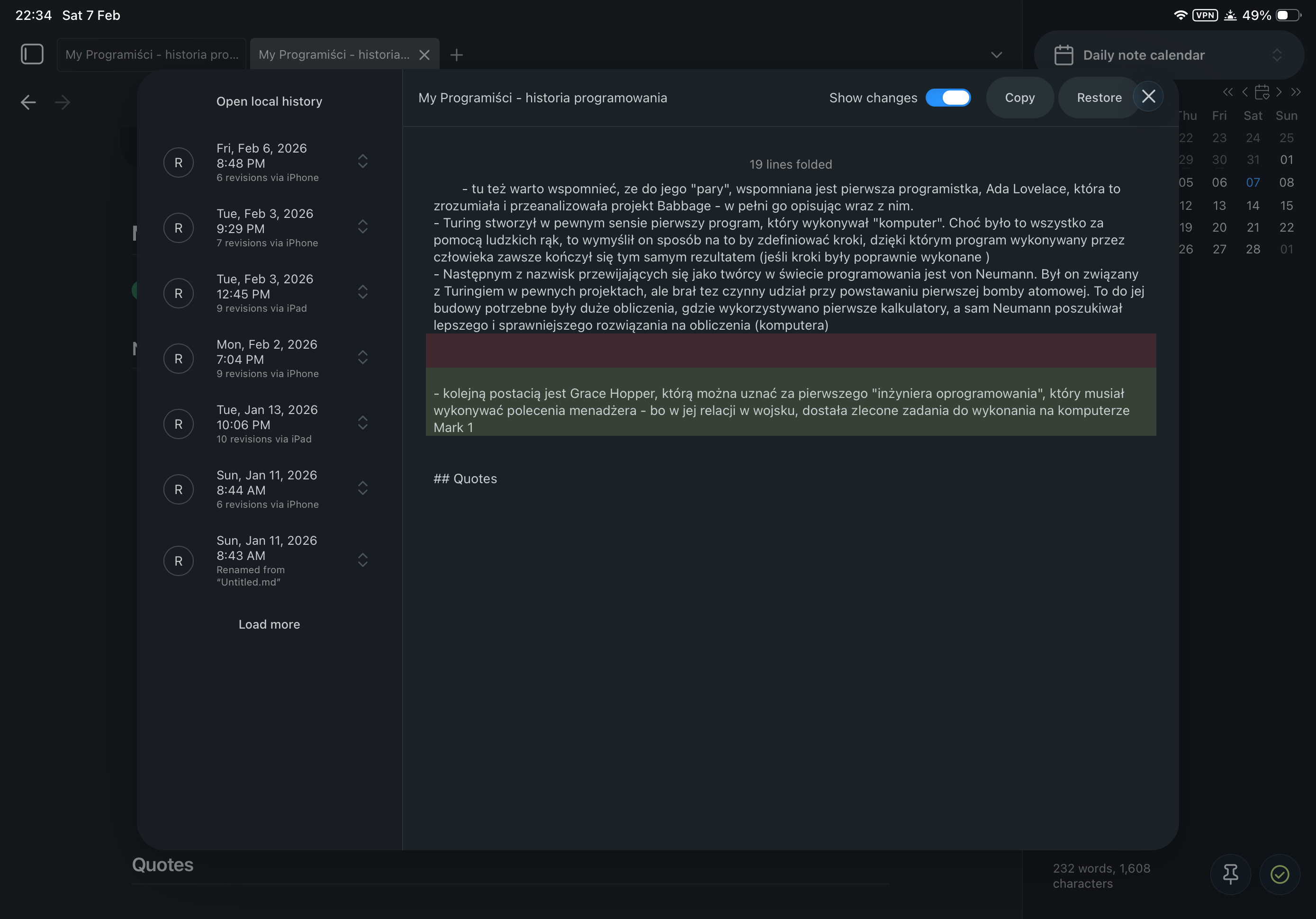
This time I got about 4 conflicting files created. There’s another one that popped up as conflicting on my iPad, that I never edited nor even opened it here. It has a PII data, so I wont post it here, but in it’s case the second revision is the one that got created as a conflict.
Another conflicting files from this batch of conflicts is on a 3rd revision. So, there is some pattern to it, that its 2-3 revision.
2 Likes
We have a proposed fix that is now in insider. Think you can try to repro again?  Make sure you grab the latest Testflight.
1 Like
After updating all my mobile devices to 1.12.1, opening Obsidian on my secondary tablet (where I haven’t opened it in a couple of weeks) produced 1 spurious conflict file. It was my “daily” note (I use core Daily Notes for weekly notes). Sometime since the mobile redesign I started using the option to open the daily note on startup, which I know can produce false conflicts, so I’m not sure if that’s what’s happened or if it’s the problem this thread is about.
Can you check the version history or file recovery of the files like so? We’re really curious as to the timeline of the file and how mobile processes it.
1 Like
I installed beta on both my mobile devices. Do I need it also on the PC? (this one is company hardware, so it may not be possible for me to get beta there).
Here are all the versions from the relevant day on the tablet that hadn’t been opened in a couple of weeks, pasted into individual files named by time: Cawlin-iPad-mini-weekly-Sync-versions.zip (8.9 KB).
1 Like
Awesome. Thanks for this.
I’ve been running both iOS devices (iPad and iPhone) in restricted mode for a few weeks as per your recommendations. Both iOS devices are continuing to generate conflicted files. In some cases, it seems as if these files are not even being edited on the iOS device. They are just being opened and viewed on the iOS device. In some cases, I don’t even recall having the file open on the iOS device. In other files, I started a daily note on the iOS device, then did subsequent edits on desktop.
I’m going to continue to monitor which files become conflicted and report back.
Thanks for your help in resolving!
So far, with the latest beta that was mentioned that aims to fix the issue - I did not face random conflicts. The only time I got a conflict was similar to what was mentioned above - with a daily note created on other device, and then created on app open on a different one.
Are you using the public version of Obsidian (v1.11) or the insider version (v1.12)?
I was using the public version (1.11). Updated to 1.12 when it became public, so will monitor to see if any new conflict files are generated. So far so good with 1.12!
Got an unexpected batch of spurious conflict files on v1.12.4. This was on my tablet, which possibly I hadn’t opened Obsidian on in a few days (I hadn’t noticed a gap but can’t say for sure). One was the current daily (weekly) note so we can discount that. The others were the prior daily (weekly) note, a test note, and 2 movie notes. I copied the Sync log (after deleting the duplicates except for the movie ones).
This morning I noted 3 new conflicted files generated from an iOS device. I am using Obsidian 1.12.4. In the case of these files, I did no editing of the file on the iOS device. I simply opened the file to view.
Had a spate of false positives recently. If I get a real conflict, it’s increasingly likely I may delete it without looking closely enough.